# Documentation that helps you ship
Explore our API reference, developer tools, open-source components, and exhaustive documentation. Join our vibrant community of developers and technology leaders today.
**Commerce Layer** provides the complete [transactional engine](#core-api) for modern commerce through powerful APIs. We handle the complexity of checkout, payments, inventory, orders management, and fulfillment so you can build shopping experiences that work everywhere — from traditional websites to mobile apps to [AI agents](#ready-for-the-agentic-age) making autonomous purchases. Your frontend, your CMS, your channels. Our commerce infrastructure.
## Docs-first platform
At Commerce Layer, documentation isn't an afterthought — it's our foundation, the primary interface between our engineering and yours. We treat documentation as a product with the same rigor we apply to our APIs themselves. We believe that great APIs deserve equally great docs, which is why we've invested heavily in creating comprehensive, accurate, and developer-friendly resources. Whether you're building your first integration or architecting a complex multi-market commerce system, our documentation and support are here to give you confidence that you're implementing things correctly.
This developer portal serves as your central hub for exploring everything Commerce Layer has to offer:
:cart-circle-check:
Core API
The complete transactional commerce engine with hundreds of fast and secure REST API endpoints. Manage checkout, payments, inventory, orders, and fulfillment across any channel.
Production-ready micro frontends you can deploy instantly or use as reference implementations. From hosted checkout and cart to customer portals — integrate with a link or fork and customize the code.
SDKs, CLI, component libraries, and integrations for your entire workflow. Work in JavaScript, React, or the terminal — use Postman collections, OpenAPI schemas, or connect via Zapier for no-code automation.
Specialized APIs that extend Core functionality with analytics and provisioning capabilities. Query commerce metrics directly, build custom dashboards, and automate team management across organizations.
{% hint style="success" icon="user-group" %}
Want to get involved? Explore [our ecosystem](#build-with-us) to contribute code, stay updated, and connect with fellow developers.
{% endhint %}
## Ready for the agentic age
As a unified commerce engine that powers any transaction, anywhere, built API-first since day one, Commerce Layer is ready by design to be the enabler of a new era of interactions where AI agents don't just recommend products — they research, compare, and complete purchases autonomously on behalf of users. Enter [agentic commerce](https://commercelayer.io/agentic-commerce).
Our architecture enables AI agents to execute every commerce action programmatically. But having accessible APIs is only half the equation for agentic commerce. AI agents also need to understand how to use those APIs correctly, which means they need access to documentation in formats they can effectively consume and reason about. In short terms, documentation must also be AI-ready. That's why Commerce Layer docs follow close behind, offering some features you can leverage out of the box to ensure that AI systems can retrieve and provide accurate, contextual responses in real-time.
### LLM-friendly
**Large Language Models** are becoming increasingly important for information retrieval and knowledge assistance. To make Commerce Layer APIs documentation content available in [text-based formats](https://llmstxt.org/) that are easier for LLMs to process, ingest, and work with, you can leverage the following `llms.txt` files.
* [Index](https://docs.commercelayer.io/llms.txt) — contains an index of all the page URLs and titles of our API docs sites, providing a comprehensive list of all available markdown-formatted pages:
```
https://docs.commercelayer.io/llms.txt
```
* [Full content](https://docs.commercelayer.io/llms-full.txt) — contains the full content of our API docs sites in one file that can be passed to LLMs as context:
```
https://docs.commercelayer.io/llms-full.txt
```
{% hint style="info" icon="circle-info" %}
On top of that, all of the pages of Commerce Layer docs are automatically available as markdown files. If you add the `.md` extension to any page, you will see the content of that page rendered in markdown which you can pass to an LLM for more efficient processing than an HTML file.
{% endhint %}
### MCP server
**Model Context Protocol** gives AI tools a structured way to discover and retrieve your docs as resources — no scraping required. To allow AI assistants to access Commerce Layer APIs documentation content directly, making it easy for tools like [Claude Desktop](https://code.claude.com/docs/en/mcp), [Cursor](https://cursor.com/docs/context/mcp), and [VS Code](https://code.visualstudio.com/docs/copilot/customization/mcp-servers) extensions to answer questions using the docs, we expose via `HTTP` an MCP server at the following URL:
```
https://docs.commercelayer.io/~gitbook/mcp
```
{% hint style="warning" %}
Visiting the URL above in your browser will result in an error. Instead, you can share this with tools that can make HTTP requests, like LLMs or IDEs.
{% endhint %}
## Core API
Build comprehensive commerce experiences with our API-first platform. Access hundreds of endpoints and webhooks to add global shopping capabilities — from dynamic pricing and distributed inventory to localized payments and intelligent order management — to any digital experience.
:rocket-launch:
Getting started
Learn how to set up your Commerce Layer organization and place your first order. Follow our comprehensive onboarding guide to understand the data model, configure your environment, and start building quickly.
Explore our complete REST API with detailed documentation for all 100+ endpoints. Browse resource structures, discover 400+ available CRUD operations, and understand authentication patterns for every use case.
ccess step-by-step tutorials and practical examples covering common commerce scenarios. Learn best practices for implementing features like multi-currency pricing, promotions, and subscription management.
Build flexible business logic tailored to your needs. Create dynamic pricing strategies, complex promotions, and conditional workflows using JSON-based rules with intuitive visual builders available.
Stay synchronized with real-time resource changes using Server-Sent Events. Our Stream Hub provides enterprise customers with instant updates for orders, inventory, and all API resources without polling.
Understand how Commerce Layer structures commerce data through comprehensive E-R diagrams. Explore resource relationships, learn dependency patterns, and see how objects connect across the system.
## Pre-built applications
Accelerate development with our production-ready commerce micro frontends. These open-source applications integrate seamlessly into your website with a simple link or serve as reference implementations for custom builds. Focus on your unique value while we handle core commerce functionality.
:cart-shopping:
Cart
Implement a full-featured shopping cart with real-time inventory checks and automatic price updates. Customers can manage quantities, apply promo codes, and see personalized pricing across all markets.
Deploy a PCI-compliant, PSD2-ready checkout flow powered by Commerce Layer APIs. Support multiple payment methods, handle tax calculations, and enable seamless multi-market transactions out of the box.
Give customers a complete self-service portal to manage order history, saved addresses, and payment methods. Enable profile updates, track shipments, and handle returns without custom development.
Streamline user authentication and account management with our hosted identity solution. Handle customer registration, password resets, and secure login flows while maintaining full brand consistency.
Launch lightweight commerce experiences for specific campaigns, collections, or markets. Create focused shopping environments that share your main store's inventory and backend without full site development.
Explore a fully functional static ecommerce site built with Commerce Layer, complete with SSR capabilities. Use it as a starting template, reference architecture, or learning resource for your projects.
## Developer tools
Build fast and stay productive with our comprehensive developer toolkit. From SDKs and CLI tools to component libraries and integrations, we provide everything you need for modern development. Manage resources, automate workflows, and integrate Commerce Layer using your preferred tools and frameworks.
:key:
JS Auth
Simplify authentication flows with our lightweight JavaScript library. Handle OAuth2 tokens, manage refresh logic, and secure API calls across browser, server, or edge environments with minimal code.
Interact with Commerce Layer APIs using our modern JavaScript SDK with full TypeScript support. Features tree-shaking for optimal bundle sizes, intuitive resource methods, and automatic token management.
Transform static HTML pages into enterprise-grade commerce sites with simple web components. Add prices, availability, cart functionality, and checkout to any page using only HTML attributes — no frameworks required.
Manage your Commerce Layer operations directly from the terminal. Import data, export reports, create resources, generate checkout links, and automate complex workflows without leaving the command line.
Build custom commerce UIs with our composable React component library. Create flexible, interactive shopping experiences while maintaining full control over styling and behavior in your React applications.
Replicate Commerce Layer's Dashboard design system in your custom applications. This React component library provides pre-built UI elements that match our interface, ensuring consistent user experiences.
Generate client libraries, validate requests, and build tooling using our complete OpenAPI specification. Access machine-readable API definitions to automate integration and streamline developer workflows.
Connect Commerce Layer with 5,000+ third-party services through Zapier. Build no-code automation workflows for order processing, inventory updates, customer notifications, and business operations in minutes.
Import all Commerce Layer API endpoints into Postman with a single click. Test API calls, explore resources, and debug integrations using our maintained workspace with pre-configured request examples.
## Advanced APIs
Extend your implementation with modular APIs for business analytics, operational insights, and flexible integration. These specialized APIs work alongside [Core API](#core-api) to provide deeper control over provisioning, enable custom reporting, and unlock programmatic account management across your organization.
:chart-line-up:
Metrics API
Extract powerful commerce insights through advanced analytics queries. Calculate conversion rates, track customer behavior, and build custom dashboards with KPI measurements on-demand — no external BI tools needed.
Automate account management and access control programmatically. Create team accounts, assign permissions, generate API credentials, and streamline user onboarding workflows across multiple organizations.
## Build with us
Commerce Layer is built in the open, by developers, for developers — because we believe transparency and collaboration create better software. Whether you want to contribute code, stay informed about new features, or connect with our community, we're here to support your journey. Explore our open-source projects, track updates, and join the conversation.
:github:
GitHub
Every tool, library, and micro frontend we build is open source. Browse our repositories, inspect the code, submit pull requests, and contribute improvements. Your inputs help shape Commerce Layer's future.
Track every update, feature release, and improvement across all Commerce Layer products. Get detailed release notes for all our APIs, developer tools, and open-source projects — never miss what's new or breaking.
Get your invite and connect with fellow developers building on Commerce Layer. Get help from our team, share solutions with the community, discuss best practices, and stay informed about upcoming features and beta programs.
# Welcome to Core API
How to get started with Commerce Layer Core API and set up your first organization
Commerce Layer Core API is our foundational REST API that powers transactional commerce for international brands. It provides everything you need to make any digital experience shoppable — from multi-currency prices and distributed inventory to localized payment gateways, promotions, orders, subscriptions, and more.
{% hint style="success" %}
**Commerce Layer is free for developers, and it will be forever.** So the best way to get started is to [create an account](https://dashboard.commercelayer.io/sign_up) and try the API.
{% endhint %}
Once you signed up, you have two options to configure your environment:
* Leverage the [setup wizard](https://docs.commercelayer.io/core/onboarding/guided-setup) available in the Dashboard UI. This is the fastest way to add a minimum viable configuration to your environment and be ready to place your first order in a short time.
* Manually create all the required resources in the correct order (based on their mutual relationships) and [configure your organization step-by-step](https://docs.commercelayer.io/core/onboarding/manual-configuration). This could take a while longer, but it's a good opportunity to dig deeper into how Commerce Layer works, learn more about how its data model is structured, and get to grip with a powerful tool like the [Commerce Layer CLI](https://github.com/commercelayer/commercelayer-cli) that will enable you to complete the whole process without leaving the command line.
Take your pick, and let's get started!
# Guided setup
Sign up for free and set up your organization
As soon as you [sign up for free](https://dashboard.commercelayer.io/sign_up) and your account is successfully confirmed, you will be prompted to [create your first organization](#create-an-organization). To begin receiving orders and making sales through Commerce Layer, you need to configure it so that it meets some minimum requirements. A simple wizard on the Dashboard UI will guide you through the necessary steps to configure it.
The wizard is split into three main sections:
1. [Creating a merchant, a market and defining your business model](#create-a-market)
2. [Setting up shipments and payments](#set-up-shipping-and-payments)
3. [Adding products, stock, and prices](#add-some-products)
## Create an organization
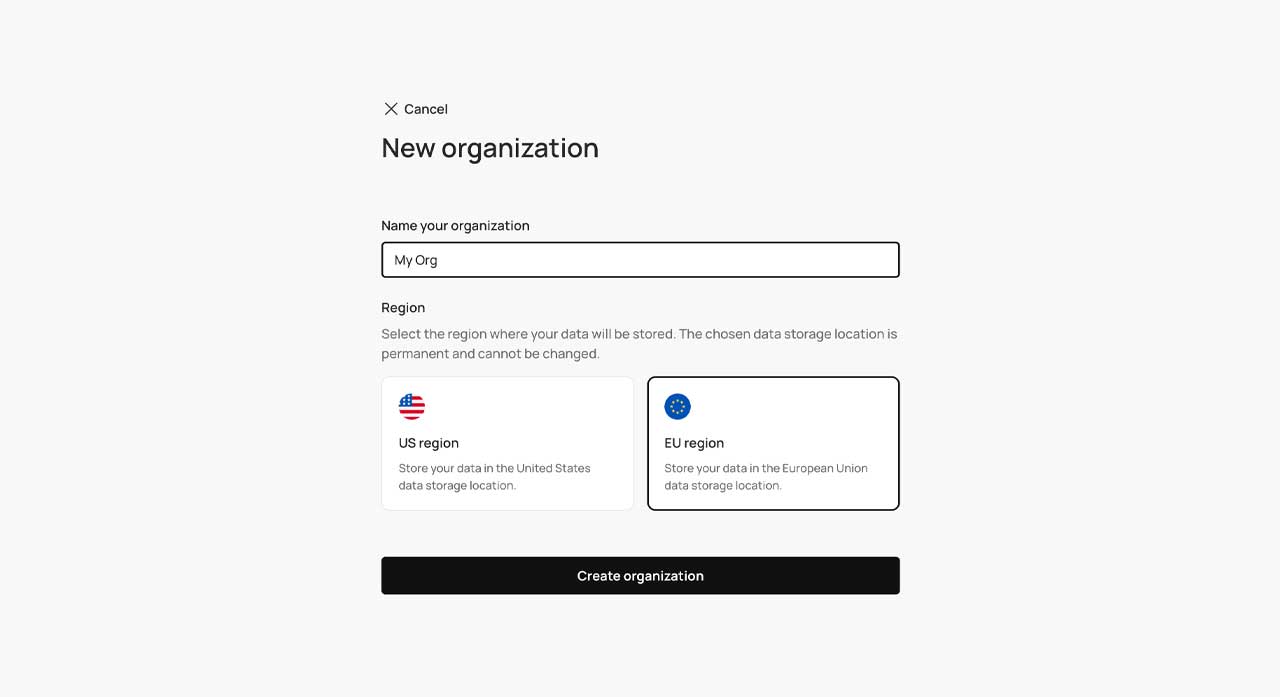
To create your first sample organization all you need to do is choose a meaningful name for it and select the region where your data will be stored.
{% hint style="warning" %}
Once the organization is created, the chosen data storage location cannot be changed anymore.
{% endhint %}

{% hint style="info" %}
If — for whatever reason — you need to delete one or more of the organizations you created, please ask the organization owner to reach out to our support team and send a specific request to [support@commercelayer.io ](mailto:support@commercelayer.io)specifying the list of the organization slug you want to be deleted.
{% endhint %}
## Create a market
For starters, you need a market where to sell your products. To create a market you must first define your business model by setting up:
* A [merchant](https://app.gitbook.com/s/RWJeylueWkzLadK710XZ/merchants) — the seller or owner of each market in your organization. You need to provide a name and your company address.
* A [stock location](https://app.gitbook.com/s/RWJeylueWkzLadK710XZ/stock_locations) — the physical (or virtual) warehouse from where to ship your products and/or to where to return them. You need to provide a name, an address, and an optional code. From here you can also choose the shipping label format.
* An [inventory model](https://app.gitbook.com/s/RWJeylueWkzLadK710XZ/inventory_models) — from here you can choose the inventory strategy, set up some parameters related to stock reservations and stock transfers, and specify how you want to manage the stock (e.g. manually).
* A [price list](https://app.gitbook.com/s/RWJeylueWkzLadK710XZ/price_lists) — a container for all the prices of your products in a specific currency. Here is where you also need to specify whether the prices in the price lists will include taxes (e.g. B2C VAT) or not (e.g. B2B VAT, sales taxes).
The setup wizard will guide you through all the necessary steps to create all the resources above and your progress will be displayed in the Dashboard UI:

Now you can use those resources to create your first market. You can optionally specify a market code and, at a later time, connect other optional resources such as:
* A [customer group](https://app.gitbook.com/s/RWJeylueWkzLadK710XZ/customer_groups) — to make the market private
* A [subscription model](https://app.gitbook.com/s/RWJeylueWkzLadK710XZ/subscription_models) — to manage order subscriptions.
* A [tax calculator](https://app.gitbook.com/s/RWJeylueWkzLadK710XZ/tax_calculators) — to calculate taxes for the market's orders
* A [geocoder](https://app.gitbook.com/s/RWJeylueWkzLadK710XZ/geocoders) — to automatically geocode addresses
From here you can also manage some market-specific features (e.g. [prices](https://docs.commercelayer.io/core/external-resources/external-prices) or [order validation](https://docs.commercelayer.io/core/external-resources/external-order-validation)) using an external service.
## Set up shipping and payments
### Shipping
To be able to ship your product to your customers, you need to configure one or more shipping methods. To create a shipping method you must first set up:
* A [shipping category](https://app.gitbook.com/s/RWJeylueWkzLadK710XZ/shipping_categories) — you need to provide the category name and an optional code.
* A [shipping zone](https://app.gitbook.com/s/RWJeylueWkzLadK710XZ/shipping_zones) — you need to provide a name for the zone and country code / state code / ZIP code based RegEx that defines it.
The setup wizard will guide you through all the necessary steps to create all the resources above and your progress will be displayed in the Dashboard UI:

Now you can create a [shipping method](https://app.gitbook.com/s/RWJeylueWkzLadK710XZ/shipping_methods) and optionally restrict it to the [previously created market](#create-a-market) or to a specific currency. Here you can also:
* Decide how to manage the cost of the shipping method (it can be a fixed cost for all the shipments, a [tiered cost](https://app.gitbook.com/s/RWJeylueWkzLadK710XZ/shipping_weight_tiers) based on the shipment weight, or a custom cost calculated [using an external logic](https://docs.commercelayer.io/core/external-resources/external-shipping-costs)).
* Offer free shipping if the order total or subtotal is over a certain amount.
* Make the shipping method available for the previously created shipping zone, shipping category, stock location, or interval of shipment's weight.
### Payments
To be able to receive payments from your customers, you need to configure one or more payment methods. To create a payment method you must first set up:
* A [payment gateway](https://app.gitbook.com/s/RWJeylueWkzLadK710XZ/payment_gateways) — Commerce Layer is currently [integrated out-of-the-box](https://app.gitbook.com/s/-Lk-ezuDClaMavTqnRi0/placing-orders/payments) with some of the most used payment providers. [Manual payments](https://app.gitbook.com/s/RWJeylueWkzLadK710XZ/manual_gateways) (e.g. cash on delivery, wire transfers) and the option to integrate[ any other external payment service](https://docs.commercelayer.io/core/external-resources/external-payment-gateways) are also available.
Now you can create a [payment method](https://app.gitbook.com/s/RWJeylueWkzLadK710XZ/payment_methods), associate it with the [previously created market](#create-a-market) and payment gateway, and set the cost (if any) that will be charged when customers select it. Here you can also manage some specific options related to the transactions associated with the orders processed via this payment method, such as:
* [Auto-place](https://app.gitbook.com/s/RWJeylueWkzLadK710XZ/payment_methods#placement-options) — to automatically place orders upon receiving a successful webhook from the payment gateway.
* [Auto-capture](https://app.gitbook.com/s/-Lk-ezuDClaMavTqnRi0/placing-orders/auto-capture) — to automatically capture payments upon authorization.
* [Delayed capture](https://app.gitbook.com/s/RWJeylueWkzLadK710XZ/payment_methods#capture-options) — to fulfill orders without requiring payment capture and manually capture them when ready to ship.
## Add some products
You're almost there! What you're still missing to start selling is some product variants with the related availability and prices for the previously created market:
* [SKUs](https://app.gitbook.com/s/RWJeylueWkzLadK710XZ/skus) — specific product variations that are being sold. You need to provide the unique SKU code and you can add a name, a description, and an image URL to be used internally. Here you can also associate the [previously created shipping category](#shipping), specify the item's weight, and indicate if the SKU refers to a digital product that doesn't involve shipments (*do not ship*) or to items with virtually unlimited stock (*do not track*).
* [Stock](https://app.gitbook.com/s/RWJeylueWkzLadK710XZ/stock_items) — the SKU's inventory in a specific stock location. Here you need to select the SKU, associate the [previously created stock location](#create-a-market), and specify the quantity of available units.
* [Prices](https://app.gitbook.com/s/RWJeylueWkzLadK710XZ/prices) — the defined cost of an SKU associated with a currency and price list. Here you need to select the SKU, associate the [previously created price list](#create-a-market), and specify the value in the selected currency. You can also set an original price to be displayed with a strikethrough and/or enable a tiered pricing policy based on [volume](https://app.gitbook.com/s/RWJeylueWkzLadK710XZ/price_volume_tiers) or [frequency](https://app.gitbook.com/s/RWJeylueWkzLadK710XZ/price_frequency_tiers).
The setup wizard will guide you through all the necessary steps to create all the resources above and your progress will be displayed in the Dashboard UI, until completion:

## Authenticate with your API credentials
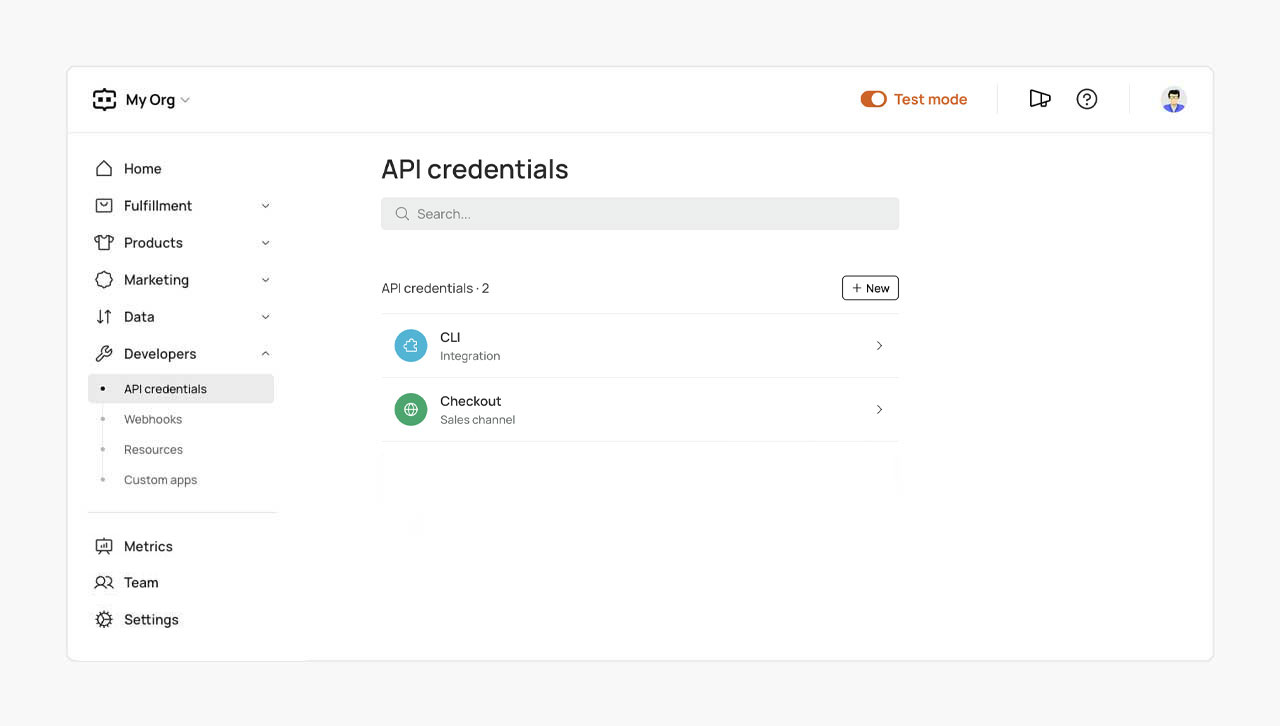
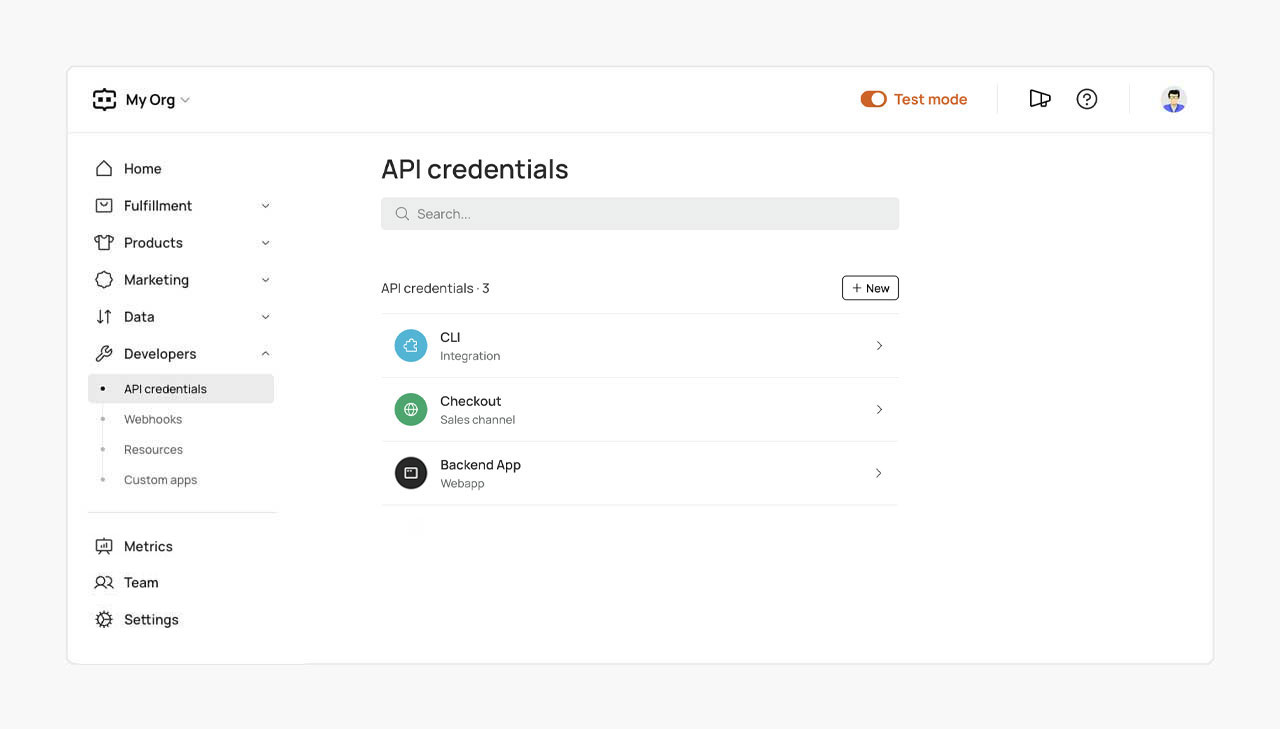
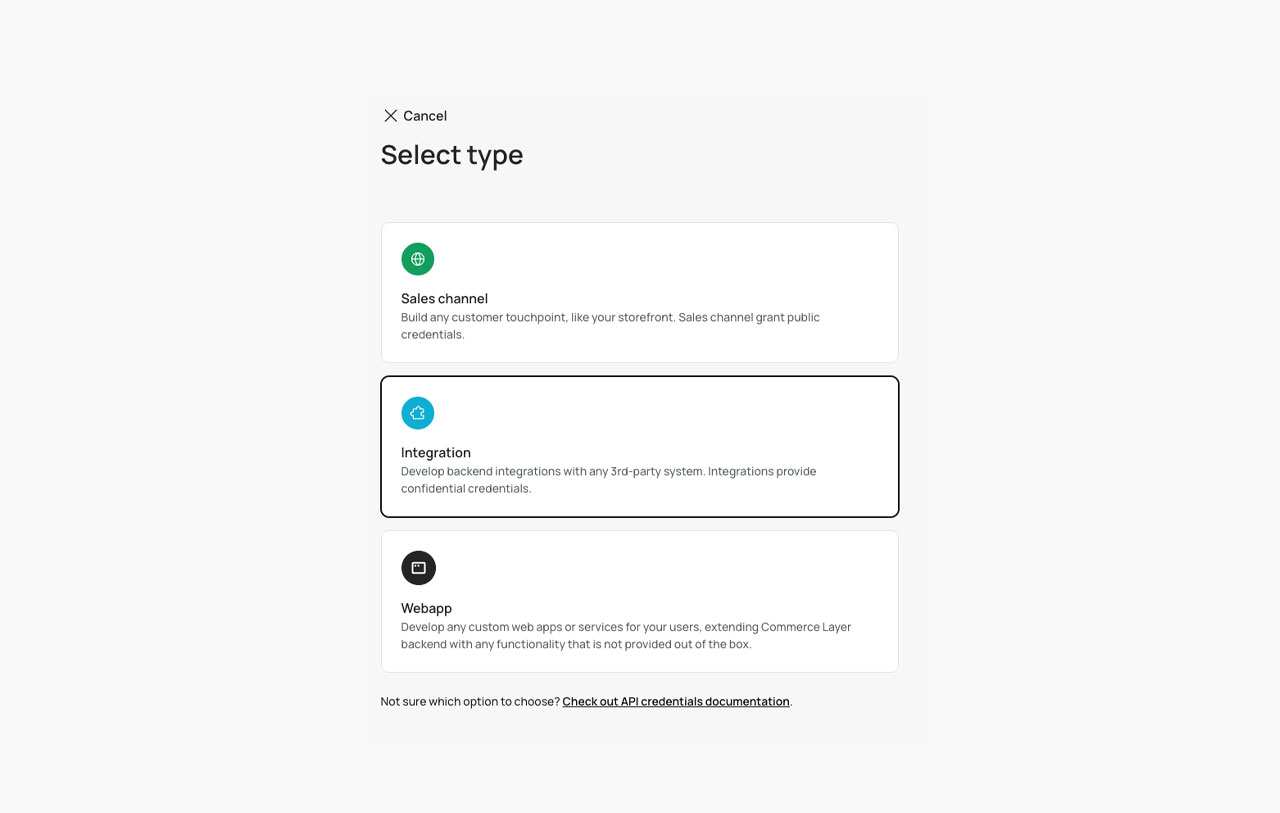
At the moment of the creation of the organization, a couple of API credentials (one of type [integration](https://docs.commercelayer.io/core/api-credentials#integration) and one of type [sales channel](https://docs.commercelayer.io/core/api-credentials#sales-channel)) are also automatically created:
You can now use them to authenticate and start using the APIs.
{% content-ref url="../authentication" %}
[authentication](https://docs.commercelayer.io/core/authentication)
{% endcontent-ref %}
{% content-ref url="../api-credentials" %}
[api-credentials](https://docs.commercelayer.io/core/api-credentials)
{% endcontent-ref %}
For example, you can try to create an order using the [Orders app](https://github.com/commercelayer/dashboard-apps/tree/main/apps/orders) directly from the Dashboard and leverage our [Checkout MFE](https://github.com/commercelayer/mfe-checkout) to place it!
## Let's go deeper!
This guided setup is intended to help you put together a basic configuration for your organization but just scratches the surface of what you can build and achieve with Commerce Layer.
Take your time to explore the rest of this guide, check the [API reference](https://app.gitbook.com/o/-Lfu_B3DKew-kvoEWzTk/s/RWJeylueWkzLadK710XZ/), have a look at our recipe-like [how-tos](https://app.gitbook.com/o/-Lfu_B3DKew-kvoEWzTk/s/-Lk-ezuDClaMavTqnRi0/), and become a pro!
{% hint style="success" icon="chart-line-up" %}
Do you need to extract some kind of data information from your Commerce Layer's organization? Check our [Metrics API](https://app.gitbook.com/o/-Lfu_B3DKew-kvoEWzTk/s/ASSiAvbL4nFnkl8plQy2/) and see how it can enable you to gather and aggregate useful data that you can leverage to measure the health and performance of your ecommerce business.
{% endhint %}
{% hint style="success" icon="user" %}
If you want to exercise greater control over your organizational structure and user roles and be able to manage provisioning tasks programmatically instead of manually, leverage our [Provisioning API](https://app.gitbook.com/o/-Lfu_B3DKew-kvoEWzTk/s/xrdVVavnnBMHRCqrLp1y/).
{% endhint %}
{% hint style="success" icon="gear-complex" %}
Would you like to benefit from a DSL that enables you to define promotional rules? If you're an enterprise customer, you can ask to test our [Rules Engine](https://app.gitbook.com/o/-Lfu_B3DKew-kvoEWzTk/s/hiqD9AvrD8A8IPj7QXPv/) and start setting up almost any kind of promotions to boost your sales, from the simplest to the most complex.
{% endhint %}
For everything else, [join us on Discord](https://discord.gg/commercelayer) and feel free to ask any questions to the team or get involved in the conversation with the rest of our developers' community.
If you want to dig deeper into how Commerce Layer's data model is structured, feel free to skip this initial wizard by clicking on the related text in the upper right corner and seed your organization [manually](https://docs.commercelayer.io/core/onboarding/manual-configuration), as explained in the following step-by-step guide.
# Manual configuration
A step-by-step guide on how to set up an organization from scratch, using our CLI
If you want to get deeper and understand the Commerce Layer Core API data model in detail, you may want to try to configure your organization manually, directly interacting with our APIs by leveraging the [Commerce Layer CLI](https://github.com/commercelayer/commercelayer-cli). The manual configuration involves creating all the necessary resources, linking them based on their mutual relationships, and properly populating your environment with sample (or real) data. [This guide](#manual-seeding-reference-guide) will walk you through the process of setting up a new organization using the command line from start to finish and is a good opportunity to learn (by doing) how Commerce Layer works, in deep.
{% hint style="info" %}
Please refer to Commerce Layer Core API [data model](https://commercelayer.io/docs/data-model) documentation to get an overview of the most relevant API entities, their mutual relationships, and common usage with the help of E-R diagrams.
{% endhint %}
As an alternative, if you want to go straight to the chase, you can [follow the wizard](https://docs.commercelayer.io/core/onboarding/guided-setup) available on the Dashboard UI when you create a new organization.
## Manual seeding reference guide
1. [Create an organization](#create-an-organization)
2. [Create integration API credentials](#create-integration-api-credentials)
3. [Install the Commerce Layer CLI](#install-the-commerce-layer-cli)
4. [Log in using the API credentials](#log-in-using-the-api-credentials)
5. [Install the resources plugin](#install-the-resources-plugin)
6. [Configure your organization](#configure-your-organization)
* [x] **Markets**
* [Address](#address)
* [Merchant](#merchant)
* [Stock location](#stock-location)
* [Inventory model](#inventory-model)
* [Inventory stock location](#inventory-stock-location)
* [Price list](#price-list)
* [Market](#market)
* [x] **Shipping**
* [Shipping category](#shipping-category)
* [Shipping zone](#shipping-zone)
* [Shipping method](#shipping-method)
* [x] **Payments**
* [Payment gateway](#payment-gateway)
* [Payment method](#payment-method)
* [x] **Products**
* [SKUs](#skus)
* [Stock items](#stock-items)
* [Prices](#prices)
7. [Import additional resources](#import-additional-resources)
8. [Create an order](#create-an-order)
9. [Create sales channel API credentials](#create-sales-channel-api-credentials)
10. [Generate a checkout URL](#generate-a-checkout-url)
## Create an organization
As soon as you [sign up for free](https://dashboard.commercelayer.io/sign_up) and your account is successfully confirmed, you will be prompted to create your first organization. Otherwise, if you already have an account, click on your current organization name in the left upper corner of your dashboard homepage to access your list of [organizations](https://commercelayer.io/docs/data-model/users-and-organizations) and select *+ New organization* from the dropdown to create a new one for your business. Then, on the following page, enter a name and select the region where your data will be stored, as seen in the screenshots below.

{% hint style="warning" %}
Once the organization is created, the chosen data storage location cannot be changed anymore. If — for whatever reason — you need to delete one or more of the organizations you created, please ask the organization owner to reach out to our support team and send a specific request to [support@commercelayer.io ](mailto:support@commercelayer.io)specifying the list of the organization slug you want to be deleted.
{% endhint %}
## Create integration API credentials
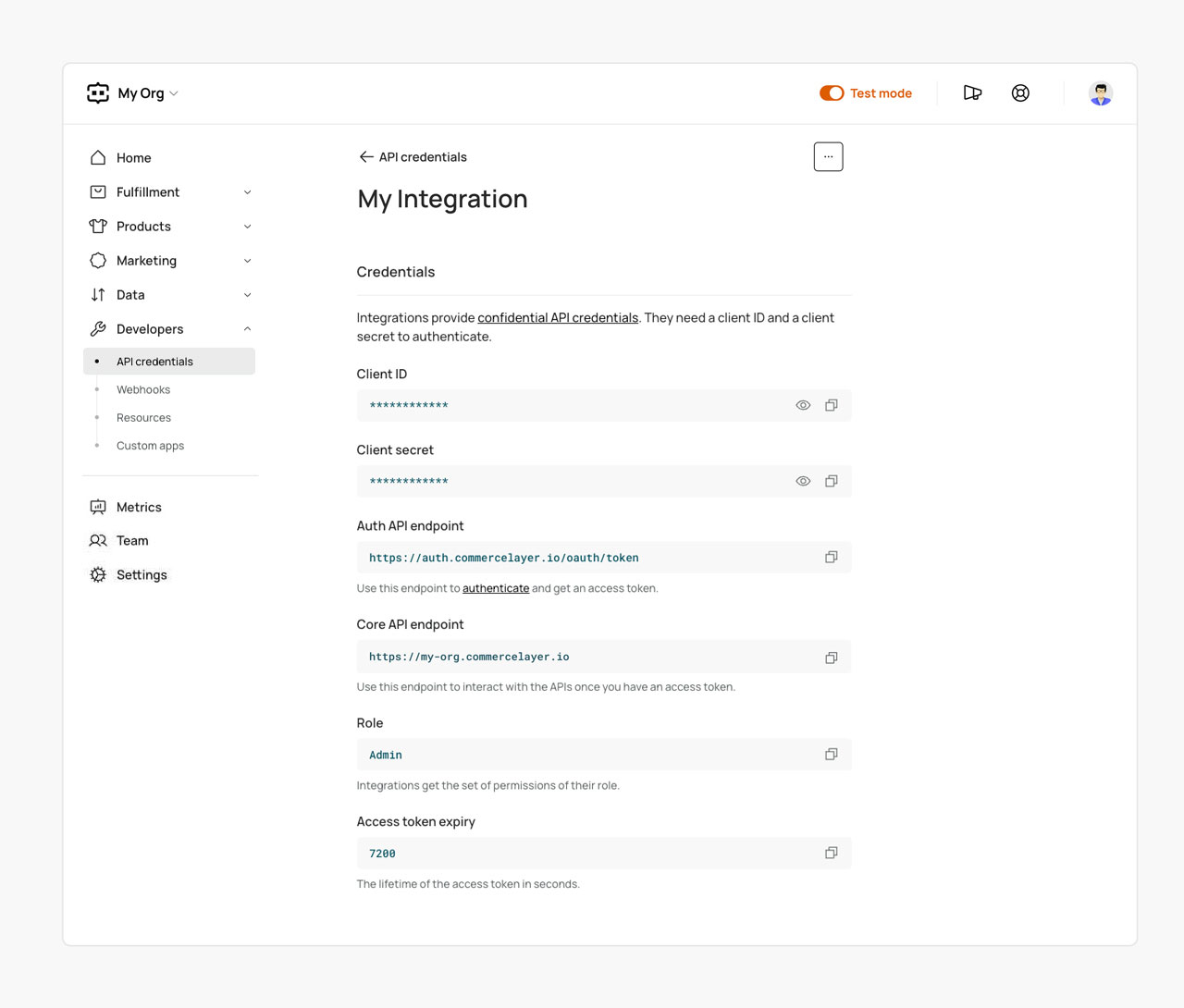
Follow [these steps](https://docs.commercelayer.io/core/api-credentials#create-an-integration) to create new integration API credentials (**client ID**, **client secret**, and **base endpoint**) from the Dashboard with an **Admin** role. Remember to save them as we'll use them later to [interact with the CLI](#log-in-using-the-api-credentials).
## Install the Commerce Layer CLI
Run the command below on your terminal to install the CLI using your favorite package manager:
```shell
npm install -g @commercelayer/cli
```
```
yarn global add @commercelayer/cli
```
Installing the CLI provides access to the `commercelayer` command, which can also be accessed with the aliases `clayer` and `cl`.
{% hint style="info" %}
You can run `commercelayer help` at any point to learn about the available command options.
{% endhint %}
## Log in using the API credentials
Log in via the CLI using the [previously created](#create-integration-api-credentials) integration API credentials like so:
```shell
cl applications:login -o -i -s -a
```
Here’s a breakdown of each of the command options:
* The `applications:login` command lets you manage the login with the CLI using your API credentials.
* The `-o` flag allows you to pass in an organization slug as a parameter.
* `` represents the slug from your organization’s base endpoint (e.g. `sample-shop` from `https://sample-shop.commercelayer.io`).
* The `-i` flag allows you to pass in a client ID as a parameter.
* `` represents your client ID (you can find it on the API credentials details page on the dashboard).
* The `-s` flag allows you to pass in a client secret as a parameter.
* `` represents your client secret (you can find it on the API credentials details page on the dashboard).
* The `-a` flag allows you to pass in an alias that will be associated with the credentials you want to log with on your terminal (this is useful when switching between different API credentials).
## Install the resources plugin
To get started, you need to install the [resources plugin](https://github.com/commercelayer/commercelayer-cli-plugin-resources) so that you can execute CRUD operations on the API resources. To do that, use the command below:
```shell
cl plugins:install resources
```
{% hint style="info" %}
You can run the command `cl resources` to list all the available Commerce Layer API [resources](https://app.gitbook.com/o/-Lfu_B3DKew-kvoEWzTk/s/RWJeylueWkzLadK710XZ/) and a link to the documentation of each one. Use `commercelayer resources --help` to see the available commands and what they do.
{% endhint %}
For this guide, we would be using:
* The `commercelayer resources:create [RESOURCE]` command to create new resources.
* The `-r, --relationship=` flag which defines a relationship with another resource(s).
* The `-a, --attribute=` flag which defines the attributes of a resource that will be used.
{% hint style="info" %}
Please note that a live documentation option is also available on the command line: just append `--doc` to any CLI command of the resources plugin to show the command in a specific language of your choice (**cURL** and **Node** currently available, more to come).
{% endhint %}
#### Example
{% tabs %}
{% tab title="CLI command" %}
The following command fetches a collection of SKUs using the CLI, prompting you the options to select a format to show the command live documentation:
```shell
commercelayer list skus --doc
```
{% endtab %}
{% tab title="cURL" %}
This is the corresponding cURL command to fetch a collection of SKUs:
```shell
curl -g -X GET \
'https://your-organization.commercelayer.io/api/skus' \
-H 'Accept: application/vnd.api+json' \
-H 'Content-Type: application/vnd.api+json' \
-H 'Authorization: Bearer your-access-token'
```
{% endtab %}
{% tab title="Node" %}
This is the corresponding Node command to fetch a collection of SKUs:
```javascript
import commercelayer from '@commercelayer/sdk'
const organization = 'your-organization'
const accessToken = 'your-access-token'
const cl = commercelayer({ organization, accessToken })
cl.skus.list().then(console.log)
```
{% endtab %}
{% endtabs %}
## Configure your organization
To get your organization ready to receive orders, you need to create some resources. These resources are grouped into [Markets](#markets), [Shipping](#shipping), [Payments](#payments), and [Products](#products). The sections below describe each of these resources in sequential order, and how to create them using the [previously installed](#install-the-resources-plugin) resources plugin of the CLI. All the resources will be created using sample data, and we will add the following for each of them:
* A description of the resource with a link to the related object details in the [API reference](https://app.gitbook.com/o/-Lfu_B3DKew-kvoEWzTk/s/RWJeylueWkzLadK710XZ/).
* The command for creating the resource.
* The output response of the successfully run command.
* A link to the related [data model](https://commercelayer.io/docs/data-model) where you can check the flowchart that illustrates how the specific resource relates to other API entities.
{% hint style="info" %}
When you successfully create a new resource, you can confirm this by running `cl resources:list ` and checking if the resource is in the returned list (e.g. `cl resources:list payment_gateways` will list all the payment gateways that have been created).
{% endhint %}
### Markets
#### Address
The [address](https://docs.commercelayer.io/developers/v/api-reference/addresses/object) resource is the foundation of users and merchants in Commerce Layer. It includes the literal details of a physical address of a person. An address can be associated with other resources or orders as their shipping or billing addresses.
{% tabs %}
{% tab title="CLI command" %}
The following command creates a new address:
```shell
cl resources:create address -a \
business="true" \
company="Sample Shop SRL" \
line_1="Via Roma 123" \
city="Firenze" \
zip_code="50123" \
state_code="FI" \
country_code="IT" \
phone="+39 055 1234567890" \
email="sample-shop@example.com"
```
{% endtab %}
{% tab title="Response" %}
On successful run, the newly created address object information is prompted:
```javascript
{
id: 'dqJkunqnQa',
type: 'addresses',
business: true,
first_name: null,
last_name: null,
company: 'Sample Shop SRL',
full_name: 'Sample Shop SRL',
line_1: 'Via Roma 123',
line_2: null,
city: 'Firenze',
zip_code: '50123',
state_code: 'FI',
country_code: 'IT',
phone: '+39 055 1234567890',
full_address: 'Via Roma 123, 50123 Firenze FI (IT) +39 055 1234567890',
name: 'Sample Shop SRL, Via Roma 123, 50123 Firenze FI (IT) +39 055 1234567890',
email: 'sample-shop@example.com',
notes: null,
lat: null,
lng: null,
is_localized: false,
is_geocoded: false,
provider_name: null,
map_url: null,
static_map_url: null,
billing_info: null,
created_at: '2022-03-17T14:27:26.526Z',
updated_at: '2022-03-17T14:27:26.526Z',
reference: null,
reference_origin: null,
metadata: {}
}
```
{% endtab %}
{% endtabs %}
#### Merchant
A [merchant](https://docs.commercelayer.io/developers/v/api-reference/merchants/object) is a fiscal representative that is selling in a specific market. Tax calculators use the merchant's address to determine the tax rate for an order. The merchant needs to be associated with a billing address. To do that we will use the ID from the [previously created](#address) address resource.
{% tabs %}
{% tab title="CLI command" %}
The following command creates a new merchant and associates it with a billing address:
```shell
cl resources:create merchants -a \
name="Sample Shop Manager" -r \
address="dqJkunqnQa"
```
{% endtab %}
{% tab title="Response" %}
On successful run, the newly created merchant object information is prompted:
```javascript
{
id: 'qnzZLHrgmn',
type: 'merchants',
name: 'Sample Shop Manager',
created_at: '2022-03-17T14:28:27.008Z',
updated_at: '2022-03-17T14:28:27.008Z',
reference: null,
reference_origin: null,
metadata: {},
address: {
id: 'dqJkunqnQa',
type: 'addresses',
business: true,
first_name: null,
last_name: null,
company: 'Sample Shop SRL',
full_name: 'Sample Shop SRL',
line_1: 'Via Roma 123',
line_2: null,
city: 'Firenze',
zip_code: '50123',
state_code: 'FI',
country_code: 'IT',
phone: '+39 055 1234567890',
full_address: 'Via Roma 123, 50123 Firenze FI (IT) +39 055 1234567890',
name: 'Sample Shop SRL, Via Roma 123, 50123 Firenze FI (IT) +39 055 1234567890',
email: 'sample-shop@example.com',
notes: null,
lat: null,
lng: null,
is_localized: false,
is_geocoded: false,
provider_name: null,
map_url: null,
static_map_url: null,
billing_info: null,
created_at: '2022-03-17T14:27:26.526Z',
updated_at: '2022-03-17T14:27:26.526Z',
reference: null,
reference_origin: null,
metadata: {}
}
}
```
{% endtab %}
{% endtabs %}
{% embed url="" %}
#### Stock location
[Stock locations](https://docs.commercelayer.io/developers/v/api-reference/stock_locations/object) contain the inventory of the SKUs (stock items) that are to be sold. A new stock location needs to be associated with an address. If the address is different from the merchant's one, then you should create a new address following [the same method above](#address) and use the new address ID here. To keep it simple, we’ll use the merchant’s address.
{% tabs %}
{% tab title="CLI command" %}
The following command creates a new stock location and associates it with an address:
```shell
cl resources:create stock_locations -a \
name="Europe Warehouse" -r \
address="dqJkunqnQa"
```
{% endtab %}
{% tab title="Response" %}
On successful run, the newly created stock location object information is prompted:
```javascript
{
id: 'okdYzuXRDM',
type: 'stock_locations',
number: 8207,
name: 'Europe Warehouse',
label_format: 'PDF',
suppress_etd: null,
created_at: '2022-03-17T14:29:43.763Z',
updated_at: '2022-03-17T14:29:43.763Z',
reference: null,
reference_origin: null,
metadata: {},
address: {
id: 'dqJkunqnQa',
type: 'addresses',
business: true,
first_name: null,
last_name: null,
company: 'Sample Shop SRL',
full_name: 'Sample Shop SRL',
line_1: 'Via Roma 123',
line_2: null,
city: 'Firenze',
zip_code: '50123',
state_code: 'FI',
country_code: 'IT',
phone: '+39 055 1234567890',
full_address: 'Via Roma 123, 50123 Firenze FI (IT) +39 055 1234567890',
name: 'Sample Shop SRL, Via Roma 123, 50123 Firenze FI (IT) +39 055 1234567890',
email: 'sample-shop@example.com',
notes: null,
lat: null,
lng: null,
is_localized: false,
is_geocoded: false,
provider_name: null,
map_url: null,
static_map_url: null,
billing_info: null,
created_at: '2022-03-17T14:27:26.526Z',
updated_at: '2022-03-17T14:27:26.526Z',
reference: null,
reference_origin: null,
metadata: {}
}
}
```
{% endtab %}
{% endtabs %}
{% embed url="" %}
#### Inventory model
An [inventory model](https://docs.commercelayer.io/developers/v/api-reference/inventory_models/object) defines a list of stock locations ordered by priority. The priority determines how the availability of SKUs gets calculated within a market. If an order contains line items from two or more stock locations, the order can be split into two or more shipments, according to the selected [inventory strategy](https://docs.commercelayer.io/developers/v/how-tos/inventory-model-strategies).
{% tabs %}
{% tab title="CLI command" %}
The following command creates a new inventory model:
```shell
cl resources:create inventory_models -a name="EUR Inventory"
```
{% endtab %}
{% tab title="Response" %}
On successful run, the newly created inventory model object information is prompted:
```javascript
{
id: 'kZXEvSYlra',
type: 'inventory_models',
name: 'EUR Inventory',
strategy: 'split_shipments',
stock_locations_cutoff: 2,
created_at: '2022-03-17T14:32:17.869Z',
updated_at: '2022-03-17T14:32:17.869Z',
reference: null,
reference_origin: null,
metadata: {}
}
```
{% endtab %}
{% endtabs %}
{% embed url="" %}
#### Inventory stock location
[Inventory stock locations](https://docs.commercelayer.io/developers/v/api-reference/inventory_stock_locations/object) build a hierarchy of stock locations within an inventory model. In cases where an SKU is available in more stock locations, it gets shipped from the one with the highest priority. You can decide to put the associated shipments on hold if fulfilled from a specific stock location (false by default). This is useful to manage use cases like back-orders, pre-orders, or personalized orders that need to be customized before being fulfilled. To create a new inventory stock location, you need to associate it with a stock location and an inventory model. We will use the ones we created earlier.
{% tabs %}
{% tab title="CLI command" %}
The following command creates a new inventory stock location and associates it with a stock location and an inventory model:
```shell
cl resources:create inventory_stock_locations -r \
inventory_model="kZXEvSYlra" \
stock_location="okdYzuXRDM" -a \
priority="4"
```
{% endtab %}
{% tab title="Response" %}
On successful run, the newly created inventory stock location object information is prompted:
```javascript
{
id: 'aWDOVSOBzj',
type: 'inventory_stock_locations',
priority: 4,
on_hold: false,
created_at: '2022-03-17T14:33:20.771Z',
updated_at: '2022-03-17T14:33:20.771Z',
reference: null,
reference_origin: null,
metadata: {},
stock_location: {
id: 'okdYzuXRDM',
type: 'stock_locations',
number: 8207,
name: 'Europe Warehouse',
label_format: 'PDF',
suppress_etd: null,
created_at: '2022-03-17T14:29:43.763Z',
updated_at: '2022-03-17T14:29:43.763Z',
reference: null,
reference_origin: null,
metadata: {}
},
inventory_model: {
id: 'kZXEvSYlra',
type: 'inventory_models',
name: 'EUR Inventory',
strategy: 'split_shipments',
stock_locations_cutoff: 2,
created_at: '2022-03-17T14:32:17.869Z',
updated_at: '2022-03-17T14:32:17.869Z',
reference: null,
reference_origin: null,
metadata: {}
}
}
```
{% endtab %}
{% endtabs %}
#### Price list
[Price lists](https://docs.commercelayer.io/developers/v/api-reference/price_lists/object) determine the SKU prices and their currency within a market. When you create a price list you have to specify the related currency and you can decide whether the associated prices include taxes or not (by default taxes are included).
{% tabs %}
{% tab title="CLI command" %}
The following command creates a new price list associated with the European currency, with tax included (default):
```shell
cl resources:create price_lists -a \
name="Euros Price List" \
currency_code="EUR"
```
{% endtab %}
{% tab title="Response" %}
On successful run, the newly created price list object information is prompted. You can see that the taxes have been included by default:
```javascript
{
id: 'dlwQyCXnqB',
type: 'price_lists',
name: 'Euros Price List',
currency_code: 'EUR',
tax_included: true,
created_at: '2022-03-17T14:37:44.720Z',
updated_at: '2022-03-17T14:37:44.720Z',
reference: null,
reference_origin: null,
metadata: {}
}
```
{% endtab %}
{% endtabs %}
{% embed url="" %}
#### Market
A [market](https://docs.commercelayer.io/developers/v/api-reference/markets/object) is an aggregation of business rules, often determined by a geographical region where merchants can sell items and customers can purchase. An organization may have one or more markets associated with a merchant, inventory model, SKUs, price lists, stock items, customer groups, and more. When you create a new market you need at least to associate it with a merchant, an inventory model, and a price list. We will use the ones we created earlier.
{% tabs %}
{% tab title="CLI command" %}
The following command creates a new market and associate it list associates it with a merchant, an inventory model, and a price list:
```shell
cl resources:create markets -r \
merchant="qnzZLHrgmn" \
inventory_model="kZXEvSYlra" \
price_list="dlwQyCXnqB" -a \
name="Europe"
```
{% endtab %}
{% tab title="Response" %}
On successful run, the newly created market object information is prompted:
```javascript
{
id: 'BjydJhAPko',
type: 'markets',
number: 9656,
name: 'Europe',
facebook_pixel_id: null,
checkout_url: null,
external_prices_url: null,
private: false,
created_at: '2022-03-17T14:39:47.525Z',
updated_at: '2022-03-17T14:39:47.525Z',
reference: null,
reference_origin: null,
metadata: {},
merchant: {
id: 'qnzZLHrgmn',
type: 'merchants',
name: 'Sample Shop Manager',
created_at: '2022-03-17T14:28:27.008Z',
updated_at: '2022-03-17T14:28:27.008Z',
reference: null,
reference_origin: null,
metadata: {}
},
price_list: {
id: 'dlwQyCXnqB',
type: 'price_lists',
name: 'Euros Price List',
currency_code: 'EUR',
tax_included: true,
created_at: '2022-03-17T14:37:44.720Z',
updated_at: '2022-03-17T14:37:44.720Z',
reference: null,
reference_origin: null,
metadata: {}
},
inventory_model: {
id: 'kZXEvSYlra',
type: 'inventory_models',
name: 'EUR Inventory',
strategy: 'split_shipments',
stock_locations_cutoff: 2,
created_at: '2022-03-17T14:32:17.869Z',
updated_at: '2022-03-17T14:32:17.869Z',
reference: null,
reference_origin: null,
metadata: {}
}
}
```
{% endtab %}
{% endtabs %}
{% embed url="" %}
### Shipping
#### Shipping category
[Shipping categories](https://docs.commercelayer.io/developers/v/api-reference/shipping_categories/object) determine which shipping methods are available for the associated SKUs. With this, an order will be split into multiple shipments if it contains line items belonging to more than one shipping category.
{% tabs %}
{% tab title="CLI command" %}
The following command creates a new shipping category:
```shell
cl resources:create shipping_categories -a name="Demo Shipping Category"
```
{% endtab %}
{% tab title="Response" %}
On successful run, the newly created shipping category object information is prompted:
```javascript
{
id: 'MWjgYFbYVK',
type: 'shipping_categories',
name: 'Demo Shipping Category',
created_at: '2022-03-17T14:41:06.380Z',
updated_at: '2022-03-17T14:41:06.380Z',
reference: null,
reference_origin: null,
metadata: {}
}
```
{% endtab %}
{% endtabs %}
{% embed url="" %}
#### Shipping zone
[Shipping zones](https://docs.commercelayer.io/developers/v/api-reference/shipping_zones/object) determine the available shipping method(s) for a given shipping address. The match is evaluated against a set of regular expressions on the address (country, state, or zip code) of a customer. Now let’s create a new shipping zone to match Italy (IT), Spain (ES), Germany (DE), France (FR), and the United Kingdom (UK).
{% tabs %}
{% tab title="CLI command" %}
The following command creates a new shipping zone to match Italy (IT), Spain (ES), Germany (DE), France (FR), and the United Kingdom (UK):
```shell
cl resources:create shipping_zones -a \
name="European Countries" \
country_code_regex="IT|ES|DE|FR|UK"
```
{% endtab %}
{% tab title="Response" %}
On successful run, the newly created shipping zone object information is prompted:
```javascript
{
id: 'kKwxmtNVYv',
type: 'shipping_zones',
name: 'European Countries',
country_code_regex: 'IT|ES|DE|FR|UK',
not_country_code_regex: null,
state_code_regex: null,
not_state_code_regex: null,
zip_code_regex: null,
not_zip_code_regex: null,
created_at: '2022-03-17T14:41:39.794Z',
updated_at: '2022-03-17T14:41:39.794Z',
reference: null,
reference_origin: null,
metadata: {}
}
```
{% endtab %}
{% endtabs %}
{% embed url="" %}
#### Shipping method
[Shipping methods](https://docs.commercelayer.io/developers/v/api-reference/shipping_methods/object) are used to provide customers with delivery options. Each shipping method can have a price and can be free if the order total is over a certain amount or based on some specific promotion rules. When you create a new shipping method you need to specify its cost (amount) and the currency code. If you associate the shipping method with a market, the currency will be inherited from the market's price list. You need also to associate it with a shipping zone and a shipping category. We will use the previously created ones.
{% tabs %}
{% tab title="CLI command" %}
The following command creates a new shipping method and associates it with a market, a shipping zone, and a shipping category.
```shell
cl resources:create shipping_methods -r \
market="BjydJhAPko" \
shipping_zone="kKwxmtNVYv" \
shipping_category="MWjgYFbYVK" -a \
name="Express Delivery" \
price_amount_cents="960" \
free_over_amount_cents="8900"
```
{% endtab %}
{% tab title="Response" %}
On successful run, the newly created shipping method object information is prompted. You can see that the currency code (EUR) has been inherited by the market's price list:
```javascript
{
id: 'bVlBrFyGKO',
type: 'shipping_methods',
name: 'Express Delivery',
currency_code: 'EUR',
disabled_at: null,
price_amount_cents: 960,
price_amount_float: 9.6,
formatted_price_amount: '€9,60',
free_over_amount_cents: 8900,
free_over_amount_float: 89,
formatted_free_over_amount: '€89,00',
price_amount_for_shipment_cents: 960,
price_amount_for_shipment_float: 9.6,
formatted_price_amount_for_shipment: '€9,60',
created_at: '2022-03-17T14:44:22.650Z',
updated_at: '2022-03-17T14:44:22.650Z',
reference: null,
reference_origin: null,
metadata: {},
market: {
id: 'BjydJhAPko',
type: 'markets',
number: 9656,
name: 'Europe',
facebook_pixel_id: null,
checkout_url: null,
external_prices_url: null,
private: false,
created_at: '2022-03-17T14:39:47.525Z',
updated_at: '2022-03-17T14:39:47.525Z',
reference: null,
reference_origin: null,
metadata: {}
},
shipping_zone: {
id: 'kKwxmtNVYv',
type: 'shipping_zones',
name: 'European Countries',
country_code_regex: 'IT|ES|DE|FR|UK',
not_country_code_regex: null,
state_code_regex: null,
not_state_code_regex: null,
zip_code_regex: null,
not_zip_code_regex: null,
created_at: '2022-03-17T14:41:39.794Z',
updated_at: '2022-03-17T14:41:39.794Z',
reference: null,
reference_origin: null,
metadata: {}
},
shipping_category: {
id: 'MWjgYFbYVK',
type: 'shipping_categories',
name: 'Demo Shipping Category',
created_at: '2022-03-17T14:41:06.380Z',
updated_at: '2022-03-17T14:41:06.380Z',
reference: null,
reference_origin: null,
metadata: {}
}
}
```
{% endtab %}
{% endtabs %}
{% embed url="" %}
### Payments
#### Payment gateway
[Payment gateways](https://docs.commercelayer.io/developers/v/api-reference/payment_gateways/object) allow users to process payments through Commerce Layer's API. By default, we currently support [Adyen](https://docs.commercelayer.io/developers/v/api-reference/adyen_gateways/object), [Braintree](https://docs.commercelayer.io/developers/v/api-reference/braintree_gateways/object), [Checkout.com](https://docs.commercelayer.io/developers/v/api-reference/checkout_com_gateways/object), [Klarna](https://docs.commercelayer.io/developers/v/api-reference/klarna_gateways/object), [PayPal](https://docs.commercelayer.io/developers/v/api-reference/paypal_gateways), and [Stripe](https://docs.commercelayer.io/developers/v/api-reference/stripe_gateways/object). [Manual gateways](https://docs.commercelayer.io/developers/v/api-reference/manual_gateways/object) are also available (useful to process payments through wire transfer, cash, and other kinds of manual payment options). On top of that, [external gateways](https://docs.commercelayer.io/developers/v/api-reference/external_gateways/object) let you integrate any payment service that is not available out-of-the-box (even your custom one). You can check the API references of each of them to understand the attributes/relationships required for their creation. For the purpose of this guide, we will create a manual gateway
{% tabs %}
{% tab title="CLI command" %}
The following command creates a new manual payment gateway:
```shell
cl resources:create manual_gateways -a name="Manual Gateway"
```
{% endtab %}
{% tab title="Response" %}
On successful run, the newly created manual payment gateway object information is prompted:
```javascript
{
id: 'ExJwlspqmv',
type: 'manual_gateways',
name: 'Manual Gateway',
created_at: '2022-03-17T14:45:27.063Z',
updated_at: '2022-03-17T14:45:27.063Z',
reference: null,
reference_origin: null,
metadata: {},
require_capture: null
}
```
{% endtab %}
{% endtabs %}
{% hint style="info" %}
You can use the command `cl resources:list payment_gateways` to list all the payment gateway(s) created or `cl resources:list _gateways` to list only the specified ’s payment gateways created.
{% endhint %}
{% embed url="" %}
#### Payment method
[Payment methods](https://docs.commercelayer.io/developers/v/api-reference/payment_methods/object) represent the type of payment sources (e.g. credit card, PayPal, or Apple Pay) offered in a market. They can have a price and must be present before placing an order. By default, we currently support the following payment source types: [Adyen payment](https://docs.commercelayer.io/developers/v/api-reference/adyen_payments/object), [Braintree payment](https://docs.commercelayer.io/developers/v/api-reference/braintree_payments/object), [Checkout.com payment](https://docs.commercelayer.io/developers/v/api-reference/checkout_com_payments/object), credit card, [PayPal payment](https://docs.commercelayer.io/developers/v/api-reference/paypal_payments/object), [Stripe payment](https://docs.commercelayer.io/developers/v/api-reference/stripe_payments/object), [external payment](https://docs.commercelayer.io/developers/v/api-reference/external_payments/object), or [wire transfer](https://docs.commercelayer.io/developers/v/api-reference/wire_transfers/object) — based on the payment gateway to be associated with. The manual payment gateway only accepts the wire transfer payment source type and that's the one we will use to create the payment method, associated with the previously created payment gateway.
{% tabs %}
{% tab title="CLI command" %}
The following command creates a new payment method and associates it with a manual payment gateway and a wire transfer payment source:
```shell
cl resources:create payment_methods -r \
market="BjydJhAPko" \
payment_gateway="ExJwlspqmv" -a \
payment_source_type="WireTransfer"
```
{% endtab %}
{% tab title="Response" %}
On successful run, the newly created payment method object information is prompted:
```javascript
{
id: 'lMAeGsQQWM',
type: 'payment_methods',
payment_source_type: 'wire_transfers',
name: 'Wire Transfer',
currency_code: 'EUR',
moto: false,
disabled_at: null,
price_amount_cents: 0,
price_amount_float: 0,
formatted_price_amount: '€0,00',
created_at: '2022-03-17T14:50:17.021Z',
updated_at: '2022-03-17T14:50:17.021Z',
reference: null,
reference_origin: null,
metadata: {},
market: {
id: 'BjydJhAPko',
type: 'markets',
number: 9656,
name: 'Europe',
facebook_pixel_id: null,
checkout_url: null,
external_prices_url: null,
private: false,
created_at: '2022-03-17T14:39:47.525Z',
updated_at: '2022-03-17T14:39:47.525Z',
reference: null,
reference_origin: null,
metadata: {}
},
payment_gateway: {
id: 'ExJwlspqmv',
type: 'payment_gateways',
name: 'Manual Gateway',
created_at: '2022-03-17T14:45:27.063Z',
updated_at: '2022-03-17T14:45:27.063Z',
reference: null,
reference_origin: null,
metadata: {}
}
}
```
{% endtab %}
{% endtabs %}
{% embed url="" %}
### Products
#### SKUs
[SKUs](https://docs.commercelayer.io/developers/v/api-reference/skus/object) describe specific product variations that are being sold. To create an SKU you need to associate it with a shipping category that determines the available shipping options for that SKU. We will use the [previously created](#shipping-category) one. You can add any additional optional attribute that fits your needs.
{% tabs %}
{% tab title="CLI command" %}
The following command created a new SKU and associates it with a shipping category:
```shell
cl resources:create skus -r \
shipping_category="MWjgYFbYVK" -a \
code="SKUCODE0001XLXX" \
name="Grey Aeron Ergonomic Office Chair" \
description="Aeron office chair is a revolutionized office seating with its defining design qualities and its patented PostureFit SL back support..." \
image_url="https://images.hermanmiller.group/m/7b7b8463a1433d26/W-REK_18179_20160811174200565.png" \
reference="SKUCODE0001" \
do_not_ship="false" \
do_not_track="false" \
weight="500" \
unit_of_weight="gr"
```
{% endtab %}
{% tab title="Response" %}
On successful run, the newly created SKU object information is prompted:
```javascript
{
id: 'BorzSOKrYq',
type: 'skus',
code: 'SKUCODE0001XLXX',
name: 'Grey Aeron Ergonomic Office Chair',
description: 'Aeron office chair is a revolutionized office seating with its defining design qualities and its patented PostureFit SL back support...',
image_url: 'https://images.hermanmiller.group/m/7b7b8463a1433d26/W-REK_18179_20160811174200565.png',
pieces_per_pack: null,
weight: 500,
unit_of_weight: 'gr',
hs_tariff_number: null,
do_not_ship: false,
do_not_track: false,
created_at: '2022-03-17T14:54:33.123Z',
updated_at: '2022-03-17T14:54:33.123Z',
reference: 'SKUCODE0001',
reference_origin: null,
metadata: {},
shipping_category: {
id: 'MWjgYFbYVK',
type: 'shipping_categories',
name: 'Demo Shipping Category',
created_at: '2022-03-17T14:41:06.380Z',
updated_at: '2022-03-17T14:41:06.380Z',
reference: null,
reference_origin: null,
metadata: {}
}
}
```
{% endtab %}
{% endtabs %}
{% embed url="" %}
#### Stock items
A [stock item](https://docs.commercelayer.io/developers/v/api-reference/stock_items/object) keeps the available inventory of an SKU in a given stock location. When you create a stock item, you must specify its quantity, and the associated SKU must be available in one of the market's stock locations.
{% tabs %}
{% tab title="CLI command" %}
The following command creates a new stock item for a given SKU and associates it with a stock location:
```shell
cl resources:create stock_items -a \
sku_code="SKUCODE0001XLXX" \
quantity="100" -r \
stock_location="okdYzuXRDM"
```
{% endtab %}
{% tab title="Response" %}
On successful run, the newly created stock item object information is prompted:
```javascript
{
id: 'YqAwfbkwlk',
type: 'stock_items',
sku_code: 'SKUCODE0001XLXX',
quantity: 100,
created_at: '2022-03-17T14:56:11.749Z',
updated_at: '2022-03-17T14:56:11.749Z',
reference: null,
reference_origin: null,
metadata: {},
stock_location: {
id: 'okdYzuXRDM',
type: 'stock_locations',
number: 8207,
name: 'Europe Warehouse',
label_format: 'PDF',
suppress_etd: null,
created_at: '2022-03-17T14:29:43.763Z',
updated_at: '2022-03-17T14:29:43.763Z',
reference: null,
reference_origin: null,
metadata: {}
}
}
```
{% endtab %}
{% endtabs %}
{% embed url="" %}
#### Prices
[Prices](https://docs.commercelayer.io/developers/v/api-reference/prices/object) are the defined cost price of an SKU associated with a currency and price list. When a customer purchases an SKU, it gets the price associated with the order's price list for that market.\
When you create a price, you must specify the amount and the compare-at amount. The currency is defined by the associated price list.
{% tabs %}
{% tab title="CLI command" %}
The following command creates a price for a given SKU and associates it with a price list:
```shell
cl resources:create prices -a \
sku_code="SKUCODE0001LXXX" \
amount_cents="4990" \
compare_at_amount_cents="4500" -r \
sku="BorzSOKrYq" \
price_list="dlwQyCXnqB"
```
{% endtab %}
{% tab title="Response" %}
On successful run, the newly created price object information is prompted:
```javascript
{
id: 'anOlUkBkyE',
type: 'prices',
currency_code: 'EUR',
sku_code: 'SKUCODE0001XLXX',
amount_cents: 4990,
amount_float: 49.9,
formatted_amount: '€49,90',
compare_at_amount_cents: 4990,
compare_at_amount_float: 49.9,
formatted_compare_at_amount: '€49,90',
created_at: '2022-03-17T14:57:14.467Z',
updated_at: '2022-03-17T14:57:14.467Z',
reference: null,
reference_origin: null,
metadata: {},
price_list: {
id: 'dlwQyCXnqB',
type: 'price_lists',
name: 'Euros Price List',
currency_code: 'EUR',
tax_included: true,
created_at: '2022-03-17T14:37:44.720Z',
updated_at: '2022-03-17T14:37:44.720Z',
reference: null,
reference_origin: null,
metadata: {}
},
sku: {
id: 'BorzSOKrYq',
type: 'skus',
code: 'SKUCODE0001XLXX',
name: 'Grey Aeron Ergonomic Office Chair',
description: 'Aeron office chair is a revolutionized office seating with its defining design qualities and its patented PostureFit SL back support...',
image_url: 'https://images.hermanmiller.group/m/7b7b8463a1433d26/W-REK_18179_20160811174200565.png',
pieces_per_pack: null,
weight: 500,
unit_of_weight: 'gr',
hs_tariff_number: null,
do_not_ship: false,
do_not_track: false,
created_at: '2022-03-17T14:54:33.123Z',
updated_at: '2022-03-17T14:54:33.123Z',
reference: 'SKUCODE0001',
reference_origin: null,
metadata: {}
}
}
```
{% endtab %}
{% endtabs %}
{% embed url="" %}
## Import additional resources
Commerce Layer lets you import multiple resources (e.g. orders, coupons, SKUs, prices, stock items, customers, and more) in batches directly with our [imports API](https://docs.commercelayer.io/developers/v/api-reference/imports/object). All you have to do is create a new import resource, specify the resource type you want to import, and populate the inputs attribute with a JSON list of items. Each element of the inputs array contains the resource attributes and relationships. You can learn more about importing resources in our documentation.
{% content-ref url="../importing-resources" %}
[importing-resources](https://docs.commercelayer.io/core/importing-resources)
{% endcontent-ref %}
To do that using the CLI, first you need to install the [imports plugin](https://github.com/commercelayer/commercelayer-cli-plugin-imports):
```shell
cl plugins:install imports
```
Then create a JSON file named `skus.json` with an array containing the list of additional SKUs you want to import:
```json
[
{
"code": "BEACHBAGFFFFFF000000XXXX",
"name": "White Beach Bag with Black Logo",
"description": "Meet your companion for a sunny summer day — our beach bag! It's large, comfy, and you can match it with our towel to create the perfect beach combo.",
"image_url": "https://data.commercelayer.app/seed/images/skus/BEACHBAGFFFFFF000000XXXX_FLAT.png",
"reference": "BEACHBAGFFFFFF000000",
"shipping_category_id": "MWjgYFbYVK"
},
{
"code": "BEANIEXX000000FFFFFFXXXX",
"name": "Black Beanie with White Logo",
"description": "Soft double-layered customizable beanie. 95% polyester, 5% spandex. Regular fit. Accurately printed, cut, and hand-sewn.",
"image_url": "https://data.commercelayer.app/seed/images/skus/BEANIEXX000000FFFFFFXXXX_FLAT.png",
"reference": "BEANIEXX000000FFFFFF",
"shipping_category_id": "MWjgYFbYVK"
}
]
```
Also, create a JSON file named `stock_items.json` with an array containing the list of the related stock items:
```json
[
{
"sku_code": "BEACHBAGFFFFFF000000XXXX",
"quantity": 200
},
{
"sku_code": "BEANIEXX000000FFFFFFXXXX",
"quantity": 95
}
]
```
Lastly, create a JSON file named `prices.json` with an array containing the list of the related prices:
```json
[
{
"sku_code": "BEACHBAGFFFFFF000000XXXX",
"amount_cents": 3990,
"compare_at_amount_cents": 5000
},
{
"sku_code": "BEANIEXX000000FFFFFFXXXX",
"amount_cents": 3490,
"compare_at_amount_cents": 4700
}
]
```
Now you can import the two SKUs with their prices and stock items as seen in the snippets below:
{% tabs %}
{% tab title="CLI command" %}
The following command imports the SKUs specified in a file:
```shell
cl imports:create -t skus -i
```
{% endtab %}
{% tab title="Response" %}
On successful run, a brief report of the import process is prompted:
```shell
| ID |Items| % | Status | TBP↓ | Prc. | Wrn. | Err. |
---------------------------------------------------------------------
| mLGpILVVvg | 1-2 | 100% | completed | 0 | 2 | 0 |
Import of 2 skus completed.
```
{% endtab %}
{% endtabs %}
{% tabs %}
{% tab title="CLI command" %}
The following command imports the stock items specified in a file and associates them with a stock location:
```shell
cl imports:create -t stock_items -p -i
```
{% endtab %}
{% tab title="Response" %}
On successful run, a brief report of the import process is prompted:
```shell
| ID |Items| % | Status | TBP↓ | Prc. | Wrn. | Err. |
---------------------------------------------------------------------
| qKnWIaQQlP | 1-2 | 100% | completed | 0 | 2 | 0 |
Import of 2 stock items completed.
```
{% endtab %}
{% endtabs %}
{% tabs %}
{% tab title="CLI command" %}
The following command imports the prices specified in a file and associates them with a price list:
```shell
cl imports:create -t prices -p -i
```
{% endtab %}
{% tab title="Response" %}
On successful run, a brief report of the import process is prompted:
```shell
| ID |Items| % | Status | TBP↓ | Prc. | Wrn. | Err. |
---------------------------------------------------------------------
| AJNpIpDDGy | 1-2 | 100% | completed | 0 | 2 | 0 |
Import of 2 prices completed.
```
{% endtab %}
{% endtabs %}
{% hint style="info" %}
If you run into any error, you can run `cl imports:details -l` to view the error log for that import process using the process ID.
{% endhint %}
## Create an order
An [order](https://docs.commercelayer.io/core/v/api-reference/orders) consists of a customer, some line items (SKUs, shipping method, payment method, taxes, etc.), a billing address, a shipping address, discount(s) calculated from active promotions, redeemed gift card(s), a payment method, and a payment source type. The sections below will walk you through the process of creating an order by associating it with the required resources, step by step.
{% embed url="" %}
{% hint style="success" %}
Remember that to place and checkout an order you can also leverage our hosted checkout application (automatically enabled for every Commerce Layer account) — if you want to learn more about how to generate a checkout URL using our CLI, feel free to skip the manual steps below and jump directly [here](#checkout-one-or-more-skus).
{% endhint %}
#### Search for the ID of the SKU you intend to purchase
You can find the ID of the SKU you want to purchase in the dashboard. Alternatively, you can use the CLI:
{% tabs %}
{% tab title="CLI command" %}
The following command will search for all SKUs and filter out the results:
```shell
cl resources:get skus -w name_i_cont_all=t-shirt,black -w name_not_i_cont_all=women,white
```
{% endtab %}
{% tab title="Response" %}
On successful run, an array of SKUs that match the search query is prompted:
```javascript
[
{
id: 'WKjRSOlEOP',
type: 'skus',
code: 'TSHIRTMSB0B0B2000000LXXX',
name: 'Men's Gray T-Shirt with Black Logo (L)',
description: "This is THE classic t-shirt. Its fine jersey cotton construction makes it extremely soft and comfortable to wear, so it's a good choice for a day-to-day outfit — it's durable and can withstand several washings while retaining its shape and color.",
image_url: 'https://data.commercelayer.app/seed/images/skus/TSHIRTMSB0B0B2000000LXXX_FLAT.png',
pieces_per_pack: null,
weight: null,
unit_of_weight: null,
hs_tariff_number: null,
do_not_ship: false,
do_not_track: false,
created_at: '2022-02-22T04:13:02.232Z',
updated_at: '2022-02-22T04:13:02.232Z',
reference: 'sku_219',
reference_origin: 'CLI',
metadata: {}
},
{
id: 'WJoqSjvNjw',
type: 'skus',
code: 'TSHIRTMSB0B0B2000000MXXX',
name: 'Men's Gray T-Shirt with Black Logo (M)',
description: "This is THE classic t-shirt. Its fine jersey cotton construction makes it extremely soft and comfortable to wear, so it's a good choice for a day-to-day outfit — it's durable and can withstand several washings while retaining its shape and color.",
image_url: 'https://data.commercelayer.app/seed/images/skus/TSHIRTMSB0B0B2000000MXXX_FLAT.png',
pieces_per_pack: null,
weight: null,
unit_of_weight: null,
hs_tariff_number: null,
do_not_ship: false,
do_not_track: false,
created_at: '2022-02-22T04:13:05.219Z',
updated_at: '2022-02-22T04:13:05.219Z',
reference: 'sku_220',
reference_origin: 'CLI',
metadata: {}
},
{
id: 'WaDeSyLbyg',
type: 'skus',
code: 'TSHIRTMSB0B0B2000000SXXX',
name: 'Men's Gray T-Shirt with Black Logo (S)',
description: "This is THE classic t-shirt. Its fine jersey cotton construction makes it extremely soft and comfortable to wear, so it's a good choice for a day-to-day outfit — it's durable and can withstand several washings while retaining its shape and color.",
image_url: 'https://data.commercelayer.app/seed/images/skus/TSHIRTMSB0B0B2000000SXXX_FLAT.png',
pieces_per_pack: null,
weight: null,
unit_of_weight: null,
hs_tariff_number: null,
do_not_ship: false,
do_not_track: false,
created_at: '2022-02-22T04:13:08.246Z',
updated_at: '2022-02-22T04:13:08.246Z',
reference: 'sku_221',
reference_origin: 'CLI',
metadata: {}
},
{
...
}
]
```
{% endtab %}
{% endtabs %}
#### Search for the ID of the market you intend to purchase from
You can find the ID of the market you want to purchase from in the dashboard. Alternatively, you can use the CLI (feel free to filter out the results as shown in the [previous section](#search-for-the-id-of-the-sku-you-intend-to-purchase) if the list of your markets is too long):
{% tabs %}
{% tab title="CLI command" %}
The following command will search for all existing markets:
```shell
cl resources:get markets
```
{% endtab %}
{% tab title="Response" %}
On successful run, an array of existing markets is prompted:
```javascript
[
{
id: 'QlNQVhWxbg',
type: 'markets',
number: 9479,
name: 'Europe',
facebook_pixel_id: null,
checkout_url: '',
external_prices_url: '',
private: false,
created_at: '2022-02-22T04:01:30.274Z',
updated_at: '2022-05-31T08:58:18.202Z',
reference: 'market_1',
reference_origin: 'CLI',
metadata: {}
},
{
id: 'YlqxGhKrQg',
type: 'markets',
number: 9480,
name: 'USA',
facebook_pixel_id: null,
checkout_url: '',
external_prices_url: '',
private: false,
created_at: '2022-02-22T04:01:34.336Z',
updated_at: '2022-05-31T08:57:24.446Z',
reference: 'market_2',
reference_origin: 'CLI',
metadata: {}
},
{
id: 'bgOEQhEyQo',
type: 'markets',
number: 9481,
name: 'UK',
facebook_pixel_id: null,
checkout_url: '',
external_prices_url: '',
private: false,
created_at: '2022-02-22T04:01:38.524Z',
updated_at: '2022-05-31T08:58:10.390Z',
reference: 'market_3',
reference_origin: 'CLI',
metadata: {}
}
]
```
{% endtab %}
{% endtabs %}
#### Create a new order
Now you can create a new order for the market you selected:
{% tabs %}
{% tab title="CLI command" %}
The following command creates a new order and associates it with a market:
```shell
cl resources:create orders -r market=markets/QlNQVhWxbg
```
{% endtab %}
{% tab title="Response" %}
On successful run, the newly created order object information is prompted:
```javascript
{
id: 'wjobhWrZka',
type: 'orders',
number: 28117000,
autorefresh: true,
status: 'draft',
payment_status: 'unpaid',
fulfillment_status: 'unfulfilled',
guest: true,
editable: true,
customer_email: null,
language_code: 'en',
currency_code: 'EUR',
tax_included: true,
tax_rate: null,
freight_taxable: null,
requires_billing_info: false,
country_code: null,
shipping_country_code_lock: null,
coupon_code: null,
gift_card_code: null,
gift_card_or_coupon_code: null,
subtotal_amount_cents: 0,
subtotal_amount_float: 0,
formatted_subtotal_amount: '€0,00',
shipping_amount_cents: 0,
shipping_amount_float: 0,
formatted_shipping_amount: '€0,00',
payment_method_amount_cents: 0,
payment_method_amount_float: 0,
formatted_payment_method_amount: '€0,00',
discount_amount_cents: 0,
discount_amount_float: 0,
formatted_discount_amount: '€0,00',
adjustment_amount_cents: 0,
adjustment_amount_float: 0,
formatted_adjustment_amount: '€0,00',
gift_card_amount_cents: 0,
gift_card_amount_float: 0,
formatted_gift_card_amount: '€0,00',
total_tax_amount_cents: 0,
total_tax_amount_float: 0,
formatted_total_tax_amount: '€0,00',
subtotal_tax_amount_cents: 0,
subtotal_tax_amount_float: 0,
formatted_subtotal_tax_amount: '€0,00',
shipping_tax_amount_cents: 0,
shipping_tax_amount_float: 0,
formatted_shipping_tax_amount: '€0,00',
payment_method_tax_amount_cents: 0,
payment_method_tax_amount_float: 0,
formatted_payment_method_tax_amount: '€0,00',
adjustment_tax_amount_cents: 0,
adjustment_tax_amount_float: 0,
formatted_adjustment_tax_amount: '€0,00',
total_amount_cents: 0,
total_amount_float: 0,
formatted_total_amount: '€0,00',
total_taxable_amount_cents: 0,
total_taxable_amount_float: 0,
formatted_total_taxable_amount: '€0,00',
subtotal_taxable_amount_cents: 0,
subtotal_taxable_amount_float: 0,
formatted_subtotal_taxable_amount: '€0,00',
shipping_taxable_amount_cents: 0,
shipping_taxable_amount_float: 0,
formatted_shipping_taxable_amount: '€0,00',
payment_method_taxable_amount_cents: 0,
payment_method_taxable_amount_float: 0,
formatted_payment_method_taxable_amount: '€0,00',
adjustment_taxable_amount_cents: 0,
adjustment_taxable_amount_float: 0,
formatted_adjustment_taxable_amount: '€0,00',
total_amount_with_taxes_cents: 0,
total_amount_with_taxes_float: 0,
formatted_total_amount_with_taxes: '€0,00',
fees_amount_cents: 0,
fees_amount_float: 0,
formatted_fees_amount: '€0,00',
duty_amount_cents: null,
duty_amount_float: null,
formatted_duty_amount: null,
skus_count: 0,
line_item_options_count: 0,
shipments_count: 0,
tax_calculations_count: 0,
payment_source_details: null,
token: '8dae3a32b28749d63d8edc0ab155797c',
cart_url: null,
return_url: null,
terms_url: null,
privacy_url: null,
checkout_url: null,
placed_at: null,
approved_at: null,
cancelled_at: null,
payment_updated_at: null,
fulfillment_updated_at: null,
refreshed_at: null,
archived_at: null,
expires_at: '2022-12-03T19:11:30.589Z',
created_at: '2022-10-03T19:11:30.582Z',
updated_at: '2022-10-03T19:11:30.582Z',
reference: null,
reference_origin: null,
metadata: {},
market: {
id: 'QlNQVhWxbg',
type: 'markets',
number: 9479,
name: 'Europe',
facebook_pixel_id: null,
checkout_url: '',
external_prices_url: '',
private: false,
created_at: '2022-02-22T04:01:30.274Z',
updated_at: '2022-05-31T08:58:18.202Z',
reference: 'market_1',
reference_origin: 'CLI',
metadata: {}
}
}je
```
{% endtab %}
{% endtabs %}
#### Create a line item
Now you can add the SKU to the newly created order by associating the related line item. Use the `quantity` attribute to add multiple units of the same product:
{% tabs %}
{% tab title="CLI command" %}
The following command creates a line item and associates it with an order and an SKU:
```shell
cl resources:create line_items -a quantity=5 -r order=orders/wjobhWrZka -r item=skus/WKjRSOlEOP
```
{% endtab %}
{% tab title="Response" %}
On successful run, the newly created line item object information is prompted:
```javascript
{
id: 'yKlZtAGoLP',
type: 'line_items',
sku_code: 'TSHIRTMSB0B0B2000000LXXX',
bundle_code: null,
quantity: 5,
currency_code: 'EUR',
unit_amount_cents: 3470,
unit_amount_float: 34.7,
formatted_unit_amount: '€34,70',
options_amount_cents: 0,
options_amount_float: 0,
formatted_options_amount: '€0,00',
discount_cents: 0,
discount_float: 0,
formatted_discount: '€0,00',
total_amount_cents: 17350,
total_amount_float: 173.5,
formatted_total_amount: '€173,50',
tax_amount_cents: 0,
tax_amount_float: 0,
formatted_tax_amount: '€0,00',
name: 'Men's Gray T-Shirt with Black Logo (L)',
image_url: 'https://data.commercelayer.app/seed/images/skus/TSHIRTMSB0B0B2000000LXXX_FLAT.png',
discount_breakdown: {},
tax_rate: 0,
tax_breakdown: {},
item_type: 'skus',
created_at: '2022-10-03T19:17:11.883Z',
updated_at: '2022-10-03T19:17:11.883Z',
reference: null,
reference_origin: null,
metadata: {},
order: {
id: 'wjobhWrZka',
type: 'orders',
number: 28117000,
autorefresh: true,
status: 'draft',
payment_status: 'unpaid',
fulfillment_status: 'unfulfilled',
guest: true,
editable: true,
customer_email: null,
language_code: 'en',
currency_code: 'EUR',
tax_included: true,
tax_rate: null,
freight_taxable: null,
requires_billing_info: false,
country_code: null,
shipping_country_code_lock: null,
coupon_code: null,
gift_card_code: null,
gift_card_or_coupon_code: null,
subtotal_amount_cents: 17350,
subtotal_amount_float: 173.5,
formatted_subtotal_amount: '€173,50',
shipping_amount_cents: 0,
shipping_amount_float: 0,
formatted_shipping_amount: '€0,00',
payment_method_amount_cents: 0,
payment_method_amount_float: 0,
formatted_payment_method_amount: '€0,00',
discount_amount_cents: 0,
discount_amount_float: 0,
formatted_discount_amount: '€0,00',
adjustment_amount_cents: 0,
adjustment_amount_float: 0,
formatted_adjustment_amount: '€0,00',
gift_card_amount_cents: 0,
gift_card_amount_float: 0,
formatted_gift_card_amount: '€0,00',
total_tax_amount_cents: 0,
total_tax_amount_float: 0,
formatted_total_tax_amount: '€0,00',
subtotal_tax_amount_cents: 0,
subtotal_tax_amount_float: 0,
formatted_subtotal_tax_amount: '€0,00',
shipping_tax_amount_cents: 0,
shipping_tax_amount_float: 0,
formatted_shipping_tax_amount: '€0,00',
payment_method_tax_amount_cents: 0,
payment_method_tax_amount_float: 0,
formatted_payment_method_tax_amount: '€0,00',
adjustment_tax_amount_cents: 0,
adjustment_tax_amount_float: 0,
formatted_adjustment_tax_amount: '€0,00',
total_amount_cents: 17350,
total_amount_float: 173.5,
formatted_total_amount: '€173,50',
total_taxable_amount_cents: 17350,
total_taxable_amount_float: 173.5,
formatted_total_taxable_amount: '€173,50',
subtotal_taxable_amount_cents: 17350,
subtotal_taxable_amount_float: 173.5,
formatted_subtotal_taxable_amount: '€173,50',
shipping_taxable_amount_cents: 0,
shipping_taxable_amount_float: 0,
formatted_shipping_taxable_amount: '€0,00',
payment_method_taxable_amount_cents: 0,
payment_method_taxable_amount_float: 0,
formatted_payment_method_taxable_amount: '€0,00',
adjustment_taxable_amount_cents: 0,
adjustment_taxable_amount_float: 0,
formatted_adjustment_taxable_amount: '€0,00',
total_amount_with_taxes_cents: 17350,
total_amount_with_taxes_float: 173.5,
formatted_total_amount_with_taxes: '€173,50',
fees_amount_cents: 0,
fees_amount_float: 0,
formatted_fees_amount: '€0,00',
duty_amount_cents: null,
duty_amount_float: null,
formatted_duty_amount: null,
skus_count: 5,
line_item_options_count: 0,
shipments_count: 0,
tax_calculations_count: 0,
payment_source_details: null,
token: '8dae3a32b28749d63d8edc0ab155797c',
cart_url: null,
return_url: null,
terms_url: null,
privacy_url: null,
checkout_url: null,
placed_at: null,
approved_at: null,
cancelled_at: null,
payment_updated_at: null,
fulfillment_updated_at: null,
refreshed_at: null,
archived_at: null,
expires_at: null,
created_at: '2022-10-03T19:11:30.582Z',
updated_at: '2022-10-03T19:17:11.895Z',
reference: null,
reference_origin: null,
metadata: {}
},
item: {
id: 'WKjRSOlEOP',
type: 'skus',
code: 'TSHIRTMSB0B0B2000000LXXX',
name: 'Men's Gray T-Shirt with Black Logo (L)',
description: "This is THE classic t-shirt. Its fine jersey cotton construction makes it extremely soft and comfortable to wear, so it's a good choice for a day-to-day outfit — it's durable and can withstand several washings while retaining its shape and color.",
image_url: 'https://data.commercelayer.app/seed/images/skus/TSHIRTMSB0B0B2000000LXXX_FLAT.png',
pieces_per_pack: null,
weight: null,
unit_of_weight: null,
hs_tariff_number: null,
do_not_ship: false,
do_not_track: false,
created_at: '2022-02-22T04:13:02.232Z',
updated_at: '2022-02-22T04:13:02.232Z',
reference: 'sku_219',
reference_origin: 'CLI',
metadata: {}
}
}
```
{% endtab %}
{% endtabs %}
#### Assign the order to a customer
The order must now be updated to be associated with a customer using the customer's email:
{% tabs %}
{% tab title="CLI command" %}
The following command associates a customer email with an order:
```shell
cl resources:update orders/wjobhWrZka -a customer_email=bolaji@commercelayer.io
```
{% endtab %}
{% tab title="Response" %}
On successful run, the updated order object information is prompted:
```javascript
{
id: 'wjobhWrZka',
type: 'orders',
number: 28117000,
autorefresh: true,
status: 'pending',
payment_status: 'unpaid',
fulfillment_status: 'unfulfilled',
guest: true,
editable: true,
customer_email: 'bolaji@commercelayer.io',
language_code: 'en',
currency_code: 'EUR',
tax_included: true,
tax_rate: null,
freight_taxable: null,
requires_billing_info: false,
country_code: null,
shipping_country_code_lock: null,
coupon_code: null,
gift_card_code: null,
gift_card_or_coupon_code: null,
subtotal_amount_cents: 17350,
subtotal_amount_float: 173.5,
formatted_subtotal_amount: '€173,50',
shipping_amount_cents: 0,
shipping_amount_float: 0,
formatted_shipping_amount: '€0,00',
payment_method_amount_cents: 0,
payment_method_amount_float: 0,
formatted_payment_method_amount: '€0,00',
discount_amount_cents: 0,
discount_amount_float: 0,
formatted_discount_amount: '€0,00',
adjustment_amount_cents: 0,
adjustment_amount_float: 0,
formatted_adjustment_amount: '€0,00',
gift_card_amount_cents: 0,
gift_card_amount_float: 0,
formatted_gift_card_amount: '€0,00',
total_tax_amount_cents: 0,
total_tax_amount_float: 0,
formatted_total_tax_amount: '€0,00',
subtotal_tax_amount_cents: 0,
subtotal_tax_amount_float: 0,
formatted_subtotal_tax_amount: '€0,00',
shipping_tax_amount_cents: 0,
shipping_tax_amount_float: 0,
formatted_shipping_tax_amount: '€0,00',
payment_method_tax_amount_cents: 0,
payment_method_tax_amount_float: 0,
formatted_payment_method_tax_amount: '€0,00',
adjustment_tax_amount_cents: 0,
adjustment_tax_amount_float: 0,
formatted_adjustment_tax_amount: '€0,00',
total_amount_cents: 17350,
total_amount_float: 173.5,
formatted_total_amount: '€173,50',
total_taxable_amount_cents: 17350,
total_taxable_amount_float: 173.5,
formatted_total_taxable_amount: '€173,50',
subtotal_taxable_amount_cents: 17350,
subtotal_taxable_amount_float: 173.5,
formatted_subtotal_taxable_amount: '€173,50',
shipping_taxable_amount_cents: 0,
shipping_taxable_amount_float: 0,
formatted_shipping_taxable_amount: '€0,00',
payment_method_taxable_amount_cents: 0,
payment_method_taxable_amount_float: 0,
formatted_payment_method_taxable_amount: '€0,00',
adjustment_taxable_amount_cents: 0,
adjustment_taxable_amount_float: 0,
formatted_adjustment_taxable_amount: '€0,00',
total_amount_with_taxes_cents: 17350,
total_amount_with_taxes_float: 173.5,
formatted_total_amount_with_taxes: '€173,50',
fees_amount_cents: 0,
fees_amount_float: 0,
formatted_fees_amount: '€0,00',
duty_amount_cents: null,
duty_amount_float: null,
formatted_duty_amount: null,
skus_count: 5,
line_item_options_count: 0,
shipments_count: 0,
tax_calculations_count: 0,
payment_source_details: null,
token: '8dae3a32b28749d63d8edc0ab155797c',
cart_url: null,
return_url: null,
terms_url: null,
privacy_url: null,
checkout_url: null,
placed_at: null,
approved_at: null,
cancelled_at: null,
payment_updated_at: null,
fulfillment_updated_at: null,
refreshed_at: null,
archived_at: null,
expires_at: null,
created_at: '2022-10-03T19:11:30.582Z',
updated_at: '2022-10-04T02:19:14.615Z',
reference: null,
reference_origin: null,
metadata: {}
}
```
{% endtab %}
{% endtabs %}
#### Create an address
Now you need to create an address that will be use used to checkout the order:
{% tabs %}
{% tab title="CLI command" %}
The following command creates a new address:
```shell
cl resources:create addresses -a first_name=Bolaji last_name=Ayodeji line_1="Undefined Street, Commerce Rd" line_2="Lorem Ipsum" city=Florence state_code=FI country_code=IT phone=33812345678 zip_code=50100
```
{% endtab %}
{% tab title="Response" %}
On successful run, the created address object information is prompted:
```javascript
{
id: 'BvoVuxgyvk',
type: 'addresses',
business: false,
first_name: 'Bolaji',
last_name: 'Ayodeji',
company: null,
full_name: 'Bolaji Ayodeji',
line_1: 'Undefined Street, Commerce Rd',
line_2: 'Lorem Ipsum',
city: 'Florence',
zip_code: '50100',
state_code: 'FI',
country_code: 'IT',
phone: '33812345678',
full_address: 'Undefined Street, Commerce Rd Lorem Ipsum, 50100 Florence FI (IT) 33812345678',
name: 'Bolaji Ayodeji, Undefined Street, Commerce Rd Lorem Ipsum, 50100 Florence FI (IT) 33812345678',
email: null,
notes: null,
lat: null,
lng: null,
is_localized: false,
is_geocoded: false,
provider_name: null,
map_url: null,
static_map_url: null,
billing_info: null,
created_at: '2022-10-04T02:38:22.195Z',
updated_at: '2022-10-04T02:38:22.195Z',
reference: null,
reference_origin: null,
metadata: {}
}
```
{% endtab %}
{% endtabs %}
#### Update the order with a shipping and billing address
The previously created address will be used both as the billing and the shipping address of the order:
{% tabs %}
{% tab title="CLI command" %}
The following command associates a shipping and billing address with an order:
```shell
cl resources:update orders/wjobhWrZka -r billing_address=addresses/BvoVuxgyvk shipping_address=addresses/BvoVuxgyvk
```
{% endtab %}
{% tab title="Response" %}
On successful run, the updated order object information is prompted:
```javascript
{
id: 'wjobhWrZka',
type: 'orders',
number: 28117000,
autorefresh: true,
status: 'pending',
payment_status: 'unpaid',
fulfillment_status: 'unfulfilled',
guest: true,
editable: true,
customer_email: 'bolaji@commercelayer.io',
language_code: 'en',
currency_code: 'EUR',
tax_included: true,
tax_rate: null,
freight_taxable: null,
requires_billing_info: false,
country_code: 'IT',
shipping_country_code_lock: null,
coupon_code: null,
gift_card_code: null,
gift_card_or_coupon_code: null,
subtotal_amount_cents: 17350,
subtotal_amount_float: 173.5,
formatted_subtotal_amount: '€173,50',
shipping_amount_cents: 0,
shipping_amount_float: 0,
formatted_shipping_amount: '€0,00',
payment_method_amount_cents: 0,
payment_method_amount_float: 0,
formatted_payment_method_amount: '€0,00',
discount_amount_cents: 0,
discount_amount_float: 0,
formatted_discount_amount: '€0,00',
adjustment_amount_cents: 0,
adjustment_amount_float: 0,
formatted_adjustment_amount: '€0,00',
gift_card_amount_cents: 0,
gift_card_amount_float: 0,
formatted_gift_card_amount: '€0,00',
total_tax_amount_cents: 0,
total_tax_amount_float: 0,
formatted_total_tax_amount: '€0,00',
subtotal_tax_amount_cents: 0,
subtotal_tax_amount_float: 0,
formatted_subtotal_tax_amount: '€0,00',
shipping_tax_amount_cents: 0,
shipping_tax_amount_float: 0,
formatted_shipping_tax_amount: '€0,00',
payment_method_tax_amount_cents: 0,
payment_method_tax_amount_float: 0,
formatted_payment_method_tax_amount: '€0,00',
adjustment_tax_amount_cents: 0,
adjustment_tax_amount_float: 0,
formatted_adjustment_tax_amount: '€0,00',
total_amount_cents: 17350,
total_amount_float: 173.5,
formatted_total_amount: '€173,50',
total_taxable_amount_cents: 17350,
total_taxable_amount_float: 173.5,
formatted_total_taxable_amount: '€173,50',
subtotal_taxable_amount_cents: 17350,
subtotal_taxable_amount_float: 173.5,
formatted_subtotal_taxable_amount: '€173,50',
shipping_taxable_amount_cents: 0,
shipping_taxable_amount_float: 0,
formatted_shipping_taxable_amount: '€0,00',
payment_method_taxable_amount_cents: 0,
payment_method_taxable_amount_float: 0,
formatted_payment_method_taxable_amount: '€0,00',
adjustment_taxable_amount_cents: 0,
adjustment_taxable_amount_float: 0,
formatted_adjustment_taxable_amount: '€0,00',
total_amount_with_taxes_cents: 17350,
total_amount_with_taxes_float: 173.5,
formatted_total_amount_with_taxes: '€173,50',
fees_amount_cents: 0,
fees_amount_float: 0,
formatted_fees_amount: '€0,00',
duty_amount_cents: null,
duty_amount_float: null,
formatted_duty_amount: null,
skus_count: 5,
line_item_options_count: 0,
shipments_count: 1,
tax_calculations_count: 0,
payment_source_details: null,
token: '8dae3a32b28749d63d8edc0ab155797c',
cart_url: null,
return_url: null,
terms_url: null,
privacy_url: null,
checkout_url: null,
placed_at: null,
approved_at: null,
cancelled_at: null,
payment_updated_at: null,
fulfillment_updated_at: null,
refreshed_at: null,
archived_at: null,
expires_at: null,
created_at: '2022-10-03T19:11:30.582Z',
updated_at: '2022-10-04T02:42:57.246Z',
reference: null,
reference_origin: null,
metadata: {},
shipping_address: {
id: 'BvoVuxgyvk',
type: 'addresses',
business: false,
first_name: 'Bolaji',
last_name: 'Ayodeji',
company: null,
full_name: 'Bolaji Ayodeji',
line_1: 'Undefined Street, Commerce Rd',
line_2: 'Lorem Ipsum',
city: 'Florence',
zip_code: '50100',
state_code: 'FI',
country_code: 'IT',
phone: '33812345678',
full_address: 'Undefined Street, Commerce Rd Lorem Ipsum, 50100 Florence FI (IT) 33812345678',
name: 'Bolaji Ayodeji, Undefined Street, Commerce Rd Lorem Ipsum, 50100 Florence FI (IT) 33812345678',
email: null,
notes: null,
lat: null,
lng: null,
is_localized: false,
is_geocoded: false,
provider_name: null,
map_url: null,
static_map_url: null,
billing_info: null,
created_at: '2022-10-04T02:38:22.195Z',
updated_at: '2022-10-04T02:38:22.195Z',
reference: null,
reference_origin: null,
metadata: {}
},
billing_address: {
id: 'BvoVuxgyvk',
type: 'addresses',
business: false,
first_name: 'Bolaji',
last_name: 'Ayodeji',
company: null,
full_name: 'Bolaji Ayodeji',
line_1: 'Undefined Street, Commerce Rd',
line_2: 'Lorem Ipsum',
city: 'Florence',
zip_code: '50100',
state_code: 'FI',
country_code: 'IT',
phone: '33812345678',
full_address: 'Undefined Street, Commerce Rd Lorem Ipsum, 50100 Florence FI (IT) 33812345678',
name: 'Bolaji Ayodeji, Undefined Street, Commerce Rd Lorem Ipsum, 50100 Florence FI (IT) 33812345678',
email: null,
notes: null,
lat: null,
lng: null,
is_localized: false,
is_geocoded: false,
provider_name: null,
map_url: null,
static_map_url: null,
billing_info: null,
created_at: '2022-10-04T02:38:22.195Z',
updated_at: '2022-10-04T02:38:22.195Z',
reference: null,
reference_origin: null,
metadata: {}
}
}
```
{% endtab %}
{% endtabs %}
{% hint style="info" %}
You can associate different addresses for shipping and billing. All you need to do is create another address as described in the [previous step](#create-an-address) and associate the ID here.
{% endhint %}
#### Get the order shipments and the available shipping methods
To choose a shipping method for the shipment(s) associated with your order, you need first to check what are the available ones:
{% tabs %}
{% tab title="CLI command" %}
The following command fetches the shipments associated with an order and all the available shipping methods:
```shell
cl resources:get orders wjobhWrZka -i shipments,shipments.available_shipping_methods
```
{% endtab %}
{% tab title="Response" %}
On successful run, the order object information (with shipments and shipping methods) is prompted:
```javascript
{
id: 'wjobhWrZka',
type: 'orders',
number: 28117000,
autorefresh: true,
status: 'pending',
payment_status: 'unpaid',
fulfillment_status: 'unfulfilled',
guest: true,
editable: true,
customer_email: 'bolaji@commercelayer.io',
language_code: 'en',
currency_code: 'EUR',
tax_included: true,
tax_rate: null,
freight_taxable: null,
requires_billing_info: false,
country_code: 'IT',
shipping_country_code_lock: null,
coupon_code: null,
gift_card_code: null,
gift_card_or_coupon_code: null,
subtotal_amount_cents: 17350,
subtotal_amount_float: 173.5,
formatted_subtotal_amount: '€173,50',
shipping_amount_cents: 0,
shipping_amount_float: 0,
formatted_shipping_amount: '€0,00',
payment_method_amount_cents: 0,
payment_method_amount_float: 0,
formatted_payment_method_amount: '€0,00',
discount_amount_cents: 0,
discount_amount_float: 0,
formatted_discount_amount: '€0,00',
adjustment_amount_cents: 0,
adjustment_amount_float: 0,
formatted_adjustment_amount: '€0,00',
gift_card_amount_cents: 0,
gift_card_amount_float: 0,
formatted_gift_card_amount: '€0,00',
total_tax_amount_cents: 0,
total_tax_amount_float: 0,
formatted_total_tax_amount: '€0,00',
subtotal_tax_amount_cents: 0,
subtotal_tax_amount_float: 0,
formatted_subtotal_tax_amount: '€0,00',
shipping_tax_amount_cents: 0,
shipping_tax_amount_float: 0,
formatted_shipping_tax_amount: '€0,00',
payment_method_tax_amount_cents: 0,
payment_method_tax_amount_float: 0,
formatted_payment_method_tax_amount: '€0,00',
adjustment_tax_amount_cents: 0,
adjustment_tax_amount_float: 0,
formatted_adjustment_tax_amount: '€0,00',
total_amount_cents: 17350,
total_amount_float: 173.5,
formatted_total_amount: '€173,50',
total_taxable_amount_cents: 17350,
total_taxable_amount_float: 173.5,
formatted_total_taxable_amount: '€173,50',
subtotal_taxable_amount_cents: 17350,
subtotal_taxable_amount_float: 173.5,
formatted_subtotal_taxable_amount: '€173,50',
shipping_taxable_amount_cents: 0,
shipping_taxable_amount_float: 0,
formatted_shipping_taxable_amount: '€0,00',
payment_method_taxable_amount_cents: 0,
payment_method_taxable_amount_float: 0,
formatted_payment_method_taxable_amount: '€0,00',
adjustment_taxable_amount_cents: 0,
adjustment_taxable_amount_float: 0,
formatted_adjustment_taxable_amount: '€0,00',
total_amount_with_taxes_cents: 17350,
total_amount_with_taxes_float: 173.5,
formatted_total_amount_with_taxes: '€173,50',
fees_amount_cents: 0,
fees_amount_float: 0,
formatted_fees_amount: '€0,00',
duty_amount_cents: null,
duty_amount_float: null,
formatted_duty_amount: null,
skus_count: 5,
line_item_options_count: 0,
shipments_count: 1,
tax_calculations_count: 0,
payment_source_details: null,
token: '8dae3a32b28749d63d8edc0ab155797c',
cart_url: null,
return_url: null,
terms_url: null,
privacy_url: null,
checkout_url: null,
placed_at: null,
approved_at: null,
cancelled_at: null,
payment_updated_at: null,
fulfillment_updated_at: null,
refreshed_at: null,
archived_at: null,
expires_at: null,
created_at: '2022-10-03T19:11:30.582Z',
updated_at: '2022-10-04T02:42:57.246Z',
reference: null,
reference_origin: null,
metadata: {},
shipments: [
{
id: 'PabvCqgnAw',
type: 'shipments',
number: '28117000/S/001',
status: 'draft',
currency_code: 'EUR',
cost_amount_cents: 0,
cost_amount_float: 0,
formatted_cost_amount: '$0.00',
skus_count: 5,
selected_rate_id: null,
rates: [],
purchase_error_code: null,
purchase_error_message: null,
get_rates_errors: [],
get_rates_started_at: null,
get_rates_completed_at: null,
purchase_started_at: null,
purchase_completed_at: null,
purchase_failed_at: null,
created_at: '2022-10-04T02:42:57.233Z',
updated_at: '2022-10-04T02:42:57.233Z',
reference: null,
reference_origin: null,
metadata: {},
available_shipping_methods: [
{
id: 'wEvWBFqejO',
type: 'shipping_methods',
name: 'Standard Shipping',
scheme: 'flat',
currency_code: 'EUR',
disabled_at: null,
price_amount_cents: 700,
price_amount_float: 7,
formatted_price_amount: '€7,00',
free_over_amount_cents: 9900,
free_over_amount_float: 99,
formatted_free_over_amount: '€99,00',
price_amount_for_shipment_cents: 0,
price_amount_for_shipment_float: 0,
formatted_price_amount_for_shipment: '€0,00',
min_weight: null,
max_weight: null,
unit_of_weight: null,
created_at: '2022-02-22T04:01:53.103Z',
updated_at: '2022-02-22T04:01:53.103Z',
reference: 'shipping_method_1',
reference_origin: 'CLI',
metadata: {}
},
{
id: 'XOzWbFmJyN',
type: 'shipping_methods',
name: 'Express Delivery',
scheme: 'flat',
currency_code: 'EUR',
disabled_at: null,
price_amount_cents: 1200,
price_amount_float: 12,
formatted_price_amount: '€12,00',
free_over_amount_cents: null,
free_over_amount_float: null,
formatted_free_over_amount: null,
price_amount_for_shipment_cents: 1200,
price_amount_for_shipment_float: 12,
formatted_price_amount_for_shipment: '€12,00',
min_weight: null,
max_weight: null,
unit_of_weight: null,
created_at: '2022-02-22T04:01:57.142Z',
updated_at: '2022-02-22T04:01:57.142Z',
reference: 'shipping_method_2',
reference_origin: 'CLI',
metadata: {}
}
]
}
]
}
```
{% endtab %}
{% endtabs %}
#### Update the shipment with a shipping method
Now you can associate the desired shipping method with the shipment:
{% tabs %}
{% tab title="CLI command" %}
The following command associates a selected shipping method with a shipment:
```shell
cl resources:update shipments/PabvCqgnAw -r shipping_method=shipping_methods/XOzWbFmJyN
```
{% endtab %}
{% tab title="Response" %}
On successful run, the updated shipments object information is prompted:
```javascript
{
id: 'PabvCqgnAw',
type: 'shipments',
number: '28117000/S/001',
status: 'draft',
currency_code: 'EUR',
cost_amount_cents: 0,
cost_amount_float: 0,
formatted_cost_amount: '$0.00',
skus_count: 5,
selected_rate_id: null,
rates: [],
purchase_error_code: null,
purchase_error_message: null,
get_rates_errors: [],
get_rates_started_at: null,
get_rates_completed_at: null,
purchase_started_at: null,
purchase_completed_at: null,
purchase_failed_at: null,
created_at: '2022-10-04T02:42:57.233Z',
updated_at: '2022-10-04T03:00:42.015Z',
reference: null,
reference_origin: null,
metadata: {},
shipping_method: {
id: 'XOzWbFmJyN',
type: 'shipping_methods',
name: 'Express Delivery',
scheme: 'flat',
currency_code: 'EUR',
disabled_at: null,
price_amount_cents: 1200,
price_amount_float: 12,
formatted_price_amount: '€12,00',
free_over_amount_cents: null,
free_over_amount_float: null,
formatted_free_over_amount: null,
price_amount_for_shipment_cents: 1200,
price_amount_for_shipment_float: 12,
formatted_price_amount_for_shipment: '€12,00',
min_weight: null,
max_weight: null,
unit_of_weight: null,
created_at: '2022-02-22T04:01:57.142Z',
updated_at: '2022-02-22T04:01:57.142Z',
reference: 'shipping_method_2',
reference_origin: 'CLI',
metadata: {}
}
}
```
{% endtab %}
{% endtabs %}
#### Get the available payment methods
To choose a payment method for your order, you need first to check what are the available ones:
{% tabs %}
{% tab title="CLI command" %}
The following command fetches the payment methods associated with an order:
```shell
cl resources:get orders wjobhWrZka -i available_payment_methods
```
{% endtab %}
{% tab title="Response" %}
On successful run, the order object information (with the available payment methods) is prompted:
```javascript
{
id: 'wjobhWrZka',
type: 'orders',
number: 28117000,
autorefresh: true,
status: 'pending',
payment_status: 'unpaid',
fulfillment_status: 'unfulfilled',
guest: true,
editable: true,
customer_email: 'bolaji@commercelayer.io',
language_code: 'en',
currency_code: 'EUR',
tax_included: true,
tax_rate: null,
freight_taxable: null,
requires_billing_info: false,
country_code: 'IT',
shipping_country_code_lock: null,
coupon_code: null,
gift_card_code: null,
gift_card_or_coupon_code: null,
subtotal_amount_cents: 17350,
subtotal_amount_float: 173.5,
formatted_subtotal_amount: '€173,50',
shipping_amount_cents: 1200,
shipping_amount_float: 12,
formatted_shipping_amount: '€12,00',
payment_method_amount_cents: 0,
payment_method_amount_float: 0,
formatted_payment_method_amount: '€0,00',
discount_amount_cents: 0,
discount_amount_float: 0,
formatted_discount_amount: '€0,00',
adjustment_amount_cents: 0,
adjustment_amount_float: 0,
formatted_adjustment_amount: '€0,00',
gift_card_amount_cents: 0,
gift_card_amount_float: 0,
formatted_gift_card_amount: '€0,00',
total_tax_amount_cents: 0,
total_tax_amount_float: 0,
formatted_total_tax_amount: '€0,00',
subtotal_tax_amount_cents: 0,
subtotal_tax_amount_float: 0,
formatted_subtotal_tax_amount: '€0,00',
shipping_tax_amount_cents: 0,
shipping_tax_amount_float: 0,
formatted_shipping_tax_amount: '€0,00',
payment_method_tax_amount_cents: 0,
payment_method_tax_amount_float: 0,
formatted_payment_method_tax_amount: '€0,00',
adjustment_tax_amount_cents: 0,
adjustment_tax_amount_float: 0,
formatted_adjustment_tax_amount: '€0,00',
total_amount_cents: 18550,
total_amount_float: 185.5,
formatted_total_amount: '€185,50',
total_taxable_amount_cents: 18550,
total_taxable_amount_float: 185.5,
formatted_total_taxable_amount: '€185,50',
subtotal_taxable_amount_cents: 17350,
subtotal_taxable_amount_float: 173.5,
formatted_subtotal_taxable_amount: '€173,50',
shipping_taxable_amount_cents: 1200,
shipping_taxable_amount_float: 12,
formatted_shipping_taxable_amount: '€12,00',
payment_method_taxable_amount_cents: 0,
payment_method_taxable_amount_float: 0,
formatted_payment_method_taxable_amount: '€0,00',
adjustment_taxable_amount_cents: 0,
adjustment_taxable_amount_float: 0,
formatted_adjustment_taxable_amount: '€0,00',
total_amount_with_taxes_cents: 18550,
total_amount_with_taxes_float: 185.5,
formatted_total_amount_with_taxes: '€185,50',
fees_amount_cents: 0,
fees_amount_float: 0,
formatted_fees_amount: '€0,00',
duty_amount_cents: null,
duty_amount_float: null,
formatted_duty_amount: null,
skus_count: 5,
line_item_options_count: 0,
shipments_count: 1,
tax_calculations_count: 0,
payment_source_details: null,
token: '8dae3a32b28749d63d8edc0ab155797c',
cart_url: null,
return_url: null,
terms_url: null,
privacy_url: null,
checkout_url: null,
placed_at: null,
approved_at: null,
cancelled_at: null,
payment_updated_at: null,
fulfillment_updated_at: null,
refreshed_at: null,
archived_at: null,
expires_at: null,
created_at: '2022-10-03T19:11:30.582Z',
updated_at: '2022-10-04T03:00:42.030Z',
reference: null,
reference_origin: null,
metadata: {},
available_payment_methods: [
{
id: 'qMgwNsoxaM',
type: 'payment_methods',
payment_source_type: 'wire_transfers',
name: 'Wire Transfer',
currency_code: 'EUR',
moto: false,
disabled_at: null,
price_amount_cents: 0,
price_amount_float: 0,
formatted_price_amount: '€0,00',
created_at: '2022-02-22T04:02:13.694Z',
updated_at: '2022-02-22T04:02:13.694Z',
reference: 'payment_method_1',
reference_origin: 'CLI',
metadata: {}
}
]
}
```
{% endtab %}
{% endtabs %}
#### Update the order with a payment methods
Now you can associate the desired payment method with the order:
{% tabs %}
{% tab title="CLI Command" %}
The following command associates a selected payment method with an order:
```shell
cl resources:update orders/wjobhWrZka -r payment_method=payment_methods/qMgwNsoxaM
```
{% endtab %}
{% tab title="Response" %}
On successful run, the updated order object information is prompted:
```javascript
{
id: 'wjobhWrZka',
type: 'orders',
number: 28117000,
autorefresh: true,
status: 'pending',
payment_status: 'unpaid',
fulfillment_status: 'unfulfilled',
guest: true,
editable: true,
customer_email: 'bolaji@commercelayer.io',
language_code: 'en',
currency_code: 'EUR',
tax_included: true,
tax_rate: null,
freight_taxable: null,
requires_billing_info: false,
country_code: 'IT',
shipping_country_code_lock: null,
coupon_code: null,
gift_card_code: null,
gift_card_or_coupon_code: null,
subtotal_amount_cents: 17350,
subtotal_amount_float: 173.5,
formatted_subtotal_amount: '€173,50',
shipping_amount_cents: 1200,
shipping_amount_float: 12,
formatted_shipping_amount: '€12,00',
payment_method_amount_cents: 0,
payment_method_amount_float: 0,
formatted_payment_method_amount: '€0,00',
discount_amount_cents: 0,
discount_amount_float: 0,
formatted_discount_amount: '€0,00',
adjustment_amount_cents: 0,
adjustment_amount_float: 0,
formatted_adjustment_amount: '€0,00',
gift_card_amount_cents: 0,
gift_card_amount_float: 0,
formatted_gift_card_amount: '€0,00',
total_tax_amount_cents: 0,
total_tax_amount_float: 0,
formatted_total_tax_amount: '€0,00',
subtotal_tax_amount_cents: 0,
subtotal_tax_amount_float: 0,
formatted_subtotal_tax_amount: '€0,00',
shipping_tax_amount_cents: 0,
shipping_tax_amount_float: 0,
formatted_shipping_tax_amount: '€0,00',
payment_method_tax_amount_cents: 0,
payment_method_tax_amount_float: 0,
formatted_payment_method_tax_amount: '€0,00',
adjustment_tax_amount_cents: 0,
adjustment_tax_amount_float: 0,
formatted_adjustment_tax_amount: '€0,00',
total_amount_cents: 18550,
total_amount_float: 185.5,
formatted_total_amount: '€185,50',
total_taxable_amount_cents: 18550,
total_taxable_amount_float: 185.5,
formatted_total_taxable_amount: '€185,50',
subtotal_taxable_amount_cents: 17350,
subtotal_taxable_amount_float: 173.5,
formatted_subtotal_taxable_amount: '€173,50',
shipping_taxable_amount_cents: 1200,
shipping_taxable_amount_float: 12,
formatted_shipping_taxable_amount: '€12,00',
payment_method_taxable_amount_cents: 0,
payment_method_taxable_amount_float: 0,
formatted_payment_method_taxable_amount: '€0,00',
adjustment_taxable_amount_cents: 0,
adjustment_taxable_amount_float: 0,
formatted_adjustment_taxable_amount: '€0,00',
total_amount_with_taxes_cents: 18550,
total_amount_with_taxes_float: 185.5,
formatted_total_amount_with_taxes: '€185,50',
fees_amount_cents: 0,
fees_amount_float: 0,
formatted_fees_amount: '€0,00',
duty_amount_cents: null,
duty_amount_float: null,
formatted_duty_amount: null,
skus_count: 5,
line_item_options_count: 0,
shipments_count: 1,
tax_calculations_count: 0,
payment_source_details: null,
token: '8dae3a32b28749d63d8edc0ab155797c',
cart_url: null,
return_url: null,
terms_url: null,
privacy_url: null,
checkout_url: null,
placed_at: null,
approved_at: null,
cancelled_at: null,
payment_updated_at: null,
fulfillment_updated_at: null,
refreshed_at: null,
archived_at: null,
expires_at: null,
created_at: '2022-10-03T19:11:30.582Z',
updated_at: '2022-10-04T03:08:27.260Z',
reference: null,
reference_origin: null,
metadata: {},
payment_method: {
id: 'qMgwNsoxaM',
type: 'payment_methods',
payment_source_type: 'wire_transfers',
name: 'Wire Transfer',
currency_code: 'EUR',
moto: false,
disabled_at: null,
price_amount_cents: 0,
price_amount_float: 0,
formatted_price_amount: '€0,00',
created_at: '2022-02-22T04:02:13.694Z',
updated_at: '2022-02-22T04:02:13.694Z',
reference: 'payment_method_1',
reference_origin: 'CLI',
metadata: {}
}
}
```
{% endtab %}
{% endtabs %}
#### Update the order with a payment source
To place the order you need now to create a [payment source type](https://docs.commercelayer.io/core/v/how-tos/checkout/selecting-a-payment-method#payment-source-types) related to the selected payment method:
{% tabs %}
{% tab title="CLI command" %}
The following command creates a wire transfer payment source type and associates it with an order:
```shell
cl resources:create wire_transfer -r order=orders/wjobhWrZka
```
{% endtab %}
{% tab title="Response" %}
On successful run, the newly created payment source type object information is prompted:
```javascript
{
id: 'OAbkTVPePn',
type: 'wire_transfers',
created_at: '2022-10-04T03:16:34.288Z',
updated_at: '2022-10-04T03:16:34.288Z',
reference: null,
reference_origin: null,
metadata: {},
order: {
id: 'wjobhWrZka',
type: 'orders',
number: 28117000,
autorefresh: true,
status: 'pending',
payment_status: 'unpaid',
fulfillment_status: 'unfulfilled',
guest: true,
editable: true,
customer_email: 'bolaji@commercelayer.io',
language_code: 'en',
currency_code: 'EUR',
tax_included: true,
tax_rate: null,
freight_taxable: null,
requires_billing_info: false,
country_code: 'IT',
shipping_country_code_lock: null,
coupon_code: null,
gift_card_code: null,
gift_card_or_coupon_code: null,
subtotal_amount_cents: 17350,
subtotal_amount_float: 173.5,
formatted_subtotal_amount: '€173,50',
shipping_amount_cents: 1200,
shipping_amount_float: 12,
formatted_shipping_amount: '€12,00',
payment_method_amount_cents: 0,
payment_method_amount_float: 0,
formatted_payment_method_amount: '€0,00',
discount_amount_cents: 0,
discount_amount_float: 0,
formatted_discount_amount: '€0,00',
adjustment_amount_cents: 0,
adjustment_amount_float: 0,
formatted_adjustment_amount: '€0,00',
gift_card_amount_cents: 0,
gift_card_amount_float: 0,
formatted_gift_card_amount: '€0,00',
total_tax_amount_cents: 0,
total_tax_amount_float: 0,
formatted_total_tax_amount: '€0,00',
subtotal_tax_amount_cents: 0,
subtotal_tax_amount_float: 0,
formatted_subtotal_tax_amount: '€0,00',
shipping_tax_amount_cents: 0,
shipping_tax_amount_float: 0,
formatted_shipping_tax_amount: '€0,00',
payment_method_tax_amount_cents: 0,
payment_method_tax_amount_float: 0,
formatted_payment_method_tax_amount: '€0,00',
adjustment_tax_amount_cents: 0,
adjustment_tax_amount_float: 0,
formatted_adjustment_tax_amount: '€0,00',
total_amount_cents: 18550,
total_amount_float: 185.5,
formatted_total_amount: '€185,50',
total_taxable_amount_cents: 18550,
total_taxable_amount_float: 185.5,
formatted_total_taxable_amount: '€185,50',
subtotal_taxable_amount_cents: 17350,
subtotal_taxable_amount_float: 173.5,
formatted_subtotal_taxable_amount: '€173,50',
shipping_taxable_amount_cents: 1200,
shipping_taxable_amount_float: 12,
formatted_shipping_taxable_amount: '€12,00',
payment_method_taxable_amount_cents: 0,
payment_method_taxable_amount_float: 0,
formatted_payment_method_taxable_amount: '€0,00',
adjustment_taxable_amount_cents: 0,
adjustment_taxable_amount_float: 0,
formatted_adjustment_taxable_amount: '€0,00',
total_amount_with_taxes_cents: 18550,
total_amount_with_taxes_float: 185.5,
formatted_total_amount_with_taxes: '€185,50',
fees_amount_cents: 0,
fees_amount_float: 0,
formatted_fees_amount: '€0,00',
duty_amount_cents: null,
duty_amount_float: null,
formatted_duty_amount: null,
skus_count: 5,
line_item_options_count: 0,
shipments_count: 1,
tax_calculations_count: 0,
payment_source_details: { type: 'wire_transfer' },
token: '8dae3a32b28749d63d8edc0ab155797c',
cart_url: null,
return_url: null,
terms_url: null,
privacy_url: null,
checkout_url: null,
placed_at: null,
approved_at: null,
cancelled_at: null,
payment_updated_at: null,
fulfillment_updated_at: null,
refreshed_at: null,
archived_at: null,
expires_at: null,
created_at: '2022-10-03T19:11:30.582Z',
updated_at: '2022-10-04T03:16:34.302Z',
reference: null,
reference_origin: null,
metadata: {}
}
}
```
{% endtab %}
{% endtabs %}
#### Place the order
Finally, you can place the order by triggering the `_place` method:
{% tabs %}
{% tab title="CLI Command" %}
The following command places the order:
```shell
cl resources:update orders/wjobhWrZka -a _place=true
```
{% endtab %}
{% tab title="Response" %}
On successful run, the updated order object information is prompted:
```javascript
{
id: 'wjobhWrZka',
type: 'orders',
number: 28117000,
autorefresh: true,
status: 'placed',
payment_status: 'authorized',
fulfillment_status: 'unfulfilled',
guest: true,
editable: false,
customer_email: 'bolaji@commercelayer.io',
language_code: 'en',
currency_code: 'EUR',
tax_included: true,
tax_rate: null,
freight_taxable: null,
requires_billing_info: false,
country_code: 'IT',
shipping_country_code_lock: null,
coupon_code: null,
gift_card_code: null,
gift_card_or_coupon_code: null,
subtotal_amount_cents: 17350,
subtotal_amount_float: 173.5,
formatted_subtotal_amount: '€173,50',
shipping_amount_cents: 1200,
shipping_amount_float: 12,
formatted_shipping_amount: '€12,00',
payment_method_amount_cents: 0,
payment_method_amount_float: 0,
formatted_payment_method_amount: '€0,00',
discount_amount_cents: 0,
discount_amount_float: 0,
formatted_discount_amount: '€0,00',
adjustment_amount_cents: 0,
adjustment_amount_float: 0,
formatted_adjustment_amount: '€0,00',
gift_card_amount_cents: 0,
gift_card_amount_float: 0,
formatted_gift_card_amount: '€0,00',
total_tax_amount_cents: 0,
total_tax_amount_float: 0,
formatted_total_tax_amount: '€0,00',
subtotal_tax_amount_cents: 0,
subtotal_tax_amount_float: 0,
formatted_subtotal_tax_amount: '€0,00',
shipping_tax_amount_cents: 0,
shipping_tax_amount_float: 0,
formatted_shipping_tax_amount: '€0,00',
payment_method_tax_amount_cents: 0,
payment_method_tax_amount_float: 0,
formatted_payment_method_tax_amount: '€0,00',
adjustment_tax_amount_cents: 0,
adjustment_tax_amount_float: 0,
formatted_adjustment_tax_amount: '€0,00',
total_amount_cents: 18550,
total_amount_float: 185.5,
formatted_total_amount: '€185,50',
total_taxable_amount_cents: 18550,
total_taxable_amount_float: 185.5,
formatted_total_taxable_amount: '€185,50',
subtotal_taxable_amount_cents: 17350,
subtotal_taxable_amount_float: 173.5,
formatted_subtotal_taxable_amount: '€173,50',
shipping_taxable_amount_cents: 1200,
shipping_taxable_amount_float: 12,
formatted_shipping_taxable_amount: '€12,00',
payment_method_taxable_amount_cents: 0,
payment_method_taxable_amount_float: 0,
formatted_payment_method_taxable_amount: '€0,00',
adjustment_taxable_amount_cents: 0,
adjustment_taxable_amount_float: 0,
formatted_adjustment_taxable_amount: '€0,00',
total_amount_with_taxes_cents: 18550,
total_amount_with_taxes_float: 185.5,
formatted_total_amount_with_taxes: '€185,50',
fees_amount_cents: 0,
fees_amount_float: 0,
formatted_fees_amount: '€0,00',
duty_amount_cents: null,
duty_amount_float: null,
formatted_duty_amount: null,
skus_count: 5,
line_item_options_count: 0,
shipments_count: 1,
tax_calculations_count: 0,
payment_source_details: { type: 'wire_transfer' },
token: '8dae3a32b28749d63d8edc0ab155797c',
cart_url: null,
return_url: null,
terms_url: null,
privacy_url: null,
checkout_url: null,
placed_at: '2022-10-04T04:13:20.918Z',
approved_at: null,
cancelled_at: null,
payment_updated_at: '2022-10-04T04:13:20.893Z',
fulfillment_updated_at: null,
refreshed_at: '2022-10-04T03:45:44.726Z',
archived_at: null,
expires_at: null,
created_at: '2022-10-03T19:11:30.582Z',
updated_at: '2022-10-04T04:13:20.925Z',
reference: null,
reference_origin: null,
metadata: {}
}
```
{% endtab %}
{% endtabs %}
## Create sales channel API credentials
Follow [these steps](https://docs.commercelayer.io/core/api-credentials#create-a-sales-channel) to create new sales channel API credentials (**client ID** and **base endpoint**) from the dashboard. Remember to save them as we'll use them to [interact with the checkout plugin of the CLI](#generate-a-checkout-url) later.
## Generate a checkout URL
You can create a checkout link using our [hosted checkout](https://github.com/commercelayer/commercelayer-react-checkout) application. With this, you can checkout an order in a web browser. To get started, you need to install the [checkout plugin](https://github.com/commercelayer/commercelayer-cli-plugin-checkout/) using the command below:
```shell
cl plugins:install checkout
```
{% hint style="info" %}
You can use the `cl checkout --help` command to see the list of available commands and what they do.
{% endhint %}
Only a [sales channel](https://docs.commercelayer.io/core/api-credentials#sales-channel) access token can be used to generate a checkout URL. So, use the command below to log with your [previously created](#create-sales-channel-api-credentials) sales channel API credentilas (similar to what you did [before](#log-in-using-the-api-credentials)):
```shell
cl applications:login -o -i -S -a
```
Where:
* The `-S` flag is required for sales channels and allows you to pass in your [application scope](https://docs.commercelayer.io/core/authentication#authorization-scopes) as a parameter.
If you have already logged in, you can just switch to the sales channel API credentials using the command below:
```shell
cl app:switch -a
```
#### Place an order with the order ID
If you have the ID of an order ready to be placed, you can generate a valid checkout URL like so:
{% tabs %}
{% tab title="CLI command" %}
The following command creates a checkout URL associated with an order:
```shell
cl checkout -O
```
{% endtab %}
{% tab title="Response" %}
The checkout URL is returned:
```
Checkout URL for order wjobhWrZka:
https://cake-store.checkout.commercelayer.app/wjobhWrZka?accessToken=eyJhbGciOiJIUzUxMiJ9.eyJvcmdhbml6YXRpb24iOnsiaWQiOiJFbnBWT0ZyS3Z5Iiwic2x1ZyI6ImNha2Utc3RvcmUiLCJlbnRlcnByaXNlIjpmYWxzZX0sImFwcGxpY2F0aW9uIjp7ImlkIjoid05iam1pd0JvTiIsImtpbmQiOiJzYWxlc19jaGFubmVsIiwicHVibGljIjp0cnVlfSwidGVzdCI6dHJ1ZSwiZXhwIjoxNjk2MzkxMTMwLCJtYXJrZXQiOnsiaWQiOlsiWWxxeEdoS3JRZyJdLCJwcmljZV9saXN0X2lkIjoid2xacnZDWXJLbCIsInN0b2NrX2xvY2F0aW9uX2lkcyI6WyJ6bkJqeHVsTFZuIiwiWmtZcVh1ZFZkayJdLCJnZW9jb2Rlcl9pZCI6bnVsbCwiYWxsb3dzX2V4dGVybmFsX3ByaWNlcyI6ZmFsc2V9LCJyYW5kIjowLjExNTQ0NjUyOTM2MjgzMn0.Bh-DuqgqgxLHy8QhdcTj8rf2SS3xeu5NECyZSWsJw3ZwTyVqB5U9oSx3tki2vwFbAyxcLLHv-U69nCWqy2FbtA
```
{% endtab %}
{% endtabs %}
#### Checkout one or more SKUs
Alternatively, you can add new items to an order or directly create a new one and then place it, like so:
{% tabs %}
{% tab title="CLI command" %}
The following command creates an order and the related line items, associated with one or more SKUs. It also creates a checkout URL associated with the order:
```shell
cl checkout -S 5PANECAP000000FFFFFFXXXX -S BACKPACKFFFFFF000000XXXX -S BEACHBAG000000FFFFFFXXXX -m QlNQVhWxbg -e bolaji@commercelayer.io
```
{% endtab %}
{% tab title="Response" %}
The created order ID, line items ID, and checkout URL are returned:
```
Created order wnlKhYmZEE
Created line item NMlZtWKbKw for SKU BEACHBAG000000FFFFFFXXXX and associated to order wnlKhYmZEE
Created line item yeYRtdQmQE for SKU 5PANECAP000000FFFFFFXXXX and associated to order wnlKhYmZEE
Created line item vbmetaMdMP for SKU BACKPACKFFFFFF000000XXXX and associated to order wnlKhYmZEE
Checkout URL for order wnlKhYmZEE:
https://cake-store.checkout.commercelayer.app/wnlKhYmZEE?accessToken=eyJhbGciOiJIUzUxMiJ9.eyJvcmdhbml6YXRpb24iOnsiaWQiOiJFbnBWT0ZyS3Z5Iiwic2x1ZyI6ImNha2Utc3RvcmUiLCJlbnRlcnByaXNlIjpmYWxzZX0sImFwcGxpY2F0aW9uIjp7ImlkIjoid05iam1pd0JvTiIsImtpbmQiOiJzYWxlc19jaGFubmVsIiwicHVibGljIjp0cnVlfSwidGVzdCI6dHJ1ZSwiZXhwIjoxNjk2MzkxMTMwLCJtYXJrZXQiOnsiaWQiOlsiWWxxeEdoS3JRZyJdLCJwcmljZV9saXN0X2lkIjoid2xacnZDWXJLbCIsInN0b2NrX2xvY2F0aW9uX2lkcyI6WyJ6bkJqeHVsTFZuIiwiWmtZcVh1ZFZkayJdLCJnZW9jb2Rlcl9pZCI6bnVsbCwiYWxsb3dzX2V4dGVybmFsX3ByaWNlcyI6ZmFsc2V9LCJyYW5kIjowLjExNTQ0NjUyOTM2MjgzMn0.Bh-DuqgqgxLHy8QhdcTj8rf2SS3xeu5NECyZSWsJw3ZwTyVqB5U9oSx3tki2vwFbAyxcLLHv-U69nCWqy2FbtA
```
{% endtab %}
{% endtabs %}
Here’s a breakdown of each of the command options:
* The `checkout` command uses the installed checkout plugin.
* The `-O` flag allows you to pass in an order ID.
* The `-S` flag allows you to pass in an SKU code.
* The `-m` flag allows you to pass in a market ID.
* The `-e` flag allows you to pass in a customer email.
* The `-c` flag allows you to pass in a coupon code.
* The `-B` flag allows you to pass in a bundle code.
## Further resources
Now that your first organization is properly configured and you managed to place your first order, you can take the time to explore the rest of this getting started section, check the [API reference](https://app.gitbook.com/o/-Lfu_B3DKew-kvoEWzTk/s/lhTYC557IzGiJNS84RKD/), have a look at our recipe-like [how-tos](https://app.gitbook.com/o/-Lfu_B3DKew-kvoEWzTk/s/-Lk-ezuDClaMavTqnRi0/), and become a pro!
{% hint style="success" icon="chart-line-up" %}
Do you need to extract some kind of data information from your Commerce Layer's organization? We've got you covered. Check our [Metrics API](https://app.gitbook.com/o/-Lfu_B3DKew-kvoEWzTk/s/ASSiAvbL4nFnkl8plQy2/) and see how it can enable you to gather and aggregate useful data that you can leverage to measure the health and performance of your ecommerce business.
{% endhint %}
{% hint style="success" icon="user" %}
If you want to exercise greater control over your organizational structure and user roles and be able to manage provisioning tasks programmatically instead of manually, leverage our [Provisioning API](https://app.gitbook.com/o/-Lfu_B3DKew-kvoEWzTk/s/xrdVVavnnBMHRCqrLp1y/).
{% endhint %}
{% hint style="success" icon="gear-complex" %}
Would you like to benefit from a DSL that enables you to define promotional rules? If you're an enterprise customer, you can ask to test our [Rules Engine](https://app.gitbook.com/o/-Lfu_B3DKew-kvoEWzTk/s/hiqD9AvrD8A8IPj7QXPv/) and start setting up almost any kind of promotions to boost your sales, from the simplest to the most complex.
{% endhint %}
For everything else, [join us on Discord](https://discord.gg/commercelayer) and feel free to ask any questions to the team or get involved in the conversation with the rest of our developers' community.
# API specification
Basic info about endpoints, resources, credentials, and environments
Commerce Layer exposes a fast [REST](http://en.wikipedia.org/wiki/Representational_State_Transfer) API that lets you add ecommerce to your favorite tech stack.
Commerce Layer API is 100% compliant with the [JSON API](http://jsonapi.org/format/) specification (v1.0). It supports compound documents, [sparse fieldsets](https://docs.commercelayer.io/core/sparse-fieldsets), resource linking, [filtering](https://docs.commercelayer.io/core/filtering-data), [sorting](https://docs.commercelayer.io/core/sorting-results), [pagination](https://docs.commercelayer.io/core/pagination), and more. The JSON API community has shared some [client libraries](http://jsonapi.org/implementations/#client-libraries) that can help you get started.
{% hint style="warning" %}
All the strings passed to the API must be [UTF-8](https://en.wikipedia.org/wiki/UTF-8) encoded. Date-time parameters must comply with the [ISO 8601](https://www.w3.org/TR/NOTE-datetime) standard (complete date plus hours, minutes, and seconds — expressed in UTC, with `Z` as a special UTC designator). You can change the date visualization on the Dashboard by setting the desired timezone from your account profile.
{% endhint %}
The guide that follows is your reference for all the operations that you can perform on the API resources and contains all the information you need to get a comprehensive overview of how it works.
{% hint style="success" icon="robot" %}
Commerce Layer documentation is [LLM-ready](https://app.gitbook.com/s/XD42JVYENWrharWaLF3W/#llm-friendly)! To feed the knowledge base into your own LLM, read [this file](https://docs.commercelayer.io/llms.txt).
{% endhint %}
### Authentication
All API requests must be authenticated. To get a valid access token you need to send a `POST` request to the following endpoint:
```http
https://auth.commercelayer.io/oauth/token
```
{% content-ref url="authentication" %}
[authentication](https://docs.commercelayer.io/core/authentication)
{% endcontent-ref %}
### Base endpoint
Once you have a valid token, all API requests must be made over [HTTPS](http://en.wikipedia.org/wiki/HTTP_Secure) to the following base endpoint:
```http
https://yourdomain.commercelayer.io
```
Where `yourdomain` is the unique subdomain of your organization.
### Core resources
Commerce Layer commerce API features **400+ endpoints**. Check our [API reference](https://docs.commercelayer.io/api-reference/) for the complete and updated list of all the core resources, in detail. For each single resource you will find:
* The **resource** object and its fields, attributes, and relationships.
* The allowed **CRUD** operations you can perform on the related endpoint with basic examples of the request/response format.
### Credentials
Commerce Layer implements the industry-standard [OAuth 2.0](https://oauth.net/2/) protocol to manage clients' authorization. It defines three types of [API credentials](https://docs.commercelayer.io/core/api-credentials): **sales channel**, **integration**, **webapp**. Which one to use depends on your specific need. You can leverage our [how-tos](https://app.gitbook.com/o/-Lfu_B3DKew-kvoEWzTk/s/-Lk-ezuDClaMavTqnRi0/) to get started with the most popular use cases.
### Environments
For each organization, you can work either in **test mode** (default) or **live mode**.
{% hint style="info" %}
Working in test mode is **free forever**. You can try Commerce Layer in test mode as long as you need to.
{% endhint %}
Test mode also provides you with a development environment after the go-live. All API calls are identical between the two environments. Use test or live API credentials to make the switch.
{% hint style="warning" %}
Switching to live mode means opening a completely **new** (empty) environment where you can get real orders, with different credentials to access. If you want to replicate your test setup in the live environment you can [export](https://docs.commercelayer.io/core/exporting-resources) most of the resources (SKUs, prices, stock, etc.) from your test env and [import](https://docs.commercelayer.io/core/importing-resources) them to the live one. If you import orders, you will be charged for the placed ones, according to the [pricing plan](https://commercelayer.io/pricing) you subscribed to.
{% endhint %}
{% hint style="success" %}
Test and live mode are two different, separate environments. Once enabled live mode, switching from one to another doesn't affect any functionality of the single env (e.g. switching back from live to test **does not switch off** your live environment and doesn't cause any issue to your live website that will continue working as expected).
{% endhint %}
### Open-source projects and developer tools
[JS SDK](https://github.com/commercelayer/commercelayer-sdk), [CLI](https://github.com/commercelayer/commercelayer-cli), and [React components](https://github.com/commercelayer/commercelayer-react-components) are available as open-source projects. More libraries and SDKs for the most popular languages are coming soon. We also provide a tested and constantly updated [OpenAPI schema](https://data.commercelayer.app/schemas/openapi.json) you can leverage to build mock servers, auto-generate code, and implement contract testing.
### Changelog
To stay up-to-date with any changes we make on Commerce Layer APIs, apps, and open-source projects (including versioning, product releases, new features, and general improvements), make sure to check our [changelog](https://app.gitbook.com/o/-Lfu_B3DKew-kvoEWzTk/s/8DjTu5pfPzXTm6rzaAmr/).
# API credentials
An overview of Commerce Layer's API credentials types and how generate them
To use Commerce Layer API you need to be [authorized](https://docs.commercelayer.io/core/authentication) in the first place. This means you need to get a valid access token. The permissions you're granted authenticating with that token are determined by the type of API client you used to get it. Three different types are currently available in order to get your credentials: **sales channel**, **integration**, and **webapp**. Which one to use depends on your specific use case.
{% hint style="info" %}
You can fetch the information about your current API credentials (i.e. the one you used to get your access token) by querying the [application](https://app.gitbook.com/s/RWJeylueWkzLadK710XZ/application) endpoint of the Core API. You can manage all the CRUD action on all your [API credentials](https://app.gitbook.com/s/xrdVVavnnBMHRCqrLp1y/api-reference/api_credentials) using the Provisioning API. API credentials management is also available via the admin Dashboard — [read this](#generating-api-credentials) to learn how to do it.
{% endhint %}
### Sales channel
**Sales channels** are used to build any customer touchpoint (e.g. your storefront with a fully-functional shopping cart and checkout flow).
Sales channels grant *non-confidential* (public) API credentials. They can authenticate by providing just a **client ID** and their [permissions](https://docs.commercelayer.io/core/roles-and-permissions#sales-channel) are restricted so that they can be safely used client-side and their tokens exposed to the public without any risks. For example, they can access only one order at a time (the one associated with the shopping cart you're about to checkout, identified by a not guessable, unique hashID) and respond with a `401 Unauthorized` error if you try to request a list of orders.
Sales channels require a [market in scope](https://docs.commercelayer.io/core/authentication#putting-a-market-in-scope) when requesting their access tokens. This way all the API call results are automatically filtered based on the specified scope. In particular:
* Only the **SKUs** that are *sellable* in that market are returned (to be sellable in a market an SKU must have a price in the market's price list and at least one stock item in one of the market's stock locations, regardless of its quantity).
* Only the **prices** associated with that market's price list are returned.
* The **stock** availability is calculated by checking only the stock locations associated with that market (e.g. only the stock items associated with that market's stock locations are returned).
{% hint style="info" %}
Using a sales channel is the most straightforward way to build your customer touchpoint. Anyway, if you want to have complete control over the grants brought to the access tokens, you can always use an [integration](#integration). Just make sure not to expose the secret on the client, by building a dedicated *backend for frontend* (BFF), or properly leveraging serverless functions.
{% endhint %}
### Integration
**Integrations** are used to develop backend integrations with any 3rd-party system.
Integrations provide *confidential* API credentials. They need a **client ID** and a **client secret** to authenticate and can have one of two [roles](https://docs.commercelayer.io/core/roles-and-permissions#integration):
* **Read-only** — to perform `GET` requests on any single resource or list of resources.
* **Admin** — to perform any CRUD (create, retrieve, update, or delete) action on any resource.
{% hint style="info" %}
[Enterprise](https://commercelayer.io/pricing) users can define **custom roles** for their integration API credentials, specifying custom permissions on CRUD actions at the single resource level so as to leverage a granular control, tailored to their needs.
{% endhint %}
### Webapp
**Webapps** are used to develop custom web apps or services for your users, extending Commerce Layer backend with any functionality that is not provided out of the box.
Webapps let you execute the OAuth 2.0 [authorization code](https://docs.commercelayer.io/core/authentication/authorization-code) grant flow to get an access token after a user authorizes an app. They don't come with their own [roles and permissions](https://docs.commercelayer.io/core/roles-and-permissions#webapp), since they get the set of permissions of the authenticated user.
## Generating API credentials
The Core API [application](https://app.gitbook.com/s/RWJeylueWkzLadK710XZ/application) endpoint is read-only, meaning that by using the API you can only [retrieve](https://app.gitbook.com/s/RWJeylueWkzLadK710XZ/application/retrieve) the information about the API credentials within the current scope. The full set of CRUD operations (create, update, and delete) on all your API credentials are available via the [Provisioning API](https://app.gitbook.com/s/xrdVVavnnBMHRCqrLp1y/api-reference/api_credentials) or via the admin Dashboard, as shown in the screenshots below.
Head over to the *API credentials* section by clicking on the related item under the *Developers* dropdown in the nav menu sidebar on the left of your dashboard. The list of your current available API credentials will be displayed. You can access each one individually to update or delete them. To create a new one, click on *+ New* on the top right of the list:
The following page is where you can select the kind of API credentials you want to create.
#### Sales channel
To create a sales channel, select the *Sales channel* card, give your new API credentials a meaningful name, and click on the *Create* button:
On successful creation, you will enter the details page, where you can find and copy to clipboard your API credentials (**client ID**, **base endpoint**, and allowed **scopes**):
{% hint style="info" %}
To **update** or **delete** your sales channel just click on the three dots `...` button at the top right corner and select the desired action from the dropdown.
{% endhint %}
#### Integration
To create an integration, select the *Integration* card, give your new API credentials a meaningful name, choose its role from the related dropdown, and click on the *Create* button:
On successful creation, you will enter the details page, where you can find and copy to clipboard your API credentials (**client ID**, **client secret**, and **base endpoint**):
{% hint style="info" %}
To **update** or **delete** your integration just click on the three dots `...` button at the top right corner and select the desired action from the dropdown.
{% endhint %}
#### Webapp
To create a webapp, select the *Webapp* card, give your new API credentials a meaningful name, insert the redirect URI (necessary for the [authorization code](https://docs.commercelayer.io/core/authentication/authorization-code) flow), and click on the *Create* button:
On successful creation, you will enter the details page, where you can find and copy to clipboard your API credentials (**client ID**, **client secret**, and **base endpoint**):
{% hint style="info" %}
To **update** or **delete** your webapp just click on the three dots `...` button at the top right corner and select the desired action from the dropdown.
{% endhint %}
# Authentication
How to get your access token, based on OAuth 2.0 grants
All API requests must be authenticated. To get authorized, you must include a valid access token in the **Authorization** header:
```http
Authorization: Bearer your-access-token
```
To get a valid access token you need to send a `POST` request to the following endpoint:
```http
https://auth.commercelayer.io/oauth/token
```
The payload to be sent with the request differs based on the kind of [API credentials](https://docs.commercelayer.io/core/api-credentials) you want to use to authenticate and will be detailed case by case in the following sections.
{% hint style="info" %}
Please note that the authentication endpoint is subject to a [rate limit](https://docs.commercelayer.io/core/rate-limits) of **max 30 reqs / 1 min** both in live and test mode.
{% endhint %}
{% hint style="success" %}
Check our [JS Auth](https://github.com/commercelayer/commercelayer-js-auth), a TypeScript library wrapper that helps you use Commerce Layer API for authentication, providing also some useful helper methods (e.g. [access token decoding](https://github.com/commercelayer/commercelayer-js-auth?tab=readme-ov-file#decode-an-access-token) and [verification](https://github.com/commercelayer/commercelayer-js-auth?tab=readme-ov-file#verify-an-access-token)).
{% endhint %}
### Authorization grant flows
To get an access token, you need to execute an authorization flow by using valid API credentials for the client.
The authorization flow depends on the [grant type](https://oauth.net/2/grant-types/) as described in the table below:
Grant type
Sales channel
Integration
Webapp
Client credentials
true
true
false
Password
true
false
false
Authorization code
false
false
true
Refresh token
true
false
true
JWT bearer
true
false
true
{% hint style="warning" %}
As a general rule, *non-confidential* (public) API credentials (e.g. **sales channels**) can authenticate (requesting and revoking access tokens, using refresh tokens) using just a client ID, without providing a client secret and can be safely used client-side. *Confidential* (private) API credentials (e.g. **integrations**, **webapps**) need a client secret to authenticate.
{% endhint %}
### Access token expiry
For security reasons, access tokens expire after a default period of time. Your access token lifetime differs based on the kind of API credentials you're using:
| API client | Default lifetime |
| ------------------------------------------------------------------------------------ | ---------------- |
| [Sales channel](https://docs.commercelayer.io/core/client-credentials#sales-channel) | **4 hours** |
| [Integration](https://docs.commercelayer.io/core/client-credentials#integration) | **2 hours** |
| [Webapp](https://docs.commercelayer.io/core/authorization-code#webapp) | **2 hours** |
You can specify a custom lifetime for the token at the API credentials level on the admin Dashboard when you create/update each of them or set it via our [Provisioning API](https://app.gitbook.com/s/xrdVVavnnBMHRCqrLp1y/api-reference/api_credentials#access-token-expiry). The token lifetime value must be expressed **in seconds** and fall within a **min** of **2 hours** (**7200 secs**) and a **max** of **15 days** (**1296000 secs**).
A new token is issued **15 mins** (**900 secs**) before the previous token's expiration date. During that overlap time window, both the new and the old token are valid, thus helping you [optimize your auth token caching strategy](https://app.gitbook.com/s/-Lk-ezuDClaMavTqnRi0/faq/authentication-and-access-tokens#i-keep-being-rate-limited-on-auth-calls.-what-shall-i-do) and avoid asking for a new token every time you make a call.
{% hint style="info" %}
[Refresh tokens](https://docs.commercelayer.io/core/authentication/refresh-token) have a fixed default lifetime of **2 weeks** that cannot be modified.
{% endhint %}
{% hint style="warning" %}
To avoid security issues, be careful not to set too long expiration dates for your access tokens.
{% endhint %}
### Authorization scopes
For each of the above authorization flows you can restrict the scope to a specific [market](#putting-a-market-in-scope), [store](#putting-a-store-in-scope), and/or [stock location](#putting-a-stock-location-in-scope).
The access token scope is a string that can be composed in two ways:
* by **ID** — `{{resource_name}}:id:{{resource_id}}`
\
Where `{{resource_name}}` can be one of `market`, `store`, or `stock_location`, and `{{resource_id}}` is the `id` of the resource (e.g. `market:id:xYZkjABcde`, `store:id:bGvCXzYgNB`, `stock_location:id:WLgbSXqyoZ`).\\
* by **code** — `{{resource_name}}:code:{{resource_code}}`
\
Where `{{resource_name}}` can be one of `market`, `store`, or `stock_location`, and `{{resource_code}}` is the `code` of the resource (e.g. `market:code:europe`, `store:code:outlet_ny`, `stock_location:code:eu_warehouse`).
{% hint style="info" %}
Defining a market, store, or stock location code and using it for your scope(s) can come in handy to replicate your setup when switching from *Test* to *Live* mode which are two different, separate [environments](https://docs.commercelayer.io/core/api-specification#environments) where corresponding resources would have different IDs.
{% endhint %}
{% hint style="warning" %}
Using authorization scopes with [integration](https://docs.commercelayer.io/core/api-credentials#integration) API credentials works only if associated with a **custom role**. The results of calls performed with integration API credentials associated with *admin* or *read-only* roles are not filtered, even if a scope was specified when requesting the token.
{% endhint %}
#### Putting a market in scope
By including a market scope in the access token request — `market:id:xYZkjABcde` — all the resources (e.g. SKUs, prices, stock items) you fetch are automatically filtered.
{% hint style="warning" %}
The market in scope must be *active* (i.e. enabled). [Disabled markets](https://app.gitbook.com/s/RWJeylueWkzLadK710XZ/markets#disabling-markets) are excluded from any authorization scope recalculation.
{% endhint %}
{% hint style="info" %}
When [fetching a collection of SKUs](https://docs.commercelayer.io/core/fetching-resources#fetching-a-collection-of-skus) with a market in scope only the SKUs that are *sellable* in that market are returned. To be sellable in a market an SKU must have a price in the market's price list and at least one stock item in one of the market's stock locations, **regardless of its quantity**.
{% endhint %}
{% hint style="warning" %}
**Sales channels** require a market in scope when requesting their access tokens to perform the [permitted CRUD actions](https://docs.commercelayer.io/core/roles-and-permissions#sales-channel). If the market in scope is associated with a customer group, it becomes private and can be accessed only by the customers belonging to the group — in that case, to get your token you must use the [password flow](https://docs.commercelayer.io/core/authentication/password).
{% endhint %}
#### Putting a store in scope
By including a store scope in the access token request — `store:id:bGvCXzYgNB` — all the resources (e.g. SKUs, prices) you fetch are automatically filtered by the market the store is associated with, orders are associated with the store in scope, and the returned available payment methods are the store's ones (if any, otherwise the associated market ones). When calculating the stock availability, the associated market stock locations hierarchy is extended by adding the store's stock location (if any) as the one with the highest priority and increasing by 1 the inventory model's stock locations cutoff value.
{% hint style="warning" %}
When putting a store in scope, there's no need to specify the associated market, which is inherited from the store itself. Only **one** store in scope is allowed, if you put multiple store in scope the API responds with a `400 Bad Request` error code.
{% endhint %}
#### Putting a stock location in scope
By including a stock location scope in the access token request — `stock_location:id:WLgbSXqyoZ` — the stock is restricted to the SKUs available in that specific stock location.
{% hint style="warning" %}
When putting a stock location in scope, adding the associated market in the access token request is **mandatory**. If the market scope is missing or the stock location doesn't belong to the market in scope the API responds with a `400 Bad Request` error code.
{% endhint %}
# Client credentials
How to execute the authorization flow and get your access token
**Sales channels** use the `client_credentials` grant type to get a "guest" access token. **Integrations** use the `client_credentials` grant type to get an access token for themselves.
{% hint style="info" %}
By [including a scope](https://docs.commercelayer.io/core/authentication/..#authorization-scopes) in the access token request, all the resources that you fetch are automatically filtered.
{% endhint %}
## Getting an access token
To get an access token using the `client_credentials` grant type, send a `POST` request to the `/oauth/token` endpoint, passing the API client credentials in the request body.
### Request
**POST** \*\*
### Arguments
| Body parameter | Type | Required | Description |
| ------------------- | ------ | -------- | ------------------------------------------------------------------------------- |
| **`grant_type`** | String | Required | `client_credentials` |
| **`client_id`** | String | Required | The client ID (from you API credentials). |
| **`client_secret`** | String | Optional | Your client secret (required for [confidential](#integration) API credentials). |
| **`scope`** | String | Optional | Your access token scope (market, stock location). |
{% hint style="warning" %}
**Sales channels** require a market in `scope` when requesting their access token to perform the [permitted CRUD actions](https://docs.commercelayer.io/core/roles-and-permissions#sales-channel). On the other hand, they don't require the `client_secret` argument when using the `client_credentials` grant type. That lets you use them safely client-side.
{% endhint %}
### Examples
#### Sales channel
{% tabs %}
{% tab title="Request" %}
The following request tries to get an access token for a sales channel, using the `client_credentials` grant type and putting in scope the market identified by the ID "xYZkjABcde":
{% endtab %}
{% endtabs %}
#### Integration
{% tabs %}
{% tab title="Request" %}
The following request tries to get an access token for an integration, using the `client_credentials` grant type:
{% endtab %}
{% endtabs %}
# Password
How to execute the authorization flow and get your access token
The `password` grant type is used by **sales channels** to exchange customer credentials for an access token (i.e. to get a "logged" access token).
{% hint style="info" %}
By [including a scope](https://docs.commercelayer.io/core/authentication/..#authorization-scopes) in the access token request, all the resources that you fetch are automatically filtered.
{% endhint %}
## Getting an access token
To get an access token using the `password` grant type, send a `POST` request to the `/oauth/token` endpoint, passing the API client credentials in the request body.
### Request
**POST** \*\*
### Arguments
| Body parameter | Type | Required | Description |
| ---------------- | ------ | -------- | ------------------------------------------------- |
| **`grant_type`** | String | Required | `password` |
| **`username`** | String | Required | The customer's email address. |
| **`password`** | String | Required | The customer's password. |
| **`client_id`** | String | Required | Your client ID (from your API credentials). |
| **`scope`** | String | Optional | Your access token scope (market, stock location). |
### Example
#### Sales channel
{% tabs %}
{% tab title="Request" %}
The following request tries to get an access token for a sales channel, using the `password` grant type for a specific user, putting in scope the market identified by the ID "xYZkjABcde":
{% endtab %}
{% tab title="Response" %}
On success, the API responds with a `200 OK` status code, returning the requested access token and owner info, along with a [refresh token](https://docs.commercelayer.io/core/refresh-token#sales-channel):
{% endtab %}
{% endtabs %}
# Authorization code
How to execute the authorization flow and get your access token
The authorization code flow enables 3rd-party applications to access resources on behalf of a user without needing to expose their credentials. This flow helps maintain security by keeping the user's credentials confidential and allowing for granular control over the scope of access granted to 3rd-party applications. Here's a step-by-step breakdown of how the authorization code flow works:
1. **User authorization request** — The client application redirects the user to Commerce Layer authorization server with a [request to authorize the application](#getting-an-authorization-code). This request includes the client ID, the requested scope of access, a redirect URI (where the user will be sent after authorization), and the response type set to `code`.
2. **User authentication and authorization**: The authorization server prompts the user to log in and authenticate themselves (if they're not already logged in). Once authenticated, the user is asked to authorize the 3rd-party application to access the requested resources.
3. **Authorization code response**: If the user grants authorization, the authorization server generates an authorization code and sends it back to the client via the redirect URI specified earlier. This code is a short-lived token that can only be exchanged for an access token by the client with the authorization server.
4. **Authorization code exchange**: Upon receiving the authorization code, the client application makes [a request](#getting-an-access-token) to Commerce Layer's Auth API token endpoint, including the authorization code, client ID, client secret, the redirect URI used earlier, and the same scope used to get the authorization code.
5. **Access token response**: The authorization server verifies the authenticity of the authorization code, client credentials, and redirect URI. If everything checks out, it responds with an access token and a refresh token. The access token is a bearer token that grants the 3rd-party application access to the requested resources on behalf of the user.
6. **Resource access**: The client application can now use the access token to make authorized requests to Commerce Layer Core API resources.
7. **Token refresh**: If the access token expires or becomes invalid, the client application can use the [refresh token](https://docs.commercelayer.io/core/refresh-token#webapp-with-authorization-code-flow) to request a new access token without requiring the user to re-authenticate. This helps in maintaining seamless access to resources.
In summary, the `authorization_code` grant type is used by **webapps** to exchange an authorization code for an access token. As you can see from the detailed steps above, unlike the other grant types, the authorization code flow requires two main connected actions:
* Getting an [authorization code](#getting-an-authorization-code) (steps 1-3)
* Exchanging the authorization code for an [access token](#getting-an-access-token) (steps 4-5)
## Getting an authorization code
To request authorization from the user and get an authorization code, create an authorization request link for the user to click on by adding the necessary query parameters (e.g. client credentials, response type, etc.) to the Commerce Layer dashboard `/oauth/authorize` endpoint.
{% hint style="info" %}
The response type must be `code`.
{% endhint %}
{% hint style="warning" %}
For security reasons, authorization codes expire after **10 minutes**. Their short-lived nature enhances security by limiting their potential for misuse if intercepted.
{% endhint %}
### Request
**GET** \*\*
### Arguments
| Query parameter | Type | Required | Description |
| ------------------- | ------ | -------- | --------------------------------------------------------------------------- |
| **`client_id`** | String | Required | Your client ID (from you API credentials). |
| **`redirect_uri`** | String | Required | Your redirect URI. |
| **`scope`** | String | Optional | Your access token scope (market, stock location). |
| **`response_type`** | String | Required | `code` |
| **`state`** | String | Optional | A string that is carried through the whole flow and returned to the client. |
{% hint style="warning" %}
The `state` parameter is an optional value but we strongly recommend adding it to your HTTP request since it is a critical security measure that helps prevent/mitigate certain types of attacks (e.g. CSRF, XSS, etc.) and ensures the integrity of the user's session during the authorization process. When the user is redirected back to your app, whatever value you include as the `state` will also be included in the redirect. This gives your app a chance to persist data between the user being directed to the authorization server and back again, such as using the `state` parameter as a session key.
{% endhint %}
{% hint style="info" %}
It is important to note that what you get is not an access token. The only thing you can do with the authorization code is to [make a request to get an access token](#getting-an-access-token).
{% endhint %}
### Example
#### Webapp
To authenticate any users, ask them to visit the following URL. The request tries to get an authorization code, putting in scope the market identified by the ID "xYZkjABcde" and using "1a2b3c" as the state parameter:
GET https://dashboard.commercelayer.io/oauth/authorize?
  client_id={{your_client_id}}&
  redirect_uri={{your_redirect_uri}}&
  scope=market:id:xYZkjABcde&
  response_type=code&
  state=1a2b3c
If the client ID exists, the user is prompted to authorize the 3rd party application to access their data:
After the authorization, the browser is redirected to the redirect URI (e.g. `https://yourdomain.com/redirect`) with a `code` parameter in the URL:
```http
https://yourdomain.com/redirect?code=auTHc0d3axy123mnb567&state=1a2b3c
```
## Getting an access token
To get an access token using the `authorization_code` grant type, send a `POST` request to the `/oauth/token` endpoint, passing the API client credentials and the code you got from the [previous step](#getting-an-authorization-code) in the request body.
{% hint style="info" %}
The `scope` must be the same passed as query parameters in [the request](#getting-an-authorization-code) you made to get the authorization code.
{% endhint %}
### Request
**POST** \*\*
### **Arguments**
| Body parameter | Type | Required | Description |
| ------------------- | ------ | -------- | --------------------------------------------------------------------------------------------------------- |
| **`grant_type`** | String | Required | `authorization_code` |
| **`code`** | String | Required | The authorization code that [you got](#getting-an-authorization-code) from the redirect URI query string. |
| **`client_id`** | String | Required | Your client ID (from you API credentials). |
| **`client_secret`** | String | Required | Your client secret (from you API credentials). |
| **`redirect_uri`** | String | Required | Your redirect URI. |
| **`scope`** | String | Optional | Your access token scope (market, stock location). |
### Example
#### Webapp
{% tabs %}
{% tab title="Request" %}
The following request tries to get an access token for a webapp, using the `authorization_code` grant type with the code you got from the [previous step](#getting-an-authorization-code):
{% hint style="info" %}
The returned `scope` is the same passed as a query parameter in the [request](#getting-an-authorization-code) you made to get the authorization code. If you didn't specify a scope, the returned scope will be `market:all`.
{% endhint %}
{% endtab %}
{% tab title="Response" %}
On success, the API responds with a `200 OK` status code, returning the requested access token and owner info, along with a [refresh token](https://docs.commercelayer.io/core/refresh-token#webapp-with-authorization-code-flow):
{% endtab %}
{% endtabs %}
# Refresh token
How to execute the authorization flow and get your access token
The `refresh_token` grant type is used by clients to exchange a refresh token for an expired access token.
**Sales channels** can use this grant type to refresh a customer's access token with a "remember me" option. **Webapps** can use it to refresh the access token skipping the [authorization code step](https://docs.commercelayer.io/core/authorization-code#getting-an-authorization-code).
{% hint style="warning" %}
If a scope (different from the default `market:all`) was included in the expired access token request, you must specify the same scope when using the refresh token.
{% endhint %}
## Getting an access token
To get an access token using the `refresh_token` grant type, send a `POST` request to the `/oauth/token` endpoint, passing the API client credentials in the request body.
### Request
**POST** \*\*
### Arguments
| Body parameter | Type | Required | Description |
| ------------------- | ------ | -------- | ------------------------------------------------------------------------------------------------------------------------------------------------------------- |
| **`grant_type`** | String | Required | `refresh_token` |
| **`refresh_token`** | String | Required | A valid `refresh_token`. |
| **`client_id`** | String | Required | Your client ID (from you API credentials). |
| **`client_secret`** | String | Optional | Your client secret (required for confidential API credentials — i.e. in case of [authorization code flow](#webapp-application-with-authorization-code-flow)). |
| **`scope`** | String | Optional | Your access token scope (market, stock location). Required if the expired access token had a scope (must be the same). |
### Examples
#### Sales channel with password flow
{% tabs %}
{% tab title="Request" %}
The following request tries to exchange [a valid refresh token](https://docs.commercelayer.io/core/password#sales-channel) for an expired access token of a sales channel:
{% endtab %}
{% tab title="Response" %}
On success, the API responds with a `200 OK` status code, returning the requested access token and customer info:
{% endtab %}
{% endtabs %}
#### Webapp with authorization code flow
{% tabs %}
{% tab title="Request" %}
The following request tries to exchange [a valid refresh token](https://docs.commercelayer.io/core/authorization-code#webapp-1) for an expired access token of a webapp:
{% endtab %}
{% tab title="Response" %}
On success, the API responds with a `200 OK` status code, returning the requested access token and customer info:
{% endtab %}
{% endtabs %}
# JWT bearer
How to execute the authorization flow and get your access token
Commerce Layer, through OAuth2, provides the support of token exchange in the *on-behalf-of* (delegation) scenario which allows, for example, to make calls on behalf of a user and get an access token of the requesting user without direct user interaction. **Sales channels** and **webapps** can accomplish it by leveraging the JWT Bearer flow, which allows a client application to obtain an access token using a JSON Web Token (JWT) *assertion*.
{% hint style="info" %}
By [including a scope](https://docs.commercelayer.io/core/authentication/..#authorization-scopes) in the access token request, all the resources that you fetch are automatically filtered.
{% endhint %}
{% hint style="warning" %}
The JWT bearer flow is available **for enterprise plans only**.
{% endhint %}
At a high level, the JWT bearer token authorization grant follows the steps listed below:
1. **Obtaining a JWT assertion** — The client application [creates a JWT assertion](#creating-the-jwt-assertion), which is a digitally signed JSON object containing information about the client and the user on whose behalf the access token is being requested. This JWT assertion can include information such as the issuer (typically the client), the owner (the user on whose behalf the request is made), expiration time, and any other relevant claims. Custom claims can also be added.
2. **Requesting an access token** — The client [sends a token request](#getting-an-access-token) to the Commerce Layer authorization endpoint, including the JWT assertion as part of the request. This request must include the grant type indicating it's a JWT bearer token request, the assertion itself, and any additional parameters required.
3. **Validating the JWT assertion** — Commerce Layer decodes the JWT assertion without verifying its signature but [ensuring its integrity](#invalid-assertions) (e.g. checking that the assertion is well-formed and not too big, that the user exists and that the client is authorized to request an access token on behalf of the specified user).
4. **Issuing an access token** — If the JWT assertion is valid, Commerce Layer Auth API issues an access token to the client application. This access token represents the authorization granted to the client to access Commerce Layer resources on behalf of the user specified in the JWT assertion.
5. **Using the access token** — The client application can now use the access token to make authorized requests to Commerce Layer resources endpoints on behalf of the user, provided that the token has not expired or been [revoked](https://docs.commercelayer.io/core/authentication/revoking-a-token).
## Creating the JWT assertion
The assertion parameter must contain a single JWT encoded with an algorithm of your choice. Populate the `https://commercelayer.io/claims` object with the keys you need to pass all the desired information, such as:
* `owner` — the customer or user you want to make the calls on behalf of.
* `custom_claim` — any other information (key/value pairs) you want to enrich the token with.
### Invalid assertions
The provided assertion is decoded without verifying its signature. Anyway, the [token request](#getting-an-access-token) will fail if the assertion is malformed or doesn't meet specific requirements. For example, the API will return a `400 Bad request` error:
* If the provided assertion resource owner doesn't exist.
* If the JWT assertion byte size is too big (the maximum allowed size is **4KB**).
## Getting an access token
To get an access token using the `urn:ietf:params:oauth:grant-type:jwt-bearer` grant type, send a `POST` request to the `/oauth/token` endpoint, passing the API client credentials in the request body.
{% hint style="warning" %}
For security reasons, the JWT bearer flow requires a client secret, even for sales channels.
{% endhint %}
### Request
**POST** \*\*
### Arguments
| Body parameter | Type | Required | Description |
| ------------------- | ------ | -------- | ------------------------------------------------------------------------------------- |
| **`grant_type`** | String | Required | `urn:ietf:params:oauth:grant-type:jwt-bearer` |
| **`client_id`** | String | Required | Your client ID (from your API credentials). |
| **`client_secret`** | String | Required | Your client secret (from your API credentials). |
| **`scope`** | String | Optional | Your access token scope (market, stock location). |
| **`assertion`** | String | Required | A single JSON Web Token ([learn more](#creating-the-jwt-assertion)). Max size is 4KB. |
### Examples
#### Sales channel
{% tabs %}
{% tab title="Request" %}
The following request tries to get an access token for a sales channel API client on behalf of the customer identified by the ID "zxcVBnMASd", using the JWT bearer grant type with the [assertion](#creating-the-jwt-assertion) above:
{% endtab %}
{% tab title="Response" %}
On success, the API responds with a `200 OK` status code, returning the requested access token and owner info, along with a [refresh token](https://docs.commercelayer.io/core/refresh-token#sales-channel):
### JWT single sign-on
Commerce Layer lets you authenticate users in your systems and use SSO with JWT so that a user is automatically verified with an identity provider of your choice (such as Auth0, Okta, or even a custom one) when they sign in. To do that you can leverage the JWT bearer flow with the correct assertion.
{% hint style="warning" %}
The customer must exist (or be created) in Commerce Layer. In order to use a [customer token](https://docs.commercelayer.io/core/authentication/password) to manage registered customers, make sure that you have defined a password for the [customer](https://app.gitbook.com/s/RWJeylueWkzLadK710XZ/customers) in Commerce Layer. Otherwise, some customer account functionalities may be unavailable (e.g. payment methods won't be saved in the customer wallet and cannot be reused). For security reasons, we strongly recommend choosing strong/random passwords.
{% endhint %}
{% hint style="info" %}
This feature is available **for enterprise plans only**. Read [this blog post](https://commercelayer.io/blog/single-sign-on-with-commerce-layer-using-next-js-and-auth0) to see an example of how to implement SSO with Commerce Layer, using Auth0 and Next.js.
{% endhint %}
{% embed url="" %}
# Revoking a token
How to revoke any kind of access or refresh token
Any previously generated access tokens ([refresh tokens](#revoking-a-refresh-token) included) can be revoked before their natural [expiration date](https://docs.commercelayer.io/core/authentication/..#access-token-expiry).
To revoke a token, send a `POST` request to the `/oauth/revoke` endpoint, passing the required parameters in the request body. In addition to the token you need to revoke:
* *non-confidential* (public) API credentials that have a customer or a user in the JWT — e.g. sales channel using the [password](https://docs.commercelayer.io/core/authentication/password) or [JWT bearer](https://docs.commercelayer.io/core/authentication/jwt-bearer) flow — require [the client ID only](#revoking-a-sales-channel-customer-token).
* *confidential* (private) API credentials — e.g. integration, webapps — and *non-confidential* (public) API credentials that don't have a customer or a user in the JWT — e.g. guest sales channels using the [client credentials](https://docs.commercelayer.io/core/authentication/client-credentials) flow — require [also the client secret](#revoking-an-integration-access-token).
### Request
**POST** \*\*
### Arguments
| Body parameter | Type | Required | Description |
| ------------------- | ------ | -------- | ------------------------------------------------------------------------------------------------------------------------------------------------ |
| **`client_id`** | String | Required | Your client ID (from your API credentials). |
| **`client_secret`** | String | Optional | Your client secret (required for confidential API credentials and non-confidential API credetials without a customer or a user in the JWT only). |
| **`token`** | String | Required | A valid access or refresh token. |
### Example
#### Revoking a sales channel customer token
{% tabs %}
{% tab title="Request" %}
The following request revokes an access token generated for a sales channel public API credential using the `password` grant type, before its natural expiration date:
{% endtab %}
{% tab title="Response" %}
On success, the API responds with a `200 OK` status code, returning an empty object. If you try to authenticate using the revoked access token, the API will return a `401 Unauthorized` error.
{% endtab %}
{% endtabs %}
#### Revoking an integration access token
{% tabs %}
{% tab title="Request" %}
The following request revokes an access token generated for a private API credential (e.g. integration, webapp, etc.), before its natural expiration date:
{% endtab %}
{% tab title="Response" %}
On success, the API responds with a `200 OK` status code, returning an empty object. If you try to authenticate using the revoked access token, the API will return a `401 Unauthorized` error.
{% endtab %}
{% endtabs %}
#### Revoking a refresh token
{% tabs %}
{% tab title="Request" %}
The following request revokes a refresh token used to refresh a customer's access token with a "remember me" option (sales channel), before its natural expiration date:
{% hint style="info" %}
To revoke a refresh token used to skip the [authorization code step](https://docs.commercelayer.io/core/authorization-code#getting-an-authorization-code) (webapp), remember to add the webapp client secret to the payload.
{% endhint %}
{% endtab %}
{% tab title="Response" %}
On success, the API responds with a `200 OK` status code, returning an empty object.
{% endtab %}
{% endtabs %}
# Roles and permissions
How to set specific permitted actions for each resource
Commerce Layer supports a granular access control system on a resource level. Each access token gets a specific set of permissions. The client and the [authorization flow](https://docs.commercelayer.io/core/authentication#authorization-flows) determine your permitted actions for each resource.
{% content-ref url="authentication" %}
[authentication](https://docs.commercelayer.io/core/authentication)
{% endcontent-ref %}
### Sales channel
[Sales channels](https://docs.commercelayer.io/core/api-credentials#sales-channel) support `client_credentials`, `password` and `refresh_token` [grant types](https://docs.commercelayer.io/core/authentication#authorization-grant-flows). Given their limited permissions, they can be safely used in client-side applications.
#### Client credentials
Sales channels that authenticate through `client_credentials` get the following permissions.
{% hint style="danger" %}
For security reasons **sales channels** can read resource lists only for a subset of resources (e.g. SKUs, prices, bundles, etc. — *Show+List* in the table below). Getting a list is not allowed for all the other resources (only *Show* in the table below). For example, a sales channel is authorized to perform a `GET` request to the `/api/orders/xYZkjABcde` but not to the `/api/orders` endpoint.
{% endhint %}
Bundles associated with the market in scope, or (if no market is in scope) with the currency code of the price list in scope.
Customers
true
false
false
Customer password resets
false
true
false
Customer subscriptions
true
Show
true
true
Single resource only.
Delivery lead times
false
List, Show
false
false
Delivery lead times associated with the shipping methods accessible by scope.
Geocoders
false
Show
false
false
Single resource only.
Gift cards
true
Show
true
true
If draft (single resource only).
Gift card recipients
true
Show
true
true
Single resource only.
In-stock subscriptions
true
Show
true
true
In-stock subscriptions associated with the market in scope (single resource only).
Line items
true
Show
true
true
Can be read if belonging to draft, pending or placed orders and updated/deleted if belonging to draft or pending orders (single resource only).
Line item options
true
Show
true
true
Can be read if belonging line items associated with draft, pending or placed orders and updated/deleted if belonging to line items associated with draft or pending orders (single resource only).
Notifications
false
List, Show
false
false
Orders
true
Show
true
false
Can be read if draft, pending or placed, as long as marked as guest. Can be updated if draft or pending (single resource only).
Organization
false
Show
false
false
Your current organization.
Payment methods
false
List, Show
false
false
Enabled payment methods associated with the market in scope, or (if no market is in scope) with the currency code of the price list in scope.
Payment sources
true
Show
true
true
Can be read if belonging to draft, pending or placed orders and updated/deleted if belonging to draft or pending orders (single resource only).
Prices
false
List, Show
false
false
Prices associated with the market price list.
Price tiers
false
List, Show
false
false
Price tiers associated with the prices accessible by scope.
Promotions
false
List, Show
false
false
Active promotions associated with the market in scope, or (if no market is in scope) with the currency code of the price list in scope, plus all promotions that aren't associated with any market and currency code.
Promotion rules
false
Show
false
false
Promotion rules associated with the promotions accessible by scope (single resource only).
Reserved stocks
false
List, Show
false
false
Reserved stocks belonging to the stock items of the stock locations associated with the market in scope.
Shipments
false
Show
true
false
Can be read if belonging to draft, pending or placed orders and updated if belonging to draft or pending orders (single resource only).
Stock line items
false
Show
false
false
Can be read if belonging to shipments associated with draft, pending, editing or placed orders (single resource only).
Shipping methods
false
List, Show
false
false
Enabled shipping methods associated with the market in scope, or (if no market is in scope) with the currency code of the price list in scope. If stock location is specified, it's matched with the one in scope.
Shipping method tiers
false
List, Show
false
false
Shipping method tiers associated with the shipping methods accessible by scope.
SKUs
false
List, Show
false
false
SKUs with stock items in the market inventory model (unless not tracked), a price in the market price list (unless external prices allowed).
SKU options
false
List, Show
false
false
SKU options associated with the market in scope, or (if no market is in scope) with the currency code of the price list in scope.
SKU lists
false
Show
false
false
Single resource only.
SKU list items
false
Show
false
false
Single resource only.
Stock items
false
List, Show
false
false
SKU items belonging to the stock locations associated with the market in scope.
Stock transfers
false
Show
false
false
Can be read if belonging to shipments associated with draft, pending, editing or placed orders (single resource only).
#### Password
Sales channels can authenticate a customer through the `password` flow. The access tokens that they get include the sum of the [client credentials permissions](#client-credentials) plus the ones below.
Resource
Create
Read
Update
Delete
Restrictions
Customers
false
true
true
true
The customer must be the authenticated resource owner.
Customer addresses
true
true
true
true
The customer must be the authenticated resource owner.
Customer payment sources
false
true
true
true
The customer must be the authenticated resource owner.
Customer subscriptions
true
true
true
true
The customer must be the authenticated resource owner.
Line items
true
true
true
true
The line items must belong to one of the customer's orders.
Line item options
true
true
true
true
The line item options must belong to one of the line items associated with one of the customer's orders.
Orders
true
true
true
true
Can be deleted only if in editing status. The customer must be the authenticated resource owner.
Order subscriptions
true
true
true
false
The subscriptions must be associated with one of the customer's orders.
Order subscription items
true
true
true
false
The subscriptions items must be associated with one of the customer's subscriptions.
Parcels
false
true
false
false
The parcels must belong to one of the customer's orders.
Parcel line items
false
true
false
false
The parcel line items must belong to one of the parcels associated with one of the customer's orders.
Returns
true
true
true
false
Can be created for one of the customer's order and updated if in draft status.
Return line items
true
true
false
false
The return line items must belong to one of the returns associated with one of customer's order.
Shipments
false
true
true
false
The shipments must belong to one of the customer's orders.
SKU lists
true
true
true
true
The customer must be the authenticated resource owner.
SKU list items
true
true
true
true
The customer must be the authenticated owner of the associated SKU list.
{% hint style="warning" %}
Since customer tokens extend sales channels abilities, to get a list of resources belonging to a customer for those resources that [sales channels](#sales-channel) cannot list you need to fetch them [as relationships](https://docs.commercelayer.io/core/fetching-relationships#fetching-a-list-of-related-resources-1-n-relationship) via the `api/customers` endpoint. For example, you can get all the orders belonging to a customer by querying with a customer token the endpoint `api/customers/xYZkjABcde/orders`, where `xYZkjABcde` is the ID of the customer for which the token was issued.
{% endhint %}
#### Refresh token
An access token obtained through a `refresh_token` inherit the same set of permissions as the one that expired.
### Integration
[Integrations](https://docs.commercelayer.io/core/api-credentials#integration) support the `client_credentials` grant type. The access tokens that they get include the set of permissions of their role.
{% hint style="info" %}
With very few exceptions, the [Core resources](https://app.gitbook.com/o/-Lfu_B3DKew-kvoEWzTk/s/RWJeylueWkzLadK710XZ/) not listed in one of the tables above are likely manageable using **integration** API credentials only.
{% endhint %}
### Webapp
[Webapps](https://docs.commercelayer.io/core/api-credentials#webapp) support `authorization_code` and `refresh_token` grant types. They don't bring any grants to the access tokens and get the set of permissions of the authenticated user's role. Access tokens obtained through a `refresh_token` inherit the same set of permissions as the one that expired.
# Fetching resources
How to fetch single resources or collections
You can fetch either single resources or collections by sending `GET` requests to the resource endpoints.
{% hint style="warning" %}
The **Accept** header must be `application/vnd.api+json`.
{% endhint %}
{% content-ref url="authentication" %}
[authentication](https://docs.commercelayer.io/core/authentication)
{% endcontent-ref %}
### **Examples**
#### **Fetching a single SKU**
{% tabs %}
{% tab title="Request" %}
The following request fetches a single SKU, the one identified by the ID "xYZkjABcde":
```shell
curl -g -X GET \
'https://yourdomain.commercelayer.io/api/skus/xYZkjABcde' \
-H 'Accept: application/vnd.api+json' \
-H 'Authorization: Bearer your-access-token'
```
{% endtab %}
{% tab title="Response" %}
On success, the API responds with a `200 OK` status code, returning a single resource object:
```json
{
"data": {
"id": "xYZkjABcde",
"type": "skus",
"links": {...},
"attributes": {
"code": "TSHIRTMM000000FFFFFFXLXX",
"name": "Men's Black T-shirt with White Logo (XL)",
"description": "Lorem ipsum dolor sit amet, consectetur adipisicing elit, sed do eiusmod tempor incididunt ut labore et dolore magna aliqua.",
"image_url": "https://img.yourdomain.com/skus/xYZkjABcde.png",
"tag_names": "Men, Black, XL",
"pieces_per_pack": 6,
"weight": 300.0,
"unit_of_weight": "gr",
"hs_tariff_number": null,
"do_not_ship": false,
"do_not_track": false,
"inventory": {
"available": true,
"quantity": 10,
"levels": [
{
"quantity": 4,
"delivery_lead_times": [
{
"shipping_method": {
"name": "Standard Shipping",
"reference": null,
"price_amount_cents": 700,
"free_over_amount_cents": 9900,
"formatted_price_amount": "€7,00",
"formatted_free_over_amount": "€99,00"
},
"min": {
"hours": 72,
"days": 3
},
"max": {
"hours": 120,
"days": 5
}
},
{
"shipping_method": {
"name": "Express Delivery",
"reference": null,
"price_amount_cents": 1200,
"free_over_amount_cents": null,
"formatted_price_amount": "€12,00",
"formatted_free_over_amount": null
},
"min": {
"hours": 48,
"days": 2
},
"max": {
"hours": 72,
"days": 3
}
}
]
},
{
"quantity": 6,
"delivery_lead_times": [
{
"shipping_method": {
"name": "Standard Shipping",
"reference": null,
"price_amount_cents": 700,
"free_over_amount_cents": 9900,
"formatted_price_amount": "€7,00",
"formatted_free_over_amount": "€99,00"
},
"min": {
"hours": 96,
"days": 4
},
"max": {
"hours": 144,
"days": 6
}
},
{
"shipping_method": {
"name": "Express Delivery",
"reference": null,
"price_amount_cents": 1200,
"free_over_amount_cents": null,
"formatted_price_amount": "€12,00",
"formatted_free_over_amount": null
},
"min": {
"hours": 72,
"days": 3
},
"max": {
"hours": 96,
"days": 4
}
}
]
}
]
},
"created_at": "2018-01-01T12:00:00.000Z",
"updated_at": "2018-01-01T12:00:00.000Z",
"reference": "ANYREFEFERNCE",
"metadata": {
"foo": "bar"
}
},
"relationships": {
"shipping_category": {
"links": {...}
},
"prices": {
"links": {...}
},
"stock_items": {
"links": {...}
},
"delivery_lead_times": {
"links": {...}
},
"sku_options": {
"links": {...}
}
},
"meta": {
"mode": "test"
}
}
}
```
{% endtab %}
{% endtabs %}
#### **Fetching a collection of SKUs**
{% tabs %}
{% tab title="Request" %}
The following request fetches a collection of SKUs:
```shell
curl -g -X GET \
'https://yourdomain.commercelayer.io/api/skus' \
-H 'Accept: application/vnd.api+json' \
-H 'Authorization: Bearer your-access-token'
```
{% endtab %}
{% tab title="Response" %}
On success, the API responds with a `200 OK` status code, returning a paginated collection of the resource objects:
```json
{
"data": [
{
"id": "xYZkjABcde",
"type": "skus",
"links": {...},
"attributes": {
"code": "TSHIRTMM000000FFFFFFXLXX",
"name": "Men's Black T-shirt with White Logo (XL)",
"description": "Lorem ipsum dolor sit amet, consectetur adipisicing elit, sed do eiusmod tempor incididunt ut labore et dolore magna aliqua.",
"image_url": "https://img.yourdomain.com/skus/xYZkjABcde.png",
"tag_names": "Men, Black, XL",
"pieces_per_pack": 6,
"weight": 300.0,
"unit_of_weight": "gr",
"hs_tariff_number": null,
"do_not_ship": false,
"do_not_track": false,
"created_at": "2018-01-01T12:00:00.000Z",
"updated_at": "2018-01-01T12:00:00.000Z",
"reference": "ANYREFEFERNCE",
"metadata": {
"foo": "bar"
}
},
"relationships": {
"shipping_category": {
"links": {...}
},
"prices": {
"links": {...}
},
"stock_items": {
"links": {...}
},
"delivery_lead_times": {
"links": {...}
},
"sku_options": {
"links": {...}
}
},
"meta": {
"mode": "test"
}
},
{
"other": "... 9 skus (first page)"
}
],
"meta": {
"record_count": 140,
"page_count": 14
},
"links": {
"first": "https://yourdomain.commercelayer.io/api/skus?page[number]=1&page[size]=10",
"next": "https://yourdomain.commercelayer.io/api/skus?page[number]=2&page[size]=10",
"last": "https://yourdomain.commercelayer.io/api/skus?page[number]=14&page[size]=10"
}
}
```
{% content-ref url="pagination" %}
[pagination](https://docs.commercelayer.io/core/pagination)
{% endcontent-ref %}
{% endtab %}
{% endtabs %}
{% hint style="info" %}
When fetching SKUs [with a market in scope](https://docs.commercelayer.io/core/authentication#putting-a-market-in-scope) only the SKUs that are *sellable* in that market are returned. To be sellable in a market an SKU must have a price in the market's price list and at least one stock item in one of the market's stock locations, **regardless of its quantity**.
{% endhint %}
# Fetching relationships
How to directly fetch related resources
You can fetch either single related resources or collections by sending `GET` requests to the "related" link `/api//:id/` (i.e. the parent resource endpoint, specifying the single parent resource ID and the related resource you want to retrieve).
{% hint style="warning" %}
Make sure to use the **relationship** name and *not* the **resource** name (e.g., if you want to retrieve the billing address associated with an order, use `billing_address` and not just `addresses` — [see example](#fetching-a-single-related-resource-1-1-relationship))
{% endhint %}
{% hint style="info" %}
When fetching a list of related resources results **can be sorted** ([see example](https://docs.commercelayer.io/core/sorting-results#sorting-related-resources)) and **filtered** ([see examples](https://docs.commercelayer.io/core/filtering-data#filtering-related-resources)).
{% endhint %}
### Examples
#### Fetching a single related resource (1:1 relationship)
{% tabs %}
{% tab title="Request" %}
The following request fetches the billing address associated with the order identified by the ID "xYZkjABcde":
```shell
curl -g -X GET \
'https://yourdomain.commercelayer.io/api/orders/xYZkjABcde/billing_address' \
-H 'Accept: application/vnd.api+json' \
-H 'Authorization: Bearer your-access-token'
```
{% endtab %}
{% tab title="Response" %}
On success, the API responds with a `200 OK` status code, returning the single related resource object:
```json
{
"data": {
"id": "yzXKjYzaCx",
"type": "addresses",
"links": {...},
"attributes": {
"business": false,
"first_name": "John",
"last_name": "Doe",
"company": null,
"full_name": "John Doe",
"line_1": "1234 5th Avenue",
"line_2": null,
"city": "New York",
"zip_code": "10018",
"state_code": "NY",
"country_code": "US",
"phone": "646-1234567",
"full_address": "1234 5th Avenue, 10018 New York NY (US) 646-1234567",
"name": "John Doe, 1234 5th Avenue, 10018 New York NY (US) 646-1234567",
"email": null,
"notes": null,
"lat": null,
"lng": null,
"is_localized": false,
"is_geocoded": false,
"provider_name": null,
"map_url": null,
"static_map_url": null,
"billing_info": null,
"created_at": "2018-01-01T12:00:00.000Z",
"updated_at": "2018-01-01T12:00:00.000Z",
"reference": null,
"reference_origin": null,
"metadata": {}
},
"relationships": {
"geocoder": {
"links": {...}
}
},
"meta": {
"mode": "test",
"organization_id": "JxYabZKcAw"
}
}
}
```
{% endtab %}
{% endtabs %}
#### Fetching a list of related resources (1:N relationship)
{% tabs %}
{% tab title="Request" %}
The following request fetches the order history of a specific customer, i.e. the list of orders associated with the customer identified by the ID "xYZkjABcde":
```shell
curl -g -X GET \
'https://yourdomain.commercelayer.io/api/customers/xYZkjABcde/orders' \
-H 'Accept: application/vnd.api+json' \
-H 'Authorization: Bearer your-access-token'
```
{% endtab %}
{% tab title="Response" %}
On success, the API responds with a `200 OK` status code, returning a paginated collection of the related resource objects:
```json
{
"data": [
{
"id": "yzXKjYzaCx",
"type": "orders",
"links": {...},
"attributes": {
"number": 1234,
"autorefresh": true,
"status": "pending",
"payment_status": "unpaid",
"fulfillment_status": "unfulfilled",
"guest": false,
"editable": true,
"customer_email": "john@example.com",
"language_code": "en",
"currency_code": "USD",
"tax_included": false,
"tax_rate": null,
"freight_taxable": null,
"requires_billing_info": false,
"country_code": "US",
"shipping_country_code_lock": null,
"coupon_code": null,
"gift_card_code": null,
"gift_card_or_coupon_code": null,
"subtotal_amount_cents": 3480,
"subtotal_amount_float": 34.8,
"formatted_subtotal_amount": "$34.80",
"shipping_amount_cents": 700,
"shipping_amount_float": 7.0,
"formatted_shipping_amount": "$7.00",
"payment_method_amount_cents": 0,
"payment_method_amount_float": 0.0,
"formatted_payment_method_amount": "$0.00",
"discount_amount_cents": 0,
"discount_amount_float": 0.0,
"formatted_discount_amount": "$0.00",
"adjustment_amount_cents": 0,
"adjustment_amount_float": 0.0,
"formatted_adjustment_amount": "$0.00",
"gift_card_amount_cents": 0,
"gift_card_amount_float": 0.0,
"formatted_gift_card_amount": "$0.00",
"total_tax_amount_cents": 0,
"total_tax_amount_float": 0.0,
"formatted_total_tax_amount": "$0.00",
"subtotal_tax_amount_cents": 0,
"subtotal_tax_amount_float": 0.0,
"formatted_subtotal_tax_amount": "$0.00",
"shipping_tax_amount_cents": 0,
"shipping_tax_amount_float": 0.0,
"formatted_shipping_tax_amount": "$0.00",
"payment_method_tax_amount_cents": 0,
"payment_method_tax_amount_float": 0.0,
"formatted_payment_method_tax_amount": "$0.00",
"adjustment_tax_amount_cents": 0,
"adjustment_tax_amount_float": 0.0,
"formatted_adjustment_tax_amount": "$0.00",
"total_amount_cents": 4180,
"total_amount_float": 41.8,
"formatted_total_amount": "$41.80",
"total_taxable_amount_cents": 4180,
"total_taxable_amount_float": 41.8,
"formatted_total_taxable_amount": "$41.80",
"subtotal_taxable_amount_cents": 3480,
"subtotal_taxable_amount_float": 34.8,
"formatted_subtotal_taxable_amount": "$34.80",
"shipping_taxable_amount_cents": 700,
"shipping_taxable_amount_float": 7.0,
"formatted_shipping_taxable_amount": "$7.00",
"payment_method_taxable_amount_cents": 0,
"payment_method_taxable_amount_float": 0.0,
"formatted_payment_method_taxable_amount": "$0.00",
"adjustment_taxable_amount_cents": 0,
"adjustment_taxable_amount_float": 0.0,
"formatted_adjustment_taxable_amount": "$0.00",
"total_amount_with_taxes_cents": 4180,
"total_amount_with_taxes_float": 41.8,
"formatted_total_amount_with_taxes": "$41.80",
"fees_amount_cents": 0,
"fees_amount_float": 0.0,
"formatted_fees_amount": "$0.00",
"duty_amount_cents": null,
"duty_amount_float": null,
"formatted_duty_amount": null,
"skus_count": 1,
"line_item_options_count": 0,
"shipments_count": 1,
"payment_source_details": null,
"token": "y0ur-t0K3n",
"cart_url": null,
"return_url": null,
"terms_url": null,
"privacy_url": null,
"checkout_url": "https://your-checkout-url/yzXKjYzaCx",
"placed_at": null,
"approved_at": null,
"cancelled_at": null,
"payment_updated_at": null,
"fulfillment_updated_at": null,
"refreshed_at": null,
"archived_at": null,
"expires_at": null,
"created_at": "2018-01-01T12:00:00.000Z",
"updated_at": "2018-01-01T12:00:00.000Z",
"reference": "",
"reference_origin": null,
"metadata": {}
},
"relationships": {
"market": {
"links": {...}
},
"customer": {
"links": {...}
},
"shipping_address": {
"links": {...}
},
"billing_address": {
"links": {...}
},
"available_payment_methods": {
"links": {...}
},
"available_customer_payment_sources": {
"links": {...}
},
"payment_method": {
"links": {...}
},
"payment_source": {
"links": {...}
},
"line_items": {
"links": {...}
},
"shipments": {
"links": {...}
},
"transactions": {
"links": {...}
},
"authorizations": {
"links": {...}
},
"captures": {
"links": {...}
},
"voids": {
"links": {...}
},
"refunds": {
"links": {...}
},
"order_subscriptions": {
"links": {...}
},
"order_copies": {
"links": {...}
},
"attachments": {
"links": {...}
}
},
"meta": {
"mode": "test",
"organization_id": "JxYabZKcAw"
}
},
{
"other": "... 9 orders (first page)"
}
],
"meta": {
"record_count": 70,
"page_count": 7
},
"links": {
"first": "https://yourdomain.commercelayer.io/api/customers/xYZkjABcde/orders?page[number]=1&page[size]=10",
"next": "https://yourdomain.commercelayer.io/api/customers/xYZkjABcde/orders?page[number]=2&page[size]=10",
"last": "https://yourdomain.commercelayer.io/api/customers/xYZkjABcde/orders?page[number]=7&page[size]=10"
}
}
```
{% content-ref url="pagination" %}
[pagination](https://docs.commercelayer.io/core/pagination)
{% endcontent-ref %}
{% endtab %}
{% endtabs %}
# Including associations
How to include a resource and its associations in the same request
When you fetch a resource or a collection, you can include its associations in the same request, using the `include` query parameter.
{% hint style="warning" %}
The value of the `include` parameter must be a comma-separated list of relationship paths ([see example](#fetching-an-sku-and-some-of-its-associations)) — make sure to avoid whitespaces before or after each comma. A relationship path is a dot-separated list of relationship names ([see example](#using-relationship-paths)). For each included resource you'll find in the `relationships` object of the response an additional `data` array containing their type and ID.
{% endhint %}
{% hint style="info" %}
Included resources **cannot be sorted** or **filtered**. Sort rules and filters apply to the parent resource (e.g. `skus` in the examples below) or to related resources ([see examples](https://docs.commercelayer.io/core/filtering-data#filtering-related-resources)).
{% endhint %}
### Examples
#### Fetching an SKU and some of its associations
{% tabs %}
{% tab title="Request" %}
The following request fetches the SKU identified by the ID "xYZkjABcde" and the related prices and stock items:
```sh
curl -g -X GET \
'https://yourdomain.commercelayer.io/api/skus/xYZkjABcde?include=prices,stock_items' \
-H 'Accept: application/vnd.api+json' \
-H 'Authorization: Bearer your-access-token'
```
{% endtab %}
{% tab title="Response" %}
On success, the API responds with a `200 OK` status code, returning the resource object and the included associations:
{% endtab %}
{% endtabs %}
#### Using relationship paths
{% tabs %}
{% tab title="Request" %}
The following request features the relationship path `stock_items.reserved_stock` as the value of the include parameter, where `stock_items` is a relationship listed under the SKU resource object, and `reserved_stock` is a relationship listed under the stock item resource object:
```bash
curl -g -X GET \
'https://yourdomain.commercelayer.io/api/skus/xYZkjABcde?include=stock_items.reserved_stock' \
-H 'Accept: application/vnd.api+json' \
-H 'Authorization: Bearer your-access-token'
```
{% endtab %}
{% tab title="Response" %}
On success, the API responds with a `200 OK` status code, returning the resource object and the included associations:
{% endtab %}
{% endtabs %}
{% hint style="info" %}
You can request to include associations also when [creating](https://docs.commercelayer.io/core/creating-resources) or [updating](https://docs.commercelayer.io/core/updating-resources) resources.
{% endhint %}
# Sparse fieldsets
How to request the API to return only specific fields
When you fetch a resource or collection, you can request the API to return only specific fields, using the `fields` query parameter. This reduces the response payload, optimizing the performances. If you want the API to return also specific related resources data, they must be [included](https://docs.commercelayer.io/core/including-associations) and added to the `fields` list as well.
{% hint style="warning" %}
The value of the `fields` parameter must be a comma-separated list that refers to the name(s) of the fields to be returned. Pay attention to avoid whitespaces before or after each comma.
{% endhint %}
### Examples
#### Requesting specific attributes only
{% tabs %}
{% tab title="Request" %}
The following request fetches an SKU code and name:
```shell
curl -g -X GET \
'https://yourdomain.commercelayer.io/api/skus/xYZkjABcde?fields[skus]=code,name' \
-H 'Accept: application/vnd.api+json' \
-H 'Authorization: Bearer your-access-token'
```
{% endtab %}
{% tab title="Response" %}
On success, the API responds with a `200 OK` status code, returning the requested fieldset:
```json
{
"data": {
"id": "xYZkjABcde",
"type": "skus",
"links": {...},
"attributes": {
"code": "TSHIRTMM000000FFFFFFXLXX",
"name": "Men's Black T-shirt with White Logo (XL)"
},
"meta": {...}
}
}
```
{% endtab %}
{% endtabs %}
#### Requesting specific related resources
{% tabs %}
{% tab title="Request" %}
The following request fetches an SKU code, name, and related prices plus the formatted amount and the related price lists of each price:
```shell
curl -g -X GET \
'https://yourdomain.commercelayer.io/api/skus/xYZkjABcde?fields[skus]=code,name,prices&fields[prices]=formatted_amount,price_list&include=prices.price_list' \
-H 'Accept: application/vnd.api+json' \
-H 'Authorization: Bearer your-access-token'
```
{% endtab %}
{% tab title="Response" %}
On success, the API responds with a `200 OK` status code, returning the requested fieldset:
```json
{
"data": {
"id": "xYZkjABcde",
"type": "skus",
"links": {...},
"attributes": {
"code": "TSHIRTMM000000FFFFFFXLXX",
"name": "Men's Black T-shirt with White Logo (XL)"
},
"relationships": {
"prices": {
"links": {...},
"data": [
{
"type": "prices",
"id": "ajKQUMdKQp"
},
{
"type": "prices",
"id": "AKeQUowyYa"
}
]
}
},
"meta": {...}
},
"included": [
{
"id": "ajKQUMdKQp",
"type": "prices",
"links": {...},
"attributes": {
"formatted_amount": "€100,00"
},
"relationships": {
"price_list": {
"links": {...},
"data": {
"type": "price_lists",
"id": "xlqjNCaKLw"
}
}
},
"meta": {...}
},
{
"id": "AKeQUowyYa",
"type": "prices",
"links": {...},
"attributes": {
"formatted_amount": "$124.80"
},
"relationships": {
"price_list": {
"links": {...},
"data": {
"type": "price_lists",
"id": "vLrWRCJWBE"
}
}
},
"meta": {...}
},
{
"id": "xlqjNCaKLw",
"type": "price_lists",
"links": {...},
"attributes": {
"name": "EUR Price List",
"currency_code": "EUR",
"tax_included": true,
"created_at": "2018-01-01T12:00:00.000Z",
"updated_at": "2018-01-01T12:00:00.000Z",
"reference": null,
"reference_origin": null,
"metadata": {}
},
"relationships": {
"prices": {
"links": {...}
},
"attachments": {
"links": {...}
}
},
"meta": {...}
},
{
"id": "vLrWRCJWBE",
"type": "price_lists",
"links": {...},
"attributes": {
"name": "USD Price List",
"currency_code": "USD",
"tax_included": false,
"created_at": "2018-01-01T12:00:00.000Z",
"updated_at": "2018-01-01T12:00:00.000Z",
"reference": null,
"reference_origin": null,
"metadata": {}
},
"relationships": {
"prices": {
"links": {...}
},
"attachments": {
"links": {...}
}
},
"meta": {...}
}
]
}
```
{% endtab %}
{% endtabs %}
{% hint style="info" %}
You can request sparse fieldsets also when [creating](https://docs.commercelayer.io/core/creating-resources) or [updating](https://docs.commercelayer.io/core/updating-resources) resources.
{% endhint %}
# Sorting results
How to request a specific sort for the results of a collection of resources
When you fetch a collection of resources, you can request a specific sort for the results, using the `sort` query parameter.
{% hint style="warning" %}
The value of the `sort` parameter must be a comma-separated list of fields. Pay attention to avoid whitespaces before or after each comma.
{% endhint %}
{% hint style="info" %}
The sort order for each field is ascending unless prefixed with a `-` (minus) in which case it's descending.
{% endhint %}
### Sortable fields
Not all resource attributes can be used as sorting parameters. You can get the full list of the sortable attributes from the [documentation](https://app.gitbook.com/o/-Lfu_B3DKew-kvoEWzTk/s/RWJeylueWkzLadK710XZ/) of each resource in the "List all" section (e.g. [sortable fields for SKUs](https://app.gitbook.com/s/RWJeylueWkzLadK710XZ/skus/list#sortable-fields)).
{% hint style="info" %}
Please note that if you try to sort a collection of resources by a non-sortable attribute the API which will respond with a `400 Bad Request` status code, due to invalid sort criteria.
{% endhint %}
### Examples
#### Sorting the parent resource by one of its attribute
{% tabs %}
{% tab title="Request" %}
The following request fetches a collection of SKUs sorted alphabetically by their code:
```shell
curl -g -X GET \
'https://yourdomain.commercelayer.io/api/skus?sort=code' \
-H 'Accept: application/vnd.api+json' \
-H 'Authorization: Bearer your-access-token'
```
{% endtab %}
{% tab title="Response" %}
On success, the API responds with a `200 OK` status code, returning a paginated collection of the resource objects, sorted in the requested order:
```json
{
"data": [
{
"id": "yzXKjYzaCx",
"type": "skus",
"links": {...},
"attributes": {
"code": "BABYONBU000000E63E7412MX",
"name": "Baby's Black Onesie Short Sleeve with Pink Logo (12 Months)",
"description": "Lorem ipsum dolor sit amet, consectetur adipisicing elit, sed do eiusmod tempor incididunt ut labore et dolore magna aliqua.",
"image_url": "https://img.yourdomain.com/skus/yzXKjYzaCx.png",
"pieces_per_pack": 6,
"weight": 300.0,
"unit_of_weight": "gr",
"hs_tariff_number": null,
"do_not_ship": false,
"do_not_track": false,
"created_at": "2018-01-01T12:00:00.000Z",
"updated_at": "2018-01-01T12:00:00.000Z",
"reference": "ANYREFEFERNCE",
"metadata": {
"foo": "bar"
}
},
"relationships": {
"shipping_category": {
"links": {...}
},
"prices": {
"links": {...}
},
"stock_items": {
"links": {...}
},
"stock_reservations": {
"links": {...}
},
"delivery_lead_times": {
"links": {...}
},
"sku_options": {
"links": {...}
},
{ ... }
},
"meta": {
"mode": "test",
"organization_id": "JxYabZKcAw"
}
},
{
"other": "... 9 skus (first page)"
}
],
"meta": {
"record_count": 140,
"page_count": 14
},
"links": {
"first": "https://yourdomain.commercelayer.io/api/skus?sort=code&page[number]=1&page[size]=10",
"next": "https://yourdomain.commercelayer.io/api/skus?sort=code&page[number]=2&page[size]=10",
"last": "https://yourdomain.commercelayer.io/api/skus?sort=code&page[number]=14&page[size]=10"
}
}
```
{% content-ref url="pagination" %}
[pagination](https://docs.commercelayer.io/core/pagination)
{% endcontent-ref %}
{% endtab %}
{% endtabs %}
#### Sorting the parent resource by one attribute belonging to a related resource
{% tabs %}
{% tab title="Request" %}
The following request fetches a collection of SKUs sorted alphabetically by the name of the associated shipping category:
```shell
curl -g -X GET \
'https://yourdomain.commercelayer.io/api/skus?sort=shipping_category.name' \
-H 'Accept: application/vnd.api+json' \
-H 'Authorization: Bearer your-access-token'
```
{% endtab %}
{% tab title="Response" %}
On success, the API responds with a `200 OK` status code, returning a paginated collection of the resource objects, sorted in the requested order:
```json
{
"data": [
{
"id": "WFrbSXqyoZ",
"type": "skus",
"links": {...},
"attributes": {
"code": "TSHIRTMM000000FFFFFFXLXX",
"name": "Men's Black T-shirt with White Logo (XL)",
"description": "Lorem ipsum dolor sit amet, consectetur adipisicing elit, sed do eiusmod tempor incididunt ut labore et dolore magna aliqua.",
"image_url": "https://img.yourdomain.com/skus/WFrbSXqyoZ.png",
"pieces_per_pack": 3,
"weight": 350.0,
"unit_of_weight": "gr",
"hs_tariff_number": null,
"do_not_ship": false,
"do_not_track": false,
"created_at": "2018-01-01T12:00:00.000Z",
"updated_at": "2018-01-01T12:00:00.000Z",
"reference": "ANYREFEFERNCE",
"metadata": {
"foo": "bar"
}
},
"relationships": {
"shipping_category": {
"links": {...}
},
"prices": {
"links": {...}
},
"stock_items": {
"links": {...}
},
"stock_reservations": {
"links": {...}
},
"delivery_lead_times": {
"links": {...}
},
"sku_options": {
"links": {...}
},
{ ... }
},
"meta": {
"mode": "test",
"organization_id": "JxYabZKcAw"
}
},
{
"other": "... 9 skus (first page)"
}
],
"meta": {
"record_count": 140,
"page_count": 14
},
"links": {
"first": "https://yourdomain.commercelayer.io/api/skus?sort=code&page[number]=1&page[size]=10",
"next": "https://yourdomain.commercelayer.io/api/skus?sort=code&page[number]=2&page[size]=10",
"last": "https://yourdomain.commercelayer.io/api/skus?sort=code&page[number]=14&page[size]=10"
}
}
```
{% content-ref url="pagination" %}
[pagination](https://docs.commercelayer.io/core/pagination)
{% endcontent-ref %}
{% endtab %}
{% endtabs %}
{% hint style="info" %}
The relationship must be one of the sortable relationships for the parent resource (in the example above the shipping category is one of the SKU's [sortable](https://app.gitbook.com/s/RWJeylueWkzLadK710XZ/skus/list#sortable-fields) relationships), the attribute must be one of the filterable ones for the related resource (in the example above the name is one of the shipping category's [sortable](https://app.gitbook.com/s/RWJeylueWkzLadK710XZ/shipping_categories/list#sortable-fields) attributes).
{% endhint %}
#### Sorting related resources
{% tabs %}
{% tab title="Request" %}
The following request fetches the list of orders associated with a certain customer, sorted by their creation date (descending):
```shell
curl -g -X GET \
'https://yourdomain.commercelayer.io/api/customers/xYZkjABcde/orders?sort=-created_at' \
-H 'Accept: application/vnd.api+json' \
-H 'Authorization: Bearer your-access-token'
```
{% endtab %}
{% tab title="Response" %}
On success, the API responds with a `200 OK` status code, returning a paginated collection of the related resource objects, sorted in the requested order:
```json
{
"data": [
{
"id": "kjVLxYzbAc",
"type": "orders",
"links": {...},
"attributes": {
"number": 1234,
"autorefresh": true,
"status": "pending",
"payment_status": "unpaid",
"fulfillment_status": "unfulfilled",
"guest": false,
"editable": true,
"customer_email": "john@example.com",
"language_code": "en",
"currency_code": "USD",
"tax_included": false,
"tax_rate": null,
"freight_taxable": null,
"requires_billing_info": false,
"country_code": "US",
"shipping_country_code_lock": null,
"coupon_code": null,
"gift_card_code": null,
"gift_card_or_coupon_code": null,
"subtotal_amount_cents": 3480,
"subtotal_amount_float": 34.8,
"formatted_subtotal_amount": "$34.80",
"shipping_amount_cents": 700,
"shipping_amount_float": 7.0,
"formatted_shipping_amount": "$7.00",
"payment_method_amount_cents": 0,
"payment_method_amount_float": 0.0,
"formatted_payment_method_amount": "$0.00",
"discount_amount_cents": 0,
"discount_amount_float": 0.0,
"formatted_discount_amount": "$0.00",
"adjustment_amount_cents": 0,
"adjustment_amount_float": 0.0,
"formatted_adjustment_amount": "$0.00",
"gift_card_amount_cents": 0,
"gift_card_amount_float": 0.0,
"formatted_gift_card_amount": "$0.00",
"total_tax_amount_cents": 0,
"total_tax_amount_float": 0.0,
"formatted_total_tax_amount": "$0.00",
"subtotal_tax_amount_cents": 0,
"subtotal_tax_amount_float": 0.0,
"formatted_subtotal_tax_amount": "$0.00",
"shipping_tax_amount_cents": 0,
"shipping_tax_amount_float": 0.0,
"formatted_shipping_tax_amount": "$0.00",
"payment_method_tax_amount_cents": 0,
"payment_method_tax_amount_float": 0.0,
"formatted_payment_method_tax_amount": "$0.00",
"adjustment_tax_amount_cents": 0,
"adjustment_tax_amount_float": 0.0,
"formatted_adjustment_tax_amount": "$0.00",
"total_amount_cents": 4180,
"total_amount_float": 41.8,
"formatted_total_amount": "$41.80",
"total_taxable_amount_cents": 4180,
"total_taxable_amount_float": 41.8,
"formatted_total_taxable_amount": "$41.80",
"subtotal_taxable_amount_cents": 3480,
"subtotal_taxable_amount_float": 34.8,
"formatted_subtotal_taxable_amount": "$34.80",
"shipping_taxable_amount_cents": 700,
"shipping_taxable_amount_float": 7.0,
"formatted_shipping_taxable_amount": "$7.00",
"payment_method_taxable_amount_cents": 0,
"payment_method_taxable_amount_float": 0.0,
"formatted_payment_method_taxable_amount": "$0.00",
"adjustment_taxable_amount_cents": 0,
"adjustment_taxable_amount_float": 0.0,
"formatted_adjustment_taxable_amount": "$0.00",
"total_amount_with_taxes_cents": 4180,
"total_amount_with_taxes_float": 41.8,
"formatted_total_amount_with_taxes": "$41.80",
"fees_amount_cents": 0,
"fees_amount_float": 0.0,
"formatted_fees_amount": "$0.00",
"duty_amount_cents": null,
"duty_amount_float": null,
"formatted_duty_amount": null,
"skus_count": 1,
"line_item_options_count": 0,
"shipments_count": 1,
"payment_source_details": null,
"token": "y0ur-t0K3n",
"cart_url": null,
"return_url": null,
"terms_url": null,
"privacy_url": null,
"checkout_url": "https://your-checkout-url/kjVLxYzbAc",
"placed_at": null,
"approved_at": null,
"cancelled_at": null,
"payment_updated_at": null,
"fulfillment_updated_at": null,
"refreshed_at": null,
"archived_at": null,
"expires_at": null,
"created_at": "2018-01-01T12:00:00.000Z",
"updated_at": "2018-01-01T12:00:00.000Z",
"reference": "",
"reference_origin": null,
"metadata": {}
},
"relationships": {
"market": {
"links": {...}
},
"customer": {
"links": {...}
},
"shipping_address": {
"links": {...}
},
"billing_address": {
"links": {...}
},
"available_payment_methods": {
"links": {...}
},
"available_customer_payment_sources": {
"links": {...}
},
"payment_method": {
"links": {...}
},
"payment_source": {
"links": {...}
},
"line_items": {
"links": {...}
},
"shipments": {
"links": {...}
},
"transactions": {
"links": {...}
},
"authorizations": {
"links": {...}
},
"captures": {
"links": {...}
},
"voids": {
"links": {...}
},
"refunds": {
"links": {...}
},
"order_subscriptions": {
"links": {...}
},
"order_copies": {
"links": {...}
},
"attachments": {
"links": {...}
}
},
"meta": {
"mode": "test",
"organization_id": "JxYabZKcAw"
}
},
{
"other": "... 9 orders (first page)"
}
],
"meta": {
"record_count": 70,
"page_count": 7
},
"links": {
"first": "https://yourdomain.commercelayer.io/api/customers/xYZkjABcde/orders?sort=-created_at&page[number]=1&page[size]=10",
"next": "https://yourdomain.commercelayer.io/api/customers/xYZkjABcde/orders?sort=-created_at&page[number]=2&page[size]=10",
"last": "https://yourdomain.commercelayer.io/api/customers/xYZkjABcde/orders?sort=-created_at&page[number]=7&page[size]=10"
}
}
```
{% content-ref url="pagination" %}
[pagination](https://docs.commercelayer.io/core/pagination)
{% endcontent-ref %}
{% endtab %}
{% endtabs %}
{% hint style="info" %}
You can get the full list of sortable attributes from the [documentation](https://app.gitbook.com/o/-Lfu_B3DKew-kvoEWzTk/s/RWJeylueWkzLadK710XZ/) of each resource.
{% endhint %}
# Pagination
How paginated results work
When you fetch a collection of resources, you get paginated results. The response contains the record and page counts in the `meta` attribute and the URLs of the other pages in the `links` attribute.
```json
{
"data": [...],
"meta": {
"record_count": 140,
"page_count": 14
},
"links": {
"first": "https://yourdomain.commercelayer.io/api/skus?page[number]=1&page[size]=10",
"next": "https://yourdomain.commercelayer.io/api/skus?page[number]=2&page[size]=10",
"last": "https://yourdomain.commercelayer.io/api/skus?page[number]=14&page[size]=10"
}
}
```
{% hint style="info" %}
The default page number is **1** (consequently, the link to the `prev` page is missing), and the default page size is **10**. The maximum page size allowed is **25**, but we recommend using a lower value unless strictly necessary. If you need to modify these default settings, use the `page` query parameter in your request.
{% endhint %}
{% hint style="warning" %}
If you need to gather information about large sets of resources for analytics/reporting purposes, please avoid making multiple paginated requests to the related resource endpoint. Use [exports](https://docs.commercelayer.io/core/exporting-resources) instead, which are a best fit for that. Alternatively, you can also perform a [search query](https://app.gitbook.com/s/ASSiAvbL4nFnkl8plQy2/getting-started/queries/search) using our [Metrics API](https://app.gitbook.com/o/-Lfu_B3DKew-kvoEWzTk/s/ASSiAvbL4nFnkl8plQy2/) (at the moment limited to [orders](https://app.gitbook.com/s/lhTYC557IzGiJNS84RKD/resources/orders), [carts](https://app.gitbook.com/s/lhTYC557IzGiJNS84RKD/resources/carts), and [returns](https://app.gitbook.com/s/lhTYC557IzGiJNS84RKD/resources/returns)).
{% endhint %}
### Example
{% tabs %}
{% tab title="Request" %}
The following request fetches the SKUs, setting the page number to 3 and the page size to 5:
```shell
curl -g -X GET \
'https://yourdomain.commercelayer.io/api/skus?page[size]=5&page[number]=3' \
-H 'Accept: application/vnd.api+json' \
-H 'Authorization: Bearer your-access-token'
```
{% endtab %}
{% tab title="Response" %}
On success, the API responds with a `200 OK` status code, returning the five resource objects listed on the third page (from the 6th object to the 10th), together with the record and page counts and the links to the `first`, `prev`, `next,` and `last` page.
```json
{
"data": [
{
"id": "xYZkjABcde",
"type": "skus",
"links": {...},
"attributes": {...},
"relationships": {...},
"meta": {...}
},
{
"id": "yzkWXfgHQS",
"type": "skus",
"links": {...},
"attributes": {...},
"relationships": {...},
"meta": {...}
},
{
"id": "aBmNkPQRst",
"type": "skus",
"links": {...},
"attributes": {...},
"relationships": {...},
"meta": {...}
},
{
"id": "WAspXYhfCV",
"type": "skus",
"links": {...},
"attributes": {...},
"relationships": {...},
"meta": {...}
},
{
"id": "QWERtyUpBa",
"type": "skus",
"links": {...},
"attributes": {...},
"relationships": {...},
"meta": {...}
}
],
"meta": {
"record_count": 140,
"page_count": 28
},
"links": {
"first": "https://yourdomain.commercelayer.io/api/skus?page[number]=1&page[size]=5",
"prev": "https://yourdomain.commercelayer.io/api/skus?page[number]=2&page[size]=5",
"next": "https://yourdomain.commercelayer.io/api/skus?page[number]=4&page[size]=5",
"last": "https://yourdomain.commercelayer.io/api/skus?page[number]=28&page[size]=5"
}
}
```
{% endtab %}
{% endtabs %}
{% hint style="warning" %}
The example query parameters above use unencoded `[` and `]` characters simply for readability. In practice, these characters must be percent-encoded, per the requirements in [RFC 3986](http://tools.ietf.org/html/rfc3986#section-3.4).
{% endhint %}
{% hint style="danger" %}
Event stores use a slightly different pagination method based on a cursor instead of the page number (learn more [here](https://app.gitbook.com/s/RWJeylueWkzLadK710XZ/event_stores#pagination)).
{% endhint %}
# Filtering data
How to add filters to your requests
When you fetch a collection of resources, you can add filters to further refine the results, using the `filter[q]` query parameter.
{% hint style="info" %}
Filters can be combined according to an "AND" logic to send requests that fetch collections of resources meeting all the criteria within a set of multiple filters ([see example](#combining-filters)).
{% endhint %}
Each single filter query is built like this:
```http
filter[q][{{predicate}}]={{value}}
```
Here, `value` stands for the value that the fetched resources have to match, while the `predicate`parameter has this format:
```
{{attributes}}_{{matcher}}
```
Where `attributes` is a set of one or more attributes and `matcher` represents the condition to be met by the query.
{% hint style="info" %}
Attributes can be combined according to an `OR` logic and can belong to either the fetched resource or to one of its relationships ([see example](#using-filters-that-belong-to-a-resource-relationship)).
{% endhint %}
### List of predicates
You can find here below the complete list of all possible predicates:
| Predicate | Description | Example |
| ---------------------- | ----------------------------------------------------------------------------------------------------------------------- | --------------------------------------------------------------- |
| `*_eq` | The attribute is equal to the filter value, not including null values. | `filter[q][name_eq]=red+handbag` |
| `*_eq_or_null` | The attribute is equal to the filter value, including null values. | `filter[q][name_eq_or_null]=red+handbag` |
| `*_not_eq` | The attribute is not equal to the filter value, not including null values. | `filter[q][status_not_eq]=prospect` |
| `*_not_eq_or_null` | The attribute is not equal to the filter value, including null values. | `filter[q][reference_not_eq_or_null]=CRM` |
| `*_matches` | The attribute matches the filter value with "LIKE" operator (works with strings only). | `filter[q][email_matches]=%@gmail.com` |
| `*_does_not_match` | The attribute does not match the filter value with "LIKE" operator (works with strings only). | `filter[q][email_does_not_match]=%@hotmail.com` |
| `*_matches_any` | The attribute matches any of the filter values (comma-separated) with "LIKE" operator (works with strings only). | `filter[q][email_matches_any]=%@gmail.com,%@hotmail.com` |
| `*_matches_all` | The attribute matches all of the filter values (comma-separated) with "LIKE" operator (works with strings only). | `filter[q][name_matches_all]=%Pink%,%Logo%` |
| `*_does_not_match_any` | The attribute does not match any of the filter values (comma-separated) with "LIKE" operator (works with strings only). | `filter[q][email_does_not_match_any]=%Pink%,%Logo%` |
| `*_does_not_match_all` | The attribute matches none of the filter values (comma-separated) with "LIKE" operator (works with strings only). | `filter[q][email_does_not_match_all]=%@gmail.com,%@hotmail.com` |
| `*_lt` | The attribute is less than the filter value. | `filter[q][amount_cents_lt]=2000` |
| `*_lteq` | The attribute is less than or equal to the filter value. | `filter[q][amount_cents_lteq]=2000` |
| `*_gt` | The attribute is greater than the filter value. | `filter[q][created_at_gt]=2019-01-01T01:00:00.000Z` |
| `*_gteq` | The attribute is greater than or equal to the filter value. | `filter[q][updated_at_gteq]=2019-01-02T10:30:00.000Z` |
| `*_present` | The attribute is not null and not empty (works with strings only). | `filter[q][description_present]=false` |
| `*_blank` | The attribute is null or empty (works with strings only). | `filter[q][description_blank]=true` |
| `*_null` | The attribute is null. | `filter[q][reference_null]=true` |
| `*_not_null` | The attribute is not null. | `filter[q][reference_not_null]=false` |
| `*_in` | The attribute matches any of the filter values (comma-separated), not including null values. | `filter[q][status_in]=placed,pending` |
| \*`_in_or_null` | The attribute matches any of the filter values (comma-separated), including null values. | `filter[q][reference_in_or_null]=CRM,SAP` |
| `*_not_in` | The attribute matches none of the filter values (comma-separated), not including null values. | `filter[q][status_not_in]=approved,cancelled` |
| `*_not_in_or_null` | The attribute matches none of the filter values (comma-separated), including null values. | `filter[q][reference_not_in_or_null]=CRM,SAP` |
| `*_lt_any` | The attribute is less than any of the filter values (comma-separated). | `filter[q][amount_cents_lt_any]=1500,700,3400` |
| `*_lteq_any` | The attribute is less than or equal to any of the filter values (comma-separated). | `filter[q][amount_cents_lteq_any]=1500,700,3400` |
| `*_gt_any` | The attribute is greater than any of the filter values (comma-separated). | `filter[q][amount_cents_gt_any]=1500,700,3400` |
| `*_gteq_any` | The attribute is greater than or qual to any of the filter values (comma-separated). | `filter[q][amount_cents_gteq_any]=1500,700,3400` |
| `*_lt_all` | The attribute is less than all of the filter values (comma-separated). | `filter[q][amount_cents_lt_all]=1500,700,3400` |
| `*_lteq_all` | The attribute is less than or equal to all of the filter values (comma-separated). | `filter[q][amount_cents_lteq_all]=1500,700,3400` |
| `*_gt_all` | The attribute is greater than all of the filter values (comma-separated). | `filter[q][amount_cents_gt_all]=1500,700,3400` |
| `*_gteq_all` | The attribute is greater or equal to all of the filter values (comma-separated). | `filter[q][amount_cents_gteq_all]=1500,700,3400` |
| `*_not_eq_all` | The attribute is equal to none of the filter values (comma-separated). | `filter[q][amount_cents_not_eq_all]=1000,2000,3000` |
| `*_start` | The attribute starts with the filter value (comma-separated, works with strings only). | `filter[q][email_start]=patrick` |
| `*_not_start` | The attribute does not start with the filter value (comma-separated, works with strings only). | `filter[q][email_not_start]=mary` |
| `*_start_any` | The attribute starts with any of the filter values (comma-separated, works with strings only). | `filter[q][email_start_any]=patrick,mary` |
| `*_start_all` | The attribute starts with all of the filter values (comma-separated, works with strings only). | `filter[q][email_start_all]=patrick,pat` |
| `*_not_start_any` | The attribute does not start with any of the filter values (comma-separated, works with strings only). | `filter[q][email_not_start_any]=patrick,pat` |
| `*_not_start_all` | The attribute starts with none of the filter values (comma-separated, works with strings only). | `filter[q][email_not_start_all]=patrick,mary` |
| `*_end` | The attribute ends with the filter value (works with strings only). | `filter[q][email_end]=.com` |
| `*_not_end` | The attribute does not end with the filter value (works with strings only). | `filter[q][email_not_end]=.it` |
| `*_end_any` | The attribute ends with any of the filter values (comma-separated, works with strings only). | `filter[q][email_end_any]=.com,.it` |
| `*_end_all` | The attribute ends with all of the filter values (comma-separated, works with strings only). | `filter[q][email_end_all]=.com,gmail.com` |
| `*_not_end_any` | The attribute does not end with any of the filter values (comma-separated, works with strings only). | `filter[q][email_not_end_any]=.com,gmail.com` |
| `*_not_end_all` | The attribute ends with none of the filter values (comma-separated, works with strings only). | `filter[q][email_not_end_all]=.com,.it` |
| `*_cont` | The attribute contains the filter value (works with strings only). | `filter[q][name_cont]=unisex` |
| `*_not_cont` | The attribute does not contains the filter value (works with strings only). | `filter[q][name_not_cont]=black` |
| `*_cont_any` | The attribute contains any of the filter values (comma-separated, works with strings only). | `filter[q][name_cont_any]=black,white` |
| `*_cont_all` | The attribute contains all of the filter values (comma-separated, works with strings only). | `filter[q][name_cont_all]=black,sleeve` |
| `*_not_cont_all` | The attribute contains none of the filter values (comma-separated, works with strings only). | `filter[q][sku_code_not_cont_all]=TSHIRT,SXXX` |
| `*_jcont` | The attribute contains a portion of the JSON used as filter value (works with object only). | `filter[q][metadata_jcont]={"key": "value"}` |
| `*_true` | The attribute is true. | `filter[q][tax_included_true]=true` |
| `*_false` | The attribute is false. | `filter[q][tax_included_false]=true` |
{% hint style="warning" %}
In case of comma-separated sets of values (e.g. `*_in`, `*_matches_all`, `*_start_any` etc.), pay attention to avoid whitespaces before or after each comma.
{% endhint %}
{% hint style="warning" %}
Predicates commonly used to filter by string attributes (e.g. `*_cont`, `*_start`, etc.) don't work when trying to filter by ID.
{% endhint %}
### Filterable fields
Not all resource fields can be used as filtering parameters. You can get the full list of the filterable attributes from the [documentation](https://app.gitbook.com/o/-Lfu_B3DKew-kvoEWzTk/s/RWJeylueWkzLadK710XZ/) of each resource in the "List all" section (e.g. [filterable fields for SKUs](https://app.gitbook.com/s/RWJeylueWkzLadK710XZ/skus/list#filterable-fields)).
{% hint style="warning" %}
Please note that if you try to filter a collection of resources by a non-filterable field you don't get any error from the API which will respond with a `200 OK` status code, returning the full **unfiltered** list.
{% endhint %}
### Examples
#### Combining filters
{% tabs %}
{% tab title="Request" %}
The following request fetches a collection of SKUs that have been created within a specific time range:
```shell
curl -g -X GET \
'https://yourdomain.commercelayer.io/api/skus?filter[q][created_at_gt]=2018-01-01&filter[q][created_at_lt]=2018-01-31' \
-H 'Accept: application/vnd.api+json' \
-H 'Authorization: Bearer your-access-token'
```
{% endtab %}
{% tab title="Response" %}
On success, the API responds with a `200 OK` status code, returning a paginated collection of the resource objects that match the filter query:
```json
{
"data": [
{
"id": "xYZkjABcde",
"type": "skus",
"links": {...},
"attributes": {
"code": "TSHIRTMM000000FFFFFFXLXX",
"name": "Men's Black T-shirt with White Logo (XL)",
"description": "Lorem ipsum dolor sit amet, consectetur adipisicing elit, sed do eiusmod tempor incididunt ut labore et dolore magna aliqua.",
"image_url": "https://img.yourdomain.com/skus/xYZkjABcde.png",
"tag_names": "Men, Black, XL",
"pieces_per_pack": 6,
"weight": 300.0,
"unit_of_weight": "gr",
"created_at": "2018-01-01T12:00:00.000Z",
"updated_at": "2018-01-01T12:00:00.000Z",
"reference": "ANYREFEFERNCE",
"metadata": {
"foo": "bar"
}
},
"relationships": {
"shipping_category": {
"links": {...}
},
"prices": {
"links": {...}
},
"stock_items": {
"links": {...}
},
"delivery_lead_times": {
"links": {...}
},
"sku_options": {
"links": {...}
}
},
"meta": {
"mode": "test"
}
},
{
"other": "... 9 skus (first page)"
}
],
"meta": {
"record_count": 50,
"page_count": 5
},
"links": {
"first": "https://yourdomain.commercelayer.io/api/skus?filter[q][created_at_gt]=2018-01-01&filter[q][created_at_lt]=2018-01-31&page[number]=1&page[size]=10",
"next": "https://yourdomain.commercelayer.io/api/skus?filter[q][created_at_gt]=2018-01-01&filter[q][created_at_lt]=2018-01-31&page[number]=2&page[size]=10",
"last": "https://yourdomain.commercelayer.io/api/skus?filter[q][created_at_gt]=2018-01-01&filter[q][created_at_lt]=2018-01-31&page[number]=5&page[size]=10"
}
}
```
{% content-ref url="pagination" %}
[pagination](https://docs.commercelayer.io/core/pagination)
{% endcontent-ref %}
{% endtab %}
{% endtabs %}
#### Combining filters and attributes
{% tabs %}
{% tab title="Request" %}
The following request fetches a collection of orders that have been created or updated after a specific date and that haven't been paid yet:
```shell
curl -g -X GET \
'https://yourdomain.commercelayer.io/api/orders?filter[q][created_at_or_updated_at_gt]=2018-01-01&filter[q][payment_status_eq]=unpaid' \
-H 'Accept: application/vnd.api+json' \
-H 'Authorization: Bearer your-access-token'
```
{% endtab %}
{% tab title="Response" %}
On success, the API responds with a `200 OK` status code, returning a paginated collection of the resource objects that match the filter query:
```json
{
"data": [
{
"id": "xYZkjABcde",
"type": "orders",
"links": {...},
"attributes": {
"status": "pending",
"payment_status": "unpaid",
"fulfillment_status": "unfulfilled",
"guest": true,
"editable": true,
"placeable": false,
"customer_email": "john@example.com",
"language_code": "en",
"currency_code": "EUR",
"tax_included": true,
"tax_rate": null,
"freight_taxable": null,
"country_code": null,
"shipping_country_code_lock": null,
"coupon_code": null,
"subtotal_amount_cents": 4400,
"subtotal_amount_float": 44.0,
"formatted_subtotal_amount": "€44,00",
"shipping_amount_cents": 0,
"shipping_amount_float": 0,
"formatted_shipping_amount": "€0,00",
"payment_method_amount_cents": 0,
"payment_method_amount_float": 0,
"formatted_payment_method_amount": "€0,00",
"discount_amount_cents": 0,
"discount_amount_float": 0,
"formatted_discount_amount": "€0,00",
"total_tax_amount_cents": 0,
"total_tax_amount_float": 0,
"formatted_total_tax_amount": "€0,00",
"subtotal_tax_amount_cents": 0,
"subtotal_tax_amount_float": 0,
"formatted_subtotal_tax_amount": "€0,00",
"shipping_tax_amount_cents": 0,
"shipping_tax_amount_float": 0,
"formatted_shipping_tax_amount": "€0,00",
"payment_method_tax_amount_cents": 0,
"payment_method_tax_amount_float": 0,
"formatted_payment_method_tax_amount": "€0,00",
"discount_tax_amount_cents": 0,
"discount_tax_amount_float": 0,
"formatted_discount_tax_amount": "€0,00",
"total_amount_cents": 4400,
"total_amount_float": 44.0,
"formatted_total_amount": "€44,00",
"total_taxable_amount_cents": 4400,
"total_taxable_amount_float": 44.0,
"formatted_total_taxable_amount": "€44,00",
"subtotal_taxable_amount_cents": 4400,
"subtotal_taxable_amount_float": 44.0,
"formatted_subtotal_taxable_amount": "€44,00",
"shipping_taxable_amount_cents": 0,
"shipping_taxable_amount_float": 0,
"formatted_shipping_taxable_amount": "€0,00",
"payment_method_taxable_amount_cents": 0,
"payment_method_taxable_amount_float": 0,
"formatted_payment_method_taxable_amount": "€0,00",
"discount_taxable_amount_cents": 0,
"discount_taxable_amount_float": 0,
"formatted_discount_taxable_amount": "€0,00",
"total_amount_with_taxes_cents": 4400,
"total_amount_with_taxes_float": 44.0,
"formatted_total_amount_with_taxes": "€44,00",
"fees_amount_cents": 0,
"fees_amount_float": 0,
"formatted_fees_amount": "€0,00",
"skus_count": 2,
"line_item_options_count": 0,
"shipments_count": 0,
"payment_source_details": null,
"token": "order-token",
"cart_url": null,
"return_url": null,
"terms_url": null,
"privacy_url": null,
"checkout_url": "https://yourdomain.commercelayer.io/checkout/order-token",
"placed_at": null,
"approved_at": null,
"cancelled_at": null,
"payment_updated_at": null,
"fulfillment_updated_at": null,
"created_at": "2018-01-01T12:00:00.000Z",
"updated_at": "2018-01-01T12:00:00.000Z",
"reference": null,
"metadata": {}
},
"relationships": {
"market": {
"links": {...}
},
"customer": {
"links": {...}
},
"shipping_address": {
"links": {...}
},
"billing_address": {
"links": {...}
},
"available_payment_methods": {
"links": {...}
},
"payment_method": {
"links": {...}
},
"payment_source": {
"links": {...}
},
"line_items": {
"links": {...}
},
"shipments": {
"links": {...}
}
},
"meta": {
"mode": "test"
}
},
{
"other": "... 9 orders (first page)"
}
],
"meta": {
"record_count": 10,
"page_count": 1
},
"links": {
"first": "https://yourdomain.commercelayer.io/api/orders?filter[q][created_at_or_updated_at_gt]=2018-01-01&filter[q][payment_status_eq]=unpaid&page[number]=1&page[size]=10",
"last": "https://yourdomain.commercelayer.io/api/orders?filter[q][created_at_or_updated_at_gt]=2018-01-01&filter[q][payment_status_eq]=unpaid&page[number]=1&page[size]=10"
}
}
```
{% content-ref url="pagination" %}
[pagination](https://docs.commercelayer.io/core/pagination)
{% endcontent-ref %}
{% endtab %}
{% endtabs %}
{% hint style="warning" %}
When combining attribute make sure not to mix types (e.g. string and integer).
{% endhint %}
#### Using filters that belong to a resource relationship
{% tabs %}
{% tab title="Request" %}
The following request fetches a collection of SKUs whose name, code, or shipping category name starts with the string "TSHIRT" (as mentioned above, the attribute`shipping_category_name` here belongs to a relationship and filters the list of SKUs by the name of the associated shipping category):
```shell
curl -g -X GET \
'https://yourdomain.commercelayer.io/api/skus?filter[q][name_or_code_or_shipping_category_name_start]=TSHIRT' \
-H 'Accept: application/vnd.api+json' \
-H 'Authorization: Bearer your-access-token'
```
{% endtab %}
{% tab title="Response" %}
On success, the API responds with a `200 OK` status code, returning a paginated collection of the resource objects that match the filter query:
```json
{
"data": [
{
"id": "xYZkjABcde",
"type": "skus",
"links": {...},
"attributes": {
"code": "TSHIRTMM000000FFFFFFXLXX",
"name": "Men's Black T-shirt with White Logo (XL)",
"description": "Lorem ipsum dolor sit amet, consectetur adipisicing elit, sed do eiusmod tempor incididunt ut labore et dolore magna aliqua.",
"image_url": "https://img.yourdomain.com/skus/xYZkjABcde.png",
"tag_names": "Men, Black, XL",
"pieces_per_pack": 6,
"weight": 300.0,
"unit_of_weight": "gr",
"hs_tariff_number": null,
"do_not_ship": false,
"do_not_track": false,
"created_at": "2018-01-01T12:00:00.000Z",
"updated_at": "2018-01-01T12:00:00.000Z",
"reference": "ANYREFEFERNCE",
"metadata": {
"foo": "bar"
}
},
"relationships": {
"shipping_category": {
"links": {...}
},
"prices": {
"links": {...}
},
"stock_items": {
"links": {...}
},
"delivery_lead_times": {
"links": {...}
},
"sku_options": {
"links": {...}
}
},
"meta": {
"mode": "test"
}
},
{
"other": "... 9 skus (first page)"
}
],
"meta": {
"record_count": 20,
"page_count": 2
},
"links": {
"first": "https://yourdomain.commercelayer.io/api/skus?filter[q][name_or_code_or_shipping_category_name_start]=TSHIRT&page[number]=1&page[size]=10",
"next": "https://yourdomain.commercelayer.io/api/skus?filter[q][name_or_code_or_shipping_category_name_start]=TSHIRT&page[number]=2&page[size]=10",
"last": "https://yourdomain.commercelayer.io/api/skus?filter[q][name_or_code_or_shipping_category_name_start]=TSHIRT&page[number]=2&page[size]=10"
}
}
```
{% content-ref url="pagination" %}
[pagination](https://docs.commercelayer.io/core/pagination)
{% endcontent-ref %}
{% endtab %}
{% endtabs %}
{% hint style="info" %}
The relationship must be one of the filterable relationships for the parent resource (in the example above the shipping category is one of the SKU's [filterable](https://app.gitbook.com/s/RWJeylueWkzLadK710XZ/skus/list#filterable-fields) relationships), the attribute must be one of the filterable ones for the related resource (in the example above the name is one of the shipping category's [filterable](https://app.gitbook.com/s/RWJeylueWkzLadK710XZ/shipping_categories/list#filterable-fields) attributes).
{% endhint %}
{% hint style="warning" %}
`*_blank` and `*_present` predicates don't work when filtering on related resources fields (e.g. you cannot check the existence of a relationship using`/api/customers?filter[q][customer_group_id_present]=true`). You can use `*_null` and `*_not_null` instead.
{% endhint %}
#### Filtering related resources
{% tabs %}
{% tab title="Request" %}
The following request fetches the list of orders placed by a certain customer after a specific date:
```shell
curl -g -X GET \
'https://yourdomain.commercelayer.io/api/customers/xYZkjABcde/orders?filter[q][created_at_gt]=2017-12-12&filter[q][status_eq]=placed' \
-H 'Accept: application/vnd.api+json' \
-H 'Authorization: Bearer your-access-token'
```
{% endtab %}
{% tab title="Response" %}
On success, the API responds with a `200 OK` status code, returning a paginated collection of the related resource objects that match the filter query:
```json
{
"data": [
{
"id": "yzXKjYzaCx",
"type": "orders",
"links": {...},
"attributes": {
"number": 1234,
"autorefresh": true,
"status": "pending",
"payment_status": "unpaid",
"fulfillment_status": "unfulfilled",
"guest": false,
"editable": true,
"customer_email": "john@example.com",
"language_code": "en",
"currency_code": "USD",
"tax_included": false,
"tax_rate": null,
"freight_taxable": null,
"requires_billing_info": false,
"country_code": "US",
"shipping_country_code_lock": null,
"coupon_code": null,
"gift_card_code": null,
"gift_card_or_coupon_code": null,
"subtotal_amount_cents": 3480,
"subtotal_amount_float": 34.8,
"formatted_subtotal_amount": "$34.80",
"shipping_amount_cents": 700,
"shipping_amount_float": 7.0,
"formatted_shipping_amount": "$7.00",
"payment_method_amount_cents": 0,
"payment_method_amount_float": 0.0,
"formatted_payment_method_amount": "$0.00",
"discount_amount_cents": 0,
"discount_amount_float": 0.0,
"formatted_discount_amount": "$0.00",
"adjustment_amount_cents": 0,
"adjustment_amount_float": 0.0,
"formatted_adjustment_amount": "$0.00",
"gift_card_amount_cents": 0,
"gift_card_amount_float": 0.0,
"formatted_gift_card_amount": "$0.00",
"total_tax_amount_cents": 0,
"total_tax_amount_float": 0.0,
"formatted_total_tax_amount": "$0.00",
"subtotal_tax_amount_cents": 0,
"subtotal_tax_amount_float": 0.0,
"formatted_subtotal_tax_amount": "$0.00",
"shipping_tax_amount_cents": 0,
"shipping_tax_amount_float": 0.0,
"formatted_shipping_tax_amount": "$0.00",
"payment_method_tax_amount_cents": 0,
"payment_method_tax_amount_float": 0.0,
"formatted_payment_method_tax_amount": "$0.00",
"adjustment_tax_amount_cents": 0,
"adjustment_tax_amount_float": 0.0,
"formatted_adjustment_tax_amount": "$0.00",
"total_amount_cents": 4180,
"total_amount_float": 41.8,
"formatted_total_amount": "$41.80",
"total_taxable_amount_cents": 4180,
"total_taxable_amount_float": 41.8,
"formatted_total_taxable_amount": "$41.80",
"subtotal_taxable_amount_cents": 3480,
"subtotal_taxable_amount_float": 34.8,
"formatted_subtotal_taxable_amount": "$34.80",
"shipping_taxable_amount_cents": 700,
"shipping_taxable_amount_float": 7.0,
"formatted_shipping_taxable_amount": "$7.00",
"payment_method_taxable_amount_cents": 0,
"payment_method_taxable_amount_float": 0.0,
"formatted_payment_method_taxable_amount": "$0.00",
"adjustment_taxable_amount_cents": 0,
"adjustment_taxable_amount_float": 0.0,
"formatted_adjustment_taxable_amount": "$0.00",
"total_amount_with_taxes_cents": 4180,
"total_amount_with_taxes_float": 41.8,
"formatted_total_amount_with_taxes": "$41.80",
"fees_amount_cents": 0,
"fees_amount_float": 0.0,
"formatted_fees_amount": "$0.00",
"duty_amount_cents": null,
"duty_amount_float": null,
"formatted_duty_amount": null,
"skus_count": 1,
"line_item_options_count": 0,
"shipments_count": 1,
"payment_source_details": null,
"token": "y0ur-t0K3n",
"cart_url": null,
"return_url": null,
"terms_url": null,
"privacy_url": null,
"checkout_url": "https://your-checkout-url/PGWrhEEaYP",
"placed_at": null,
"approved_at": null,
"cancelled_at": null,
"payment_updated_at": null,
"fulfillment_updated_at": null,
"refreshed_at": null,
"archived_at": null,
"expires_at": null,
"created_at": "2018-01-01T12:00:00.000Z",
"updated_at": "2018-01-01T12:00:00.000Z",
"reference": "",
"reference_origin": null,
"metadata": {}
},
"relationships": {
"market": {
"links": {...}
},
"customer": {
"links": {...}
},
"shipping_address": {
"links": {...}
},
"billing_address": {
"links": {...}
},
"available_payment_methods": {
"links": {...}
},
"available_customer_payment_sources": {
"links": {...}
},
"payment_method": {
"links": {...}
},
"payment_source": {
"links": {...}
},
"line_items": {
"links": {...}
},
"shipments": {
"links": {...}
},
"transactions": {
"links": {...}
},
"authorizations": {
"links": {...}
},
"captures": {
"links": {...}
},
"voids": {
"links": {...}
},
"refunds": {
"links": {...}
},
"order_subscriptions": {
"links": {...}
},
"order_copies": {
"links": {...}
},
"attachments": {
"links": {...}
}
},
"meta": {
"mode": "test",
"organization_id": "JxYabZKcAw"
}
},
{
"other": "... 9 orders (first page)"
}
],
"meta": {
"record_count": 10,
"page_count": 1
},
"links": {
"first": "https://yourdomain.commercelayer.io/api/customers/xYZkjABcde/orders?filter[q][created_at_gt]=2017-12-12&filter[q][status_eq]=placed&page[number]=1&page[size]=10",
"last": "https://yourdomain.commercelayer.io/api/customers/xYZkjABcde/orders?filter[q][created_at_gt]=2017-12-12&filter[q][status_eq]=placed&page[number]=1&page[size]=10"
}
}
```
{% content-ref url="pagination" %}
[pagination](https://docs.commercelayer.io/core/pagination)
{% endcontent-ref %}
{% endtab %}
{% endtabs %}
{% tabs %}
{% tab title="Request" %}
The following request fetches the list of line items of type `skus` associated with a specific order:
```shell
curl -g -X GET \
'https://yourdomain.commercelayer.io/api/orders/KjajhXvYya/line_items?filter[q][item_type_eq]=skus' \
-H 'Accept: application/vnd.api+json' \
-H 'Authorization: Bearer your-access-token'
```
{% endtab %}
{% tab title="Response" %}
On success, the API responds with a `200 OK` status code, returning a paginated collection of the related resource objects that match the filter query:
```json
{
"data": [
{
"id": "yzXKjYzaCx",
"type": "line_items",
"links": {...},
"attributes": {
"sku_code": "TSHIRTMM000000FFFFFFXLXX",
"bundle_code": null,
"quantity": 1,
"currency_code": "USD",
"unit_amount_cents": 3480,
"unit_amount_float": 34.8,
"formatted_unit_amount": "$34.80",
"options_amount_cents": 0,
"options_amount_float": 0.0,
"formatted_options_amount": "$0.00",
"discount_cents": 0,
"discount_float": 0.0,
"formatted_discount": "$0.00",
"total_amount_cents": 3480,
"total_amount_float": 34.8,
"formatted_total_amount": "$34.80",
"tax_amount_cents": 0,
"tax_amount_float": 0.0,
"formatted_tax_amount": "$0.00",
"name": "Men's Black T-shirt with White Logo (XL)",
"image_url": "https://img.yourdomain.com/skus/xYZkjABcde.png",
"discount_breakdown": {},
"tax_rate": 0.0,
"tax_breakdown": {},
"item_type": "skus",
"created_at": "2018-01-01T12:00:00.000Z",
"updated_at": "2018-01-01T12:00:00.000Z",
"reference": null,
"reference_origin": null,
"metadata": {}
},
"relationships": {
"order": {
"links": {...}
},
"item": {
"links": {...}
},
"line_item_options": {
"links": {...}
},
"shipment_line_items": {
"links": {...}
},
"stock_line_items": {
"links": {...}
},
"stock_transfers": {
"links": {...}
}
},
"meta": {
"mode": "test",
"organization_id": "JxYabZKcAw"
}
},
{
"other": "... 2 line items (first page)"
}
],
"meta": {
"record_count": 3,
"page_count": 1
},
"links": {
"first": "https://spineless.commercelayer.io/api/orders/KjajhXvYya/line_items?filter[q][item_type_eq]=skus&page[number]=1&page[size]=10",
"last": "https://spineless.commercelayer.io/api/orders/KjajhXvYya/line_items?filter[q][item_type_eq]=skus&page[number]=1&page[size]=10"
}
}
```
{% content-ref url="pagination" %}
[pagination](https://docs.commercelayer.io/core/pagination)
{% endcontent-ref %}
{% endtab %}
{% endtabs %}
# Creating resources
How to create a resource via API
You can create a resource by sending a `POST` request to the resources endpoint, with a JSON payload.
{% hint style="warning" %}
The **Content-Type** header must be `application/vnd.api+json`.
{% endhint %}
{% hint style="info" %}
You can get the list of arguments, with type and examples from the documentation of each resource.
{% endhint %}
{% content-ref url="authentication" %}
[authentication](https://docs.commercelayer.io/core/authentication)
{% endcontent-ref %}
### Example
{% tabs %}
{% tab title="Request" %}
The following request creates a new SKU:
```shell
curl -g -X POST \
'https://yourdomain.commercelayer.io/api/skus' \
-H 'Accept: application/vnd.api+json' \
-H 'Authorization: Bearer your-access-token' \
-H 'Content-Type: application/vnd.api+json' \
-d '{
"data": {
"type": "skus",
"attributes": {
"code": "TSHIRTMM000000FFFFFFXLXX",
"name": "Men's Black T-shirt with White Logo (XL)"
},
"relationships": {
"shipping_category": {
"data": {
"type": "shipping_categories",
"id": "zxcVBnMASd"
}
}
}
}
}'
```
{% endtab %}
{% tab title="Response" %}
On success, the API responds with a `201 Created` status code, returning the created resource object:
```json
{
"data": {
"id": "xYZkjABcde",
"type": "skus",
"links": {
"self": "https://yourdomain.commercelayer.io/api/skus/xYZkjABcde"
},
"attributes": {
"code": "TSHIRTMM000000FFFFFFXLXX",
"name": "Men's Black T-shirt with White Logo (XL)",
"description": null,
"image_url": null,
"tag_names": "",
"pieces_per_pack": null,
"weight": null,
"unit_of_weight": null,
"hs_tariff_number": null,
"do_not_ship": false,
"do_not_track": false,
"created_at": "2018-01-01T12:00:00.000Z",
"updated_at": "2018-01-01T12:00:00.000Z",
"reference": null,
"metadata": {}
},
"relationships": {
"shipping_category": {
"links": {...}
},
"prices": {
"links": {...}
},
"stock_items": {
"links": {...}
},
"delivery_lead_times": {
"links": {...}
},
"sku_options": {
"links": {...}
}
},
"meta": {
"mode": "test"
}
}
}
```
{% endtab %}
{% endtabs %}
# Updating resources
How to update a resource via API
You can update a resource by sending a `PATCH` request to the resources endpoint, with a JSON payload.
{% hint style="warning" %}
The **Content-Type** header must be `application/vnd.api+json`.
{% endhint %}
{% hint style="info" %}
You can get the list of arguments, with type and examples from the documentation of each resource.
{% endhint %}
{% content-ref url="authentication" %}
[authentication](https://docs.commercelayer.io/core/authentication)
{% endcontent-ref %}
### Examples
#### Updating attributes
{% tabs %}
{% tab title="Request" %}
The following request updates the description of an existing SKU:
curl -g -X PATCH \
  'https://yourdomain.commercelayer.io/api/skus/xYZkjABcde' \
  -H 'Accept: application/vnd.api+json' \
  -H 'Authorization: Bearer your-access-token' \
  -H 'Content-Type: application/vnd.api+json' \
  -d '{
  "data": {
    "type": "skus",
    "id": "xYZkjABcde",
    "attributes": {
      "description": "Lorem ipsum dolor sit amet, consectetur adipiscing elit, sed do eiusmod tempor incididunt ut labore et dolore magna aliqua."
    }
  }
}'
{% endtab %}
{% tab title="Response" %}
On success, the API responds with a `200 OK` status code, returning the updated resource object:
{
  "data": {
    "id": "xYZkjABcde",
    "type": "skus",
    "links": {
      "self": "https://yourdomain.commercelayer.io/api/skus/xYZkjABcde"
    },
      "attributes": {
        "code": "TSHIRTMM000000FFFFFFXLXX",
        "name": "Men's Black T-shirt with White Logo (XL)",
        "description": "Lorem ipsum dolor sit amet, consectetur adipiscing elit, sed do eiusmod tempor incididunt ut labore et dolore magna aliqua.",
        "image_url": null,
        "tag_names": "",
        "pieces_per_pack": null,
        "weight": null,
        "unit_of_weight": null,
        "hs_tariff_number": null,
        "do_not_ship": false,
        "do_not_track": false,
        "created_at": "2018-01-01T12:00:00.000Z",
        "updated_at": "2018-01-01T12:00:00.000Z",
        "reference": null,
        "metadata": {}
      },
      "relationships": {
        "shipping_category": {
          "links": {...}
        },
        "prices": {
          "links": {...}
        },
        "stock_items": {
          "links": {...}
        },
        "delivery_lead_times": {
          "links": {...}
        },
        "sku_options": {
          "links": {...}
        }
    },
    "meta": {
      "mode": "test"
    }
  }
}
{% endtab %}
{% endtabs %}
#### Updating relationships
{% tabs %}
{% tab title="Request" %}
The following request changes the shipping category of an existing SKU:
{% endtab %}
{% tab title="Response" %}
On success, the API responds with a `200 OK` status code, returning the updated resource object:
{
  "data": {
    "id": "xYZkjABcde",
    "type": "skus",
    "links": {
      "self": "https://yourdomain.commercelayer.io/api/skus/xYZkjABcde"
    },
      "attributes": {
        "code": "TSHIRTMM000000FFFFFFXLXX",
        "name": "Men's Black T-shirt with White Logo (XL)",
        "description": "Lorem ipsum dolor sit amet, consectetur adipiscing elit, sed do eiusmod tempor incididunt ut labore et dolore magna aliqua.",
        "image_url": null,
        "tag_names": "",
        "pieces_per_pack": null,
        "weight": null,
        "unit_of_weight": null,
        "hs_tariff_number": null,
        "do_not_ship": false,
        "do_not_track": false,
        "created_at": "2018-01-01T12:00:00.000Z",
        "updated_at": "2018-01-01T12:00:00.000Z",
        "reference": null,
        "metadata": {}
      },
      "relationships": {
        "shipping_category": {
          "links": {...}
        },
        "prices": {
          "links": {...}
        },
        "stock_items": {
          "links": {...}
        },
        "delivery_lead_times": {
          "links": {...}
        },
        "sku_options": {
          "links": {...}
        }
    },
    "meta": {
      "mode": "test"
    }
  }
}
{% endtab %}
{% endtabs %}
#### Removing relationships
{% hint style="info" %}
If a relationship is *optional* for the creation of a resource, it can be removed by sending `PATCH` request with the `data` object set as `null`.
{% endhint %}
{% tabs %}
{% tab title="Request" %}
The following request removes a customer from a customer group:
{% endtab %}
{% tab title="Response" %}
On success, the API responds with a `200 OK` status code, returning the updated resource object:
```json
{
"data": {
"id": "bQWpdhWxVk",
"type": "customers",
"links": {
"self": "https://yourdomain.commercelayer.io/api/customers/bQWpdhWxVk"
},
"attributes": {
"email": "john@example.com",
"status": "acquired",
"has_password": true,
"created_at": "2018-01-01T12:00:00.000Z",
"updated_at": "2018-01-01T12:00:00.000Z",
"reference": "",
"reference_origin": null,
"metadata": {}
},
"relationships": {
"customer_group": {
"links": { ... }
},
"customer_addresses": {
"links": { ... }
},
"customer_payment_sources": {
"links": { ... }
},
"customer_subscriptions": {
"links": { ... }
},
"orders": {
"links": { ... }
},
"order_subscriptions": {
"links": { ... }
},
"returns": {
"links": { ... }
},
"sku_lists": {
"links": { ... }
},
"attachments": {
"links": { ... }
},
"events": {
"links": { ... }
}
},
"meta": {
"mode": "test",
"organization_id": "EnAvaFOrRe"
}
}
}
```
{% endtab %}
{% endtabs %}
# Tagging resources
How to tag a resource via API
[Most of Commerce Layer's resources](https://app.gitbook.com/s/RWJeylueWkzLadK710XZ/tags#taggable-resources) can be tagged using one or more existing [tags](https://app.gitbook.com/s/RWJeylueWkzLadK710XZ/tags). To do that, you need to update the resource setting the relationship with the desired tag(s).
{% content-ref url="updating-resources" %}
[updating-resources](https://docs.commercelayer.io/core/updating-resources)
{% endcontent-ref %}
{% hint style="info" %}
A maximum of **10 tags** is allowed for each single resource object.
{% endhint %}
## Example
{% tabs %}
{% tab title="Request" %}
The following request tags the resource identified by the "xYZkjABcde" ID with the two tags identified by the "geJmexflJQ" and "mWJAPvfBaV" IDs:
{% endtab %}
{% endtabs %}
## Removing tags
To remove one or more tags from a resource you need to update the resource setting the relationship with the updated list of tags. To remove all the tags from a resource, just set the tags relationship as an empty array.
{% hint style="info" %}
[Deleting a tag](https://app.gitbook.com/s/RWJeylueWkzLadK710XZ/tags/delete) automatically removes any existing association.
{% endhint %}
### Example
{% tabs %}
{% tab title="Request" %}
The following request removes all the tags associated with the resource identified by the "xYZkjABcde" ID:
{% endtab %}
{% tab title="Response" %}
On success, the API responds with a `200 OK` status code, returning the updated resource object:
```json
{
"data": {
"id": "xYZkjABcde",
"type": "skus",
"links": {
"self": "https://yourdomain.commercelayer.io/api/skus/xYZkjABcde"
},
"attributes": {
"code": "TSHIRTMS000000FFFFFFLXXX",
"name": "Men's Black T-Shirt with White Logo (L)",
"description": "Lorem ipsum dolor sit amet, consectetur adipiscing elit, sed do eiusmod tempor incididunt ut labore et dolore magna aliqua.",
"image_url": "https://img.yourdomain.com/skus/xYZkjABcde.png",
"pieces_per_pack": null,
"weight": null,
"unit_of_weight": null,
"hs_tariff_number": null,
"do_not_ship": false,
"do_not_track": false,
"created_at": "2018-01-01T12:00:00.000Z",
"updated_at": "2018-01-01T12:00:00.000Z",
"reference": "ANYREFEFERNCE",
"reference_origin": "ANYREFEFERNCEORIGIN",
"metadata": {}
},
"relationships": {
"shipping_category": { ... },
"prices": { ... },
"stock_items": { ... },
"delivery_lead_times": { ... },
"sku_options": { ... },
"attachments": { ... },
"events": { ... },
"tags": { ... }
},
"meta": {
"mode": "test",
"organization_id": "YyrQYFzERk"
}
}
}
```
{% endtab %}
{% endtabs %}
## Updating the list of tags
If a resource is already associated with one or more tags, tagging the resource by [updating the relationship](#example) will remove all the currently associated tags and replace them with the new list of tags. If you just need to change the list of the tags currently associated with a resource, you can patch the taggable resource and send the trigger attributes `_add_tags` and/or `_remove_tags` specifying the comma-separated list of tag names that you want to add and/or remove.
{% hint style="warning" %}
The specified names must belong to existing tags, meaning that the related tags must be previously [created](https://app.gitbook.com/s/RWJeylueWkzLadK710XZ/tags/create). The provided tags are automatically [validated](https://app.gitbook.com/s/RWJeylueWkzLadK710XZ/tags#validations) and non-existing ones are ignored and not associated with the resource without returning any errors.
{% endhint %}
{% hint style="info" %}
The two trigger attributes can be sent within the same `PATCH` request (i.e. adding some tags and removing some others in just one API call — [see example](#example-2)). In that case, remember that tag removal is always performed **after** tag addition.
{% endhint %}
### Example
{% tabs %}
{% tab title="Request" %}
The following request changes the list of tags associated with the resource identified by the "xYZkjABcde" ID:
{% endtab %}
{% tab title="Response" %}
On success, the API responds with a `200 OK` status code, returning the updated resource object:
```json
{
"data": {
"id": "xYZkjABcde",
"type": "skus",
"links": {
"self": "https://yourdomain.commercelayer.io/api/skus/xYZkjABcde"
},
"attributes": {
"code": "TSHIRTMS000000FFFFFFLXXX",
"name": "Men's Black T-Shirt with White Logo (L)",
"description": "Lorem ipsum dolor sit amet, consectetur adipiscing elit, sed do eiusmod tempor incididunt ut labore et dolore magna aliqua.",
"image_url": "https://img.yourdomain.com/skus/xYZkjABcde.png",
"pieces_per_pack": null,
"weight": null,
"unit_of_weight": null,
"hs_tariff_number": null,
"do_not_ship": false,
"do_not_track": false,
"created_at": "2018-01-01T12:00:00.000Z",
"updated_at": "2018-01-01T12:00:00.000Z",
"reference": "ANYREFEFERNCE",
"reference_origin": "ANYREFEFERNCEORIGIN",
"metadata": {}
},
"relationships": {
"shipping_category": { ... },
"prices": { ... },
"stock_items": { ... },
"delivery_lead_times": { ... },
"sku_options": { ... },
"attachments": { ... },
"events": { ... },
"tags": { ... }
},
"meta": {
"mode": "test",
"organization_id": "YyrQYFzERk"
}
}
}
```
{% endtab %}
{% endtabs %}
# Deleting resources
How to delete a resource via API
You can delete a resource by sending a `DELETE` request to the resource endpoint.
{% content-ref url="authentication" %}
[authentication](https://docs.commercelayer.io/core/authentication)
{% endcontent-ref %}
### Example
{% tabs %}
{% tab title="Request" %}
The following request deletes the resource identified by the ID "xYZkjABcde":
```shell
curl -g -X DELETE \
'https://yourdomain.commercelayer.io/api/skus/xYZkjABcde' \
-H 'Accept: application/vnd.api+json' \
-H 'Authorization: Bearer your-access-token'
```
{% endtab %}
{% tab title="Response" %}
On success, the API responds with a `204 No Content` status code.
{% endtab %}
{% endtabs %}
# Importing resources
How to bulk import resources and their relationships
Commerce Layer lets you import multiple resources in batches. To do that, you need to create a new [import resource](https://app.gitbook.com/s/RWJeylueWkzLadK710XZ/imports), specify the `resource_type` you want to import, and populate the `inputs` attribute with a **JSON** (default) or **CSV** list of items. Each element of the `inputs` list (which is an array of objects for JSON and a string for CSV) contains the resource attributes and relationships (at least the ones required for the specific resource to be [created](https://docs.commercelayer.io/core/creating-resources)).
{% hint style="info" %}
To import a CSV list you need to set the `format` attribute to `csv`. Otherwise, if the format is not specified, the import API will assume you're using the default format (JSON) and return an error.
{% endhint %}
{% hint style="warning" %}
#### Points of attention about CSV format imports
* When importing a CSV list of items, you also need to **flatten** the resource attributes and relationships on a single line. The headers for the attributes of a relationship must be prepended by the associated resource name ([see example](#importing-a-list-of-prices-with-price-tiers-csv)).
* When importing tags together with a tagged resource, the elements related to the `tags.id` and `tags.name` headers can contain a string with the list of IDs/names, comma separated ([see example](#importing-a-list-of-customers-with-tags-csv)).
* When importing attributes with comma-separated string values, ensure they are correctly escaped ([see the example](#importing-a-list-of-customers-removing-associated-tags-csv)).
In general, using CSV is fine for simple imports (resources with a few attributes and no relationship included), otherwise we strongly recommend using JSON to ensure better readability in terms of the `inputs` list.
{% endhint %}
The process is **asynchronous** and you can poll the `status` attribute to [check the import progress](#checking-the-import-status). Once the import has been completed you can check the number of imported items by inspecting the `processed_count` attribute. In case of [validation errors](#handling-import-errors), the `errors_count` and `errors_log` attributes are populated.
{% hint style="info" %}
Resource relationships can be addressed by using their IDs. To do that, you need to append the `_id` suffix to the name of the related resource (e.g. `price_list_id`). Some relationships can also be specified as a nested array of objects (e.g. [order line items](#importing-a-list-of-orders-with-line-items-and-line-item-options-json), [price tiers](#importing-a-list-of-prices-with-price-tier-csv), [SKU list items](#importing-a-list-of-sku-lists-with-sku-list-items-json), etc.).
{% endhint %}
{% hint style="warning" %}
Some automations normally triggered on resources' creation or update (e.g. webhooks, callbacks, and most event-driven communications) might not be enabled when using imports. Read [here](#disabled-automations) for more information.
{% endhint %}
## Attachment URL
When an import is started, the data you pass within the `inputs` list is validated, compressed ([gzip](https://www.gzip.org/)), and then uploaded to an external storage service (currently [Amazon S3](https://aws.amazon.com/s3/)). You can download the imported data using the link exposed in the `attachment_url` attribute, which is populated as soon as the import is completed.
{% hint style="info" %}
External storage service URLs expire in **5 minutes**. You need to uncompress (`gunzip`) the file in order to read the data back. If the imported data URL is expired you can just [fetch the completed import](#checking-the-import-status) to get a new working one.
{% endhint %}
## Import limits
### Maximum import size
There is no limit on the total number of resources you can import, but the single batches are subject to some soft limits: the `inputs` array must contain a maximum of **10000** items, otherwise the import will be rejected at the time of creation.
### Maximum error percentage
During the import process, the errors count is also monitored: imports whose `errors_count` attribute value overflows the maximum percentage of **10%** of the total import size (i.e. the number of items contained in the `inputs` array) will be interrupted.
{% hint style="info" %}
When necessary, you can disable the import interruption even if the number of its errors exceeds the 10% threshold by setting `skip_errors` parameter to `true` (default is `false`) on the specific import.
{% endhint %}
### Concurrent imports
The maximum number of concurrent imports (i.e. imports whose status is `pending` or `in_progess`) allowed per organization is **10**.
{% hint style="info" %}
If you absolutely need to import any of the [supported resources](#supported-resources) in one go, overriding the maximum import size and concurrent imports API limits above, you can leverage the power of our [CLI import plugin](https://github.com/commercelayer/commercelayer-cli-plugin-imports/) ([see example](#importing-more-than-10k-gift-cards-using-the-cli)).
{% endhint %}
## Supported resources
At the moment, imports are available for the following resources (more to come):
* Addresses
* Bundles
* Coupons
* Customer addresses
* Customer payment sources
* Customer subscriptions
* Customers
* Gift cards
* Line items
* Line item options
* Orders
* Price tiers
* Prices
* Shipping categories
* SKU list items
* SKU lists
* SKU options
* SKUs
* Stock items
* Stock transfers
* Tags
* Tax categories
Please find some examples of how to import them [here below](#examples).
{% hint style="info" %}
With very few exceptions (e.g. shipments, transactions, etc.) you can use as `inputs` any output (both in JSON or CSV format) you get from the [exports API](https://docs.commercelayer.io/core/exporting-resources).
{% endhint %}
{% content-ref url="exporting-resources" %}
[exporting-resources](https://docs.commercelayer.io/core/exporting-resources)
{% endcontent-ref %}
## Unique keys
{% hint style="info" %}
If the single resource to be imported doesn't exist it gets created, otherwise it is updated.
{% endhint %}
In order to detect if a resource already exists the `id` key is checked for each `inputs` array element. Some resources also support specific (combined) attributes to identify an existing record, which can be helpful in case the resource ID isn't known during the import process:
* Bundles — `code` + `market_id`
* Coupons — `code` + `promotion_rule_id`
* Customer addresses — `customer_id`
* Customer subscriptions — `customer_id` + `reference`
* Customers — `email`
* Gift cards — `code`
* Orders — `number`
* Prices — `sku_code` + `price_list_id`
* Shipping categories — `name`
* SKU options — `name` + `currency_code`
* SKUs — `code`
* Stock items — `sku_code` + `stock_location_id`
* Tags — `name`
* Tax categories — `code` + `tax_calculator_id`
{% hint style="warning" %}
In case both the specific unique key and the `id` are passed, the latter is used to identify existing records to be updated. This way is possible to modify the value of the specific unique key with a new one (i.e. changing the `code` of an SKU or the `number` of an [order](https://app.gitbook.com/s/RWJeylueWkzLadK710XZ/orders#changing-the-order-number)). Keep in mind that in this case every entry of the `inputs` array must have the `id` key, otherwise the specific key is used to identify the record and the import result could not be as expected (e.g. new records could be created instead of updating existing ones).
{% endhint %}
## Specifying the parent resource
If the resources you're importing refer to the same parent resource (e.g. prices to the same price list), you can avoid repeating its value on each inputs items by specifying the `parent_resource_id` attribute. In case you specify both the parent resource ID and the relationship ID for each item, the latter wins. These are the supported parent resources:
* Bundles — `market_id`
* Coupons — `promotion_rule_id`
* Customer payment sources — `payment_method_id`
* Gift cards — `market_id`
* Orders — `market_id`
* Prices — `price_list_id`
* SKU list items — `sku_list_id`
* SKU options — `market_id`
* Stock items — `stock_location_id`
* Tax categories — `tax_calculator_id`
## Disabled automations
### Webhooks
Excluding those associated with order status change events (`orders.place`, `orders.approve`, `orders.cancel`, `orders.authorize`, `orders.void`, `orders.pay`, `orders.refund`, `orders.start_fulfilling`, `orders.cancel_fulfilling`, and `orders.fulfill`), during imports all of the [real-time webhooks](https://docs.commercelayer.io/core/real-time-webhooks) are disabled.
In case you need to leverage all the other real-time events you have to create/update resources via the related API endpoints.
### After-save callbacks
All of the resource's after-save callbacks are not executed on imports. This means that some attributes dependent on such callbacks will not be persisted (i.e. timestamps after status change or numbers set with the ID value).
In case you need to run after-save callbacks you have to make standard CRUD actions via the related API endpoints.
## Cleaning-up records
If you need to remove some resources and their associated relationships before or after importing new ones we suggest leveraging the [cleanups](https://app.gitbook.com/s/RWJeylueWkzLadK710XZ/cleanups) endpoint, making sure to use a valid [filter](https://docs.commercelayer.io/core/cleaning-resources#filtering-the-data-to-be-removed) and include the necessary relationships.
{% hint style="warning" %}
Just to be sure you can rollback, we strongly recommend to perform an [export](https://docs.commercelayer.io/core/exporting-resources) using the very same [filter](https://docs.commercelayer.io/core/exporting-resources#filtering-exported-data) before any cleanup operation.
{% endhint %}
{% content-ref url="cleaning-resources" %}
[cleaning-resources](https://docs.commercelayer.io/core/cleaning-resources)
{% endcontent-ref %}
## Examples
### Importing a list of addresses (CSV)
{% tabs %}
{% tab title="Request" %}
The following request creates an import with a list of addresses in CSV format:
```shell
curl -g -X POST \
'https://yourdomain.commercelayer.io/api/imports' \
-H 'Accept: application/vnd.api+json' \
-H 'Authorization: Bearer your-access-token' \
-H 'Content-Type: application/vnd.api+json' \
-d '{
"data": {
"type": "imports",
"attributes": {
"resource_type": "addresses",
"format": "csv",
"inputs": "first_name,last_name,company,line_1,city,zip_code,state_code,country_code,phone,email\nGeorge,Harrison,The Beatles,Viale Borgo Valsugana 93,Prato,59100,PO,IT,+39 0574 933550,george@thebeatles.co.uk\n"
}
}
}'
```
{% endtab %}
{% tab title="Response" %}
On success, the API responds with a `201 Created` status code, returning the created import object:
```json
{
"data": {
"id": "PmjlkIJzRA",
"type": "imports",
"links": { ... },
"attributes": {
"resource_type": "addresses",
"format": "csv",
"parent_resource_id": null,
"status": "pending",
"started_at": null,
"completed_at": null,
"interrupted_at": null,
"inputs": "...",
"inputs_size": 100,
"errors_count": 0,
"warnings_count": 0,
"destroyed_count": 0,
"processed_count": 0,
"cleanup_records": false,
"attachment_url": nil,
"created_at": "2018-01-01T12:00:00.000Z",
"updated_at": "2018-01-01T12:00:00.000Z",
"reference": null,
"reference_origin": null,
"metadata": {}
},
"meta": { ... }
}
}
```
{% endtab %}
{% endtabs %}
For a list of all the required attributes you need to create an address, refer to the [related section](https://app.gitbook.com/s/RWJeylueWkzLadK710XZ/addresses/create) of the API reference.
### Importing a list of bundles (JSON)
{% tabs %}
{% tab title="Request" %}
The following request creates an import with a list of bundles in JSON format:
```shell
curl -g -X POST \
'https://yourdomain.commercelayer.io/api/imports' \
-H 'Accept: application/vnd.api+json' \
-H 'Authorization: Bearer your-access-token' \
-H 'Content-Type: application/vnd.api+json' \
-d '{
"data": {
"type": "imports",
"attributes": {
"resource_type": "bundles",
"parent_resource_id": "bgOEQhznoZ",
"inputs": [
{
"code":"FWOUTFIT",
"name":"FW outfit",
"image_url":"https://img.yourdomain.com/bundles/FWOUTFIT.png",
"reference": "FWOUTFIT",
"sku_list_id": "GHYfrWszHp"
},
{
"code":"SSOUTFIT",
"name":"SS outfit",
"image_url":"https://img.yourdomain.com/bundles/SSOUTFIT.png",
"reference": "SSOUTFIT",
"sku_list_id": "GHYfrWszHp"
},
{ ... }
]
}
}
}'
```
{% endtab %}
{% tab title="Response" %}
On success, the API responds with a `201 Created` status code, returning the created import object:
```json
{
"data": {
"id": "PmjlkIJzRA",
"type": "imports",
"links": { ... },
"attributes": {
"resource_type": "bundles",
"format": "json",
"parent_resource_id": "bgOEQhznoZ",
"status": "pending",
"started_at": null,
"completed_at": null,
"interrupted_at": null,
"inputs": [ ... ],
"inputs_size": 100,
"errors_count": 0,
"warnings_count": 0,
"destroyed_count": 0,
"processed_count": 0,
"cleanup_records": false,
"attachment_url": nil,
"created_at": "2018-01-01T12:00:00.000Z",
"updated_at": "2018-01-01T12:00:00.000Z",
"reference": null,
"reference_origin": null,
"metadata": {}
},
"meta": { ... }
}
}
```
{% endtab %}
{% endtabs %}
For a list of all the required attributes you need to create a bundle, refer to the [related section](https://app.gitbook.com/s/RWJeylueWkzLadK710XZ/bundles/create) of the API reference.
### Importing a list of coupons (CSV)
{% tabs %}
{% tab title="Request" %}
The following request creates an import with a list of coupons in CSV format and clean-up the ones existing for the same promotion rule:
```shell
curl -g -X POST \
'https://yourdomain.commercelayer.io/api/imports' \
-H 'Accept: application/vnd.api+json' \
-H 'Authorization: Bearer your-access-token' \
-H 'Content-Type: application/vnd.api+json' \
-d '{
"data": {
"type": "imports",
"attributes": {
"resource_type": "coupons",
"format": "csv",
"parent_resource_id": "FreQKlNxZA",
"inputs": "code,customer_single_use,usage_limit,usage_count,recipient_email\n11111111,false,,0,\n22222222,false,,0,\n33333333,false,,0,george@harrison.co.uk\n"
}
}
}'
```
{% endtab %}
{% tab title="Response" %}
On success, the API responds with a `201 Created` status code, returning the created import object:
```json
{
"data": {
"id": "PmjlkIJzRA",
"type": "imports",
"links": { ... },
"attributes": {
"resource_type": "coupons",
"format": "csv",
"parent_resource_id": "FreQKlNxZA",
"status": "pending",
"started_at": null,
"completed_at": null,
"interrupted_at": null,
"inputs": "...",
"inputs_size": 3,
"errors_count": 0,
"warnings_count": 0,
"destroyed_count": 0,
"processed_count": 0,
"cleanup_records": false,
"attachment_url": nil,
"created_at": "2018-01-01T12:00:00.000Z",
"updated_at": "2018-01-01T12:00:00.000Z",
"reference": null,
"reference_origin": null,
"metadata": {}
},
"meta": { ... }
}
}
```
{% endtab %}
{% endtabs %}
For a list of all the required attributes you need to create a coupon, refer to the [related section](https://app.gitbook.com/s/RWJeylueWkzLadK710XZ/coupons/create) of the API reference.
### Importing a list of customer addresses (JSON)
{% tabs %}
{% tab title="Request" %}
The following request creates an import with a list of customer addresses in JSON format (the associated address can be either specified by ID if existing or created if not existing):
```shell
curl -g -X POST \
'https://yourdomain.commercelayer.io/api/imports' \
-H 'Accept: application/vnd.api+json' \
-H 'Authorization: Bearer your-access-token' \
-H 'Content-Type: application/vnd.api+json' \
-d '{
"data": {
"type": "imports",
"attributes": {
"resource_type": "customer_addresses",
"inputs": [
{
"customer_email": "john@example.com",
"address_id": "gHbVCxZSdE"
},
{
"customer_email": "mario@example.com",
"address": {
"first_name": "Mario",
"last_name": "Rossi",
"line_1": "Viale Borgo Valsugana 7",
"city": "Prato",
"zip_code": "59100",
"state_code": "PO",
"country_code": "IT",
"phone": "+39 0574 933550"
}
},
{ ... }
]
}
}
}'
```
{% endtab %}
{% tab title="Response" %}
On success, the API responds with a `201 Created` status code, returning the created import object:
```json
{
"data": {
"id": "NqYzgIKvdm",
"type": "imports",
"links": { ... },
"attributes": {
"resource_type": "customer_addresses",
"format": "json",
"parent_resource_id": null,
"status": "pending",
"started_at": null,
"completed_at": null,
"interrupted_at": null,
"inputs": [ ... ],
"inputs_size": 100,
"errors_count": 0,
"warnings_count": 0,
"destroyed_count": 0,
"processed_count": 0,
"errors_log": {},
"warnings_log": {},
"cleanup_records": false,
"attachment_url": nil,
"created_at": "2018-01-01T12:00:00.000Z",
"updated_at": "2018-01-01T12:00:00.000Z",
"reference": null,
"reference_origin": null,
"metadata": {}
},
"meta": { ... }
}
}
```
{% endtab %}
{% endtabs %}
### Importing a list of customer payment sources (JSON)
{% tabs %}
{% tab title="Request" %}
The following request creates an import with a list of customer payment sources in JSON format (you must always provide the `customer_token` and `payment_source_token` you've got from your payment gateway):
```shell
curl -g -X POST \
'https://yourdomain.commercelayer.io/api/imports' \
-H 'Accept: application/vnd.api+json' \
-H 'Authorization: Bearer your-access-token' \
-H 'Content-Type: application/vnd.api+json' \
-d '{
"data": {
"type": "imports",
"attributes": {
"resource_type": "customer_payment_sources",
"parent_resource_id": "hgTfDcXXzs",
"inputs": [
{
"customer_token": "255203791",
"payment_source_token: "5f8k2cr",
"customer_id": "hGdEwsAqlK"
},
{
"customer_token": "255265209",
"payment_source_token: "6gh02cz",
"customer_id": "jHgfTTrcVn"
},
{ ... }
]
}
}
}'
```
{% endtab %}
{% tab title="Response" %}
On success, the API responds with a `201 Created` status code, returning the created import object:
```json
{
"data": {
"id": "NqYzgIKvdm",
"type": "imports",
"links": { ... },
"attributes": {
"resource_type": "customer_payment_sources",
"format": "json",
"parent_resource_id": "hgTfDcXXzs",
"status": "pending",
"started_at": null,
"completed_at": null,
"interrupted_at": null,
"inputs": [ ... ],
"inputs_size": 100,
"errors_count": 0,
"warnings_count": 0,
"destroyed_count": 0,
"processed_count": 0,
"errors_log": {},
"warnings_log": {},
"cleanup_records": false,
"attachment_url": nil,
"created_at": "2018-01-01T12:00:00.000Z",
"updated_at": "2018-01-01T12:00:00.000Z",
"reference": null,
"reference_origin": null,
"metadata": {}
},
"meta": { ... }
}
}
```
{% endtab %}
{% endtabs %}
{% hint style="info" %}
To create an import of customer payment sources you must always provide the `customer_token` and `payment_source_token` you got from your payment gateway.
{% endhint %}
For a list of all the required attributes you need to create a customer payment sources, refer to the [related section](https://app.gitbook.com/s/RWJeylueWkzLadK710XZ/customer_payment_sources/create) of the API reference.
### Importing a list of customer subscriptions (JSON)
{% tabs %}
{% tab title="Request" %}
The following request creates an import with a list of customer subscriptions in JSON format:
```shell
curl -g -X POST \
'https://yourdomain.commercelayer.io/api/imports' \
-H 'Accept: application/vnd.api+json' \
-H 'Authorization: Bearer your-access-token' \
-H 'Content-Type: application/vnd.api+json' \
-d '{
"data": {
"type": "imports",
"attributes": {
"resource_type": "customer_subscriptions",
"inputs": [
{
"customer_email": "john@example.com",
"reference": "Marketing newsletter"
},
{
"customer_email": "jane@example.com",
"reference": "Whitepaper download"
},
{ ... }
]
}
}
}'
```
{% endtab %}
{% tab title="Response" %}
On success, the API responds with a `201 Created` status code, returning the created import object:
```json
{
"data": {
"id": "NqYzgIKvdm",
"type": "imports",
"links": { ... },
"attributes": {
"resource_type": "customer_subscriptions",
"format": "json",
"parent_resource_id": null,
"status": "pending",
"started_at": null,
"completed_at": null,
"interrupted_at": null,
"inputs": [ ... ],
"inputs_size": 100,
"errors_count": 0,
"warnings_count": 0,
"destroyed_count": 0,
"processed_count": 0,
"errors_log": {},
"warnings_log": {},
"cleanup_records": false,
"attachment_url": nil,
"created_at": "2018-01-01T12:00:00.000Z",
"updated_at": "2018-01-01T12:00:00.000Z",
"reference": null,
"reference_origin": null,
"metadata": {}
},
"meta": { ... }
}
}
```
{% endtab %}
{% endtabs %}
For a list of all the required attributes you need to create a customer subscription, refer to the [related section](https://app.gitbook.com/s/RWJeylueWkzLadK710XZ/customer_subscriptions/create) of the API reference.
### Importing a list of customers (CSV)
{% tabs %}
{% tab title="Request" %}
The following request creates an import with a list of customers in CSV format:
```shell
curl -g -X POST \
'https://yourdomain.commercelayer.io/api/imports' \
-H 'Accept: application/vnd.api+json' \
-H 'Authorization: Bearer your-access-token' \
-H 'Content-Type: application/vnd.api+json' \
-d '{
"data": {
"type": "imports",
"attributes": {
"resource_type": "customers",
"format": "csv",
"inputs": "email,password,customer_group_id\njohn@example.com,,\njack@example.com,secret,KngqdhAlpd\n"
}
}
}'
```
{% endtab %}
{% tab title="Response" %}
On success, the API responds with a `201 Created` status code, returning the created import object:
```json
{
"data": {
"id": "ZqDQzIoznm",
"type": "imports",
"links": { ... },
"attributes": {
"resource_type": "customers",
"format": "csv",
"parent_resource_id": null,
"status": "pending",
"started_at": null,
"completed_at": null,
"interrupted_at": null,
"inputs": "...",
"inputs_size": 100,
"errors_count": 0,
"warnings_count": 0,
"destroyed_count": 0,
"processed_count": 0,
"errors_log": {},
"warnings_log": {},
"cleanup_records": false,
"attachment_url": nil,
"created_at": "2018-01-01T12:00:00.000Z",
"updated_at": "2018-01-01T12:00:00.000Z",
"reference": null,
"reference_origin": null,
"metadata": {}
},
"meta": { ... }
}
}
```
{% endtab %}
{% endtabs %}
For a list of all the required attributes you need to create a customer, refer to the [related section](https://app.gitbook.com/s/RWJeylueWkzLadK710XZ/customers/create) of the API reference.
### Importing a list of gift cards (JSON)
{% tabs %}
{% tab title="Request" %}
The following request creates an import with a list of gift cards in JSON format:
```shell
curl -g -X POST \
'https://yourdomain.commercelayer.io/api/imports' \
-H 'Accept: application/vnd.api+json' \
-H 'Authorization: Bearer your-access-token' \
-H 'Content-Type: application/vnd.api+json' \
-d '{
"data": {
"type": "imports",
"attributes": {
"resource_type": "gift_cards",
"parent_resource_id": "bgOEQhznoZ",
"inputs": [
{
"balance_cents": 12500,
"currency_code": "USD",
"single_use": false,
"rechargeable": true,
"image_url": "https://img.yourdomain.com/skus/MYGITFCARDIMAGE.png",
"expires_at": "2030-01-01T00:00:00Z",
"recipient_email": "john@example.com"
},
{
"balance_cents": 20000,
"currency_code": "EUR",
"single_use": true,
"rechargeable": false,
"expires_at": "2025-01-01T00:00:00Z",
"recipient_email": "jane@example.com"
},
{ ... }
]
}
}
}'
```
{% endtab %}
{% tab title="Response" %}
On success, the API responds with a `201 Created` status code, returning the created import object:
```json
{
"data": {
"id": "BAzkwIRNkq",
"type": "imports",
"links": { ... },
"attributes": {
"resource_type": "gift_cards",
"format": "json",
"parent_resource_id": "bgOEQhznoZ",
"status": "pending",
"started_at": null,
"completed_at": null,
"interrupted_at": null,
"inputs": [ ... ],
"inputs_size": 100,
"errors_count": 0,
"warnings_count": 0,
"destroyed_count": 0,
"processed_count": 0,
"errors_log": {},
"warnings_log": {},
"cleanup_records": false,
"attachment_url": nil,
"created_at": "2018-01-01T12:00:00.000Z",
"updated_at": "2018-01-01T12:00:00.000Z",
"reference": null,
"reference_origin": null,
"metadata": {}
},
"meta": { ... }
}
}
```
{% endtab %}
{% endtabs %}
{% hint style="info" %}
To create an import of gift cards for the same **market**, remember to specify its ID as the`parent_resource_id` attribute. On the other hand, specifying the `market_id` or the `market_code` attributes for every single item of the `inputs` list lets you import gift cards associated with different markets all at once.
{% endhint %}
For a list of all the required attributes you need to create a gift card, refer to the [related section](https://app.gitbook.com/s/RWJeylueWkzLadK710XZ/gift_cards/create) of the API reference.
### Importing a list of orders with line items and line item options (JSON)
{% tabs %}
{% tab title="Request" %}
The following request creates an import with a list of orders with associated line items and line item options in JSON format:
{% endtab %}
{% tab title="Response" %}
On success, the API responds with a `201 Created` status code, returning the created import object:
```json
{
"data": {
"id": "PmjlkIJzRA",
"type": "imports",
"links": { ... },
"attributes": {
"resource_type": "orders",
"format": "json",
"parent_resource_id": "KmjljGJzWQ",
"status": "pending",
"started_at": null,
"completed_at": null,
"interrupted_at": null,
"inputs": [ ... ],
"inputs_size": 100,
"errors_count": 0,
"warnings_count": 0,
"destroyed_count": 0,
"processed_count": 0,
"errors_log": {},
"warnings_log": {},
"cleanup_records": false,
"attachment_url": nil,
"created_at": "2018-01-01T12:00:00.000Z",
"updated_at": "2018-01-01T12:00:00.000Z",
"reference": null,
"reference_origin": null,
"metadata": {}
},
"meta": { ... }
}
```
{% endtab %}
{% endtabs %}
{% hint style="info" %}
To create an import of orders for the same **market**, remember to specify its ID as the `parent_resource_id` attribute. On the other hand, specifying the `market_id` or the `market_code` attributes for every single item of the `inputs` list lets you import orders associated with different markets all at once.
{% endhint %}
{% hint style="warning" %}
To bypass some of the order's standard validations and avoid any issues, we strongly recommend passing the `_archive` trigger attribute when importing orders that are in a status different from `draft` and `pending`. This way, the orders will be automatically archived and you will be allowed to specify also some attributes that normally are not [updatable](https://app.gitbook.com/s/RWJeylueWkzLadK710XZ/orders/update) `status`, `payment_status`, `fulfillment_status`, `placed_at`, `approved_at`, `cacelled_at`, `payment_updated_at`, and `fulfillment_updated_at`) — just make sure to be consistent when doing that (e.g. if you define a `cancelled_at` datetime, set the order status to `cancelled` accordingly).
{% endhint %}
For a list of all the required attributes you need to create an order, refer to the [related section](https://app.gitbook.com/s/RWJeylueWkzLadK710XZ/orders/create) of the API reference.
### Importing a list of prices with price tiers (CSV)
{% tabs %}
{% tab title="Request" %}
The following request creates an import with a list of prices and the associated price tiers in CSV format:
```shell
curl -g -X POST \
'https://yourdomain.commercelayer.io/api/imports' \
-H 'Accept: application/vnd.api+json' \
-H 'Authorization: Bearer your-access-token' \
-H 'Content-Type: application/vnd.api+json' \
-d '{
"data": {
"type": "imports",
"attributes": {
"resource_type": "prices",
"format": "csv",
"parent_resource_id": "vLrWRCJWBE",
"inputs": "currency_code,sku_code,amount_cents,compare_at_amount_cents,price_tiers.type,price_tiers.name,price_tiers.up_to,price_tiers.price_amount_cents\nEUR,REDHANDBAG,1000,1000,PriceVolumeTier,10 pack,10,600\nEUR,REDHANDBAG,1000,1000,PriceVolumeTier,20 pack,20,400\nEUR,BLUEHANDBAG,2000,2000,PriceVolumeTier,XL pack,,300\n"
}
}
}'
```
{% endtab %}
{% tab title="Response" %}
On success, the API responds with a `201 Created` status code, returning the created import object:
```json
{
"data": {
"id": "ZbDQzIoxnA",
"type": "imports",
"links": { ... },
"attributes": {
"resource_type": "prices",
"format": "csv",
"parent_resource_id": "vLrWRCJWBE",
"status": "pending",
"started_at": null,
"completed_at": null,
"interrupted_at": null,
"inputs": "...",
"inputs_size": 45,
"errors_count": 0,
"warnings_count": 0,
"destroyed_count": 0,
"processed_count": 0,
"cleanup_records": false,
"attachment_url": nil,
"created_at": "2018-01-01T12:00:00.000Z",
"updated_at": "2018-01-01T12:00:00.000Z",
"reference": null,
"reference_origin": null,
"metadata": {}
},
"meta": { ... }
}
}
```
{% endtab %}
{% endtabs %}
{% hint style="info" %}
To create an import of prices for the same **price list**, remember to specify its ID as the `parent_resource_id` attribute. On the other hand, specifying the `price_list_id` or the `price_list_code` attributes for every single item of the `inputs` list lets you import prices associated with different price lists all at once.
{% endhint %}
For a list of all the required attributes you need to create a price, refer to the [related section](https://app.gitbook.com/s/RWJeylueWkzLadK710XZ/prices/create) of the API reference. More info about price volume tiers [here](https://github.com/commercelayer/commercelayer-docs-api/blob/master/broken-reference/README.md).
### Importing a list of SKU lists with SKU list items (JSON)
{% tabs %}
{% tab title="Request" %}
The following request creates an import with a list of SKU lists with associated SKU list items in JSON format:
```shell
curl -g -X POST \
'https://yourdomain.commercelayer.io/api/imports' \
-H 'Accept: application/vnd.api+json' \
-H 'Authorization: Bearer your-access-token' \
-H 'Content-Type: application/vnd.api+json' \
-d '{
"data": {
"type": "imports",
"attributes": {
"resource_type": "sku_lists",
"inputs": [
{
"name":"Promotional Items 15%",
"sku_list_items": [
{
"sku_code": "BABYONBU000000E63E7667MX",
},
{
"sku_code": "BABYONBU000000E63E7418MX",
}
]
},
{ ... }
]
}
}
}'
```
{% endtab %}
{% tab title="Response" %}
On success, the API responds with a `201 Created` status code, returning the created import object:
```json
{
"data": {
"id": "PmjlkIJzRA",
"type": "imports",
"links": { ... },
"attributes": {
"resource_type": "sku_lists",
"format": "json",
"parent_resource_id": null,
"status": "pending",
"started_at": null,
"completed_at": null,
"interrupted_at": null,
"inputs": [ ... ],
"inputs_size": 100,
"errors_count": 0,
"warnings_count": 0,
"destroyed_count": 0,
"processed_count": 0,
"cleanup_records": false,
"attachment_url": nil,
"created_at": "2018-01-01T12:00:00.000Z",
"updated_at": "2018-01-01T12:00:00.000Z",
"reference": null,
"reference_origin": null,
"metadata": {}
},
"meta": { ... }
}
```
{% endtab %}
{% endtabs %}
For a list of all the required attributes you need to create an SKU list, refer to the [related section](https://app.gitbook.com/s/RWJeylueWkzLadK710XZ/sku_lists/create) of the API reference.
### Importing a list of SKU options (CSV)
{% tabs %}
{% tab title="Request" %}
The following request creates an import with a list of SKU options in CSV format:
```shell
curl -g -X POST \
'https://yourdomain.commercelayer.io/api/imports' \
-H 'Accept: application/vnd.api+json' \
-H 'Authorization: Bearer your-access-token' \
-H 'Content-Type: application/vnd.api+json' \
-d '{
"data": {
"type": "imports",
"attributes": {
"resource_type": "sku_options",
"format": "csv",
"parent_resource_id": "XHnLEsQaZp",
"inputs": "name,price_amount_cents,sku_code_regex\n,engraving,500,^A\nshipping costs,700,^B\n"
}
}
}'
```
{% endtab %}
{% tab title="Response" %}
On success, the API responds with a `201 Created` status code, returning the created import object:
```json
{
"data": {
"id": "PmjlkIJzRA",
"type": "imports",
"links": { ... },
"attributes": {
"resource_type": "sku_options",
"format": "csv",
"parent_resource_id": "XHnLEsQaZp",
"status": "pending",
"started_at": null,
"completed_at": null,
"interrupted_at": null,
"inputs": "...",
"inputs_size": 2,
"errors_count": 0,
"warnings_count": 0,
"destroyed_count": 0,
"processed_count": 0,
"cleanup_records": false,
"attachment_url": nil,
"created_at": "2018-01-01T12:00:00.000Z",
"updated_at": "2018-01-01T12:00:00.000Z",
"reference": null,
"reference_origin": null,
"metadata": {}
},
"meta": { ... }
}
```
{% endtab %}
{% endtabs %}
For a list of all the required attributes you need to create an SKU option, refer to the [related section](https://app.gitbook.com/s/RWJeylueWkzLadK710XZ/sku_options/create) of the API reference.
### Importing a list of SKUs (JSON)
{% tabs %}
{% tab title="Request" %}
The following request creates an import with a list of SKUs in JSON format:
```shell
curl -g -X POST \
'https://yourdomain.commercelayer.io/api/imports' \
-H 'Accept: application/vnd.api+json' \
-H 'Authorization: Bearer your-access-token' \
-H 'Content-Type: application/vnd.api+json' \
-d '{
"data": {
"type": "imports",
"attributes": {
"resource_type": "skus",
"inputs": [
{
"code":"BABYONBU000000E63E7424MX",
"name":"Baby's Black Onesie Short Sleeve with Pink Logo (24 Months)",
"image_url":"https://img.yourdomain.com/skus/BABYONBU000000E63E74.png",
"reference": "BABYONBU000000E63E74",
"shipping_category_code": "2_days"
},
{
"code":"BABYONBU000000E63E7418MX",
"name":"Baby's Black Onesie Short Sleeve with Pink Logo (18 Months)",
"image_url":"https://img.yourdomain.com/skus/BABYONBU000000E63E74.png",
"reference": "BABYONBU000000E63E74",
"shipping_category_id": "zwzQeFBrNj"
},
{ ... }
]
}
}
}'
```
{% endtab %}
{% tab title="Response" %}
On success, the API responds with a `201 Created` status code, returning the created import object:
```json
{
"data": {
"id": "PmjlkIJzRA",
"type": "imports",
"links": { ... },
"attributes": {
"resource_type": "skus",
"format": "json",
"parent_resource_id": null,
"status": "pending",
"started_at": null,
"completed_at": null,
"interrupted_at": null,
"inputs": [ ... ],
"inputs_size": 100,
"errors_count": 0,
"warnings_count": 0,
"destroyed_count": 0,
"processed_count": 0,
"cleanup_records": false,
"attachment_url": nil,
"created_at": "2018-01-01T12:00:00.000Z",
"updated_at": "2018-01-01T12:00:00.000Z",
"reference": null,
"reference_origin": null,
"metadata": {}
},
"meta": { ... }
}
}
```
{% endtab %}
{% endtabs %}
{% hint style="info" %}
SKUs have no [parent resource](#specifying-the-parent-resource), hence the shipping category cannot be used as the `parent_resource_id` attribute. On the other hand, specifying the `shipping_category_id` or the `shipping_category_code` attributes for every single item of the `inputs` list lets you import SKUs associated with different shipping categories all at once (SKUs marked as `do_not_ship` included, for which you just can avoid setting any `shipping_category_id` at all).
{% endhint %}
For a list of all the required attributes you need to create an SKU, refer to the [related section](https://app.gitbook.com/s/RWJeylueWkzLadK710XZ/skus/create) of the API reference.
### Importing a list of stock items (CSV)
{% tabs %}
{% tab title="Request" %}
The following request creates an import with a list of stock items in CSV format:
```shell
curl -g -X POST \
'https://yourdomain.commercelayer.io/api/imports' \
-H 'Accept: application/vnd.api+json' \
-H 'Authorization: Bearer your-access-token' \
-H 'Content-Type: application/vnd.api+json' \
-d '{
"data": {
"type": "imports",
"attributes": {
"resource_type": "stock_items",
"format": "csv",
"parent_resource_id": "bnEeQuqZgn",
"inputs": "sku_code,quantity,_validate\nBABYONBU000000E63E7424MX,110,1\nBABYONBU000000E63E7418MX,140,1\n"
}
}
}'
```
{% endtab %}
{% tab title="Response" %}
On success, the API responds with a `201 Created` status code, returning the created import object:
```json
{
"data": {
"id": "YqQJGIYWjm",
"type": "imports",
"links": { ... },
"attributes": {
"resource_type": "stock_items",
"format": "csv",
"parent_resource_id": "bnEeQuqZgn",
"status": "pending",
"started_at": null,
"completed_at": null,
"interrupted_at": null,
"inputs": "...",
"inputs_size": 2,
"errors_count": 0,
"warnings_count": 0,
"destroyed_count": 0,
"processed_count": 0,
"cleanup_records": false,
"attachment_url": nil,
"created_at": "2018-01-01T12:00:00.000Z",
"updated_at": "2018-01-01T12:00:00.000Z",
"reference": null,
"reference_origin": null,
"metadata": {}
},
"meta": { ... }
}
}
```
{% endtab %}
{% endtabs %}
{% hint style="info" %}
To create an import of stock items for the same **stock location**, remember to specify the stock location ID as the `parent_resource_id` attribute. On the other hand, specifying the `stock_location_id` or the `stock_location_code` attributes for every single item of the `inputs` list lets you import stock items associated with different stock locations all at once.
{% endhint %}
{% hint style="warning" %}
When importing stock items, existing records may be updated with inconsistent quantities: this occurs when the quantity of a stock item is less than the existing reserved stock, which is probably an overselling symptom. To avoid this scenario, we recommend passing the `_validate` trigger attribute for each of the imported inputs: in case the `quantity` is smaller than the associated `reserved_stock,` the update fails and an error is logged for further inspection.
{% endhint %}
For a list of all the required attributes you need to create a stock item, refer to the [related section](https://app.gitbook.com/s/RWJeylueWkzLadK710XZ/stock_items/create) of the API reference.
### Importing a list of stock transfers (JSON)
{% tabs %}
{% tab title="Request" %}
The following request creates an import with a list of stock transfers in JSON format:
```shell
curl -g -X POST \
'https://yourdomain.commercelayer.io/api/imports' \
-H 'Accept: application/vnd.api+json' \
-H 'Authorization: Bearer your-access-token' \
-H 'Content-Type: application/vnd.api+json' \
-d '{
"data": {
"type": "imports",
"attributes": {
"resource_type": "stock_transfers",
"format": "json",
"inputs": [
{
"sku_code":"BABYONBU000000E63E7424MX",
"quantity":2,
"origin_stock_location_id": "ondYzudReG",
"destination_stock_location_id": "znmoyuXpYk"
},
{
"sku_code":"BABYONBU000000E63E7418MX",
"quantity":3,
"origin_stock_location_code": "EUCOM",
"destination_stock_location_code": "EUWHR"
},
{ ... }
]
}
}
}'
```
{% endtab %}
{% tab title="Response" %}
On success, the API responds with a `201 Created` status code, returning the created import object:
```json
{
"data": {
"id": "YqQJGIYWjm",
"type": "imports",
"links": { ... },
"attributes": {
"resource_type": "stock_transfers",
"format": "json",
"parent_resource_id": null,
"status": "pending",
"started_at": null,
"completed_at": null,
"interrupted_at": null,
"inputs": "...",
"inputs_size": 2,
"errors_count": 0,
"warnings_count": 0,
"destroyed_count": 0,
"processed_count": 0,
"cleanup_records": false,
"attachment_url": nil,
"created_at": "2018-01-01T12:00:00.000Z",
"updated_at": "2018-01-01T12:00:00.000Z",
"reference": null,
"reference_origin": null,
"metadata": {}
},
"meta": { ... }
}
}
```
{% endtab %}
{% endtabs %}
For a list of all the required attributes you need to create a stock transfer, refer to the [related section](https://app.gitbook.com/s/RWJeylueWkzLadK710XZ/stock_transfers/create) of the API reference.
### Importing a list of tags (CSV)
{% tabs %}
{% tab title="Request" %}
The following request creates an import with a list of tags in CSV format:
```shell
curl -g -X POST \
'https://yourdomain.commercelayer.io/api/imports' \
-H 'Accept: application/vnd.api+json' \
-H 'Authorization: Bearer your-access-token' \
-H 'Content-Type: application/vnd.api+json' \
-d '{
"data": {
"type": "imports",
"attributes": {
"resource_type": "tags",
"format": "csv",
"inputs": "name\nbags\nhats\naccessories"
}
}
}'
```
{% endtab %}
{% tab title="Response" %}
On success, the API responds with a `201 Created` status code, returning the created import object:
```json
{
"data": {
"id": "amJNpILdxm",
"type": "imports",
"links": { ... },
"attributes": {
"resource_type": "tags",
"format": "csv",
"parent_resource_id": null,
"status": "pending",
"started_at": null,
"completed_at": null,
"interrupted_at": null,
"inputs": "...",
"inputs_size": 3,
"errors_count": 0,
"warnings_count": 0,
"destroyed_count": 0,
"processed_count": 0,
"errors_log": {},
"warnings_log": {},
"cleanup_records": null,
"attachment_url": nil,
"created_at": "2018-01-01T12:00:00.000Z",
"updated_at": "2018-01-01T12:00:00.000Z",
"reference": null,
"reference_origin": null,
"metadata": {}
},
"relationships": { ... },
"meta": { ... }
}
```
{% endtab %}
{% endtabs %}
For a list of all the required attributes you need to create a tag, refer to the [related section](https://app.gitbook.com/s/RWJeylueWkzLadK710XZ/tags/create) of the API reference.
### Importing a list of SKUs with tags (JSON)
{% tabs %}
{% tab title="Request" %}
The following request creates an import with a list of SKUs and the associated tags in JSON format:
```shell
curl -g -X POST \
'https://yourdomain.commercelayer.io/api/imports' \
-H 'Accept: application/vnd.api+json' \
-H 'Authorization: Bearer your-access-token' \
-H 'Content-Type: application/vnd.api+json' \
-d '{
"data": {
"type": "imports",
"attributes": {
"resource_type": "skus",
"parent_resource_id": "BNdxyFenNG",
"inputs": [
{
"code": "TSHIRTMS000000FFFFFFLXXX",
"name": "Men's Black T-Shirt with White Logo (L)",
"tags": [
{
"name": "t_shirts"
}
]
},
{
"code": "TOYCARMINICOUNTRYMANYB",
"name": "Toy Car — Mini Countryman, Yellow/Black",
"tags": [
{
"name": "toys"
},
{
"name": "black_friday"
}
]
},
{
"code": "BASEBCAPLABLUE",
"name": "Baseball Cap LA, Blue",
"tags": [
{
"name": "black_friday"
},
{
"name": "hats"
},
{
"name": "new_collection"
}
]
}
]
}
}
}'
```
{% endtab %}
{% tab title="Response" %}
On success, the API responds with a `201 Created` status code, returning the created import object:
```json
{
"data": {
"id": "OqPnLIpDxb",
"type": "imports",
"links": { ... },
"attributes": {
"resource_type": "skus",
"format": "json",
"parent_resource_id": "BNdxyFenNG",
"status": "pending",
"started_at": null,
"completed_at": null,
"interrupted_at": null,
"inputs": [ ... ],
"inputs_size": 3,
"errors_count": 0,
"warnings_count": 0,
"destroyed_count": 0,
"processed_count": 0,
"errors_log": {},
"warnings_log": {},
"cleanup_records": null,
"attachment_url": "https://download_link.amazonaws.com/imports_...",
"created_at": "2018-01-01T12:00:00.000Z",
"updated_at": "2018-01-01T12:00:00.000Z",
"reference": null,
"reference_origin": null,
"metadata": {}
},
"relationships": { ... },
"meta": { ... }
}
}
```
{% endtab %}
{% endtabs %}
For a list of all the required attributes you need to create a SKU, refer to the [related section](https://app.gitbook.com/s/RWJeylueWkzLadK710XZ/skus/create) of the API reference. More info about tags [here](https://app.gitbook.com/s/RWJeylueWkzLadK710XZ/tags).
### Importing a list of customers with tags (CSV)
{% tabs %}
{% tab title="Request" %}
The following request creates an import with a list of customers and the associated tags in CSV format:
```shell
curl -g -X POST \
'https://yourdomain.commercelayer.io/api/imports' \
-H 'Accept: application/vnd.api+json' \
-H 'Authorization: Bearer your-access-token' \
-H 'Content-Type: application/vnd.api+json' \
-d '{
"data": {
"type": "imports",
"attributes": {
"resource_type": "customers",
"format": "csv",
"inputs": "email,tags.id,tags.name\njohn@example.com,\"\",\"newsletter\"\njane@example.com,\"\",\"vip,black_friday\""
}
}
}'
```
{% endtab %}
{% tab title="Response" %}
On success, the API responds with a `201 Created` status code, returning the created import object:
```json
{
{
"data": {
"id": "BAzkwIeoZq",
"type": "imports",
"links": { ... },
"attributes": {
"resource_type": "customers",
"parent_resource_id": null,
"status": "pending",
"started_at": null,
"completed_at": null,
"interrupted_at": null,
"inputs": [ ... ],
"inputs_size": 2,
"errors_count": 0,
"warnings_count": 0,
"destroyed_count": 0,
"processed_count": 0,
"errors_log": {},
"warnings_log": {},
"cleanup_records": null,
"attachment_url": nil,
"created_at": "2018-01-01T12:00:00.000Z",
"updated_at": "2018-01-01T12:00:00.000Z",
"reference": null,
"reference_origin": null,
"metadata": {}
},
"relationships": { ... },
"meta": { ... }
}
}
}
```
{% endtab %}
{% endtabs %}
For a list of all the required attributes you need to create a customer, refer to the [related section](https://app.gitbook.com/s/RWJeylueWkzLadK710XZ/customers/create) of the API reference. More info about tags [here](https://app.gitbook.com/s/RWJeylueWkzLadK710XZ/tags).
### Importing a list of customers removing the associated tags (CSV)
{% tabs %}
{% tab title="Request" %}
The following request creates an import with a list of customers in CSV format, removing the associated tags:
```shell
curl -g -X POST \
'https://yourdomain.commercelayer.io/api/imports' \
-H 'Accept: application/vnd.api+json' \
-H 'Authorization: Bearer your-access-token' \
-H 'Content-Type: application/vnd.api+json' \
-d '{
"data": {
"type": "imports",
"attributes": {
"resource_type": "customers",
"format": "csv",
"inputs": "email,_remove_tags\njane@example.com,\"vip,black_friday\""
}
}
}'
```
{% endtab %}
{% tab title="Response" %}
On success, the API responds with a `201 Created` status code, returning the created import object:
```json
{
{
"data": {
"id": "BAzkwIeoZq",
"type": "imports",
"links": { ... },
"attributes": {
"resource_type": "customers",
"parent_resource_id": null,
"status": "pending",
"started_at": null,
"completed_at": null,
"interrupted_at": null,
"inputs": [ ... ],
"inputs_size": 1,
"errors_count": 0,
"warnings_count": 0,
"destroyed_count": 0,
"processed_count": 0,
"errors_log": {},
"warnings_log": {},
"cleanup_records": null,
"attachment_url": nil,
"created_at": "2018-01-01T12:00:00.000Z",
"updated_at": "2018-01-01T12:00:00.000Z",
"reference": null,
"reference_origin": null,
"metadata": {}
},
"relationships": { ... },
"meta": { ... }
}
}
}
```
{% endtab %}
{% endtabs %}
For a list of all the required attributes you need to create a customer, refer to the [related section](https://app.gitbook.com/s/RWJeylueWkzLadK710XZ/customers/create) of the API reference. More info about tags [here](https://app.gitbook.com/s/RWJeylueWkzLadK710XZ/tags).
### Importing a list of tax categories (CSV)
{% tabs %}
{% tab title="Request" %}
The following request creates an import with a list of tax categories in CSV format:
```shell
curl -g -X POST \
'https://yourdomain.commercelayer.io/api/imports' \
-H 'Accept: application/vnd.api+json' \
-H 'Authorization: Bearer your-access-token' \
-H 'Content-Type: application/vnd.api+json' \
-d '{
"data": {
"type": "imports",
"attributes": {
"resource_type": "tax_categories",
"format": "csv",
"parent_resource_id": "daSWQhzjkiZ",
"inputs": "sku_code,code\nBABYONBU000000E63E7424MX,31000\nBABYONBU000000E63E7418MX,31000\n"
}
}
}'
```
{% endtab %}
{% tab title="Response" %}
On success, the API responds with a `201 Created` status code, returning the created import object:
```json
{
"data": {
"id": "NqYzgIKvdm",
"type": "imports",
"links": { ... },
"attributes": {
"resource_type": "tax_categories",
"format": "csv",
"parent_resource_id": "daSWQhzjkiZ",
"status": "pending",
"started_at": null,
"completed_at": null,
"interrupted_at": null,
"inputs": "...",
"inputs_size": 2,
"errors_count": 0,
"warnings_count": 0,
"destroyed_count": 0,
"processed_count": 0,
"errors_log": {},
"warnings_log": {},
"cleanup_records": false,
"attachment_url": nil,
"created_at": "2018-01-01T12:00:00.000Z",
"updated_at": "2018-01-01T12:00:00.000Z",
"reference": null,
"reference_origin": null,
"metadata": {}
},
"meta": { ... }
}
}
```
{% endtab %}
{% endtabs %}
{% hint style="info" %}
To create an import of tax categories for the same **tax calculator**, remember to specify the tax calculator ID as the `parent_resource_id` attribute. On the other hand, specifying the tax\_calculator`_id` attribute for every single item of the `inputs` list lets you import tax categories associated with different tax calculators all at once.
{% endhint %}
For a list of all the required attributes you need to create a tax category, refer to the [related section](https://app.gitbook.com/s/RWJeylueWkzLadK710XZ/tax_categories/create) of the API reference.
### Importing more than 10K gift cards using the CLI
{% tabs %}
{% tab title="CLI command" %}
The following command imports a set of gift cards for the market identified by the ID "YlqxGhzDgJ" from a JSON file saved to a specified path:
```
commercelayer imports:create -t gift_cards -p YlqxGhzDgJ -i ./imports/gift_cards.json
```
{% endtab %}
{% tab title="Success message" %}
On success, the CLI prompts this message on your terminal, separating the single imports and showing some basic information about the completed processes:
{% endtab %}
{% endtabs %}
## Checking the import status
You can inspect the status of a specific import by fetching the single import by ID and looking at the `status` attribute.
{% tabs %}
{% tab title="Request" %}
The following request fetches a single import, the one identified by the ID "PmjlkIJzRA":
```shell
curl -g -X GET \
'https://yourdomain.commercelayer.io/api/imports/PmjlkIJzRA' \
-H 'Content-Type: application/vnd.api+json' \
-H 'Authorization: Bearer your-access-token'
```
{% endtab %}
{% tab title="Response" %}
On success, the API responds with a `200 OK` status code, returning the single import object:
```json
{
"data": {
"id": "PmjlkIJzRA",
"type": "imports",
"links": { ... },
"attributes": {
"resource_type": "skus",
"format": "json",
"parent_resource_id": null,
"status": "completed",
"started_at": "2018-01-01T12:00:00.000Z",
"completed_at": "2018-01-01T12:01:00.000Z",
"interrupted_at": null,
"inputs": null,
"inputs_size": 100,
"errors_count": 5,
"warnings_count": 0,
"destroyed_count": 0,
"processed_count": 95,
"errors_log": { ... },
"warnings_log": {},
"cleanup_records": "false",
"attachment_url": "http://cl_imports.s3.amazonaws.com/",
"created_at": "2018-01-01T12:00:00.000Z",
"updated_at": "2018-01-01T12:00:00.000Z",
"reference": null,
"reference_origin": null,
"metadata": {}
},
"relationships": {
"events": { ... }
},
"meta": { ... }
}
}
```
{% endtab %}
{% endtabs %}
{% hint style="info" %}
When you create an import, it tries immediately to start the importing process, entering the `in_progress` status. In case the async queue is saturated, the import remains `pending` until it gets a chance to be processed.
{% endhint %}
{% hint style="warning" %}
If an import gets stuck in the `in_progress` status for any reason, you can mark it as `interrupted` by patching it with the `_interrupt` trigger attribute set to `true`.
{% endhint %}
## Webhooks for imports
You can also leverage Commerce Layer real-time webhooks mechanism, listen to `imports.create`, `imports.start`, `imports.complete`, `imports.interrupt`, or `imports.destroy` and react properly.
{% content-ref url="real-time-webhooks" %}
[real-time-webhooks](https://docs.commercelayer.io/core/real-time-webhooks)
{% endcontent-ref %}
## Handling import errors
When an import is completed or interrupted, import errors and warnings (related to [clean-up](#cleaning-up-records)) are reported through the `errors_count`, `errors_log`, `warnings_count`, and `warnings_log` attributes:
```json
...
"errors_count": 5,
"warnings_count": 0,
"destroyed_count": 0,
"processed_count": 95,
"errors_log": {
"BABYONBU000000E63E7418MX": {
"name": [
"has already been taken"
]
},
"BABYONBU000000E63E7424MX": {
"shipping_category": [
"must exist"
]
},
...
},
"warnings_log": {},
...
```
{% hint style="info" %}
In case you need to know at which point an import has been interrupted, you can simply sum the `processed_count` and the `errors_count` attributes: the result will be the index of the last `inputs` item that caused the interruption.
{% endhint %}
# Exporting resources
How to bulk export resources and their relationships
Commerce Layer lets you export resources in **JSON** (default) or **CSV** formats. To do that, you need to create a new [export resource](https://app.gitbook.com/s/RWJeylueWkzLadK710XZ/exports), specify the `resource_type` you want to export, and the `format` of the exported file. Optionally, you can also specify the relationships you want to [include](#including-associations), apply some [filters](#filtering-exported-data) to narrow the exported data, and decide to [skip](#skipping-redundant-attributes) some redundant attributes.
{% hint style="info" %}
To export a CSV list you need to set the `format` attribute to `csv`. Otherwise, if the format is not specified, your data will be exported using the default format (JSON).
{% endhint %}
The process is **asynchronous** and you can poll the `status` attribute to [check the export progress](#checking-the-export-status). As soon as an export is created you can check the number of items that are going to be exported by inspecting the `records_count` attribute. If you try to export a resource with `records_count = 0`, an error is returned.
{% hint style="info" %}
Resource relationships are exported by default with their IDs, appending the `_id` suffix to the name of the related resource (e.g. `"price_list_id": "xYZkjABcde"`). Some relationships can also be exported as a nested object if specified as valid [included associations](#including-associations).
{% endhint %}
## Attachment URL
Once the export process is completed, the results are compressed ([gzip](https://www.gzip.org/)) and uploaded to an external storage service (currently [Amazon S3](https://aws.amazon.com/s3/)). You can download the exported data using the link exposed in the `attachment_url` attribute.
{% hint style="info" %}
External storage service URLs expire in **5 minutes**. You need to uncompress (`gunzip`) the file in order to read the data back. If the exported data URL is expired you can just [fetch the completed export](#checking-the-export-status) to get a new working one.
{% endhint %}
## Export limits
### Maximum export size
There is no limit on the total number of resources you can export, but the single batches are subject to some soft limits: the `records_count` must be a maximum of **10000** records, otherwise the export will be rejected at the time of creation.
### Concurrent exports
The maximum number of concurrent exports (i.e. exports whose status is `pending` or `in_progess`) allowed per organization is **10**.
{% hint style="info" %}
If you absolutely need to export any of the [supported resources](#supported-resources) in one go, overriding the API limits above, you can leverage the power of our [CLI export plugin](https://github.com/commercelayer/commercelayer-cli-plugin-exports/) ([see example](#exporting-more-than-10k-orders-using-the-cli)). Alternatively, you can also perform a [search query](https://app.gitbook.com/s/ASSiAvbL4nFnkl8plQy2/getting-started/queries/search) using our [Metrics API](https://app.gitbook.com/o/-Lfu_B3DKew-kvoEWzTk/s/ASSiAvbL4nFnkl8plQy2/) (at the moment limited to [orders](https://app.gitbook.com/s/lhTYC557IzGiJNS84RKD/resources/orders), [carts](https://app.gitbook.com/s/lhTYC557IzGiJNS84RKD/resources/carts), and [returns](https://app.gitbook.com/s/lhTYC557IzGiJNS84RKD/resources/returns)).
{% endhint %}
## Supported resources
At the moment, exports are available for almost all of the resources [exposed via API](https://app.gitbook.com/o/-Lfu_B3DKew-kvoEWzTk/s/RWJeylueWkzLadK710XZ/). Please find some examples of how to export them [here below](#examples).
{% hint style="info" %}
With very few exceptions (e.g. shipments, transactions, customer payment sources, etc.), exported outputs (both in JSON or CSV format) can be used as `inputs` for the [imports API](https://docs.commercelayer.io/core/importing-resources). If you're using the *export + import* features to duplicate your dataset records (e.g. to migrate your test data to your live [environment](https://docs.commercelayer.io/core/api-specification#environments)) you may need to [skip](#skipping-redundant-attributes) some redundant attributes. Specifically, if you want to export resources from an organization and import them into a different one, make sure to set the export's `dry_data` attribute to `true` in order to avoid ID conflicts. In that case, we also suggest not to use [fields](#selecting-fields) when exporting the data you plan to re-import elsewhere (use [includes](#including-associations) instead).
{% endhint %}
{% content-ref url="importing-resources" %}
[importing-resources](https://docs.commercelayer.io/core/importing-resources)
{% endcontent-ref %}
## Including associations
It's possible to include one or more relationships of the exported resource using the `includes` attribute. Relationships will be exported as an object if singular (`has_one` or `belongs_to`), or as an array of objects if multiple (`has_many`) — check Commerce Layer API [data model](https://commercelayer.io/docs/data-model/) for more information on how resources relate to each other.
{% hint style="warning" %}
If you use the CSV format to export your data the output will have the relationship attributes **flattened** together with the parent resource ones. As a result, you'll find the resource attributes repeated on multiple lines, with relationship ones appended at the end. When exporting tags together with a tagged resource the cells belonging to the `tags.id` and `tags.name` columns contain a string with the list of IDs/names, comma separated. In general, using CSV is fine for simple exports (resources with a few attributes and no relationship included), otherwise we strongly recommend using JSON.
{% endhint %}
When including associations, multiple levels of relationships are supported. You just need to append the more specific using the use the [dot notation](https://idratherbewriting.com/learnapidoc/docapis_diving_into_dot_notation.html) `.` (e.g. [line item options for orders](#exporting-a-list-of-orders), or [price tiers for SKUs](#exporting-a-filtered-list-of-skus-with-prices-price-tiers-stock-items-and-tax-categories-json)).
{% hint style="warning" %}
CSV `format` supports only **one level** of relationship (e.g. if you try to include `line_items.line_item_options` when exporting orders, only the line items will be exported).
{% endhint %}
### Supported associations
All of the valid resource relationships can be included when exporting. Please refer to the specific resource page in the [Core API reference](https://app.gitbook.com/o/-Lfu_B3DKew-kvoEWzTk/s/RWJeylueWkzLadK710XZ/) to check which relationships you can include when exporting it.
{% hint style="warning" %}
In case you specify an invalid include for the exported resource, an error is raised before creating (and starting) the export.
{% endhint %}
## Selecting fields
When exporting resources, you can select the resource fields to be exported in advance by specifying the `fields` attribute as an array of values.
For the main exported resource you can pass fields using the plain attribute names. For any related association's attribute use the [dot notation](https://idratherbewriting.com/learnapidoc/docapis_diving_into_dot_notation.html) (the same used when [including associations](#including-associations)), i.e. `.` followed by the field name.
{% hint style="info" %}
If you want to export all the fields of a resource, use the asterisk `*` (works both for the main and related resources).
{% endhint %}
For example, if you want to export SKUs with their code and name plus some specific fields of the associated prices and stock items and all the fields of the associated shipping category, use a `field` array like this:
```json
...
"fields": [
"code",
"name",
"prices.amount_cents",
"prices.price_list.name",
"stock_items.stock_location.code",
"shipping_category.*"
...
]
```
{% hint style="warning" %}
Some attributes which are potentially sensible (e.g. any kind of credentials) will not be included in the exported file also if you explicitly specify them in the `fields` array.
{% endhint %}
### Fields vs. includes
Specifying `includes` is completely redundant when using `fields` since any association's related attribute listed among the fields automatically includes the related resource. This also means that:
* If you specify a field using an invalid related association, an error is raised before creating (and starting) the export.
* If you include an association that has no corresponding related field, its data will not be exported.
{% hint style="info" %}
As a general rule of thumb, use `includes` when you want to export all the fields of the included resource and use `fields` when you want to export specific fields of the resource only.
{% endhint %}
## Filtering exported data
When exporting resources, you can fine-tune the data to be exported by applying some filters (both to the resources and their relationships) using the `filters` attribute:
```json
...
"filters": {
"{{predicate}}": {{value}},
...
}
```
To compose the filter predicate you just need to follow the [same syntax](https://docs.commercelayer.io/core/filtering-data) you use when filtering a collection of resources — `{{attributes}}_{{matcher}}`. You must specify filtering rules as a valid JSON object. List values for the `*_in` matcher need to be expressed as arrays (as in [this example](#exporting-a-filtered-list-of-bundles-with-sku-lists-and-sku-list-items-csv)).
{% content-ref url="filtering-data" %}
[filtering-data](https://docs.commercelayer.io/core/filtering-data)
{% endcontent-ref %}
## Skipping redundant attributes
You might want to compact exported data by removing some redundant attributes from the final JSON or CSV output. To do that, set the `dry_data` specific boolean attribute to `true` — the following attributes and values will be skipped:
* The main resource IDs.
* The timestamp attributes (`created_at` and `updated_at`).
* Any empty or `null` attribute value (working when exporting in the JSON format only).
* All the formatted amounts other than cents (e.g. for prices, orders, etc.).
## Examples
### Exporting some fields of a filtered list of addresses (JSON)
{% tabs %}
{% tab title="Request" %}
The following request creates an export of a list of addresses in `JSON` format, filtered by country code and city, fetching just the `full_name` and `full_address` fields:
```shell
curl -g -X POST \
'https://yourdomain.commercelayer.io/api/exports' \
-H 'Accept: application/vnd.api+json' \
-H 'Authorization: Bearer your-access-token' \
-H 'Content-Type: application/vnd.api+json' \
-d '{
"data": {
"type": "exports",
"attributes": {
"resource_type": "addresses",
"fields": [ "full_name", "full_address" ],
"filters": {
"country_code_eq": "IT",
"city_in": [ "Rome", "Milan", "Prato" ]
}
}
}
}'
```
{% endtab %}
{% tab title="Response" %}
On success, the API responds with a `201 Created` status code, returning the created export object:
```json
{
"data": {
"id": "PmjlkIJzRA",
"type": "exports",
"links": {...},
"attributes": {
"resource_type": "addresses",
"format": "json",
"status": "pending",
"includes": [],
"fields": ["full_name", "full_address"],
"filters": {"country_code_eq": "IT", "city_in": ["Rome", "Milan", "Prato"]},
"dry_data": true,
"started_at": null,
"completed_at": null,
"interrupted_at": null,
"records_count": 8765,
"attachment_url": null,
"errors_log": {},
"created_at": "2018-01-01T12:00:00.000Z",
"updated_at": "2018-01-01T12:00:00.000Z",
"reference": null,
"reference_origin": null,
"metadata": {}
},
"meta": {...}
}
}
```
{% endtab %}
{% endtabs %}
### Exporting a filtered list of bundles with SKU lists and SKU list items (CSV)
{% tabs %}
{% tab title="Request" %}
The following request creates an export of a list of bundles and their associated SKU lists and SKU list items in CSV format, filtered by SKU list name:
```shell
curl -g -X POST \
'https://yourdomain.commercelayer.io/api/exports' \
-H 'Accept: application/vnd.api+json' \
-H 'Authorization: Bearer your-access-token' \
-H 'Content-Type: application/vnd.api+json' \
-d '{
"data": {
"type": "exports",
"attributes": {
"resource_type": "bundles",
"format": "csv",
"includes": [ "sku_list", "sku_list_items" ],
"filters": {
"sku_list_name_in": [ "6 pack", "12 pack" ]
}
}
}
}'
```
{% endtab %}
{% tab title="Response" %}
On success, the API responds with a `201 Created` status code, returning the created export object:
```json
{
"data": {
"id": "PmjlkIJzRA",
"type": "exports",
"links": {...},
"attributes": {
"resource_type": "bundles",
"format": "csv",
"status": "in_progress",
"includes": ["sku_list", "sku_list_items"],
"fields": [],
"filters": {"sku_list_name_in": ["six pack", "12 pack"]},
"dry_data": null,
"started_at": null,
"completed_at": null,
"interrupted_at": null,
"records_count": 43,
"attachment_url": null,
"errors_log": {},
"created_at": "2018-01-01T12:00:00.000Z",
"updated_at": "2018-01-01T12:00:00.000Z",
"reference": null,
"reference_origin": null,
"metadata": {}
},
"meta": {...}
}
}
```
{% endtab %}
{% endtabs %}
### Exporting a list of coupons (JSON)
{% tabs %}
{% tab title="Request" %}
The following request creates an export of a list of coupons in JSON format, skipping the redundant attributes:
```shell
curl -g -X POST \
'https://yourdomain.commercelayer.io/api/exports' \
-H 'Accept: application/vnd.api+json' \
-H 'Authorization: Bearer your-access-token' \
-H 'Content-Type: application/vnd.api+json' \
-d '{
"data": {
"type": "exports",
"attributes": {
"resource_type": "coupons",
"dry_data": true
}
}
}'
```
{% endtab %}
{% tab title="Response" %}
On success, the API responds with a `201 Created` status code, returning the created export object:
```json
{
"data": {
"id": "PmjlkIJzRA",
"type": "exports",
"links": {...},
"attributes": {
"resource_type": "coupons",
"format": "json",
"status": "in_progress",
"includes": [],
"fields": [],
"filters": {},
"dry_data": true,
"started_at": null,
"completed_at": null,
"interrupted_at": null,
"records_count": 9876,
"attachment_url": null,
"errors_log": {},
"created_at": "2018-01-01T12:00:00.000Z",
"updated_at": "2018-01-01T12:00:00.000Z",
"reference": null,
"reference_origin": null,
"metadata": {}
},
"meta": {...}
}
}
```
{% endtab %}
{% endtabs %}
### Exporting some fields a filtered list of customer addresses with addresses and customers (JSON)
{% tabs %}
{% tab title="Request" %}
The following request creates an export of a list of customer addresses in JSON format, filtered by customer's email, fetching just the associated customer `email` and address `full_address` fields:
```shell
curl -g -X POST \
'https://yourdomain.commercelayer.io/api/exports' \
-H 'Accept: application/vnd.api+json' \
-H 'Authorization: Bearer your-access-token' \
-H 'Content-Type: application/vnd.api+json' \
-d '{
"data": {
"type": "exports",
"attributes": {
"resource_type": "customer_addresses",
"format": "json",
"fields": [ "address.full_address", "customer.email" ],
"filters": {
"customer_email_end": ".com"
}
}
}
}'
```
{% endtab %}
{% tab title="Response" %}
On success, the API responds with a `201 Created` status code, returning the created export object:
```json
{
"data": {
"id": "PmjlkIJzRA",
"type": "exports",
"links": {...},
"attributes": {
"resource_type": "customer_addresses",
"format": "json",
"status": "in_progress",
"includes": ["address", "customer"],
"fields": ["address.full_address", "customer.email"],
"filters": {"customer_email_end": ".com"},
"dry_data": true,
"started_at": null,
"completed_at": null,
"interrupted_at": null,
"records_count": 254,
"attachment_url": null,
"errors_log": {},
"created_at": "2018-01-01T12:00:00.000Z",
"updated_at": "2018-01-01T12:00:00.000Z",
"reference": null,
"reference_origin": null,
"metadata": {}
},
"meta": {...}
}
}
```
{% endtab %}
{% endtabs %}
### Exporting a filtered list of customer subscriptions with customers (CSV)
{% tabs %}
{% tab title="Request" %}
The following request creates an export of a list of customer subscriptions and their associated customers in CSV format filtered by email:
```shell
curl -g -X POST \
'https://yourdomain.commercelayer.io/api/exports' \
-H 'Accept: application/vnd.api+json' \
-H 'Authorization: Bearer your-access-token' \
-H 'Content-Type: application/vnd.api+json' \
-d '{
"data": {
"type": "exports",
"attributes": {
"resource_type": "customer_subscriptions",
"format": "csv",
"includes": [ "customer" ],
"filters": {
"customer_email_matches": "%gmail.com"
}
}
}
}'
```
{% endtab %}
{% tab title="Response" %}
On success, the API responds with a `201 Created` status code, returning the created export object:
```json
{
"data": {
"id": "PmjlkIJzRA",
"type": "exports",
"links": {...},
"attributes": {
"resource_type": "customer_subscriptions",
"format": "csv",
"status": "in_progress",
"includes": ["customer"],
"fields": [],
"filters": {"customer_email_matches": "%gmail.com"},
"dry_data": null,
"started_at": null,
"completed_at": null,
"interrupted_at": null,
"records_count": 345,
"attachment_url": null,
"errors_log": {},
"created_at": "2018-01-01T12:00:00.000Z",
"updated_at": "2018-01-01T12:00:00.000Z",
"reference": null,
"reference_origin": null,
"metadata": {}
},
"meta": {...}
}
}
```
{% endtab %}
{% endtabs %}
### Exporting some fields of a filtered list of customers with customer subscriptions (JSON)
{% tabs %}
{% tab title="Request" %}
The following request creates an export of a list of customers in JSON format filtered by email, fetching all the customer attributes and just the customer subscription `reference` field:
```shell
curl -g -X POST \
'https://yourdomain.commercelayer.io/api/exports' \
-H 'Accept: application/vnd.api+json' \
-H 'Authorization: Bearer your-access-token' \
-H 'Content-Type: application/vnd.api+json' \
-d '{
"data": {
"type": "exports",
"attributes": {
"resource_type": "customers",
"format": "json",
"fields": [ "*", "customer_subscriptions.reference" ],
"filters": {
"email_end": ".com"
}
}
}
}'
```
{% endtab %}
{% tab title="Response" %}
On success, the API responds with a `201 Created` status code, returning the created export object:
```json
{
"data": {
"id": "PmjlkIJzRA",
"type": "exports",
"links": {...},
"attributes": {
"resource_type": "customers",
"format": "json",
"status": "in_progress",
"includes": ["customer_subscriptions"],
"fields": ["*", "customer_subscriptions.reference"],
"filters": {"email_end": ".com"},
"dry_data": true,
"started_at": null,
"completed_at": null,
"interrupted_at": null,
"records_count": 254,
"attachment_url": null,
"errors_log": {},
"created_at": "2018-01-01T12:00:00.000Z",
"updated_at": "2018-01-01T12:00:00.000Z",
"reference": null,
"reference_origin": null,
"metadata": {}
},
"meta": {...}
}
}
```
{% endtab %}
{% endtabs %}
### Exporting a filtered list of gift cards (CSV)
{% tabs %}
{% tab title="Request" %}
The following request creates an export of a list of gift cards in CSV format, filtered by the date and time at which they were created:
```shell
curl -g -X POST \
'https://yourdomain.commercelayer.io/api/exports' \
-H 'Accept: application/vnd.api+json' \
-H 'Authorization: Bearer your-access-token' \
-H 'Content-Type: application/vnd.api+json' \
-d '{
"data": {
"type": "exports",
"attributes": {
"resource_type": "gift_cards",
"format": "csv",
"filters": {
"created_at_gteq": "2018-01-01T12:00:00.000Z"
}
}
}
}'
```
{% endtab %}
{% tab title="Response" %}
On success, the API responds with a `201 Created` status code, returning the created export object:
```json
{
"data": {
"id": "PmjlkIJzRA",
"type": "exports",
"links": {...},
"attributes": {
"resource_type": "gift_cards",
"format": "csv",
"status": "in_progress",
"includes": [],
"fields": [],
"filters": {"created_at_gteq": "2018-01-01T12:00:00.000Z"},
"dry_data": null,
"started_at": null,
"completed_at": null,
"interrupted_at": null,
"records_count": 349,
"attachment_url": null,
"errors_log": {},
"created_at": "2018-01-01T12:00:00.000Z",
"updated_at": "2018-01-01T12:00:00.000Z",
"reference": null,
"reference_origin": null,
"metadata": {}
},
"meta": {...}
}
}
```
{% endtab %}
{% endtabs %}
### Exporting a filtered list of orders with customer, addresses, line items, line item options, payment method, and refunds (JSON)
{% tabs %}
{% tab title="Request" %}
The following request creates an export of a list of orders dry data with the associated customer, addresses, line items, line item options, payment method, and refunds in JSON format, filtered by status, country code, and the date and time at which they were placed:
```shell
curl -g -X POST \
'https://yourdomain.commercelayer.io/api/exports' \
-H 'Accept: application/vnd.api+json' \
-H 'Authorization: Bearer your-access-token' \
-H 'Content-Type: application/vnd.api+json' \
-d '{
"data": {
"type": "exports",
"attributes": {
"resource_type": "orders",
"includes": [
"customer",
"shipping_address",
"billing_address",
"line_items.line_item_options",
"payment_method",
"refunds"
],
"filters": {
"status_in": [ "placed", "approved" ],
"placed_at_gteq": "2018-01-01T12:00:00.000Z",
"country_code_eq": "IT"
},
"dry_data": true
}
}
}'
```
{% endtab %}
{% tab title="Response" %}
On success, the API responds with a `201 Created` status code, returning the created export object:
```json
{
"data": {
"id": "PmjlkIJzRA",
"type": "exports",
"links": {...},
"attributes": {
"resource_type": "orders",
"format": "json",
"status": "in_progress",
"includes": ["customer", "shipping_address", "billing_address", "line_items.line_item_options", "payment_method", "refunds"],
"fields": [],
"filters": {"status_in": ["placed", "approved"], "placed_at_gteq": "2018-01-01T12:00:00.000Z", "country_code_eq": "IT"},
"dry_data": true,
"started_at": null,
"completed_at": null,
"interrupted_at": null,
"records_count": 6499,
"attachment_url": null,
"errors_log": {},
"created_at": "2018-01-01T12:00:00.000Z",
"updated_at": "2018-01-01T12:00:00.000Z",
"reference": null,
"reference_origin": null,
"metadata": {}
},
"meta": {...}
}
}
```
{% endtab %}
{% endtabs %}
### Exporting a filtered list of order subscriptions with order subscription items and customer payment source (JSON)
{% tabs %}
{% tab title="Request" %}
The following request creates an export of a list of order subscriptions with the associated order subscription items and customer payment source in JSON format (skipping the redundant attributes), filtered by customer email:
```shell
curl -g -X POST \
'https://yourdomain.commercelayer.io/api/exports' \
-H 'Accept: application/vnd.api+json' \
-H 'Authorization: Bearer your-access-token' \
-H 'Content-Type: application/vnd.api+json' \
-d '{
"data": {
"type": "exports",
"attributes": {
"resource_type": "order_subscriptions",
"format": "json",
"includes": [ "order_subscription_items", "customer_payment_source" ],
"filters": {
"customer_email_eq": "george@gmail.com"
},
"dry_data": true
}
}
}'
```
{% endtab %}
{% tab title="Response" %}
On success, the API responds with a `201 Created` status code, returning the created export object:
```json
{
"data": {
"id": "PmjlkIJzRA",
"type": "exports",
"links": {...},
"attributes": {
"resource_type": "order_subscriptions",
"format": "json",
"status": "in_progress",
"includes": ["order_subscription_items", "customer_payment_source"],
"fields": [],
"filters": {"customer_email_eq": "george@gmail.com"},
"dry_data": true,
"started_at": null,
"completed_at": null,
"interrupted_at": null,
"records_count": 254,
"attachment_url": null,
"errors_log": {},
"created_at": "2018-01-01T12:00:00.000Z",
"updated_at": "2018-01-01T12:00:00.000Z",
"reference": null,
"reference_origin": null,
"metadata": {}
},
"meta": {...}
}
}
```
{% endtab %}
{% endtabs %}
### Exporting some fields of a filtered list of prices with price tiers (CSV)
{% tabs %}
{% tab title="Request" %}
The following request creates an export of a list of prices with associated SKUs and price tiers in CSV format, fetching just the price's `amount_cents` and the associated SKU's `code`, price tier's `type` and `price_amount_cents` fields, filtered by the associated price list's currency code:
```shell
curl -g -X POST \
'https://yourdomain.commercelayer.io/api/exports' \
-H 'Accept: application/vnd.api+json' \
-H 'Authorization: Bearer your-access-token' \
-H 'Content-Type: application/vnd.api+json' \
-d '{
"data": {
"type": "exports",
"attributes": {
"resource_type": "prices",
"format": "csv",
"fields": [ "amount_cents", "sku.code", "price_tiers.type", "price_tiers.price_amount_cents" ],
"filters": {
"price_list_currency_code_eq": "USD"
},
"dry_data": true
}
}
}'
```
{% endtab %}
{% tab title="Response" %}
On success, the API responds with a `201 Created` status code, returning the created export object:
```json
{
"data": {
"id": "PmjlkIJzRA",
"type": "exports",
"links": {...},
"attributes": {
"resource_type": "prices",
"format": "csv",
"status": "in_progress",
"includes": ["sku", "price_tiers"],
"fields": ["amount_cents", "sku.code", "price_tiers.type", "price_tiers.price_amount_cents"],
"filters": {"price_list_currency_code_eq": "USD"},
"dry_data": true,
"started_at": null,
"completed_at": null,
"interrupted_at": null,
"records_count": 3456,
"attachment_url": null,
"errors_log": {},
"created_at": "2018-01-01T12:00:00.000Z",
"updated_at": "2018-01-01T12:00:00.000Z",
"reference": null,
"reference_origin": null,
"metadata": {}
},
"meta": {...}
}
}
```
{% endtab %}
{% endtabs %}
### Exporting a filtered list of SKU lists with SKU list items (JSON)
{% tabs %}
{% tab title="Request" %}
The following request creates an export of a list of SKU lists with associated SKU list items in JSON format, filtered SKU list type (manual):
```shell
curl -g -X POST \
'https://yourdomain.commercelayer.io/api/exports' \
-H 'Accept: application/vnd.api+json' \
-H 'Authorization: Bearer your-access-token' \
-H 'Content-Type: application/vnd.api+json' \
-d '{
"data": {
"type": "exports",
"attributes": {
"resource_type": "sku_lists",
"includes": [ "sku_list_items" ],
"filters": {
"manual_true": true
}
}
}
}'
```
{% endtab %}
{% tab title="Response" %}
On success, the API responds with a `201 Created` status code, returning the created export object:
```json
{
"data": {
"id": "PmjlkIJzRA",
"type": "exports",
"links": {...},
"attributes": {
"resource_type": "sku_lists",
"format": "json",
"status": "in_progress",
"includes": ["sku_list_items"],
"fields": [],
"filters": {"manual_true": true},
"dry_data": null,
"started_at": null,
"completed_at": null,
"interrupted_at": null,
"records_count": 3456,
"attachment_url": null,
"errors_log": {},
"created_at": "2018-01-01T12:00:00.000Z",
"updated_at": "2018-01-01T12:00:00.000Z",
"reference": null,
"reference_origin": null,
"metadata": {}
},
"meta": {...}
}
}
```
{% endtab %}
{% endtabs %}
### Exporting a filtered list of SKUs with prices, price tiers, stock items, and tax categories (JSON)
{% tabs %}
{% tab title="Request" %}
The following request creates an export with a list of SKUs, with the associated prices, price tiers, stock items, and tax categories in JSON format (skipping the redundant attributes), filtered by SKU name:
{% endtab %}
{% endtabs %}
## Checking the export status
You can inspect the status of a specific export by fetching the single export by ID and looking at the `status` attribute.
{% tabs %}
{% tab title="Request" %}
```shell
curl -g -X GET \
'https://yourdomain.commercelayer.io/api/exports/PmjlkIJzRA' \
-H 'Content-Type: application/vnd.api+json' \
-H 'Authorization: Bearer your-access-token'
```
{% endtab %}
{% tab title="Response" %}
On success, the API responds with a `200 OK` status code, returning the single export object:
```json
{
"data": {
"id": "PmjlkIJzRA",
"type": "exports",
"links": {...},
"attributes": {
"resource_type": "stock_items",
"format": "csv",
"status": "completed",
"includes": ["sku"],
"fields": [],
"filters": {"quantity_gteq": 1},
"dry_data": true,
"started_at": "2018-01-01T12:00:00.000Z",
"completed_at": "2018-01-01T12:03:00.000Z",
"interrupted_at": null,
"records_count": 4567,
"attachment_url": "http://cl_exports.s3.amazonaws.com/",
"errors_log": {},
"created_at": "2018-01-01T12:00:00.000Z",
"updated_at": "2018-01-01T12:00:00.000Z",
"reference": null,
"reference_origin": null,
"metadata": {}
},
"meta": {...}
}
}
```
{% endtab %}
{% endtabs %}
{% hint style="info" %}
When you create an export, it tries immediately to start the exporting process, entering the `in_progress` status. In case the async queue is saturated, the export remains `pending` until it gets a chance to be processed.
{% endhint %}
{% hint style="warning" %}
If an export gets stuck in the `in_progress` status for any reason, you can mark it as `interrupted` by patching it with the `_interrupt` trigger attribute set to `true`. In case an export fails instead, it is automatically moved to the `interrupted` status and the `errors_log` attribute gets filled with the runtime error that caused the interruption.
{% endhint %}
## Webhooks for exports
You can also leverage Commerce Layer real-time webhooks mechanism, listen to `exports.create`, `exports.start`, `exports.complete`, `exports.interrupt`, or `exports.destroy` and react properly.
{% content-ref url="real-time-webhooks" %}
[real-time-webhooks](https://docs.commercelayer.io/core/real-time-webhooks)
{% endcontent-ref %}
# Cleaning up resources
How to bulk remove resources and their relationships
Commerce Layer lets you remove resources and their associated relationships in batches. To do that, you need to create a new [cleanup](https://app.gitbook.com/s/RWJeylueWkzLadK710XZ/cleanups) resource and specify the `resource_type` you want to remove. Optionally, you can also apply some [filters](#filtering-the-data-to-be-removed) to narrow the affected data.
The process is **asynchronous** and you can poll the `status` attribute to check the clean-up progress. Once the operation has been completed you can check the number of removed items by inspecting the `processed_count` attribute. In case of [validation errors](#handling-cleanup-errors), the `errors_count` and `errors_log` attributes are populated.
{% hint style="danger" %}
Since it is fired in the background as soon as the cleanup resource is created, **the removal process** i**s not reversible**: all of the resources matching the filters criteria and their associated relationships will be removed in bulk. We suggest that you create a backup of the resources you're going to clean up [exporting](https://docs.commercelayer.io/core/exporting-resources) them first (making sure to use the same [filters](https://docs.commercelayer.io/core/exporting-resources#filtering-exported-data) and [include](https://docs.commercelayer.io/core/exporting-resources#including-associations) all of the affected relationships).
{% endhint %}
### Cleanup limits
#### Maximum cleanup size
There is no limit on the total number of resources you can clean up, but the single batches are subject to some soft limits: the `records_count` must be a maximum of **10000** records, otherwise the cleanup will be rejected at the time of creation.
#### Maximum error percentage
During the clean-up process, the errors count is also monitored: cleanups whose `errors_count` attribute value overflows the maximum percentage of **10%** of the total `records_count` will be interrupted.
#### Concurrent cleanups
The maximum number of concurrent cleanups (i.e. cleanups whose status is `pending` or `in_progess`) allowed per organization is **10**.
{% hint style="info" %}
If you absolutely need to clean up any of the [supported resources](#supported-resources) in one go, overriding the maximum cleanup size and concurrent cleanup API limits above, you can leverage the power of our [CLI cleanups plugin](https://github.com/commercelayer/commercelayer-cli-plugin-cleanups/) ([see example](#cleaning-up-more-than-10k-skus-using-the-cli)).
{% endhint %}
### Supported resources
At moment, you can clean up the following resources and associated relationships (more to come):
* **Bundles**
* **Gift cards**
* **Prices** > price tiers
* **Promotions** > promotion rules
* **SKU lists** > SKU list items, bundles
* **SKU options** > line item options
* **SKUs** > in-stock subscriptions, prices, SKU list items, stock items, tax categories
* **Stock items**
Please find some examples of how to clean up them [here below](#examples).
{% hint style="info" %}
Please note that associated relationships will be **automatically removed** along with the parent resource. The clean-up process works in cascade (e.g. removing a promotion will also remove its associated promotion rules and all the related coupons).
{% endhint %}
### Constraints
In order to preserve data integrity the cleanups are subject to some relationship constraints. If such constraints are violated an error is added to the `errors_log` and the `errors_count` is incremented (resulting in an interruption if the [10% threshold](#maximum-error-percentage) is exceeded):
* **SKU lists** — must not be linked to any promotion or promotion rules (i.e. any associated promotion must be removed first)
* **SKUs** — must not be linked to any SKU list item within a bundle (i.e. any associated bundle must be removed first)
### Filtering the data to be removed
When cleaning up resources, you can fine-tune the data to be removed by applying some filters (both to the resources and their relationships) using the `filters` attribute:
```
...
"filters": {
"{{predicate}}": {{value}},
...
}
```
To compose the filter predicate you just need to follow the [same syntax](https://docs.commercelayer.io/core/filtering-data) you use when filtering a collection of resources — `{{attributes}}_{{matcher}}`. You must specify filtering rules as a valid JSON object. List values for the `*_in` matcher need to be expressed as arrays.
{% hint style="warning" %}
When specifying `filters` as a JSON attribute, the syntax of the `*_jcont` predicate changes. You must specify the value of the predicate as a plain string:
`{ "metadata_jcont": \"{"key": "value"}\" }`
{% endhint %}
{% content-ref url="filtering-data" %}
[filtering-data](https://docs.commercelayer.io/core/filtering-data)
{% endcontent-ref %}
### Examples
#### Cleaning up a batch of SKUs
{% tabs %}
{% tab title="Request" %}
The following request creates a cleanup to remove the SKUs matching the specified code, along with their relationships:
```shell
curl -g -X POST \
'https://yourdomain.commercelayer.io/api/cleanups' \
-H 'Accept: application/vnd.api+json' \
-H 'Authorization: Bearer your-access-token' \
-H 'Content-Type: application/vnd.api+json' \
-d '{
"data": {
"type": "cleanups",
"attributes": {
"resource_type": "skus",
"filters": {
"code_start": "SHIRT"
}
}
}
}'
```
{% endtab %}
{% tab title="Response" %}
On success, the API responds with a `201 Created` status code, returning the created cleanup object:
```json
{
"data": {
"id": "WmjloIJzAS",
"type": "cleanups",
"links": {...},
"attributes": {
"resource_type": "skus",
"status": "pending",
"started_at": null,
"completed_at": null,
"interrupted_at": null,
"filters": {"code_start": "SHIRT"},
"records_count": 100,
"errors_count": 0,
"processed_count": 0,
"errors_log": {...},
"created_at": "2018-01-01T12:00:00.000Z",
"updated_at": "2018-01-01T12:00:00.000Z",
"reference": null,
"reference_origin": null,
"metadata": {}
},
"relationships": {
"events": { ... }
},
"meta": {...}
}
}
```
{% endtab %}
{% endtabs %}
#### Cleaning up a batch of promotions
{% tabs %}
{% tab title="Request" %}
The following request creates a cleanup to remove all the promotions that expired after a specified date, along with their relationships:
```shell
curl -g -X POST \
'https://yourdomain.commercelayer.io/api/cleanups' \
-H 'Accept: application/vnd.api+json' \
-H 'Authorization: Bearer your-access-token' \
-H 'Content-Type: application/vnd.api+json' \
-d '{
"data": {
"type": "cleanups",
"attributes": {
"resource_type": "promotions",
"filters": {
"expired_at_gteq": "2018-01-01T12:00:00.000Z"
}
}
}
}'
```
{% endtab %}
{% tab title="Response" %}
On success, the API responds with a `201 Created` status code, returning the created import object:
```json
{
"data": {
"id": "HGfdRsErUk",
"type": "cleanups",
"links": {...},
"attributes": {
"resource_type": "promotions",
"status": "pending",
"started_at": null,
"completed_at": null,
"interrupted_at": null,
"filters": {"expired_at_gteq": "2018-01-01T12:00:00.000Z"},
"records_count": 55,
"errors_count": 0,
"processed_count": 0,
"errors_log": {...},
"created_at": "2018-01-01T12:00:00.000Z",
"updated_at": "2018-01-01T12:00:00.000Z",
"reference": null,
"reference_origin": null,
"metadata": {}
},
"relationships": {
"events": { ... }
},
"meta": {...}
}
}
```
{% endtab %}
{% endtabs %}
#### Cleaning up more than 10K SKUs using the CLI
{% tabs %}
{% tab title="CLI command" %}
The following command cleans up all the SKUs whose code contains a specific subset of characters:
```
commercelayer cleanups:create -t skus -w code_cont=FLASHSALE
```
{% endtab %}
{% tab title="Success message" %}
On success, the CLI prompts this message on your terminal, separating the single cleanups and showing some basic information about the completed processes:
{% endtab %}
{% endtabs %}
### Checking the cleanup status
You can inspect the status of a specific cleanup by fetching it by ID and looking at the `status` attribute.
{% tabs %}
{% tab title="Request" %}
The following request fetches a single cleanup, the one identified by the ID "WmjloIJzAS":
```shell
curl -g -X GET \
'https://yourdomain.commercelayer.io/api/cleanups/WmjloIJzAS' \
-H 'Content-Type: application/vnd.api+json' \
-H 'Authorization: Bearer your-access-token'
```
{% endtab %}
{% tab title="Response" %}
On success, the API responds with a `200 OK` status code, returning the single cleanup object:
```json
{
"data": {
"id": "WmjloIJzAS",
"type": "cleanups",
"links": {...},
"attributes": {
"resource_type": "skus",
"status": "completed",
"started_at": "2018-01-01T12:00:00.000Z",
"completed_at": "2018-01-01T12:01:00.000Z",
"interrupted_at": null,
"filters": {},
"records_count": 100,
"errors_count": 1,
"processed_count": 99,
"errors_log": {...},
"created_at": "2018-01-01T12:00:00.000Z",
"updated_at": "2018-01-01T12:00:00.000Z",
"reference": null,
"reference_origin": null,
"metadata": {}
},
"relationships": {
"events": { ... }
},
"meta": {...}
}
}
```
{% endtab %}
{% endtabs %}
{% hint style="info" %}
When you create a cleanup, it tries immediately to start the removal process, entering the `in_progress` status. In case the async queue is saturated, the cleanup remains `pending` until it gets a chance to be processed.
{% endhint %}
{% hint style="warning" %}
If a cleanup gets stuck in the `in_progress` status for any reason, you can mark it as `interrupted` by patching it with the `_interrupt` trigger attribute set to `true`.
{% endhint %}
### Webhooks for cleanups
You can also leverage Commerce Layer real-time webhooks mechanism, listen to `cleanups.create`, `cleanups.start`, `cleanups.complete`, `cleanups.interrupt`, or `cleanups.destroy` and react properly.
{% content-ref url="real-time-webhooks" %}
[real-time-webhooks](https://docs.commercelayer.io/core/real-time-webhooks)
{% endcontent-ref %}
### Handling cleanup errors
When a cleanup is completed or interrupted, [constraints](#constraints) errors are reported through the `errors_count` and `errors_log` attributes:
```json
...
"errors_count": 5,
"processed_count": 95,
"errors_log": {
"HjKhdjGfDD": "Cannot delete record because of dependent bundles",
...
},
...
```
# External resources
How to manage resources via external serverless functions
Commerce Layer lets you manage some resources (i.e. prices, promotions, payment gateways, tax calculators, and more to come) from the outside of the platform itself, using an external service of your choice or a serverless function.
In order to get the data from the external source, when needed, we trigger a `POST` request to the endpoint that you specified. The request contains a JSON payload that will be detailed case by case, along with the successful response (or error) format we expect to receive back.
When you create a new external resource, a **shared secret** is generated. It will be used each time we send data to the specified endpoint to sign the payload. The signature will be stored in the **X-CommerceLayer-Signature** [header](#request-headers) so that you can verify the callback authenticity and consider it reliable.
{% content-ref url="callbacks-security" %}
[callbacks-security](https://docs.commercelayer.io/core/callbacks-security)
{% endcontent-ref %}
## Circuit breaker
All the external resources are subject to a circuit breaker check: if the call to your external endpoint fails consecutively more than **30** times, the circuit breaker opens and any further request to the resource will be skipped.
{% hint style="warning" %}
An open circuit for an external resource might result in a `422` error in some specific cases (e.g. [external prices](https://docs.commercelayer.io/core/external-resources/external-prices)), but it is usually ignored with a `200 OK` response status to avoid accidental side effects on the order lifecycle.
{% endhint %}
### Resetting the circuit
The circuit is automatically reset anytime a call to your external endpoint succeeds before reaching the counter's threshold.
You can also reset the circuit manually by passing the `_reset_circuit` trigger attribute (you must use [integration](https://docs.commercelayer.io/core/api-credentials#integration) API credentials). This is also your only option in case the circuit is stuck in the open state:
```shell
curl -g -X PATCH \
'https://yourdomain.commercelayer.io/api/external_gateways/bGHfCxZJKl' \
-H 'Accept: application/vnd.api+json' \
-H 'Authorization: Bearer your-access-token' \
-H 'Content-Type: application/vnd.api+json' \
-d '{
"data": {
"type": "external_gateways",
"id": "bGHfCxZJKl",
"attributes": {
"_reset_circuit": true
}
}
}'
```
{% hint style="info" %}
You'll be notified via email every time the circuit breaker counter reaches **10** consecutive failures, as an early warning. Another notification is sent when the circuit breaker opens.
{% endhint %}
## Payload format
The request payload sent to an external endpoint has the same format that you get when fetching a resource through the REST API, with some relevant resources included.
```json
"data": {
"id": "resource-id",
"type": "resource-type",
"links": { ... },
"attributes": {...},
"relationships": { ... },
"meta": { ... }
},
"included": [
{
"id": "included-resource-id",
"type": "included-resource-type",
"links": { ... },
"attributes": { ... },
"relationships": { ... },
"meta": { ... }
},
{ ... }
]
}
```
## Custom include list
As you can see from the [sample payload](#payload-format) above, some relationships are included by default in the request payload (please refer to the specific resource for the complete list). If you need to specify a custom list of relationships that will be included in the payload, you can **overwrite the default list** by passing it into the `external_includes` attribute of the related external resource at creation or update time (here below an example related to the creation of an [external tax calculator](https://docs.commercelayer.io/core/external-resources/external-tax-calculators) with a custom include list):
{% hint style="info" %}
#### Allowed includes based on the target resource
When specifying custom included resources, always reference the target resource required by the external request:
* The **order** for [external promotions](https://docs.commercelayer.io/core/external-promotions#request) and [external tax calculators](https://docs.commercelayer.io/core/external-tax-calculators#request).
* The **shipment** for [external shipping costs](https://docs.commercelayer.io/core/external-shipping-costs#request).
* The **line item** for [external prices](https://docs.commercelayer.io/core/external-prices#request) (in this case, the custom includes must be defined at the **market** level to avoid specifying a custom list for each single line item).
* The specific **transaction** for [external payment gateways](https://docs.commercelayer.io/core/external-payment-gateways#request).
External includes are not supported for [external order validation](https://docs.commercelayer.io/core/external-resources/external-order-validation). Providing an invalid include for the target resource will result in an error.
{% endhint %}
{% hint style="warning" %}
We strongly recommend limiting the number of included relationships to **a maximum of 10**. Otherwise, the payload will be too large and your external callback could struggle to parse it within the maximum allowed timeout window.
{% endhint %}
{% hint style="danger" %}
If the resource `external_includes` array is populated the provided list **overrides** the default one. The two lists are **not merged**. This means that if you want to add custom includes to the default list, you need to specify a new list containing the default includes plus the new ones.
{% endhint %}
## Response format
The response we require from the external endpoint is a JSON featuring the outcome of the operation, along with some data and error information (if any), based on what type of external resource is involved.
{% tabs %}
{% tab title="Success" %}
In case of success, you can add additional info by populating the response `metadata` object and `messages` array (that information will be stored respectively in the resource's `metadata` attribute and associated `notifications` relationship):
```json
{
"success": true,
"data": {
...
"messages": [ ... ],
"metadata": {
"foo": "bar"
}
}
}
```
{% endtab %}
{% tab title="Error" %}
In case of error, you must respond with an HTTP code >= `400`. You can populate the error object with any other relevant `code` and `message` and add an additional `messages` array that will be stored in the resource's associated `notifications` relationship:
```json
{
"success": false,
...
"error": {
"code": "YOUR-ERROR-CODE",
"message": "Your error message"
},
"data": {
"messages": [ ... ]
}
}
```
{% endtab %}
{% endtabs %}
{% hint style="info" %}
Any external endpoint has **3 seconds** to respond before being timed out.
{% endhint %}
## Notifications
All the external resources, with the exception of external order validation, can automatically add [notifications](https://app.gitbook.com/s/RWJeylueWkzLadK710XZ/notifications) to the resource they are called for (for example external promotions can add notifications directly to the order on which they are performing the computation, external prices on the patched line item, etc.), as listed in the table below:
The notifications data must be specified inside the `messages` node of the `data` key of the [response](#response-format), and passed as an array of objects each one containing at least least the `name` and the `body` attributes (pass the `flash` flag if you want mark the notification as temporary):
Key
Type
Required
Description
name
String
true
The internal name of the notification.
body
Object
true
All the information to be notified.
flash
Boolean
false
Set it to true to mark the notification as temporary (default is false).
{% endtab %}
{% endtabs %}
{% hint style="warning" %}
You can add notifications on your response payload whether if it's succeeded or not, just remember to specify the `messages` array within the `data` key.
{% endhint %}
## Request headers
Any request sent to an external endpoint is enriched with the following headers:
Header
Description
User-Agent
The type of external request, in the format CommerceLayer {{ClassName}} (e.g. CommerceLayer ExternalGateway).
The ID of the API request that triggered the call to external service (i.e. the trace_id exposed in the meta object of the response to that API request — useful for debugging purposes, and more).
X-CommerceLayer-Topic
The topic of the event that triggered the call to the webhook callback URL (e.g. orders.place — present only in that specific case).
Additionally (e.g. if you need to trace the calls to your external endpoints on your APM) you can pass the following optional [Trace Context](https://www.w3.org/TR/trace-context/) headers:
Header
Description
traceparent
Uniquely identifies the request in a tracing system.
tracestate
Extends traceparent with platform-specific span or trace IDs, providing additional vendor-specific trace identification information across different distributed tracing systems.
# External order validation
How to validate orders via external services
Sometimes, you may need to perform custom validation on orders, as an additional step before the order placement. For example, this could be useful in case you want to support different or more complex validation rules specific to your business logic.
If you want to use the external order validation feature in a [market](https://app.gitbook.com/s/RWJeylueWkzLadK710XZ/markets), fill in the market's `external_order_validation_url` field with your external service endpoint and make sure your service is compliant with the specifications described below.
### Triggering external validation
When you want to validate an order based on your external logic, [update](https://app.gitbook.com/s/RWJeylueWkzLadK710XZ/orders/update) it and set the `_validate` attribute to `true`:
Upon this call, Commerce Layer triggers a `POST` request to the specified `external_validation_url` endpoint, sending the order payload (including the related line items) in the request body.
{% hint style="info" %}
To check if an external order validation has been triggered you can inspect the order's `validations_count` attribute and make sure it gets incremented.
{% endhint %}
{% hint style="warning" %}
If the external validation fails the API responds to the `PATCH` above with a `422` error, showing the message(s) that your logic has returned. Please note that **the order is not marked as invalid and can still be placed** (in case it passes the standard, automatic validation at the time of placement). External validation errors are stored (until order approval) in [resource errors](https://app.gitbook.com/s/RWJeylueWkzLadK710XZ/resource_errors) which cannot be fetched by a sales channel (e.g. directly from the customer), so it's up to the client side to warn customers about them.
{% endhint %}
### Request
The request payload is a [JSON:API](https://jsonapi.org)-compliant object you can query to perform your own computation. Aside from the **target resource** — `order` in this specific case — some **relationships** are also included to avoid useless API roundtrips:
* `billing_address`
* `shipping_address`
* `line_items.item`
* `line_items`
* `market`
* `customer`
* `shipments`
* `shipments.shipping_method`
{% hint style="warning" %}
In case the call to your external endpoint goes timeout, responds with an internal server error, or is blocked by the open [circuit breaker](https://docs.commercelayer.io/core/external-resources/..#circuit-breaker), the API keeps responding with a `200 OK` status code. No validation errors are attached to the order, but the `validations_count` value and the circuit breaker internal counter (if closed) are incremented.
{% endhint %}
{% hint style="danger" %}
The [override of the default list](https://docs.commercelayer.io/core/external-resources/..#custom-include-list) of included resources is not supported for external order validation.
{% endhint %}
### Response
Your service response (or error) must match the format described in the example below.
{% hint style="info" %}
Remember to pass the attribute-specific errors within the `data` object, associating them with the related order's attribute. If some error is not associated with any particular attribute use the `base` key (automatically filled with the error messages associated with any invalid attribute, if present).
{% endhint %}
#### Example
{% tabs %}
{% tab title="Response" %}
The successful response must be a JSON object, returning an empty body, meaning that the external logic running the validation has found no errors:
```json
{
"success": true,
"data": {}
}
```
{% endtab %}
{% tab title="Error" %}
On error, you must respond with an HTTP code >= `400`. The response body must be a JSON object containing the names of the order's attributes that generated the error(s) and one (a string) or more (an array) associated error message(s) as the value of the `data` key, plus any other relevant error code and message as the value of the `error` key:
```json
{
"success": false,
"data": {
"line_items": ["must be at least 3", "cannot weight more than 2000gr"],
"shipping_address": "is not recognized by our geo-location service",
"base": "standard error"
},
"error": {
"code": "YOUR-ERROR-CODE",
"message": "Your error message"
}
}
```
{% endtab %}
{% endtabs %}
### Security
When you activate external validation, a **shared secret** is generated at the market level. We recommend verifying the callback authenticity by signing the payload with that shared secret and comparing the result with the callback signature header.
{% content-ref url="../callbacks-security" %}
[callbacks-security](https://docs.commercelayer.io/core/callbacks-security)
{% endcontent-ref %}
# External prices
How to manage prices via external services
Sometimes, you can decide not to manage prices within Commerce Layer but use an external service instead. You may want to do that in order to support more dynamic pricing or just leverage an existing service that you want to keep as your system of records.
If you want to use the external prices feature in a [market](https://app.gitbook.com/s/RWJeylueWkzLadK710XZ/markets), fill in the market's `external_prices_url` field with your external service endpoint and make sure your service is compliant with the specifications described below.
### Fetching external prices
When you [add a line item](https://app.gitbook.com/s/RWJeylueWkzLadK710XZ/line_items/create) to an order, set the `_external_price` attribute to `true` if you want the line item price to be provided by your external service, instead of Commerce Layer:
```shell
curl -g -X POST \
'https://yourdomain.commercelayer.io/api/line_items' \
-H 'Accept: application/vnd.api+json' \
-H 'Authorization: Bearer your-access-token' \
-H 'Content-Type: application/vnd.api+json' \
-d '{
"data": {
"type": "line_items",
"attributes": {
"quantity": 2,
"sku_code": "TSHIRTMM000000FFFFFFXLXX",
"_external_price": true
},
"relationships": {
"order": {
"data": {
"type": "orders",
"id": "QWERtyUpBa"
}
}
}
}
}'
```
Upon line item creation, Commerce Layer triggers a `POST` request to the specified `external_prices_url` endpoint, sending the line item payload (including the order) in the request body.
{% hint style="info" %}
Once the external price trigger is set for a line item, any following computation on that line item's price will be performed invoking your external endpoint. If, for some reason, you want to stop using the external service for the price computation and use the price from the market [price list](https://app.gitbook.com/s/RWJeylueWkzLadK710XZ/price_lists) (or [price tier](https://app.gitbook.com/s/RWJeylueWkzLadK710XZ/price_tiers)), you just need to `PATCH` the line item setting the `_external_price` trigger attribute to `false`.
{% endhint %}
### Request
The request payload is a [JSON:API](https://jsonapi.org)-compliant object you can query to perform your own computation. Aside from the **target resource** — `line_items` in this specific case — some **relationships** are also included to avoid useless API roundtrips:
* `order`
* `order.customer`
* `order.customer.tags`
* `order.line_items`
* `order.market`
* `item`
```json
{
"data": {
"id": "xYZkjABcde",
"type": "line_items",
"links": { ... },
"attributes": {
"quantity": 2,
"sku_code": "TSHIRTMM000000FFFFFFXLXX",
"_external_price": true
},
"relationships": { ... },
"meta": { ... }
},
"included": [
{
"id": "wBXVhKzrnq",
"type": "orders",
"links": { ... },
"attributes": { ... },
"relationships": { ... },
"meta": { ... }
},
{
"id": "bGvCXzYgNB",
"type": "customers",
"links": { ... },
"attributes": { ... },
"relationships": { ... },
"meta": { ... }
},
{
"id": "YawgnfmKad",
"type": "tags",
"links": { ... },
"attributes": { ... },
"relationships": { ... },
"meta": { ... }
},
{
"id": "hJnnKTGfRd",
"type": "line_items",
"links": { ... },
"attributes": { ... },
"relationships": { ... },
"meta": { ... }
},
{
"id": "DvlGRmhdgX",
"type": "markets",
"links": { ... },
"attributes": { ... },
"relationships": { ... },
"meta": { ... }
},
{
"id": "XGZwpOSrWL",
"type": "skus",
"links": { ... },
"attributes": { ... },
"relationships": { ... },
"meta": { ... }
}
]
}
```
{% hint style="info" %}
If needed, you can [overwrite the default list](https://docs.commercelayer.io/core/external-resources/..#custom-include-list) of included resources by passing your custom list of line item's relationships within the `external_includes` attribute of the market at creation or update time (nested relationships are allowed using dot notation).
{% endhint %}
{% hint style="warning" %}
In case the call to your external endpoint goes timeout, responds with an internal server error, or is blocked by the open [circuit breaker](https://docs.commercelayer.io/core/external-resources/..#circuit-breaker), the API responds with a `422` status code by using the [response](#response) error message. The circuit breaker internal counter (if closed) is incremented.
{% endhint %}
### Response
Your service response (or error) must match the format described in the example below.
#### Example
{% tabs %}
{% tab title="Response" %}
The successful response must be a JSON object, returning at least the unit price computed by the external logic and the SKU code of the related product. If needed, you can optionally enrich the response with some additional information, notification messages, and metadata:
{% endtab %}
{% tab title="Error" %}
On error, you must respond with an HTTP code >= `400`. The response body must be a JSON object containing any other relevant error code and message:
```json
{
  "success": false,
  "error": {
    "code": "YOUR-ERROR-CODE",
    "message": "Your error message"
  }
}
```
{% endtab %}
{% endtabs %}
{% hint style="info" %}
If needed, you can specify in the response also the `compare_at_amount_cents` of the price, which should be greater than the `unit_amount_cents`. If not (i.e. if it's not specified or lower than the unit amount) it will be automatically set as equal to the `unit_amount_cents`.
{% endhint %}
{% hint style="info" %}
If you specify the `messages` key a [notification](https://docs.commercelayer.io/core/external-resources/..#notifications) with the related information is automatically attached to the patched line item.
{% endhint %}
### SKUs availability
When you fetch a list of SKUs with a sales channel, you only get those SKUs that have a price defined in the market's price list and at least a stock item in one of the market stock locations.
{% hint style="info" %}
In case you manage prices externally, the price filter is not considered.
{% endhint %}
### Security
When you activate external prices, a **shared secret** is generated at the market level. We recommend verifying the callback authenticity by signing the payload with that shared secret and comparing the result with the callback signature header.
{% content-ref url="../callbacks-security" %}
[callbacks-security](https://docs.commercelayer.io/core/callbacks-security)
{% endcontent-ref %}
# External shipping costs
How to manage shipping methods cost via external services
Sometimes, you can decide not to manage the price of a shipping method within Commerce Layer but use an external service instead. You may want to do that in order to support more dynamic or custom shipment pricing or just leverage an existing service that you want to keep as your system of records.
If you want to use the external shipping cost feature for one (or more) of your shipping methods, fill in the [shipping method](https://app.gitbook.com/s/RWJeylueWkzLadK710XZ/shipping_methods)'s `external_prices_url` field with your external service endpoint and make sure your service is compliant with the specifications described below.
### Fetching external shipping method costs
Set the `scheme` attribute to `external` if you want the shipping method's price to be provided by your external service, overriding the shipping method's `price_amount_cents` you set at creation time. Also, remember to specify the `external_prices_url` if you haven't already set it via the dashboard UI when creating the shipping method:
When the external shipping method is associated with a shipment, Commerce Layer triggers a `POST` request to the specified `external_prices_url` endpoint, sending the shipment payload (including the associated shipping method and order) in the request body.
{% hint style="info" %}
For performance reasons, when [fetching the available shipping methods](https://app.gitbook.com/s/-Lk-ezuDClaMavTqnRi0/placing-orders/checkout/selecting-a-shipping-method#1.-get-the-available-shipping-methods) for an order the price is not updated with the value calculated externally which is fetched only when the shipping method is [selected](https://app.gitbook.com/s/-Lk-ezuDClaMavTqnRi0/placing-orders/checkout/selecting-a-shipping-method#3.-select-a-shipping-method).
{% endhint %}
### Request
The request payload is a [JSON:API](https://jsonapi.org)-compliant object you can query to perform your own computation. Aside from the **target resource** — `shipments` in this specific case — the associated shipping method and order are also included as a relationship:
{% hint style="info" %}
If needed, you can [overwrite the default list](https://docs.commercelayer.io/core/external-resources/..#custom-include-list) of included resources by passing your custom list of shipment's relationships within the `external_includes` attribute of the shipping method at creation or update time (nested relationships are allowed using dot notation).
{% endhint %}
{% hint style="warning" %}
In case the call to your external endpoint goes timeout, responds with an internal server error, or is blocked by the open [circuit breaker](https://docs.commercelayer.io/core/external-resources/..#circuit-breaker), the API keeps responding with a `200 OK` status code. The default shipping price is used (if any) and the circuit breaker internal counter (if closed) is incremented.
{% endhint %}
### Response
Your service response (or error) must match the format described in the example below.
#### Example
{% tabs %}
{% tab title="Response" %}
The successful response must be a JSON object, returning at leat the shipping method's price computed by the external logic. If needed, you can optionally enrich the response with some additional information, notification messages, and metadata:
{% endtab %}
{% tab title="Error" %}
On error, you must respond with an HTTP code >= `400`. The response body must be a JSON object containing any other relevant error code and message:
```json
{
  "success": false,
  "error": {
    "code": "YOUR-ERROR-CODE",
    "message": "Your error message"
  }
}
```
{% endtab %}
{% endtabs %}
{% hint style="info" %}
If you specify the `messages` key a [notification](https://docs.commercelayer.io/core/external-resources/..#notifications) with the related information is automatically attached to the patched shipping method.
{% endhint %}
### Security
When you activate external shipping method costs, a **shared secret** is generated at the shipping method level. We recommend verifying the callback authenticity by signing the payload with that shared secret and comparing the result with the callback signature header.
{% content-ref url="../callbacks-security" %}
[callbacks-security](https://docs.commercelayer.io/core/callbacks-security)
{% endcontent-ref %}
# External payment gateways
How to manage payments and transactions via external services
Commerce Layer is [integrated](https://docs.commercelayer.io/developers/v/how-tos/payments) with some of the most popular payment gateways — **Adyen**, **Axerve**, **Braintree**, **Checkout.com**, **Klarna**, **Paypal**, and **Stripe**. They are all compliant with the PSD2 European regulation so that you can implement a payment flow that supports SCA and 3DS2.
Adding new payment gateways to our core is already provided for in our roadmap. Anyway, you already have the complete flexibility to connect to whichever payment service provider you may need. To do that, just create an external payment gateway and define your custom endpoint(s) responding to the following actions:
1. [Authorization](#authorization) — to authorize a payment source
2. [Capture](#capture) — to capture an authorization
3. [Void](#void) — to void an authorization
4. [Refund](#refund) — to refund a capture, either totally or partially
5. [Customer token](#customer-token) — to create a customer payment token
Your external endpoint will be responsible for the actual integration with the payment gateway. The payment source associated with the order must be an [external payment](https://docs.commercelayer.io/developers/v/api-reference/external_payments).
{% hint style="info" %}
External gateways process payments **synchronously** by default. If you need your gateway to behave differently, check the [asynchronous payments section](#asynchronous-payments).
{% endhint %}
### Request
The request payload is a [JSON:API](https://jsonapi.org/) compliant object you can query to perform your own computation. Aside from the **target resource** — which depends on the kind of gateway's transaction — some **relationships** are also included to avoid useless API roundtrips:
* `order`
* `order.market`
* `order.line_items`
* `order.line_items.item`
* `order.shipping_address`
* `order.billing_address`
* `order.customer`
* `order.order_subscriptions`
```json
{
"data": {
...
},
"included": [
{
"id": "wBXVhKzrnq",
"type": "orders",
"links": { ... },
"attributes": { ... },
"relationships": { ... },
"meta": { ... }
},
{
"id": "DvlGRmhdgX",
"type": "markets",
"links": { ... },
"attributes": { ... },
"relationships": { ... },
"meta": { ... }
},
{
"id": "kdPgtRXOKL",
"type": "line_items",
"links": { ... },
"attributes": { ... },
"relationships": { ... },
"meta": { ... }
},
{
"id": "XGZwpOSrWL",
"type": "skus",
"links": { ... },
"attributes": { ... },
"relationships": { ... },
"meta": { ... }
},
{
"id": "BgnguJvXmb",
"type": "addresses",
"links": { ... },
"attributes": { ... },
"relationships": { ... },
"meta": { ... }
},
{
"id": "AdcreKwJnd",
"type": "order_subscriptions",
"links": { ... },
"attributes": { ... },
"relationships": { ... },
"meta": { ... }
},
{ ... }
]
}
```
{% hint style="info" %}
If needed, you can [overwrite the default list](https://docs.commercelayer.io/core/external-resources/..#custom-include-list) of included resources by passing your custom list the specific transaction's relationships within the `external_includes` attribute of the external payment gateway at creation or update time (nested relationships are allowed using dot notation).
{% endhint %}
{% hint style="warning" %}
In case the call to your external endpoint goes timeout, responds with an internal server error or is blocked by the open [circuit breaker](https://docs.commercelayer.io/core/external-resources/..#circuit-breaker), the API keeps responding with a `200 OK` status code. A failed transaction (of the specific type) is created by using the related response error message and the circuit breaker internal counter (if closed) is incremented.
{% endhint %}
### Authorization
When you place an order, Commerce Layer triggers a `POST` request to the endpoint that you specified in the `authorize_url` field and creates an authorization.
#### Example
{% tabs %}
{% tab title="Payload" %}
The request payload contains the external payment resource and includes the [above-mentioned](#request) relationships:
```json
{
"data": {
"id": "ZNKjeUYepv",
"type": "external_payments",
"links": { ... },
"attributes": { ... },
"relationships": { ... },
"meta": { ... }
},
"included": [
{ ... }
]
}
```
{% endtab %}
{% tab title="Response" %}
The successful response must be a JSON object, returning at least a transaction token (e.g. the one provided by the payment gateway) and the total amount that has been authorized. If needed, you can optionally enrich the response with some additional information, notification messages, and metadata:
{% hint style="info" %}
If you specify the `messages` key a [notification](https://docs.commercelayer.io/core/external-resources/..#notifications) with the related information is automatically attached to the associated order.
{% endhint %}
{% endtab %}
{% tab title="Error" %}
On error, you must respond with an HTTP code >= `400`. The response body must be a JSON object containing a transaction token (e.g. the one provided by the payment gateway) and the authorization amount, along with any other relevant error code and message:
```json
{
"success": false,
"data": {
"transaction_token": "your-external-transaction-token",
"amount_cents": 12900
},
"error": {
"code": "YOUR-ERROR-CODE",
"message": "Your error message"
}
}
```
{% endtab %}
{% endtabs %}
### Capture
When you try to capture an authorization, Commerce Layer triggers a `POST` request to the endpoint that you specified in the `capture_url` field and creates a capture.
#### Example
{% tabs %}
{% tab title="Payload" %}
The request payload contains the authorization resource and includes the [above-mentioned](#request) relationships:
```json
{
"data": {
"id": "yGzeUJxRJj",
"type": "authorizations",
"links": { ... },
"attributes": { ... },
"relationships": { ... },
"meta": { ... }
},
"included": [
{ ... }
]
}
```
{% endtab %}
{% tab title="Response" %}
The successful response must be a JSON object, returning at least a transaction token (e.g. the one provided by the payment gateway) and the total amount that has been captured. If needed, you can optionally enrich the response with some additional information, notification messages, and metadata:
{% hint style="info" %}
If you specify the `messages` key a [notification](https://docs.commercelayer.io/core/external-resources/..#notifications) with the related information is automatically attached to the associated order.
{% endhint %}
{% endtab %}
{% tab title="Error" %}
On error, you must respond with an HTTP code >= `400`. The response must be a JSON object containing a transaction token (e.g. the one provided by the payment gateway) and the capture amount, along with any other relevant error code and message:
```json
{
"success": false,
"data": {
"transaction_token": "your-external-transaction-token",
"amount_cents": 12900
},
"error": {
"code": "YOUR-ERROR-CODE",
"message": "Your error message"
}
}
```
{% endtab %}
{% endtabs %}
### Void
When you try to void an authorization, Commerce Layer triggers a `POST` request to the endpoint that you specified in the `void_url` field and creates a void.
#### Example
{% tabs %}
{% tab title="Payload" %}
The request payload contains the authorization resource and includes the [above-mentioned](#request) relationships:
```json
{
"data": {
"id": "yGzeUJxRJj",
"type": "authorizations",
"links": { ... },
"attributes": { ... },
"relationships": { ... },
"meta": { ... }
},
"included": [
{ ... }
]
}
```
{% endtab %}
{% tab title="Response" %}
The successful response must be a JSON object, returning at least a transaction token (e.g. the one provided by the payment gateway) and the total amount that has been voided. If needed, you can optionally enrich the response with some additional information, notification messages, and metadata:
{% hint style="info" %}
If you specify the `messages` key a [notification](https://docs.commercelayer.io/core/external-resources/..#notifications) with the related information is automatically attached to the associated order.
{% endhint %}
{% endtab %}
{% tab title="Error" %}
On error, you must respond with an HTTP code >= `400`. The response must be a JSON object containing a transaction token (e.g. the one provided by the payment gateway) and the void amount, along with any other relevant error code and message:
```json
{
"success": false,
"data": {
"transaction_token": "your-external-transaction-token",
"amount_cents": 12900
},
"error": {
"code": "YOUR-ERROR-CODE",
"message": "Your error message"
}
}
```
{% endtab %}
{% endtabs %}
### Refund
When you try to void a capture, Commerce Layer triggers a `POST` request to the endpoint that you specified in the `refund_url` field and creates a refund.
#### Example
{% tabs %}
{% tab title="Payload" %}
The request payload contains the capture resource and includes the [above-mentioned](#request) relationships:
```json
{
"data": {
"id": "yJQDUVndWj",
"type": "captures",
"links": { ... },
"attributes": { ... },
"relationships": { ... },
"meta": { ... }
},
"included": [
{ ... }
]
}
```
{% endtab %}
{% tab title="Response" %}
The successful response must be a JSON object, returning at least a transaction token (e.g. the one provided by the payment gateway) and the amount that has been refunded. If needed, you can optionally enrich the response with some additional information, notification messages, and metadata:
{% hint style="info" %}
If you specify the `messages` key a [notification](https://docs.commercelayer.io/core/external-resources/..#notifications) with the related information is automatically attached to the associated order.
{% endhint %}
{% endtab %}
{% tab title="Error" %}
On error, you must respond with an HTTP code >= `400`. The response must be a JSON object containing a transaction token (e.g. the one provided by the payment gateway) and the refund amount, along with any other relevant error code and message:
```json
{
"success": false,
"data": {
"transaction_token": "your-external-transaction-token",
"amount_cents": 9900
},
"error": {
"code": "YOUR-ERROR-CODE",
"message": "Your error message"
}
}
```
{% endtab %}
{% endtabs %}
### Customer token
When you try to store a payment token for a customer, Commerce Layer triggers a `POST` request to the endpoint that you specified in the `token_url` field and creates a customer payment source for the specified payment.
#### Example
{% tabs %}
{% tab title="Payload" %}
The request payload contains the payment source resource and includes the [above-mentioned](#request) relationships:
```json
{
"data": {
"id": "GBNMKjUkry",
"type": "external_payments",
"links": { ... },
"attributes": { ... },
"relationships": { ... },
"meta": { ... }
},
"included": [
{ ... }
]
}
```
{% endtab %}
{% tab title="Response" %}
The successful response must be a JSON object, returning an optional `customer_token` (if missing the `customer.email` is used) and the `payment_source_token` that represents the saved payment for the customer:
{% endtab %}
{% tab title="Error" %}
On error, you must respond with an HTTP code >= `400`. The response must be a JSON object containing other relevant error code and message:
```json
{
  "success": false,
  "error": {
    "code": "YOUR-ERROR-CODE",
    "message": "Your error message"
  }
}
```
{% endtab %}
{% endtabs %}
### Asynchronous payments
It might be the case you don't want your gateway to process payments immediately. That's why Commerce Layer provides the option to [mark](#action-id) your external gateway response as **asynchronous** and [exposes](#webhook-endpoint) a `webhook_endpoint_url` you can call once the payment status changes.
{% hint style="info" %}
The `token_url` doesn't support asynchronous execution.
{% endhint %}
#### Action ID
A payment is marked as asynchronous when the following conditions on the response to any of the external payment gateway transactions are met:
* HTTP code is `202`
* It contains the `action_id` key, which *uniquely* identifies the related transaction
{% hint style="info" %}
`action_id` uniqueness is mandatory for the [webhook](#webhook-endpoint) to detect the transaction later.
{% endhint %}
In this case, the external payment gateway creates the transaction setting the `succeeded` attribute to `false`, but considering it as pending. This way, the order can be placed without errors, but the order payment status doesn't change yet (even if the order is not editable anymore).
#### Example
{% tabs %}
{% tab title="Payload" %}
The payload requested by the related transaction, as explained in the [authorization](#authorization), [capture](#capture), [void](#void), and [refund](#refund) sections.
{% endtab %}
{% tab title="Response" %}
The successful response must be a JSON object, returning a transaction token (e.g. the one provided by the payment gateway), the amount involved, and the unique identifier of the transaction. If needed, you can add some metadata that will be copied into the related transaction resource that is being created:
```json
{
"success": true,
"data": {
"transaction_token": "your-external-transaction-token",
"amount_cents": 12900,
"action_id": "your-action-id",
"metadata": {
"foo": "bar"
}
}
}
```
{% endtab %}
{% tab title="Error" %}
On error, you must respond with an HTTP code >= `400`. The response must be a JSON object containing a transaction token (e.g. the one provided by the payment gateway) and the amount involved in the transaction, along with any other relevant error code and messagee:
```json
{
"success": false,
"data": {
"transaction_token": "your-external-transaction-token",
"amount_cents": 12900
},
"error": {
"code": "YOUR-ERROR-CODE",
"message": "Your error message"
}
}
```
{% endtab %}
{% endtabs %}
#### Webhook endpoint
To notify the payment has changed its status, the external gateway exposes a `webhook_endpoint_url` you can call accordingly once the related payment transaction gets an update, as long as you follow these requirements:
* It accepts only POST requests.
* You must include an **X-CommerceLayer-Signature** header, which contains the [HMAC](https://en.wikipedia.org/wiki/HMAC) of the request payload signed with a **SHA256** algorithm and the same [shared secret](#security) already exposed by the external payment gateway.
* The request body must have the same structure as the response — a JSON object with the transaction's attributes you need to update — and include the `action_id` previously used.
The external payment gateway will use this data to fetch the pending transaction and update the attributes with the new values. On successful update, the transaction `succeeded` attribute is set to `true` and the order is updated to the right status — `authorized`, `paid`, `voided`, or `refunded`. In case of error, the order status remains as it is.
{% hint style="info" %}
The `webhook_endpoint_url` is generated upon the external gateway creation and you can find it in the gateway's details page on the admin dashboard.
{% endhint %}
#### Updatable attributes
Only a subset of attributes is allowed for an update, assuming the main ones have already been set by [the first async response](#action-id) (e.g. `amount_cents` and `transaction_token` cannot be updated). The updatable transaction fields are:
* `message`
* `error_code`
* `error_detail`
* `avs_code`
* `avs_message`
* `cvv_code`
* `cvv_message`
* `fraud_review`
### Security
When you create a new external payment gateway, a **shared secret** is generated. We recommend verifying the callback authenticity by signing the payload with that shared secret and comparing the result with the callback signature header.
{% content-ref url="../callbacks-security" %}
[callbacks-security](https://docs.commercelayer.io/core/callbacks-security)
{% endcontent-ref %}
# External promotions
How to manage custom promotions via external services
Besides the promotion types that are supported out-of-the-box ([buy X pay Y](https://app.gitbook.com/s/RWJeylueWkzLadK710XZ/buy_x_pay_y_promotions), [fixed amount](https://docs.commercelayer.io/developers/v/api-reference/fixed_amount_promotions), [fixed price](https://docs.commercelayer.io/developers/v/api-reference/fixed_price_promotions), [free gift](https://docs.commercelayer.io/developers/v/api-reference/free_gift_promotions), [free shipping](https://docs.commercelayer.io/developers/v/api-reference/free_shipping_promotions), and [percentage discount](https://docs.commercelayer.io/developers/v/api-reference/percentage_discount_promotions)) Commerce Layer lets you integrate any kind of promotional engine as an [external promotion](https://docs.commercelayer.io/developers/v/api-reference/external_promotions).
When an external promotion activates — i.e. its activation rules are met — Commerce Layer triggers a `POST` request to the `promotion_url` endpoint, sending the order payload (including its line items) in the request body.
### Request
The request payload is a [JSON:API](https://jsonapi.org/) compliant object you can query to perform your own computation. Aside from the **target resource** — `orders` in the specific case — some **relationships** are also included to avoid useless API roundtrips:
* `market`
* `customer`
* `customer.tags`
* `line_items`
* `line_items.item`
* `shipping_address`
* `billing_address`
{% hint style="info" %}
If needed, you can [overwrite the default list](https://docs.commercelayer.io/core/external-resources/..#custom-include-list) of included resources by passing your custom list of order's relationships within the `external_includes` attribute of the external promotion at creation or update time (nested relationships are allowed using dot notation).
{% endhint %}
{% hint style="warning" %}
In case the call to your external endpoint goes timeout, responds with an internal server error, or is blocked by the open [circuit breaker](https://docs.commercelayer.io/core/external-resources/..#circuit-breaker), the API keeps responding with a `200 OK` status code. No promotion is added to the order and the circuit breaker internal counter (if closed) is incremented.
{% endhint %}
### Response
Your service response (or error) must match the format described in the examples below.
#### Applying the discount to all taxable items of the order
{% tabs %}
{% tab title="Response" %}
The successful response must be a JSON object, returning at least the discount computed by the external logic. If needed, you can optionally enrich the response with some additional information, notification messages, and metadata:
{% endtab %}
{% tab title="Error" %}
On error, you must respond with an HTTP code >= `400`. The response body must be a JSON object containing any other relevant error code and message:
{% endtab %}
{% endtabs %}
#### Applying the discount to specific taxable items
{% tabs %}
{% tab title="Response" %}
The successful response must be a JSON object, returning at least the discount computed by the external logic to be applied to the specified line items. If needed, you can optionally enrich the response with some additional information, notification messages, and metadata:
{% endtab %}
{% tab title="Error" %}
On error, you must respond with an HTTP code >= `400`. The response body must be a JSON object containing any other relevant error code and message:
{% endtab %}
{% endtabs %}
{% hint style="warning" %}
Be aware that specifying the line items in the response will overwrite both the associated SKU list (if any) and the [taxable items](https://app.gitbook.com/s/RWJeylueWkzLadK710XZ/orders#taxable-items) options (e.g. you can distribute the discount on a purchased gift card also if the `gift_card_taxable` is `false`). In case any of the provided line item IDs is not associated with the order, no promotion is applied.
{% endhint %}
#### Applying a specific discount to specific taxable items
{% tabs %}
{% tab title="Response" %}
The successful response must be a JSON object, returning at least a specific discount computed by the external logic to be applied to the specified line items. If needed, you can optionally enrich the response with some additional information, notification messages, and metadata:
{% endtab %}
{% tab title="Error" %}
On error, you must respond with an HTTP code >= `400`. The response body must be a JSON object containing any other relevant error code and message:
{% endtab %}
{% endtabs %}
{% hint style="warning" %}
If you are going to specify the `discount_cents` key for the single line items, make sure to do it for all of the elements of the `line_items` array. Keep in mind that the promotion amount is computed and distributed only for the line items whose IDs are listed in the array with a `discount_cents` key specified. In this case, avoid adding the `discount_cents` key at order the level because it's ignored if there is any line item with a specific `discount_cents` key set.
{% endhint %}
{% hint style="info" %}
If you specify the `messages` key a [notification](https://docs.commercelayer.io/core/external-resources/..#notifications) with the related information is automatically attached to the associated order.
{% endhint %}
### Security
When you create a new external promotion, a **shared secret** is generated. We recommend verifying the callback authenticity by signing the payload with that shared secret and comparing the result with the callback signature header.
{% content-ref url="../callbacks-security" %}
[callbacks-security](https://docs.commercelayer.io/core/callbacks-security)
{% endcontent-ref %}
####
# External tax calculators
How to manage custom tax calculation via external services
Commerce Layer supports automatic tax calculation thanks to the out-of-the-box integration with [Avalara](https://app.gitbook.com/s/RWJeylueWkzLadK710XZ/avalara_accounts), [Stripe Tax](https://app.gitbook.com/s/RWJeylueWkzLadK710XZ/stripe_tax_accounts), [TaxJar](https://app.gitbook.com/s/RWJeylueWkzLadK710XZ/taxjar_accounts), and [Vertex](https://app.gitbook.com/s/RWJeylueWkzLadK710XZ/vertex_accounts). [Manual tax calculators](https://docs.commercelayer.io/developers/v/api-reference/manual_tax_calculators) can be also configured. On top of that, you also have the complete flexibility to implement any particular custom tax calculation logic building your own [external tax calculator](https://docs.commercelayer.io/developers/v/api-reference/external_tax_calculators).
Whenever the tax calculation is fired, Commerce Layer triggers a `POST` request to the `tax_calculator_url` endpoint, sending the order payload (including its line items and their items) in the request body. To trigger the tax update, the order must be not archived and have the following attributes:
* a valid `shipping_address` or a valid `billing_address`
* an `external_tax_calculator` associated with the market in scope
* a positive `total_amount_cent`
* at least one SKU among its line item (gift cards are not taxed)
### Taxes data granularity
External taxes can be applied either to the whole order or to specific line items, depending on how granular your response is. If you need to pass tax values at the line item level and set tax breakdown attributes, you need to include in the response an array containing the line items you want to be affected by the tax update and specify each line item ID, as the payload passed in the request to your external calculator.
### Values precedence
When designing your external tax calculator response, bear in mind that some values take precedence over other ones, according to the following logic.
#### 1. Line item tax collectable
If the `tax_collectable` attribute is specified for a line item, its value is used to compute the `tax_amount_cents` for the line item, no matter what's the value of the line item `tax_rate` (if any).
{% hint style="info" %}
The `tax_collectable` attribute is a `float` (e.g. `"tax_collectable": 9.0` sets the line item `tax_amount_cents` to 900).
{% endhint %}
#### 2. Line item tax rate
If the `tax_collectable` is missing for a line item, the line item `tax_amount_cents` is computed using the line item `tax_rate`.
#### 3. Global tax rate
If both the line item `tax_collectable` and `tax_rate` are missing, the line item `tax_amount_cents` is computed using the `tax_rate` specified at the `data` level. If the line items array is missing, that tax rate is applied to the whole order.
### Request
The request payload is a [JSON:API](https://jsonapi.org/) compliant object you can query to perform your own computation. Aside from the **target resource** — `orders` in the specific case — some **relationships** are also included to avoid useless API roundtrips:
* `market`
* `customer`
* `line_items`
* `line_items.item`
* `shipping_address`
* `billing_address`
{% hint style="info" %}
If needed, you can [overwrite the default list](https://docs.commercelayer.io/core/external-resources/..#custom-include-list) of included resources by passing your custom list of order's relationships within the `external_includes` attribute of the external tax calculator at creation or update time (nested relationships are allowed using dot notation).
{% endhint %}
{% hint style="warning" %}
In case the call to your external endpoint goes timeout, responds with an internal server error, or is blocked by the open [circuit breaker](https://docs.commercelayer.io/core/external-resources/..#circuit-breaker), the API keeps responding with a `200 OK` status code. No tax amount is updated on the order and the circuit breaker internal counter (if closed) is incremented.
{% endhint %}
### Response
Your service response (or error) must match the format described in the examples below.
#### Applying the same tax rate to the whole order
{% tabs %}
{% tab title="Response" %}
The successful response must be a JSON object, returning at least the tax rate to be applied to the whole order. If needed, you can optionally enrich the response with some additional information, notification messages, and metadata:
{% endtab %}
{% tab title="Error" %}
On error, you must respond with an HTTP code >= `400`. The response body must be a JSON object containing any other relevant error code and message:
```json
{
"success": false,
"error": {
"code": "YOUR-ERROR-CODE",
"message": "Your error message"
}
}
```
{% endtab %}
{% endtabs %}
#### Applying different tax rates for some line items
{% tabs %}
{% tab title="Response" %}
The successful response must be a JSON object, returning at least the specific tax rate to be applied to the line items. If needed, you can optionally enrich the response with some additional information, notification messages, and metadata:
{% endtab %}
{% tab title="Error" %}
On error, you must respond with an HTTP code >= `400`. The response body must be a JSON object containing any other relevant error code and message:
```json
{
"success": false,
"error": {
"code": "YOUR-ERROR-CODE",
"message": "Your error message"
}
}
```
{% endtab %}
{% endtabs %}
#### More complex external tax calculations affecting the tax breakdown
{% tabs %}
{% tab title="Response" %}
The successful response must be a JSON object, returning at least specific tax collectable and tax rate values to be applied to the line items, and some attributes you want to set in the line items tax breakdown. If needed, you can optionally enrich the response with some additional information, notification messages, and metadata:
{% endtab %}
{% tab title="Error" %}
On error, you must respond with an HTTP code >= `400`. The response body must be a JSON object containing any other relevant error code and message:
```json
{
"success": false,
"error": {
"code": "YOUR-ERROR-CODE",
"message": "Your error message"
}
}
```
{% endtab %}
{% endtabs %}
{% hint style="info" %}
If you specify the `messages` key a [notification](https://docs.commercelayer.io/core/external-resources/..#notifications) with the related information is automatically attached to the associated order.
{% endhint %}
### Security
When you create a new external tax calculator, a **shared secret** is generated. We recommend verifying the callback authenticity by signing the payload with that shared secret and comparing the result with the callback signature header.
{% content-ref url="../callbacks-security" %}
[callbacks-security](https://docs.commercelayer.io/core/callbacks-security)
{% endcontent-ref %}
# Rate limits
Information about the restrictions on the number of times a user or client can access Commerce Layer API endpoints within a specified period of time.
To protect our platform against API misuse or overuse and ensure the system is available for all our users we adopt a rate-limiting strategy, differentiated by [environment](https://docs.commercelayer.io/core/api-specification#environments) (*test* or *live*), HTTP method, and types of resources involved.
{% hint style="danger" %}
IP addresses that exceed the following rates will be blocked until the frequency of the specific call drops below the allowed limit. Please note that the count on the number of requests **is never reset**: you must consider the time intervals as sliding time windows (that's why no `X-Ratelimit-Reset` header is [included in the response](#response-headers)).
{% endhint %}
{% hint style="success" %}
If you're using Commerce Layer [JS SDK](https://github.com/commercelayer/commercelayer-sdk) to interact with our Core API you can leverage the [SDK Utils](https://github.com/commercelayer/commercelayer-sdk-utils) library to execute several API calls to a resource endpoint in batch and make sure not to hit the current rate limits ([see example](https://github.com/commercelayer/commercelayer-sdk-utils?tab=readme-ov-file#executebatch)).
{% endhint %}
## Authentication endpoint
All the requests to the `/oauth/token` endpoint to get an access token to [authenticate](https://docs.commercelayer.io/core/authentication) your API calls are never cached and are subject to stricter rate limits, regardless of the environment:
| Environment | Max number of requests | Time window |
| ----------- | ---------------------- | ----------- |
| Live, Test | **30** | **1 min** |
## Other endpoints
All the [resources](https://app.gitbook.com/o/-Lfu_B3DKew-kvoEWzTk/s/RWJeylueWkzLadK710XZ/) endpoint can be grouped into two main classes depending on whether they could be cached or not (*cacheable* or *uncacheable*). Two kinds of rate limits are applied to the IP with which you perform the calls to the `/api/*` endpoints:
* **Average** — the number of requests is calculated considering the *sum* of the requests sent to *all* the resource endpoints of the specific class in the related time window (e.g. you cannot send 400 live reqs to the `/api/bundles` endpoint, 400 live reqs to the `/api/skus endpoint`, and 400 live reqs to the `/api/prices` endpoint, all within the same 1-min window — because it would result in a total of 1200 reqs / 1 min).
* **Burst** — the number of requests is calculated on *each* single resource endpoint of the specific class (e.g. you can send 25 test reqs to the `/api/addresses` endpoint, 25 test reqs to the `/api/orders` endpoint, and 25 test reqs to the `/api/line_items` endpoint, all within the same 10-sec window)
### Read requests
Read requests (performed via `GET`, `HEAD`, or `OPTIONS` HTTP methods) are subject to different rate limits based on the type of resource.
#### Cacheable
Please find below the list of *cacheable* resources. Read requests to the related endpoints are subject to the following rate limits:
Environment
Limit type
Max number of requests
Time window
Live
Average
1000 (to all endpoints)
1 min
Test
Average
500 (to all endpoints)
1 min
Live
Burst
250 (per endpoint)
10 secs
Test
Burst
125 (per endpoint)
10 secs
Cacheable resources list
* [Bundles](https://app.gitbook.com/s/RWJeylueWkzLadK710XZ/bundles) — `/api/bundles`
* [Imports](https://app.gitbook.com/s/RWJeylueWkzLadK710XZ/imports) — `/api/imports`
* [Markets](https://app.gitbook.com/s/RWJeylueWkzLadK710XZ/markets) — `/api/markets`
* [Prices](https://app.gitbook.com/s/RWJeylueWkzLadK710XZ/prices) — `/api/prices`
* [Price list](https://app.gitbook.com/s/RWJeylueWkzLadK710XZ/price_lists) — `/api/price_lists`
* [Promotions](https://app.gitbook.com/s/RWJeylueWkzLadK710XZ/promotions) — `/api/promotions`
* All types of promotions — `/api/*_promotions`
* [Buy X pay Y promotions](https://app.gitbook.com/s/RWJeylueWkzLadK710XZ/buy_x_pay_y_promotions) — `/api/buy_x_pay_y_promotions`
* [External promotions](https://app.gitbook.com/s/RWJeylueWkzLadK710XZ/external_promotions) — `/api/external_promotions`
* [Fixed amount promotions](https://app.gitbook.com/s/RWJeylueWkzLadK710XZ/fixed_amount_promotions) — `/api/fixed_amount_promotions`
* [Fixed price promotions](https://app.gitbook.com/s/RWJeylueWkzLadK710XZ/fixed_price_promotions) — `/api/fixed_price_promotions`
* [Free gift promotions](https://app.gitbook.com/s/RWJeylueWkzLadK710XZ/free_gift_promotions) — `/api/free_gift_promotions`
* [Free shipping promotions](https://app.gitbook.com/s/RWJeylueWkzLadK710XZ/free_shipping_promotions) — `/api/free_shipping_promotions`
* [Percentage discount promotions](https://app.gitbook.com/s/RWJeylueWkzLadK710XZ/percentage_discount_promotions) — `/api/percentage_discount_promotions`
* [SKUs](https://app.gitbook.com/s/RWJeylueWkzLadK710XZ/skus) — `/api/skus`
* [SKU options](https://app.gitbook.com/s/RWJeylueWkzLadK710XZ/sku_options) — `/api/sku_options`
* [Stock items](https://app.gitbook.com/s/RWJeylueWkzLadK710XZ/stock_items) — `/api/stock_items`
* [Stock locations](https://app.gitbook.com/s/RWJeylueWkzLadK710XZ/stock_locations) — `/api/stock_locations`
#### Uncacheable
Read requests to all other endpoints (not listed [above](#cachable)) are subject to the following rate limits:
Environment
Limit type
Max number of requests
Time window
Live
Average
200 (to all endpoints)
1 min
Test
Average
100 (to all endpoints)
1 min
Live
Burst
50 (per endpoint)
10 secs
Test
Burst
25 (per endpoint)
10 secs
### Write requests
Write requests (performed via `POST`, `PUT`, `PATCH`, or `DELETE` HTTP methods) to **any** endpoint (regardless of whether the related resource falls into the *cacheable* or *uncacheable* category) are subject to the following rate limits:
Environment
Limit type
Max number of requests
Time window
Live
Average
200 (to all endpoints)
1 min
Test
Average
100 (to all endpoints)
1 min
Live
Burst
50 (per endpoint)
10 secs
Test
Burst
25 (per endpoint)
10 secs
## Response headers
You can get additional information you can use to avoid getting HTTP `429 Too many requests` [errors](https://docs.commercelayer.io/core/handling-errors) or to understand why your calls are being blocked by inspecting some specific headers included in the response:
| Header | Description |
| --------------------------- | ------------------------------------------------------------------------------------------------------- |
| **`X-Ratelimit-Limit`** | The maximum number of requests allowed in the sliding time window. |
| **`X-Ratelimit-Interval`** | The total duration of the sliding time window (in seconds). |
| **`X-Ratelimit-Remaining`** | The number of allowed requests remaining in the current time window (`0` in case of HTTP `429` errors). |
{% hint style="info" %}
The information in the headers above (number of requests, time window duration, etc.) refers to the *Average* [limit type](#other-endpoints) only.
{% endhint %}
# Handling errors
The complete list of response codes
Commerce Layer uses [HTTP response codes](https://www.w3.org/Protocols/rfc2616/rfc2616-sec10.html) to show the success or failure of an API request.
* Codes in the `2xx` range indicate success.
* Codes in the `4xx` range indicate an error that failed given the information provided (e.g. bad request, failed validation, or authentication).
* Codes in the `5xx` range indicate an unhandled error (these are rare and should never happen).
| Code | | Description |
| --------- | ------------------------ | ------------------------------------------------------------------------------------------------------------------------------------------------ |
| **`200`** | `OK` | The request was successfully processed and everything worked as expected. |
| **`201`** | `Created` | The request was successfully processed and a new resource was created. |
| **`204`** | `No content` | The request was successfully processed and an existing resource was deleted. |
| **`400`** | `Bad request` | The request was unacceptable, often due to sending an unsupported parameter ([see example](#400-bad-request)). |
| **`401`** | `Unauthorized` | The access token was not present in the request, was expired, or didn't have enough permissions. |
| **`404`** | `Not found` | The requested resource was not found, often due to a wrong resource's ID ([see example](#404-not-found)). |
| **`405`** | `Method not allowed` | The request method is known by the server but has been disabled and cannot be used. |
| **`406`** | `Not acceptable` | The **Accept** header was not correctly set to `application/vnd.api+json` |
| **`409`** | `Record not unique` | The performed operation violates a unique constraint. You can safely ignore this warning. |
| **`415`** | `Unsupported media type` | The **Content-type** header was not correctly set to `application/vnd.api+json` |
| **`422`** | `Unprocessable entity` | The request body was well-formed but contains semantical errors, often due to validation constraints ([see example](#422-unprocessable-entity)). |
| **`423`** | `Locked` | The resource could not be deleted due to integrity constraints. |
| **`429`** | `Too many requests` | The request was not accepted because you hit one of the [rate limits](https://docs.commercelayer.io/core/rate-limits). |
| **`500`** | `Internal server error` | Something went wrong on our end and is being investigated by our engineers. |
### The error object
All the `4xx` responses include an error object in the response body. The object contains the list of `errors` with some extra information.
{% hint style="warning" %}
Correct error handling is important. We recommend writing code that gracefully handles all possible API exceptions.
{% endhint %}
### Examples
#### 401 Unauthorized
{% tabs %}
{% tab title="Request" %}
The following request tries to retrieve (with sales channel API credentials) an SKU that's not *sellable* in the market the app has in scope (i.e. an SKU that doesn't have a price in one of the market's price list and at least one stock item in one of the market's stock location):
```shell
curl -g -X GET \
'https://yourdomain.commercelayer.io/api/skus/BjwqSyPrKn' \
-H 'Accept: application/vnd.api+json' \
-H 'Authorization: Bearer your-access-token'
```
{% endtab %}
{% tab title="Response" %}
The API responds with a `401 Unauthorized` status code and returns a `UNAHUTORIZED` error:
```json
{
"errors": [
{
"title": "Access denied",
"detail": "You are not authorized to perform this action on the requested resource.",
"code": "UNAUTHORIZED",
"status": "401"
}
]
}
```
{% endtab %}
{% endtabs %}
#### 422 Unprocessable Entity
{% tabs %}
{% tab title="Request" %}
The following request tries to update the quantity of a line item with an out-of-range value:
```shell
curl -g -X PATCH \
'https://yourdomain.commercelayer.io/api/line_items/saDFGhjkLZ' \
-H 'Accept: application/vnd.api+json' \
-H 'Authorization: Bearer your-access-token' \
-H 'Content-Type: application/vnd.api+json' \
-d '{
"data": {
"type": "line_items",
"id": "saDFGhjkLZ",
"attributes": {
"quantity": 100
}
}
}'
```
{% endtab %}
{% tab title="Response" %}
The API responds with a `422 Unprocessable Entity` status code and returns a `VALIDATION_ERROR`:
```json
{
"errors": [
{
"title": "must be less than or equal to 10",
"detail": "quantity - must be less than or equal to 10",
"code": "VALIDATION_ERROR",
"source": {
"pointer": "/data/attributes/quantity"
},
"status": "422",
"meta": {
"error": "less_than_or_equal_to",
"value": 100,
"count": 10
}
}
]
}
```
{% endtab %}
{% endtabs %}
#### 400 Bad Request
{% tabs %}
{% tab title="Request" %}
The following request tries to update a price but the ID in the URL does not match the one in the body:
```shell
curl -g -X PATCH \
'https://yourdomain.commercelayer.io/api/prices/yzkWXfgHQS' \
-H 'Accept: application/vnd.api+json' \
-H 'Authorization: Bearer your-access-token' \
-H 'Content-Type: application/vnd.api+json' \
-d '{
"data": {
"type": "prices",
"id": "YZkWXgfQHS",
"attributes": {
"amount_cents": 4900
}
}
}'
```
{% endtab %}
{% tab title="Response" %}
The API responds with a `400 Bad Request` status code and returns a `KEY_NOT_INCLUDED_IN_URL` error:
```json
{
"errors": [
{
"title": "Key is not included in URL",
"detail": "The URL does not support the key 10272",
"code": "KEY_NOT_INCLUDED_IN_URL",
"status": "400"
}
]
}
```
{% endtab %}
{% endtabs %}
#### 404 Not Found
{% tabs %}
{% tab title="Request" %}
The following request tries to fetch a non-existing SKU:
```shell
curl -g -X GET \
'https://yourdomain.commercelayer.io/api/skus/XxYyZzKkJj' \
-H 'Accept: application/vnd.api+json' \
-H 'Authorization: Bearer your-access-token'
```
{% endtab %}
{% tab title="Response" %}
The API responds with a `404 Not Found` status code and returns a `RECORD_NOT_FOUND` error:
```json
{
"errors": [
{
"title": "Record not found",
"detail": "The requested resource was not found. Please double-check the resource id.",
"code": "RECORD_NOT_FOUND",
"status": "404"
}
]
}
```
{% endtab %}
{% endtabs %}
# Real-time webhooks
The complete list of supported events for each resource
Commerce Layer provides a [webhook](https://en.wikipedia.org/wiki/Webhook) mechanism to react to specific events in real-time.
To subscribe to one (or more) of those events you need to [create](https://app.gitbook.com/s/RWJeylueWkzLadK710XZ/webhooks/create) the related webhook(s). Each time a subscribed event occurs, we trigger a `POST` request to the endpoint that you specified in the webhook's `callback_url` field. The request contains a JSON payload in the same format that you get when fetching the same resource through the REST API.
{% content-ref url="fetching-resources" %}
[fetching-resources](https://docs.commercelayer.io/core/fetching-resources)
{% endcontent-ref %}
For each resource, you can also configure the related resources that should be included in the request body. The relationships will be set as the resource `include` query parameter.
{% hint style="info" %}
When a `.tagged` event is triggered, the related tag(s) are automatically included in the callback's payload, as relationships of the tagged resource.
{% endhint %}
{% content-ref url="including-associations" %}
[including-associations](https://docs.commercelayer.io/core/including-associations)
{% endcontent-ref %}
{% hint style="info" %}
When a `.destroy` event is triggered the resource payload sent to the webhook endpoint is simplified — since the reference resource is deleted at the time the event is fired, only the destroyed resource's `id` is valorized, while all of the other attributes and included relationships are `null`.
{% endhint %}
{% content-ref url="deleting-resources" %}
[deleting-resources](https://docs.commercelayer.io/core/deleting-resources)
{% endcontent-ref %}
When you create a new webhook, a **shared secret** is generated. It will be used each time the webhook is fired to sign the payload. The related signature will be stored in the **`X-CommerceLayer-Signature`** header so that you can verify the callback authenticity and consider it reliable.
{% content-ref url="callbacks-security" %}
[callbacks-security](https://docs.commercelayer.io/core/callbacks-security)
{% endcontent-ref %}
{% hint style="success" %}
If you need to receive real-time notifications for any changes to the resources exposed by our platform, consider also to leverage our SSE-based [event stream hub](https://docs.commercelayer.io/core/event-stream-hub).
{% endhint %}
## Supported events
You can find here below the complete list of all the topics `{{resource}}.{{event}}` you can monitor:
| Topic | Trigger |
| ---------------------------------------------- | -------------------------------------------------------------------------------------------------------------------------------------------------------------------------- |
| addresses.**tagged** | One or more existing tags are associated with an address. |
| authorizations.**create** | An authorization transaction is created. |
| authorizations.**succeeded** | An authorization transaction has been successfully executed. |
| authorizations.**failed** | An authorization transaction failed its execution. |
| avalara\_accounts.**invoice\_committed** | Invoice for Avalara account gets committed. |
| avalara\_accounts.**invoice\_refunded** | Invoice for Avalara account gets refunded. |
| avalara\_accounts.**invoice\_commit\_failed** | Commit for Avalara account invoice failed. |
| avalara\_accounts.**invoice\_refund\_failed** | Refund for Avalara account invoice failed. |
| bundles.**tagged** | One or more existing tags are associated with a bundle. |
| buy\_x\_pay\_y\_promotions.**create** | A buy X pay Y promotion is created. |
| buy\_x\_pay\_y\_promotions.**tagged** | One or more existing tags are associated with a buy X pay Y promotion. |
| buy\_x\_pay\_y\_promotions.**destroy** | An existing `buy_x_pay_y_promotions` object is deleted. |
| captures.**create** | A capture transaction is created. |
| captures.**succeeded** | A capture transaction has been successfully executed. |
| captures.**failed** | A capture transaction failed its execution. |
| cleanups.**create** | A new cleanup is created. |
| cleanups.**start** | An existing cleanup status is set to `in_progress`. |
| cleanups.**complete** | An existing cleanup status is set to `completed`. |
| cleanups.**interrupt** | An existing cleanup status is set to `interrupted`. |
| cleanups.**destroy** | An existing `clenups` object is deleted. |
| coupons.**tagged** | One or more existing tags are associated with a coupon. |
| customer\_addresses.**create** | A new customer address is created. |
| customer\_addresses.**destroy** | An existing `customer_addresses` object is deleted. |
| customer\_password\_resets.**create** | A customer password reset process is initiated. |
| customer\_password\_resets.**destroy** | An existing `customer_password_resets` object is deleted. |
| customer\_password\_resets.**reset\_password** | A customer password is reset. |
| customer\_subscriptions.**create** | A new customer subscription is created. |
| customer\_subscriptions.**destroy** | An existing `customer_subscriptions` object is deleted. |
| customers.**create** | A new customer is created. |
| customers.**acquired** | An existing customer status is set to `acquired`. |
| customers.**repeat** | An existing customer status is set to `repeat`. |
| customers.**create\_password** | A new password for a customer is created. |
| customers.**metadata\_update** | An existing customer metatdata are updated. |
| customers.**tagged** | One or more existing tags are associated with a customer. |
| customers.**destroy** | An existing `customers` object is deleted. |
| customers.**anonymization\_started** | A customer anonymization request has been taken over. |
| customers.**anonymization\_completed** | A customer anonymization process has been successfully completed. |
| customers.**anonymization\_failed** | A customer anonymization process failed. |
| customers.**anonymization\_cancelled** | An ongoing customer anonymization process (not yet completed) has been cancelled. |
| exports.**create** | A new export is created. |
| exports.**start** | An existing export status is set to `in_progress`. |
| exports.**complete** | An existing export status is set to `completed`. |
| exports.**interrupt** | An existing export status is set to `interrupted`. |
| exports.**destroy** | An existing `exports` object is deleted. |
| external\_promotions.**create** | An external promotion is created. |
| external\_promotions.**tagged** | One or more existing tags are associated with an external promotion. |
| external\_promotions.**destroy** | An existing `external_promotions` object is deleted. |
| external\_promotions.**failed** | An existing external promotion failed to apply. |
| fixed\_amount\_promotions.**create** | A fixed amount promotion is created. |
| fixed\_amount\_promotions.**tagged** | One or more existing tags are associated with a fixed amount promotion. |
| fixed\_amount\_promotions.**destroy** | An existing `fixed_amount_promotions` object is deleted. |
| fixed\_price\_promotions.**create** | A fixed price promotion is created. |
| fixed\_price\_promotions.**tagged** | One or more existing tags are associated with a fixed price promotion. |
| fixed\_price\_promotions.**destroy** | An existing `fixed_price_promotions` object is deleted. |
| flex\_promotions.**create** | A flex promotion is created. |
| flex\_promotions.**tagged** | One or more existing tags are associated with a flex promotion. |
| flex\_promotions.**destroy** | An existing `flex_promotions` object is deleted. |
| free\_gift\_promotions.**create** | A free gift promotion is created. |
| free\_gift\_promotions.**tagged** | One or more existing tags are associated with a free gift promotion. |
| free\_gift\_promotions.**destroy** | An existing `free_gift_promotions` object is deleted. |
| free\_shipping\_promotions.**create** | A free shipping promotion is created. |
| free\_shipping\_promotions.**tagged** | One or more existing tags are associated with a free shipping promotion. |
| free\_shipping\_promotions.**destroy** | An existing `free_shipping_promotions` object is deleted. |
| gift\_cards.**create** | A new gift card is created. |
| gift\_cards.**purchase** | An existing gift card is purchased. |
| gift\_cards.**activate** | An existing gift card status is set to `active`. |
| gift\_cards.**deactivate** | An active gift card status is set to `inactive`. |
| gift\_cards.**redeem** | An existing gift card status is set to `redeemed`. |
| gift\_cards.**use** | A gift card is used to pay for an order. |
| gift\_cards.**tagged** | One or more existing tags are associated with a gift card. |
| gift\_cards.**destroy** | An existing `gift_cards` object is deleted. |
| imports.**create** | A new import is created. |
| imports.**start** | An existing import status is set to `in_progress`. |
| imports.**complete** | An existing import status is set to `completed`. |
| imports.**interrupt** | An existing import status is set to `interrupted`. |
| imports.**destroy** | An existing `imports` object is deleted. |
| in\_stock\_subscriptions.**create** | A new in-stock subscription is created. |
| in\_stock\_subscriptions.**activate** | An existing in-stock subscription status is set to `active`. |
| in\_stock\_subscriptions.**deactivate** | An existing in-stock subscription status is set to `inactive`. |
| in\_stock\_subscriptions.**notify** | An existing in-stock subscription status is set to `notified`. |
| in\_stock\_subscriptions.**destroy** | An existing `in_stock_subscriptions` object is deleted. |
| line\_items.**tagged** | One or more existing tags are associated with a line item. |
| line\_item\_options.**tagged** | One or more existing tags are associated with a line item option. |
| orders.**create** | A new order is created. |
| orders.**draft** | An existing order status is set to `draft`. |
| orders.**pending** | An existing order status is set to `pending`. |
| orders.**placing** | An existing order status is set to `placing`. |
| orders.**place** | An existing order status is set to `placed`. |
| orders.**start\_editing** | An existing order status is moved from `placed` to `editing`. |
| orders.**stop\_editing** | An existing order status is moved back from `editing` to `placed`. |
| orders.**approve** | An existing order status is set to `approved`. |
| orders.**cancel** | An existing order status is set to `cancelled`. |
| orders.**authorize** | An existing order payment status is set to `authorized` or `partially_authorized` (in the latter case, multiple events are fired until the authorization balance is zero). |
| orders.**void** | An existing order payment status is set to `voided` or `partially_voided` (in the latter case, multiple events are fired until the void balance is zero). |
| orders.**pay** | An existing order payment status is set to `paid` or `partially_paid` (in the latter case, multiple events are fired until the capture balance is zero). |
| orders.**refund** | An existing order payment status is set to `refunded` or `partially_refunded` (in the latter case, multiple events are fired until the refund balance is zero). |
| orders.**start\_fulfilling** | An existing order fulfillment status is set to `in_progress`. |
| orders.**cancel\_fulfilling** | An existing order with fulfillment status `in_progress` is cancelled. |
| orders.**fulfill** | An existing order fulfillment status is set to `fulfilled`. |
| orders.**rebuild\_shipments** | An existing order's shipments are rebuilt. |
| orders.**create\_subscriptions** | An order subscription automatic generation from line items with frequency is triggered. |
| orders.**cancel\_subscriptions** | An order subscription automatic cancellation due to the related source order cancellation has started. |
| orders.**tagged** | One or more existing tags are associated with an order. |
| orders.**tax\_calculation\_failed** | Tax calculation failed for an existing order. |
| orders.**destroy** | An existing `orders` object is deleted. |
| order\_copies.**create** | A new order copy is created. |
| order\_copies.**destroy** | An existing orders `order_copies` object is deleted. |
| order\_copies.**start** | An existing order copy started. |
| order\_copies.**fail** | An existing order copy failed. |
| order\_copies.**complete** | An existing order copy has been completed. |
| order\_subscriptions.**create** | A new order subscription is created. |
| order\_subscriptions.**destroy** | An existing orders `order_subscriptions` object is deleted. |
| order\_subscriptions.**activate** | An existing order subscription has been activated. |
| order\_subscriptions.**deactivate** | An existing order subscription has been deactivated. |
| order\_subscriptions.**cancel** | An existing order subscription has been cancelled. |
| order\_subscriptions.**last\_run\_failed** | The last run of an existing order subscription has failed. |
| order\_subscriptions.**last\_run\_succeeded** | The last run of an existing order subscription has succeeded. |
| order\_subscriptions.**renewal** | An existing order subscription is going to be renewed within the specified renewal alert period. |
| parcels.**create** | A new parcel is created. |
| parcels.**destroy** | An existing orders `parcels` object is deleted. |
| parcels.**pre\_transit** | An existing parcel tracking status is set to `pre_transit`. |
| parcels.**in\_transit** | An existing parcel tracking status is set to `in_transit`. |
| parcels.**out\_for\_delivery** | An existing parcel tracking status is set to `out_for_delivery`. |
| parcels.**delivered** | An existing parcel tracking status is set to `delivered`. |
| parcels.**shipped** | An existing parcel tracking status is set to `shipped`. |
| parcels.**available\_for\_pickup** | An existing parcel tracking status is set to `available_for_pickup`. |
| parcels.**booked** | An existing parcel tracking status is set to `booked`. |
| parcels.**return\_to\_sender** | An existing parcel tracking status is set to `return_to_sender`. |
| parcels.**cancelled** | An existing parcel tracking status is set to `cancelled`. |
| parcels.**failure** | An existing parcel tracking status is set to `failure`. |
| percentage\_discount\_promotions.**create** | A new percentage discount promotion is created. |
| percentage\_discount\_promotions.**tagged** | One or more existing tags are associated with a percentage discount promotion. |
| percentage\_discount\_promotions.**destroy** | An existing `percentage_discount_promotions` object is deleted. |
| price\_frequency\_tiers.**create** | A new price frequency tier is created. |
| price\_frequency\_tiers.**destroy** | An existing `price_frequency_tiers` object is deleted. |
| price\_list\_schedulers.**activated** | An existing price list scheduler has become active. |
| price\_list\_schedulers.**expired** | A previously active price list scheduler has expired. |
| price\_volume\_tiers.**create** | A new price volume tier is created. |
| price\_volume\_tiers.**destroy** | An existing `price_volume_tiers` object is deleted. |
| promotions.**create** | A new promotion is created (regardless of the type). |
| promotions.**tagged** | One or more existing tags are associated with a promotion (regardless of the type). |
| promotions.**destroy** | An existing `promotions` object is deleted. |
| recurring\_order\_copies.**create** | A new recurring order copy is created. |
| recurring\_order\_copies.**destroy** | An existing orders `recurring_order_copies` object is deleted. |
| recurring\_order\_copies.**start** | An existing recurring order copy started. |
| recurring\_order\_copies.**fail** | An existing recurring order copy failed. |
| recurring\_order\_copies.**complete** | An existing recurring order copy has been completed. |
| refunds.**create** | A refund transaction is created. |
| refunds.**succeeded** | A refund transaction has been successfully executed. |
| refunds.**failed** | A refund transaction failed its execution. |
| returns.**create** | A new return is created. |
| returns.**cancel** | An existing return status is set to `cancelled`. |
| returns.**request** | An existing return status is set to `requested`. |
| returns.**pending** | An existing return status is set to `pending`. |
| returns.**approve** | An existing return status is set to `approved`. |
| returns.**reject** | An existing return status is set to `rejected`. |
| returns.**ship** | An existing return status is set to `shipped`. |
| returns.**receive** | An existing return status is set to `received`. |
| returns.**refund** | An existing return status is set to `refunded`. |
| returns.**restock** | An existing return's line items are restocked. |
| returns.**tagged** | One or more existing tags are associated with a return. |
| returns.**destroy** | An existing `returns` object is deleted. |
| shipments.**tagged** | One or more existing tags are associated with a shipment. |
| shipments.**upcoming** | An existing shipment status is set to `upcoming`. |
| shipments.**cancel** | An existing shipment status is set to `cancelled`. |
| shipments.**on\_hold** | An existing shipment status is set to `on_hold`. |
| shipments.**picking** | An existing shipment status is set to `picking`. |
| shipments.**packing** | An existing shipment status is set to `packing`. |
| shipments.**ready\_to\_ship** | An existing shipment status is set to `ready_to_ship`. |
| shipments.**ship** | An existing shipment status is set to `shipped`. |
| shipments.**deliver** | An existing shipment status is set to `delivered`. |
| shipping\_weight\_tiers.**create** | A new shipping weight tier is created. |
| shipping\_weight\_tiers.**destroy** | An existing `shipping_weight_tiers` object is deleted. |
| skus.**tagged** | One or more existing tags are associated with an SKU. |
| sku\_options.**tagged** | One or more existing tags are associated with an SKU option. |
| stock\_transfers.**create** | A new stock transfer is created. |
| stock\_transfers.**upcoming** | An existing stock transfer status is set to `upcoming`. |
| stock\_transfers.**picking** | An existing stock transfer status is set to `picking`. |
| stock\_transfers.**in\_transit** | An existing stock transfer status is set to `in_transit`. |
| stock\_transfers.**complete** | An existing stock transfer status is set to `completed`. |
| stock\_transfers.**cancel** | An existing stock transfer status is set to `cancelled` |
| stock\_transfers.**on\_hold** | An existing stock transfer status is set to `on_hold`. |
| stock\_transfers.**destroy** | An existing `stock_transfers` object is deleted |
| transactions.**create** | A new transaction is created (regardless of the type). |
| transactions.**refused** | A successful transaction has been refused by the payment gateway (i.e. the transaction `succeeded` attribute has changed from `true` to `false`). |
| voids.**create** | A void transaction is created. |
| voids.**succeeded** | A void transaction has been successfully executed. |
| voids.**failed** | A void transaction failed its execution. |
{% hint style="info" %}
The topic of the the event the triggered the request to the callback URL is also stored in the **`X-CommerceLayer-Topic`** [header](https://docs.commercelayer.io/core/external-resources#request-headers) of the request.
{% endhint %}
### Webhooks and imports
During [imports](https://docs.commercelayer.io/core/importing-resources) all of the real-time webhooks are **disabled** with the exception of some of the ones related to order status change events, namely:
* `orders.place`
* `orders.approve`
* `orders.cancel`
* `orders.authorize`
* `orders.void`
* `orders.pay`
* `orders.refund`
* `orders.start_fulfilling`
* `orders.cancel_fulfilling`
* `orders.fulfill`
{% hint style="warning" %}
In case you need to leverage all the other real-time events you have to create/update resources via the related API endpoints.
{% endhint %}
## Retriggering events
Events are automatically triggered at creation time, notifying all listening webhooks. If, for some reason, you want to force the firing of an existing event manually, you can leverage the related trigger attribute on the [event](https://app.gitbook.com/s/RWJeylueWkzLadK710XZ/events#retriggering-events) resource — the event will be immediately triggered, regardless of its uniqueness.
## Responding to webhook callbacks
The endpoint listening for webhooks has **5 seconds** to respond with a **`2xx`** (usually `200` ) response code, acknowledging a successful delivery. If the request times out or gets a response with a status code other than `2xx`, it is considered failed.
## Handling webhook failures
If a webhook fails (whatever the reason) Commerce Layer tries to fire it again up to **10 times**. After **30 consecutive failures** (retry failures included) no further calls to the related endpoint are made and the webhook has to be reset.
{% hint style="info" %}
To let you properly handle this scenario and inspect the reasons for the failure, after **5** consecutive non-successful attempts a communication is sent to the owner and all the admins of the organization.
{% endhint %}
# Event stream hub
Unified SSE-based stream of the Core API resource lifecycle events, with support for time-based and resource-based replay
In addition to a [webhook-based](https://docs.commercelayer.io/core/real-time-webhooks) event handling, Commerce Layer also provides a [Change Data Capture (CDC)](https://en.wikipedia.org/wiki/Change_data_capture) system to capture and track changes to data instantly.
Leveraging [Server-Sent Events (SSE)](https://developer.mozilla.org/en-US/docs/Web/API/Server-sent_events), we enable clients to receive real-time notifications for [any changes](#supported-events) to the resources exposed by our platform (e.g. SKUs, orders, customers, etc.) just by subscribing to an event stream and consume updates as they happen.
{% hint style="danger" %}
The Stream Hub is in **beta**, and it's available only to our **enterprise** customers who [enable](#how-to-enable-the-stream-hub) it, meaning that only the changes to resources belonging to enterprise organizations with this feature enabled are pushed to the event stream. At the moment, there are no time limits on the event history storage. We will use this beta period before the official release to run load tests and determine how long to retain past event information.
{% endhint %}
SSE provides a lightweight, one-way communication channel from the server to the client over a single long-lived HTTP connection. It’s ideal for real-time feeds, system monitoring, or keeping local caches in sync with backend state. The protocol uses standard **HTTP** and the `text/event-stream` content type to send a stream of **UTF-8** encoded messages from the server to the client. Once connected, the client listens for incoming messages without needing to poll until the connection is closed.
{% hint style="warning" %}
If, for any reason, the connection to the stream hub drops before being intentionally closed, ensure that your stream reader app handles a reconnection/retry policy. Keep in mind that the disconnected stream is considered stale after 5 secs, so you cannot request a new real-time stream until **5 secs** after the connection drop.
{% endhint %}
Once reconnected, any event message that you hadn't received yet but the consumers had already started to process in the last **30 mins** is re-pushed to the live stream. Previous messages (dating back over half an hour from the disconnection) can always be [recovered](#event-recovery-and-replay-by-resource) by passing a specific time frame to the `/replay` endpoint of the stream hub.
{% hint style="info" %}
Both the real-time stream and the replay stream show only the events related to the [environment](https://docs.commercelayer.io/core/api-specification#environments) (*test* or *live*) associated with the integration token used to [authenticate the API call](#connecting-to-the-event-stream).
{% endhint %}
## Supported events
Currently, the list of events pushed to the Commerce Layer Stream Hub includes all the **create**, **update**, and **delete** operations on [any Core API resource](https://app.gitbook.com/o/-Lfu_B3DKew-kvoEWzTk/s/RWJeylueWkzLadK710XZ/).
Event type
Description
heartbeat
Checks the connection to the stream every 10 secs.
create
A new resource has been created.
update
An existing resource has been updated.
destroy
An existing resource has been destroyed.
anonymization_request
The anonymization of a customer's data has been requested (available for the customer resource only).
anonymization_cancel
An ongoing customer's data anonymization request has been revoked (available for the customer resource only).
{% hint style="success" %}
In the near future, more information will be added to the stream (e.g. external payloads so as to be able to track events like: webhooks received from payment gateways, API calls made to third-party services, other side-effects tied to a specific resource, etc.).
{% endhint %}
## Connecting to the event stream
To start a connection to the Commerce Layer Stream Hub, you just need to send a GET request to the following endpoint:
```http
https://stream.commercelayer.io/{{your_domain}}
```
Where `{{your_domain}}` is the unique subdomain of your Commerce Layer organization.
{% hint style="warning" %}
Any call to the stream endpoints must be [authenticated](https://docs.commercelayer.io/core/authentication/client-credentials) using [integration](https://docs.commercelayer.io/core/api-credentials#integration) API credentials.
{% endhint %}
{% hint style="info" %}
This endpoint automatically acknowledges messages as they are streamed to the client.
{% endhint %}
Once connected, each message in the stream follows a simple format:
A JSON object representing the resource and highlighting the delta of the change (or just a timestamp in case of heartbeats).
{% hint style="info" %}
The `data` object of each event message (other than the heartbeats) basically contains the whole related [event store resource object](https://app.gitbook.com/s/RWJeylueWkzLadK710XZ/event_stores/object), providing information about the type of change, the affected resource, the object changes payload, the actor who triggered the change, the exact timestamp of the change, and more (see the response in the [example](#example) below).
{% endhint %}
### Example
{% tabs %}
{% tab title="Request" %}
The following request starts a connection to the event stream of the enterprise organization with slug `my-org`:
```sh
curl -g -X GET \
'https://stream.commercelayer.io/my-org' \
-H 'Authorization: Bearer your-access-token'
```
{% endtab %}
{% tab title="Response" %}
On success, the API responds with a `200 OK` status code, returning a continuous type-based event stream:
{% endtab %}
{% endtabs %}
## Event recovery and replay by resource
Along with the live stream, the Commerce Layer Stream Hub service offers an additional endpoint that queues a replay job to retrieve historical events:
```http
https://stream.commercelayer.io/{{your_domain}}/replay
```
This is useful for clients that were disconnected, are syncing a local store, or need to audit events over a given timeframe. The same endpoint can also be used to fetch the events related to a specific resource or to a set of specific instances of that resource.
{% hint style="warning" %}
The replay timeframe cannot exceed **7 days**.
{% endhint %}
The `/replay` endpoint accepts the desired timeframe, resource type, and optional resource IDs as query parameters:
Query parameter
Required
Description
Example
date_from
true
The ISO8601 timestamp for the start of the replay window (YYYY-MM-DDTHH:MM:SSZ) — must be no more than 7 days before date_to, optional if you're passing resource_id_in.
2025-01-10T12:15:00Z
date_to
true
The ISO8601 timestamp for the start of the replay window (YYYY-MM-DDTHH:MM:SSZ) — must be no more than 7 days after date_from, optional if you're passing resource_id_in.
2025-01-16T12:15:00Z
resource_type_eq
false
The type of resource for which you need to replay the event changes — required if you're passing resource_id_in.
skus
resource_id_in
false
A comma-separated list of IDs of the specified resource type (no space after the comma).
AYqPSwAqDW,WRfaDFdGeOK
The `/replay` endpoint also introduces two additional types of events to notify of the beginning and the completion of the replay stream:
Event type
Description
replay_started
A replay stream has started.
stream_complete
A replay stream has been completed.
{% hint style="info" %}
Of course, being a replay, no heartbeat will show in the stream in this case.
{% endhint %}
### Examples
#### Replay by timeframe
{% tabs %}
{% tab title="Request" %}
The following request replays the events streamed within a specified time window:
```sh
curl -g -X GET \
'https://stream.commercelayer.io/my-org/replay?date_from=2025-07-30T16:00:00Z&date_to=2025-07-31T16:30:00Z' \
-H 'Authorization: Bearer your-access-token'
```
{% endtab %}
{% tab title="Response" %}
On success, the API responds with a `200 OK` status code, returning the event stream related to the specified time window:
{% endtab %}
{% endtabs %}
#### Replay by resource type
{% tabs %}
{% tab title="Request" %}
The following request replays only the events related to SKUs, streamed within a specified time window:
```sh
curl -g -X GET \
'https://stream.commercelayer.io/my-org/replay?date_from=2025-07-30T15:15:00Z&date_to=2025-07-31T16:30:00Z&resource_type_eq=skus' \
-H 'Authorization: Bearer your-access-token'
```
{% endtab %}
{% tab title="Response" %}
On success, the API responds with a `200 OK` status code, returning the event stream related to the specified time window and resource type:
{% endtab %}
{% endtabs %}
#### Replay by resource IDs
{% tabs %}
{% tab title="Request" %}
The following request replays only the events related to the SKUs identified by the IDs `nQrOSKprmZ` and `WJoqSjzGjB` with no time window restriction:
```sh
curl -g -X GET \
'https://stream.commercelayer.io/my-org/replay?resource_type_eq=skus&resource_id_in=nQrOSKprmZ,WJoqSjzGjB' \
-H 'Authorization: Bearer your-access-token'
```
{% endtab %}
{% tab title="Response" %}
On success, the API responds with a `200 OK` status code, returning the event stream related to the specified resource type and IDs:
{% endtab %}
{% endtabs %}
## Response codes
The Commerce Layer Stream Hub uses [HTTP response codes](https://www.w3.org/Protocols/rfc2616/rfc2616-sec10.html) to show the success or failure of a [request to connect](#connecting-to-the-event-stream) to the event stream.
### Success
In case of successful connection, the API responds with a `200 OK` status code and starts streaming data according to the SSE format.
### Error
In case of error, a descriptive error message is returned along with the related error code:
Code
Description
400
Bad request
The date format is invalid or the date range validation failed.
401
Unauthorized
The JWT token is invalid (expired, not associated with integration API credentials, etc.) or missing.
403
Forbidden
An organization slug mismatch or validation error occurred.
409
Conflict
An active consumer already exists (you can kill the stream and retry in 5 secs).
500
Internal server error
Something went wrong and the stream hub failed to queue the replay job.
## How to enable the stream hub
Enterprise customers who want to leverage the power of our event stream hub must activate it at the organization level by environment. This can be done:
* [Directly from the Dashboard](#stream-settings)
* [Using the Provisioning API](#organization-config)
### Stream settings
To enable the event stream hub from the Dashboard UI, click on the *Settings* menu item of the left sidebar and access the *General > Organization* section:
Then select the stream scope from the dropdown menu and click *Update*:
### Organization config
To enable the event stream hub via API, patch the [organizations](https://app.gitbook.com/s/xrdVVavnnBMHRCqrLp1y/api-reference/organizations) endpoint and pass the `api.stream` object within the `config` attribute, setting the stream `scope` (can be one of `none`, `live`, `test`, or `both`):
{
  "api": {
    "stream": {
      "scope": "live"
    }
  }
}
# Callbacks security
How to verify callbacks authenticity
For security reasons, when sending and receiving data and information to and from an external endpoint (i.e. [real-time webhooks](https://docs.commercelayer.io/core/real-time-webhooks), [external resources](https://docs.commercelayer.io/core/external-resources)) we recommend verifying the callback authenticity by signing the payload with the shared secret ([SHA256 HMAC](https://en.wikipedia.org/wiki/HMAC)) and comparing the result with the **X-CommerceLayer-Signature** callback header. In details:
1. Read the **X-CommerceLayer-Signature** header and get the encrypted signature.
2. Rebuild the signature according to the SHA256 HMAC algorithm, using the payload body and the provided shared secret.
3. Compare your signature with the one you got from the header.
4. If the two signatures match, you can proceed safely — if not, you can't trust the callback.
#### Example
This is a sample script in **Node.js** that you can use as a reference to check the signature:
```javascript
import { createHmac } from "node:crypto";
export default (req, res) => {
const signature = req.headers['x-commercelayer-signature']
const encode = createHmac("sha256", process.env.CL_SHARED_SECRET)
.update(req.body)
.digest("base64");
if (req.method === 'POST' && signature === encode) {
// your-code
res.status(200).json({
success: true,
})
} else {
res.status(401).json({
error: 'Unauthorized',
})
}
}
```
{% hint style="warning" %}
When verifying the callback authenticity, make sure to read the **raw body** of the payload and NOT the parsed one.
{% endhint %}
{% hint style="info" %}
Do you prefer to use [Next.js](https://github.com/commercelayer/examples/tree/main/webhooks/nextjs-signature-verification) or [Express.js](https://github.com/commercelayer/examples/tree/main/webhooks/expressjs-signature-verification) to verify the signature? Check the linked code samples from our [Examples](https://github.com/commercelayer/examples/) open-source repository on GitHub.
{% endhint %}
## IP ranges
All the external requests (i.e. [real-time webhooks](https://docs.commercelayer.io/core/real-time-webhooks), [external resources](https://docs.commercelayer.io/core/external-resources)) are sent from a set of dedicated IP addresses. When you receive requests to your endpoints, please make sure their source IP is included in the following lists:
| Region | IPs | Description |
| --------------- | -------------------------------------------------------------------------------------------- | -------------------------------------------------------------------------- |
| **`eu-west-1`** |
54.246.59.198 99.81.212.137 54.74.119.33
| Source IPs for customers with organization localized in the **EU region**. |
| **`us-east-1`** |
3.220.172.67 34.202.177.238 52.0.55.171
| Source IPs for customers with organization localized in the **US region**. |
{% hint style="info" %}
In case there are any changes to the list of IPs above, they will be communicated widely in advance through all our channels.
{% endhint %}
# Introduction
A detailed list of all Commerce Layer core resources
Commerce Layer is a flexible commerce API that features **400+ endpoints**. This is the detailed reference where you can explore the complete list of our core resources.
## How it works
For each single resource you can find:
* The **resource** object and its fields, attributes, and relationships.
* The allowed **CRUD** operations you can perform on the related endpoint with basic examples of the request/response format.
{% hint style="success" icon="robot" %}
Commerce Layer documentation is [LLM-ready](https://app.gitbook.com/s/XD42JVYENWrharWaLF3W/#llm-friendly)! To feed the knowledge base into your own LLM, read [this file](https://docs.commercelayer.io/llms.txt).
{% endhint %}
## More to read
See our [Getting started](https://docs.commercelayer.io/developers/) guide for basic information on how to [fetch](https://docs.commercelayer.io/developers/fetching-resources), [create](https://docs.commercelayer.io/developers/creating-resources), [update](https://docs.commercelayer.io/developers/updating-resources) and [delete](https://docs.commercelayer.io/developers/deleting-resources) resources or any other instruction you need to interact with our API.
Check our [changelog](https://app.gitbook.com/o/-Lfu_B3DKew-kvoEWzTk/s/8DjTu5pfPzXTm6rzaAmr/) to stay up-to-date with any changes we make on the APIs, apps, and open-source projects (including versioning, product releases, new features, and general improvements).
Read our [how-tos](https://docs.commercelayer.io/developers/v/how-tos/) for step-by-step tutorials and best practices on how to handle the most common ecommerce scenarios.
Try out our [Metrics API](https://app.gitbook.com/o/-Lfu_B3DKew-kvoEWzTk/s/ASSiAvbL4nFnkl8plQy2/) and see how it can enable you to gather and aggregate useful data that you can leverage to measure the health and performance of your ecommerce business.
Do you need to manage provisioning tasks programmatically, extend our Dashboard, or even build your own? Leverage our [Provisioning API](https://app.gitbook.com/o/-Lfu_B3DKew-kvoEWzTk/s/xrdVVavnnBMHRCqrLp1y/) and exercise greater control over your organizational structure and user roles.
Would you like to benefit from a DSL that enables you to define promotional rules? If you're an enterprise customer, you can ask to test our [Rules Engine](https://app.gitbook.com/o/-Lfu_B3DKew-kvoEWzTk/s/hiqD9AvrD8A8IPj7QXPv/) and start setting up almost any kind of [promotions](https://docs.commercelayer.io/core-api-reference/flex_promotions) to boost your sales, from the simplest to the most complex.
# Addresses
The address object and the allowed CRUD operations on the related resource endpoint
Addresses can be associated with orders as their shipping or billing addresses. Add a Google or Bing geocoder to a market if you want its addresses to be automatically geocoded. Customers can save their most-used addresses in their address books (as customer addresses).
# The address object
A comprehensive list of the address resource's attributes and relationships
An address object is returned as part of the response body of each successful list, retrieve, create or update API call to the `/api/addresses` endpoint.
## Fields
| Field | Type | Description |
| -------------------------------- | ---------- | --------------------------------------------------------------------------------------------------------------------------------------------------------------------------------------------------- |
| **type** | `string` | `addresses` |
| **id** | `string` | The address unique identifier |
| links.**self** | `string` | The address endpoint URL |
| attributes.**business** | `boolean` | Indicates if it's a business or a personal address. |
| attributes.**first\_name** | `string` | Address first name (personal). |
| attributes.**last\_name** | `string` | Address last name (personal). |
| attributes.**company** | `string` | Address company name (business). |
| attributes.**full\_name** | `string` | Company name (business) of first name and last name (personal). |
| attributes.**line\_1** | `string` | Address line 1, i.e. Street address, PO Box. |
| attributes.**line\_2** | `string` | Address line 2, i.e. Apartment, Suite, Building. |
| attributes.**city** | `string` | Address city. |
| attributes.**zip\_code** | `string` | ZIP or postal code. |
| attributes.**state\_code** | `string` | State, province or region code. |
| attributes.**country\_code** | `string` | The international 2-letter country code as defined by the ISO 3166-1 standard. |
| attributes.**phone** | `string` | Phone number (including extension). |
| attributes.**full\_address** | `string` | Compact description of the address location, without the full name. |
| attributes.**name** | `string` | Compact description of the address location, including the full name. |
| attributes.**email** | `string` | Email address. |
| attributes.**notes** | `string` | A free notes attached to the address. When used as a shipping address, this can be useful to let the customers add specific delivery instructions. |
| attributes.**lat** | `float` | The address geocoded latitude. This is automatically generated when creating a shipping/billing address for an order and a valid geocoder is attached to the order's market. |
| attributes.**lng** | `float` | The address geocoded longitude. This is automatically generated when creating a shipping/billing address for an order and a valid geocoder is attached to the order's market. |
| attributes.**is\_localized** | `boolean` | Indicates if the latitude and logitude are present, either geocoded or manually updated. |
| attributes.**is\_geocoded** | `boolean` | Indicates if the address has been successfully geocoded. |
| attributes.**provider\_name** | `string` | The geocoder provider name (either Google or Bing). |
| attributes.**map\_url** | `string` | The map url of the geocoded address (if geocoded). |
| attributes.**static\_map\_url** | `string` | The static map image url of the geocoded address (if geocoded). |
| attributes.**billing\_info** | `string` | Customer's billing information (i.e. VAT number, codice fiscale). |
| attributes.**\_add\_tags** | `string` | Comma separated list of tags to be added. Duplicates, invalid and non existing ones are discarded. Cannot be passed by sales channels. |
| attributes.**\_remove\_tags** | `string` | Comma separated list of tags to be removed. Duplicates, invalid and non existing ones are discarded. Cannot be passed by sales channels. |
| attributes.**created\_at** | `datetime` | Time at which the resource was created. |
| attributes.**updated\_at** | `datetime` | Time at which the resource was last updated. |
| attributes.**reference** | `string` | A string that you can use to add any external identifier to the resource. This can be useful for integrating the resource to an external system, like an ERP, a marketing tool, a CRM, or whatever. |
| attributes.**reference\_origin** | `string` | Any identifier of the third party system that defines the reference code. |
| attributes.**metadata** | `object` | Set of key-value pairs that you can attach to the resource. This can be useful for storing additional information about the resource in a structured format. |
| relationships.**geocoder** | `object` | The geocoder attached to the address, to be used for geocoding. |
| relationships.**events** | `array` | The associated events. |
| relationships.**tags** | `array` | The associated tags. Cannot be passed by sales channels. |
| relationships.**versions** | `array` | The associated changes. |
| relationships.**event\_stores** | `array` | The associated event stores. |
| meta.**mode** | `string` | The resource environment (can be one of `test` or `live`) |
# Create an address
How to create an address via API
To [create](https://docs.commercelayer.io/core/creating-resources) a new address, send a `POST` request to the `/api/addresses` endpoint, passing the resource arguments in the request body.
## Request
**POST**
### Arguments
| Body Parameter | Type | Required |
| -------------------------------- | --------- | --------------------------------- |
| **type** | `string` | Required |
| attributes.**business** | `boolean` | Optional, default is 'false' |
| attributes.**first\_name** | `string` | Required if 'business' is 'false' |
| attributes.**last\_name** | `string` | Required if 'business' is 'false' |
| attributes.**company** | `string` | Required if 'business' is 'true' |
| attributes.**line\_1** | `string` | Required |
| attributes.**line\_2** | `string` | Optional |
| attributes.**city** | `string` | Required |
| attributes.**zip\_code** | `string` | Required, but for some countries |
| attributes.**state\_code** | `string` | Optional |
| attributes.**country\_code** | `string` | Required |
| attributes.**phone** | `string` | Required |
| attributes.**email** | `string` | Optional |
| attributes.**notes** | `string` | Optional |
| attributes.**lat** | `float` | Optional |
| attributes.**lng** | `float` | Optional |
| attributes.**billing\_info** | `string` | Optional |
| attributes.**reference** | `string` | Optional |
| attributes.**reference\_origin** | `string` | Optional |
| attributes.**metadata** | `object` | Optional |
| relationships.**geocoder** | `object` | Optional |
| relationships.**tags** | `array` | Optional |
### Example
{% tabs %}
{% tab title="Request" %}
The following request creates a new address:
```shell
curl -g -X POST \
'https://yourdomain.commercelayer.io/api/addresses' \
-H 'Accept: application/vnd.api+json' \
-H 'Authorization: Bearer your-access-token' \
-H 'Content-Type: application/vnd.api+json' \
-d '{
"data": {
"type": "addresses",
"attributes": {
"first_name": "John",
"last_name": "Smith",
"company": "The Red Brand Inc.",
"line_1": "2883 Geraldine Lane",
"city": "New York",
"zip_code": "10013",
"country_code": "US",
"phone": "(212) 646-338-1228"
}
}
}'
```
{% endtab %}
{% tab title="Response" %}
On success, the API responds with a `201 Created` status code, returning the created resource object:
```json
{
"data": {
"id": "XAyRWNUzyN",
"type": "addresses",
"links": {
"self": "https://yourdomain.commercelayer.io/api/addresses/XAyRWNUzyN"
},
"attributes": {
"business": false,
"first_name": "John",
"last_name": "Smith",
"company": "The Red Brand Inc.",
"full_name": "John Smith",
"line_1": "2883 Geraldine Lane",
"line_2": "Apt.23",
"city": "New York",
"zip_code": "10013",
"state_code": "NY",
"country_code": "US",
"phone": "(212) 646-338-1228",
"full_address": "2883 Geraldine Lane Apt.23, 10013 New York NY (US) (212) 646-338-1228",
"name": "John Smith, 2883 Geraldine Lane Apt.23, 10013 New York NY (US) (212) 646-338-1228",
"email": "john@example.com",
"notes": "Please ring the bell twice",
"lat": 40.6971494,
"lng": -74.2598672,
"is_localized": true,
"is_geocoded": true,
"provider_name": "google",
"map_url": "https://www.google.com/maps/search/?api=1&query=40.6971494,-74.2598672",
"static_map_url": "https://maps.googleapis.com/maps/api/staticmap?center=40.6971494,-74.2598672&size=640x320&zoom=15",
"billing_info": "VAT ID IT02382940977",
"created_at": "2018-01-01T12:00:00.000Z",
"updated_at": "2018-01-01T12:00:00.000Z",
"reference": "ANY-EXTERNAL-REFEFERNCE",
"reference_origin": "ANY-EXTERNAL-REFEFERNCE-ORIGIN",
"metadata": {
"foo": "bar"
}
},
"relationships": {
"geocoder": {
"links": {
"self": "https://yourdomain.commercelayer.io/api/addresses/XAyRWNUzyN/relationships/geocoder",
"related": "https://yourdomain.commercelayer.io/api/addresses/XAyRWNUzyN/geocoder"
}
},
"events": {
"links": {
"self": "https://yourdomain.commercelayer.io/api/addresses/XAyRWNUzyN/relationships/events",
"related": "https://yourdomain.commercelayer.io/api/addresses/XAyRWNUzyN/events"
}
},
"tags": {
"links": {
"self": "https://yourdomain.commercelayer.io/api/addresses/XAyRWNUzyN/relationships/tags",
"related": "https://yourdomain.commercelayer.io/api/addresses/XAyRWNUzyN/tags"
}
},
"versions": {
"links": {
"self": "https://yourdomain.commercelayer.io/api/addresses/XAyRWNUzyN/relationships/versions",
"related": "https://yourdomain.commercelayer.io/api/addresses/XAyRWNUzyN/versions"
}
},
"event_stores": {
"links": {
"self": "https://yourdomain.commercelayer.io/api/addresses/XAyRWNUzyN/relationships/event_stores",
"related": "https://yourdomain.commercelayer.io/api/addresses/XAyRWNUzyN/event_stores"
}
}
},
"meta": {
"mode": "test",
"organization_id": "xRRkjDFafe",
"trace_id": "69abaa3545913c78132e5578bd26208d44aa9043647d78698fd0021f3958cd74"
}
}
}
```
{% endtab %}
{% endtabs %}
# List all addresses
How to fetch a collection of addresses via API
To [fetch](https://docs.commercelayer.io/core/fetching-resources) a collection of addresses, send a `GET` request to the `/api/addresses` endpoint.
## Request
**GET**
### **Example**
{% tabs %}
{% tab title="Request" %}
The following request fetches a collection of addresses:
```shell
curl -g -X GET \
'https://yourdomain.commercelayer.io/api/addresses/' \
-H 'Accept: application/vnd.api+json' \
-H 'Authorization: Bearer your-access-token'
```
{% endtab %}
{% tab title="Response" %}
On success, the API responds with a `200 OK` status code, returning a paginated collection of resource objects:
```json
{
"data": [
{
"id": "XAyRWNUzyN",
"type": "addresses",
"links": {
"self": "https://yourdomain.commercelayer.io/api/addresses/XAyRWNUzyN"
},
"attributes": {
"business": false,
"first_name": "John",
"last_name": "Smith",
"company": "The Red Brand Inc.",
"full_name": "John Smith",
"line_1": "2883 Geraldine Lane",
"line_2": "Apt.23",
"city": "New York",
"zip_code": "10013",
"state_code": "NY",
"country_code": "US",
"phone": "(212) 646-338-1228",
"full_address": "2883 Geraldine Lane Apt.23, 10013 New York NY (US) (212) 646-338-1228",
"name": "John Smith, 2883 Geraldine Lane Apt.23, 10013 New York NY (US) (212) 646-338-1228",
"email": "john@example.com",
"notes": "Please ring the bell twice",
"lat": 40.6971494,
"lng": -74.2598672,
"is_localized": true,
"is_geocoded": true,
"provider_name": "google",
"map_url": "https://www.google.com/maps/search/?api=1&query=40.6971494,-74.2598672",
"static_map_url": "https://maps.googleapis.com/maps/api/staticmap?center=40.6971494,-74.2598672&size=640x320&zoom=15",
"billing_info": "VAT ID IT02382940977",
"created_at": "2018-01-01T12:00:00.000Z",
"updated_at": "2018-01-01T12:00:00.000Z",
"reference": "ANY-EXTERNAL-REFEFERNCE",
"reference_origin": "ANY-EXTERNAL-REFEFERNCE-ORIGIN",
"metadata": {
"foo": "bar"
}
},
"relationships": {
"geocoder": {
"links": {
"self": "https://yourdomain.commercelayer.io/api/addresses/XAyRWNUzyN/relationships/geocoder",
"related": "https://yourdomain.commercelayer.io/api/addresses/XAyRWNUzyN/geocoder"
}
},
"events": {
"links": {
"self": "https://yourdomain.commercelayer.io/api/addresses/XAyRWNUzyN/relationships/events",
"related": "https://yourdomain.commercelayer.io/api/addresses/XAyRWNUzyN/events"
}
},
"tags": {
"links": {
"self": "https://yourdomain.commercelayer.io/api/addresses/XAyRWNUzyN/relationships/tags",
"related": "https://yourdomain.commercelayer.io/api/addresses/XAyRWNUzyN/tags"
}
},
"versions": {
"links": {
"self": "https://yourdomain.commercelayer.io/api/addresses/XAyRWNUzyN/relationships/versions",
"related": "https://yourdomain.commercelayer.io/api/addresses/XAyRWNUzyN/versions"
}
},
"event_stores": {
"links": {
"self": "https://yourdomain.commercelayer.io/api/addresses/XAyRWNUzyN/relationships/event_stores",
"related": "https://yourdomain.commercelayer.io/api/addresses/XAyRWNUzyN/event_stores"
}
}
},
"meta": {
"mode": "test",
"organization_id": "xRRkjDFafe",
"trace_id": "69abaa3545913c78132e5578bd26208d44aa9043647d78698fd0021f3958cd74"
}
},
{
"other": "... 9 addresses (first page)"
}
],
"meta": {
"record_count": 140,
"page_count": 14
},
"links": {
"first": "https://yourdomain.commercelayer.io/api/addresses?page[number]=1&page[size]=10",
"next": "https://yourdomain.commercelayer.io/api/addresses?page[number]=2&page[size]=10",
"last": "https://yourdomain.commercelayer.io/api/addresses?page[number]=14&page[size]=10"
}
}
```
{% endtab %}
{% endtabs %}
Remember that when you fetch a list of resources you get [paginated](https://docs.commercelayer.io/core/pagination) result.
### Sortable fields
The list of addresses can be [sorted](https://docs.commercelayer.io/core/sorting-results) by the following fields:
#### Attributes
* `city`
* `state_code`
* `country_code`
* `id`
* `created_at`
* `updated_at`
* `reference`
* `reference_origin`
### Filterable fields
The list of addresses can be [filtered](https://docs.commercelayer.io/core/filtering-data) by the following fields:
#### Attributes
* `business`
* `first_name`
* `last_name`
* `company`
* `line_1`
* `line_2`
* `city`
* `zip_code`
* `state_code`
* `country_code`
* `phone`
* `email`
* `notes`
* `lat`
* `lng`
* `billing_info`
* `id`
* `created_at`
* `updated_at`
* `reference`
* `reference_origin`
* `metadata`
#### Relationships
* `events`
* `tags`
# Retrieve an address
How to fetch a specific address via API
To [fetch](https://docs.commercelayer.io/core/fetching-resources) a single address, send a `GET` request to the `/api/addresses/:id` endpoint, where `id` is the ID of the resource that you want to retrieve.
## Request
**GET**
### **Example**
{% tabs %}
{% tab title="Request" %}
The following request fetches the address identified by the ID "XAyRWNUzyN":
```shell
curl -g -X GET \
'https://yourdomain.commercelayer.io/api/addresses/XAyRWNUzyN' \
-H 'Accept: application/vnd.api+json' \
-H 'Authorization: Bearer your-access-token'
```
{% endtab %}
{% tab title="Response" %}
On success, the API responds with a `200 OK` status code, returning a single resource object:
```json
{
"data": {
"id": "XAyRWNUzyN",
"type": "addresses",
"links": {
"self": "https://yourdomain.commercelayer.io/api/addresses/XAyRWNUzyN"
},
"attributes": {
"business": false,
"first_name": "John",
"last_name": "Smith",
"company": "The Red Brand Inc.",
"full_name": "John Smith",
"line_1": "2883 Geraldine Lane",
"line_2": "Apt.23",
"city": "New York",
"zip_code": "10013",
"state_code": "NY",
"country_code": "US",
"phone": "(212) 646-338-1228",
"full_address": "2883 Geraldine Lane Apt.23, 10013 New York NY (US) (212) 646-338-1228",
"name": "John Smith, 2883 Geraldine Lane Apt.23, 10013 New York NY (US) (212) 646-338-1228",
"email": "john@example.com",
"notes": "Please ring the bell twice",
"lat": 40.6971494,
"lng": -74.2598672,
"is_localized": true,
"is_geocoded": true,
"provider_name": "google",
"map_url": "https://www.google.com/maps/search/?api=1&query=40.6971494,-74.2598672",
"static_map_url": "https://maps.googleapis.com/maps/api/staticmap?center=40.6971494,-74.2598672&size=640x320&zoom=15",
"billing_info": "VAT ID IT02382940977",
"created_at": "2018-01-01T12:00:00.000Z",
"updated_at": "2018-01-01T12:00:00.000Z",
"reference": "ANY-EXTERNAL-REFEFERNCE",
"reference_origin": "ANY-EXTERNAL-REFEFERNCE-ORIGIN",
"metadata": {
"foo": "bar"
}
},
"relationships": {
"geocoder": {
"links": {
"self": "https://yourdomain.commercelayer.io/api/addresses/XAyRWNUzyN/relationships/geocoder",
"related": "https://yourdomain.commercelayer.io/api/addresses/XAyRWNUzyN/geocoder"
}
},
"events": {
"links": {
"self": "https://yourdomain.commercelayer.io/api/addresses/XAyRWNUzyN/relationships/events",
"related": "https://yourdomain.commercelayer.io/api/addresses/XAyRWNUzyN/events"
}
},
"tags": {
"links": {
"self": "https://yourdomain.commercelayer.io/api/addresses/XAyRWNUzyN/relationships/tags",
"related": "https://yourdomain.commercelayer.io/api/addresses/XAyRWNUzyN/tags"
}
},
"versions": {
"links": {
"self": "https://yourdomain.commercelayer.io/api/addresses/XAyRWNUzyN/relationships/versions",
"related": "https://yourdomain.commercelayer.io/api/addresses/XAyRWNUzyN/versions"
}
},
"event_stores": {
"links": {
"self": "https://yourdomain.commercelayer.io/api/addresses/XAyRWNUzyN/relationships/event_stores",
"related": "https://yourdomain.commercelayer.io/api/addresses/XAyRWNUzyN/event_stores"
}
}
},
"meta": {
"mode": "test",
"organization_id": "xRRkjDFafe",
"trace_id": "69abaa3545913c78132e5578bd26208d44aa9043647d78698fd0021f3958cd74"
}
}
}
```
{% endtab %}
{% endtabs %}
# Update an address
How to update an existing address via API
To [update](https://docs.commercelayer.io/core/updating-resources) an existing address, send a `PATCH` request to the `/api/addresses/:id` endpoint, where `id` is the ID of the resource that you want to update.
Here below the list of all the possible arguments that you can pass with the request body.
## Request
**PATCH**
### Arguments
| Body Parameter | Type | Required |
| -------------------------------- | --------- | -------- |
| **type** | `string` | Required |
| **id** | `string` | Required |
| attributes.**business** | `boolean` | Optional |
| attributes.**first\_name** | `string` | Optional |
| attributes.**last\_name** | `string` | Optional |
| attributes.**company** | `string` | Optional |
| attributes.**line\_1** | `string` | Optional |
| attributes.**line\_2** | `string` | Optional |
| attributes.**city** | `string` | Optional |
| attributes.**zip\_code** | `string` | Optional |
| attributes.**state\_code** | `string` | Optional |
| attributes.**country\_code** | `string` | Optional |
| attributes.**phone** | `string` | Optional |
| attributes.**email** | `string` | Optional |
| attributes.**notes** | `string` | Optional |
| attributes.**lat** | `float` | Optional |
| attributes.**lng** | `float` | Optional |
| attributes.**billing\_info** | `string` | Optional |
| attributes.**\_add\_tags** | `string` | Optional |
| attributes.**\_remove\_tags** | `string` | Optional |
| attributes.**reference** | `string` | Optional |
| attributes.**reference\_origin** | `string` | Optional |
| attributes.**metadata** | `object` | Optional |
| relationships.**geocoder** | `object` | Optional |
| relationships.**tags** | `array` | Optional |
### Example
{% tabs %}
{% tab title="Request" %}
The following request updates the address identified by the ID "XAyRWNUzyN":
```shell
curl -g -X PATCH \
'https://yourdomain.commercelayer.io/api/addresses/XAyRWNUzyN' \
-H 'Accept: application/vnd.api+json' \
-H 'Authorization: Bearer your-access-token' \
-H 'Content-Type: application/vnd.api+json' \
-d '{
"data": {
"type": "addresses",
"id": "xYZkjABcde",
"attributes": {
"line_2": "Apt.23"
},
"relationships": {
"geocoder": {
"data": {
"type": "geocoders",
"id": "ABCRtyUpBa"
}
}
}
}
}'
```
{% endtab %}
{% tab title="Response" %}
On success, the API responds with a `200 OK` status code, returning the updated resource object:
```json
{
"data": {
"id": "XAyRWNUzyN",
"type": "addresses",
"links": {
"self": "https://yourdomain.commercelayer.io/api/addresses/XAyRWNUzyN"
},
"attributes": {
"business": false,
"first_name": "John",
"last_name": "Smith",
"company": "The Red Brand Inc.",
"full_name": "John Smith",
"line_1": "2883 Geraldine Lane",
"line_2": "Apt.23",
"city": "New York",
"zip_code": "10013",
"state_code": "NY",
"country_code": "US",
"phone": "(212) 646-338-1228",
"full_address": "2883 Geraldine Lane Apt.23, 10013 New York NY (US) (212) 646-338-1228",
"name": "John Smith, 2883 Geraldine Lane Apt.23, 10013 New York NY (US) (212) 646-338-1228",
"email": "john@example.com",
"notes": "Please ring the bell twice",
"lat": 40.6971494,
"lng": -74.2598672,
"is_localized": true,
"is_geocoded": true,
"provider_name": "google",
"map_url": "https://www.google.com/maps/search/?api=1&query=40.6971494,-74.2598672",
"static_map_url": "https://maps.googleapis.com/maps/api/staticmap?center=40.6971494,-74.2598672&size=640x320&zoom=15",
"billing_info": "VAT ID IT02382940977",
"created_at": "2018-01-01T12:00:00.000Z",
"updated_at": "2018-01-01T12:00:00.000Z",
"reference": "ANY-EXTERNAL-REFEFERNCE",
"reference_origin": "ANY-EXTERNAL-REFEFERNCE-ORIGIN",
"metadata": {
"foo": "bar"
}
},
"relationships": {
"geocoder": {
"links": {
"self": "https://yourdomain.commercelayer.io/api/addresses/XAyRWNUzyN/relationships/geocoder",
"related": "https://yourdomain.commercelayer.io/api/addresses/XAyRWNUzyN/geocoder"
}
},
"events": {
"links": {
"self": "https://yourdomain.commercelayer.io/api/addresses/XAyRWNUzyN/relationships/events",
"related": "https://yourdomain.commercelayer.io/api/addresses/XAyRWNUzyN/events"
}
},
"tags": {
"links": {
"self": "https://yourdomain.commercelayer.io/api/addresses/XAyRWNUzyN/relationships/tags",
"related": "https://yourdomain.commercelayer.io/api/addresses/XAyRWNUzyN/tags"
}
},
"versions": {
"links": {
"self": "https://yourdomain.commercelayer.io/api/addresses/XAyRWNUzyN/relationships/versions",
"related": "https://yourdomain.commercelayer.io/api/addresses/XAyRWNUzyN/versions"
}
},
"event_stores": {
"links": {
"self": "https://yourdomain.commercelayer.io/api/addresses/XAyRWNUzyN/relationships/event_stores",
"related": "https://yourdomain.commercelayer.io/api/addresses/XAyRWNUzyN/event_stores"
}
}
},
"meta": {
"mode": "test",
"organization_id": "xRRkjDFafe",
"trace_id": "69abaa3545913c78132e5578bd26208d44aa9043647d78698fd0021f3958cd74"
}
}
}
```
{% endtab %}
{% endtabs %}
# Delete an address
How to delete an existing address via API
To [delete](https://docs.commercelayer.io/core/deleting-resources) an address, send a `DELETE` request to the `/api/addresses/:id` endpoint, where `id` is the id of the address that you want to delete.
## Request
**DELETE**
### Example
{% tabs %}
{% tab title="Request" %}
The following request tries to delete the address identified by the ID "XAyRWNUzyN":
```shell
curl -g -X DELETE \
'https://yourdomain.commercelayer.io/api/addresses/XAyRWNUzyN' \
-H 'Accept: application/vnd.api+json' \
-H 'Authorization: Bearer your-access-token'
```
{% endtab %}
{% tab title="Response" %}
On success, the API responds with a `204 No Content` status code.
{% endtab %}
{% endtabs %}
# Adjustments
The adjustment object and the allowed CRUD operations on the related resource endpoint
Adjustments are arbitrary objects that can be used to change the total amount of an order by any value, either greater or lower than zero.
To add an adjustment to an order, you first need to create the adjustment and then create a line item that references it.
Unless you set the `distribute_discount` attribute to `false` (default is `true`) at the single adjustment level, negative adjustment amounts are distributed as discounts on all the [taxable items](https://docs.commercelayer.io/core-api-reference/orders#taxable-items) of the order based on the ratio between the line item amount and the sum of the amounts of all the line items involved.
{% hint style="info" %}
For negative adjustment amounts to be effective, they must be added to an order that already has a total amount greater than zero (i.e. after having added one or more line items of type `skus` and/or `bundles`).
{% endhint %}
{% hint style="warning" %}
Negative adjustment amounts are applied **before** any kind of [promotion](https://docs.commercelayer.io/core-api-reference/promotions) and/or [gift cards](https://docs.commercelayer.io/core-api-reference/gift_cards) used to pay for the associated order (e.g. if you add an adjustment that brings the total order amount to zero, no promotion will have any effect).
{% endhint %}
# The adjustment object
A comprehensive list of the adjustment resource's attributes and relationships
An adjustment object is returned as part of the response body of each successful list, retrieve, create or update API call to the `/api/adjustments` endpoint.
## Fields
| Field | Type | Description |
| ----------------------------------- | ---------- | --------------------------------------------------------------------------------------------------------------------------------------------------------------------------------------------------- |
| **type** | `string` | `adjustments` |
| **id** | `string` | The adjustment unique identifier |
| links.**self** | `string` | The adjustment endpoint URL |
| attributes.**name** | `string` | The adjustment name. |
| attributes.**currency\_code** | `string` | The international 3-letter currency code as defined by the ISO 4217 standard. |
| attributes.**amount\_cents** | `integer` | The adjustment amount, in cents. |
| attributes.**amount\_float** | `float` | The adjustment amount, float. |
| attributes.**formatted\_amount** | `string` | The adjustment amount, formatted. |
| attributes.**distribute\_discount** | `boolean` | Indicates if negative adjustment amount is distributed for tax calculation. |
| attributes.**created\_at** | `datetime` | Time at which the resource was created. |
| attributes.**updated\_at** | `datetime` | Time at which the resource was last updated. |
| attributes.**reference** | `string` | A string that you can use to add any external identifier to the resource. This can be useful for integrating the resource to an external system, like an ERP, a marketing tool, a CRM, or whatever. |
| attributes.**reference\_origin** | `string` | Any identifier of the third party system that defines the reference code. |
| attributes.**metadata** | `object` | Set of key-value pairs that you can attach to the resource. This can be useful for storing additional information about the resource in a structured format. |
| relationships.**versions** | `array` | The associated changes. |
| relationships.**event\_stores** | `array` | The associated event stores. |
| meta.**mode** | `string` | The resource environment (can be one of `test` or `live`) |
# Create an adjustment
How to create an adjustment via API
To [create](https://docs.commercelayer.io/core/creating-resources) a new adjustment, send a `POST` request to the `/api/adjustments` endpoint, passing the resource arguments in the request body.
## Request
**POST**
### Arguments
| Body Parameter | Type | Required |
| ----------------------------------- | --------- | --------------------------- |
| **type** | `string` | Required |
| attributes.**name** | `string` | Required |
| attributes.**currency\_code** | `string` | Required |
| attributes.**amount\_cents** | `integer` | Required |
| attributes.**distribute\_discount** | `boolean` | Optional, default is 'true' |
| attributes.**reference** | `string` | Optional |
| attributes.**reference\_origin** | `string` | Optional |
| attributes.**metadata** | `object` | Optional |
### Example
{% tabs %}
{% tab title="Request" %}
The following request creates a new adjustment:
```shell
curl -g -X POST \
'https://yourdomain.commercelayer.io/api/adjustments' \
-H 'Accept: application/vnd.api+json' \
-H 'Authorization: Bearer your-access-token' \
-H 'Content-Type: application/vnd.api+json' \
-d '{
"data": {
"type": "adjustments",
"attributes": {
"name": "Additional service",
"currency_code": "EUR",
"amount_cents": 1500
}
}
}'
```
{% endtab %}
{% tab title="Response" %}
On success, the API responds with a `201 Created` status code, returning the created resource object:
```json
{
"data": {
"id": "XAyRWNUzyN",
"type": "adjustments",
"links": {
"self": "https://yourdomain.commercelayer.io/api/adjustments/XAyRWNUzyN"
},
"attributes": {
"name": "Additional service",
"currency_code": "EUR",
"amount_cents": 1500,
"amount_float": 15.0,
"formatted_amount": "€15,00",
"distribute_discount": true,
"created_at": "2018-01-01T12:00:00.000Z",
"updated_at": "2018-01-01T12:00:00.000Z",
"reference": "ANY-EXTERNAL-REFEFERNCE",
"reference_origin": "ANY-EXTERNAL-REFEFERNCE-ORIGIN",
"metadata": {
"foo": "bar"
}
},
"relationships": {
"versions": {
"links": {
"self": "https://yourdomain.commercelayer.io/api/adjustments/XAyRWNUzyN/relationships/versions",
"related": "https://yourdomain.commercelayer.io/api/adjustments/XAyRWNUzyN/versions"
}
},
"event_stores": {
"links": {
"self": "https://yourdomain.commercelayer.io/api/adjustments/XAyRWNUzyN/relationships/event_stores",
"related": "https://yourdomain.commercelayer.io/api/adjustments/XAyRWNUzyN/event_stores"
}
}
},
"meta": {
"mode": "test",
"organization_id": "xRRkjDFafe",
"trace_id": "69abaa3545913c78132e5578bd26208d44aa9043647d78698fd0021f3958cd74"
}
}
}
```
{% endtab %}
{% endtabs %}
# List all adjustments
How to fetch a collection of adjustments via API
To [fetch](https://docs.commercelayer.io/core/fetching-resources) a collection of adjustments, send a `GET` request to the `/api/adjustments` endpoint.
## Request
**GET**
### **Example**
{% tabs %}
{% tab title="Request" %}
The following request fetches a collection of adjustments:
```shell
curl -g -X GET \
'https://yourdomain.commercelayer.io/api/adjustments/' \
-H 'Accept: application/vnd.api+json' \
-H 'Authorization: Bearer your-access-token'
```
{% endtab %}
{% tab title="Response" %}
On success, the API responds with a `200 OK` status code, returning a paginated collection of resource objects:
```json
{
"data": [
{
"id": "XAyRWNUzyN",
"type": "adjustments",
"links": {
"self": "https://yourdomain.commercelayer.io/api/adjustments/XAyRWNUzyN"
},
"attributes": {
"name": "Additional service",
"currency_code": "EUR",
"amount_cents": 1500,
"amount_float": 15.0,
"formatted_amount": "€15,00",
"distribute_discount": true,
"created_at": "2018-01-01T12:00:00.000Z",
"updated_at": "2018-01-01T12:00:00.000Z",
"reference": "ANY-EXTERNAL-REFEFERNCE",
"reference_origin": "ANY-EXTERNAL-REFEFERNCE-ORIGIN",
"metadata": {
"foo": "bar"
}
},
"relationships": {
"versions": {
"links": {
"self": "https://yourdomain.commercelayer.io/api/adjustments/XAyRWNUzyN/relationships/versions",
"related": "https://yourdomain.commercelayer.io/api/adjustments/XAyRWNUzyN/versions"
}
},
"event_stores": {
"links": {
"self": "https://yourdomain.commercelayer.io/api/adjustments/XAyRWNUzyN/relationships/event_stores",
"related": "https://yourdomain.commercelayer.io/api/adjustments/XAyRWNUzyN/event_stores"
}
}
},
"meta": {
"mode": "test",
"organization_id": "xRRkjDFafe",
"trace_id": "69abaa3545913c78132e5578bd26208d44aa9043647d78698fd0021f3958cd74"
}
},
{
"other": "... 9 adjustments (first page)"
}
],
"meta": {
"record_count": 140,
"page_count": 14
},
"links": {
"first": "https://yourdomain.commercelayer.io/api/adjustments?page[number]=1&page[size]=10",
"next": "https://yourdomain.commercelayer.io/api/adjustments?page[number]=2&page[size]=10",
"last": "https://yourdomain.commercelayer.io/api/adjustments?page[number]=14&page[size]=10"
}
}
```
{% endtab %}
{% endtabs %}
Remember that when you fetch a list of resources you get [paginated](https://docs.commercelayer.io/core/pagination) result.
### Sortable fields
The list of adjustments can be [sorted](https://docs.commercelayer.io/core/sorting-results) by the following fields:
#### Attributes
* `name`
* `currency_code`
* `amount_cents`
* `id`
* `created_at`
* `updated_at`
* `reference`
* `reference_origin`
### Filterable fields
The list of adjustments can be [filtered](https://docs.commercelayer.io/core/filtering-data) by the following fields:
#### Attributes
* `name`
* `currency_code`
* `amount_cents`
* `id`
* `created_at`
* `updated_at`
* `reference`
* `reference_origin`
* `metadata`
# Retrieve an adjustment
How to fetch a specific adjustment via API
To [fetch](https://docs.commercelayer.io/core/fetching-resources) a single adjustment, send a `GET` request to the `/api/adjustments/:id` endpoint, where `id` is the ID of the resource that you want to retrieve.
## Request
**GET**
### **Example**
{% tabs %}
{% tab title="Request" %}
The following request fetches the adjustment identified by the ID "XAyRWNUzyN":
```shell
curl -g -X GET \
'https://yourdomain.commercelayer.io/api/adjustments/XAyRWNUzyN' \
-H 'Accept: application/vnd.api+json' \
-H 'Authorization: Bearer your-access-token'
```
{% endtab %}
{% tab title="Response" %}
On success, the API responds with a `200 OK` status code, returning a single resource object:
```json
{
"data": {
"id": "XAyRWNUzyN",
"type": "adjustments",
"links": {
"self": "https://yourdomain.commercelayer.io/api/adjustments/XAyRWNUzyN"
},
"attributes": {
"name": "Additional service",
"currency_code": "EUR",
"amount_cents": 1500,
"amount_float": 15.0,
"formatted_amount": "€15,00",
"distribute_discount": true,
"created_at": "2018-01-01T12:00:00.000Z",
"updated_at": "2018-01-01T12:00:00.000Z",
"reference": "ANY-EXTERNAL-REFEFERNCE",
"reference_origin": "ANY-EXTERNAL-REFEFERNCE-ORIGIN",
"metadata": {
"foo": "bar"
}
},
"relationships": {
"versions": {
"links": {
"self": "https://yourdomain.commercelayer.io/api/adjustments/XAyRWNUzyN/relationships/versions",
"related": "https://yourdomain.commercelayer.io/api/adjustments/XAyRWNUzyN/versions"
}
},
"event_stores": {
"links": {
"self": "https://yourdomain.commercelayer.io/api/adjustments/XAyRWNUzyN/relationships/event_stores",
"related": "https://yourdomain.commercelayer.io/api/adjustments/XAyRWNUzyN/event_stores"
}
}
},
"meta": {
"mode": "test",
"organization_id": "xRRkjDFafe",
"trace_id": "69abaa3545913c78132e5578bd26208d44aa9043647d78698fd0021f3958cd74"
}
}
}
```
{% endtab %}
{% endtabs %}
# Update an adjustment
How to update an existing adjustment via API
To [update](https://docs.commercelayer.io/core/updating-resources) an existing adjustment, send a `PATCH` request to the `/api/adjustments/:id` endpoint, where `id` is the ID of the resource that you want to update.
Here below the list of all the possible arguments that you can pass with the request body.
## Request
**PATCH**
### Arguments
| Body Parameter | Type | Required |
| ----------------------------------- | --------- | -------- |
| **type** | `string` | Required |
| **id** | `string` | Required |
| attributes.**name** | `string` | Optional |
| attributes.**currency\_code** | `string` | Optional |
| attributes.**amount\_cents** | `integer` | Optional |
| attributes.**distribute\_discount** | `boolean` | Optional |
| attributes.**reference** | `string` | Optional |
| attributes.**reference\_origin** | `string` | Optional |
| attributes.**metadata** | `object` | Optional |
### Example
{% tabs %}
{% tab title="Request" %}
The following request updates the adjustment identified by the ID "XAyRWNUzyN":
```shell
curl -g -X PATCH \
'https://yourdomain.commercelayer.io/api/adjustments/XAyRWNUzyN' \
-H 'Accept: application/vnd.api+json' \
-H 'Authorization: Bearer your-access-token' \
-H 'Content-Type: application/vnd.api+json' \
-d '{
"data": {
"type": "adjustments",
"id": "xYZkjABcde",
"attributes": {
"reference": "ANY-EXTERNAL-REFEFERNCE"
}
}
}'
```
{% endtab %}
{% tab title="Response" %}
On success, the API responds with a `200 OK` status code, returning the updated resource object:
```json
{
"data": {
"id": "XAyRWNUzyN",
"type": "adjustments",
"links": {
"self": "https://yourdomain.commercelayer.io/api/adjustments/XAyRWNUzyN"
},
"attributes": {
"name": "Additional service",
"currency_code": "EUR",
"amount_cents": 1500,
"amount_float": 15.0,
"formatted_amount": "€15,00",
"distribute_discount": true,
"created_at": "2018-01-01T12:00:00.000Z",
"updated_at": "2018-01-01T12:00:00.000Z",
"reference": "ANY-EXTERNAL-REFEFERNCE",
"reference_origin": "ANY-EXTERNAL-REFEFERNCE-ORIGIN",
"metadata": {
"foo": "bar"
}
},
"relationships": {
"versions": {
"links": {
"self": "https://yourdomain.commercelayer.io/api/adjustments/XAyRWNUzyN/relationships/versions",
"related": "https://yourdomain.commercelayer.io/api/adjustments/XAyRWNUzyN/versions"
}
},
"event_stores": {
"links": {
"self": "https://yourdomain.commercelayer.io/api/adjustments/XAyRWNUzyN/relationships/event_stores",
"related": "https://yourdomain.commercelayer.io/api/adjustments/XAyRWNUzyN/event_stores"
}
}
},
"meta": {
"mode": "test",
"organization_id": "xRRkjDFafe",
"trace_id": "69abaa3545913c78132e5578bd26208d44aa9043647d78698fd0021f3958cd74"
}
}
}
```
{% endtab %}
{% endtabs %}
# Delete an adjustment
How to delete an existing adjustment via API
To [delete](https://docs.commercelayer.io/core/deleting-resources) an adjustment, send a `DELETE` request to the `/api/adjustments/:id` endpoint, where `id` is the id of the adjustment that you want to delete.
## Request
**DELETE**
### Example
{% tabs %}
{% tab title="Request" %}
The following request tries to delete the adjustment identified by the ID "XAyRWNUzyN":
```shell
curl -g -X DELETE \
'https://yourdomain.commercelayer.io/api/adjustments/XAyRWNUzyN' \
-H 'Accept: application/vnd.api+json' \
-H 'Authorization: Bearer your-access-token'
```
{% endtab %}
{% tab title="Response" %}
On success, the API responds with a `204 No Content` status code.
{% endtab %}
{% endtabs %}
# Adyen gateways
The Adyen gateway object and the allowed CRUD operations on the related resource endpoint
Configuring an Adyen payment gateway for a market lets you safely process payments through [Adyen](https://docs.adyen.com/). The Adyen gateway is compliant with the PSD2 European regulation so you can implement a payment flow that supports SCA and 3DS2 by using Adyen's official JS SDK and libraries.
{% hint style="warning" %}
Commerce Layer currently supports the latest version (`v71`) of [Adyen Checkout API](https://docs.adyen.com/api-explorer/Checkout/71/overview) by default and back up to `v66` for backward compatibility. If you're using or have implemented an old integration that requires a version lower than `v71` make sure to specify it in the `api_version` attribute when creating or updating the Adyen gateway resource in Commerce Layer and to use the correct version of Adyen's JS SDK and client libraries as detailed on [Adyen's website](https://docs.adyen.com/online-payments/release-notes).
{% endhint %}
To create an Adyen gateway choose a meaningful name that helps you identify it within your organization and gather all the credentials requested (like [merchant account](https://docs.adyen.com/account/manage-account-structure), [API key](https://docs.adyen.com/development-resources/api-credentials), etc. — contact [Adyen's support](https://www.adyen.help/hc/en-us) if you are not sure about the requested data).
{% hint style="warning" %}
To get real orders and be able to process live transactions with Adyen make sure to get your [live URL prefix](https://docs.adyen.com/development-resources/live-endpoints#live-url-prefix) and correctly set the `live_url_prefix` attribute of the gateway.
{% endhint %}
{% hint style="info" %}
If you're leveraging Adyen's native [Drop-in](https://docs.adyen.com/online-payments/3d-secure/native-3ds2/web-drop-in/) for your integration and want to use the customer payment sources saved from their JS library (highly recommended) instead of the ones [saved in Commerce Layer](https://docs.commercelayer.io/core-api-reference/customer_payment_sources), you can set the `native_customer_payment_sources` attribute to `true` (default is `false`).
{% endhint %}
#### Adyen's notification system
Adyen's notifications are webhooks informing you of payment status updates and newly available reports. Notifications are the only way you'll receive automatic updates about requests that are processed *asynchronously*.
To enable Adyen's notification, first properly set up their configuration on Adyen's customer area (you'll need your `webhook_endpoint_url`) and generate the `webhook_endpoint_secret`. Then use the `async_api` attribute as explained [here](https://app.gitbook.com/s/-Lk-ezuDClaMavTqnRi0/placing-orders/payments/adyen/configuring-the-notification-webhooks).
How-to
Check the related [guide](https://docs.commercelayer.io/developers/v/how-tos/payments/adyen) to learn more on how Commerce Layer handles the server-side part of the integration process with Adyen.
# The adyen gateway object
A comprehensive list of the adyen gateway resource's attributes and relationships
An adyen gateway object is returned as part of the response body of each successful list, retrieve, create or update API call to the `/api/adyen_gateways` endpoint.
## Fields
| Field | Type | Description |
| ------------------------------------------------- | ---------- | --------------------------------------------------------------------------------------------------------------------------------------------------------------------------------------------------- |
| **type** | `string` | `adyen_gateways` |
| **id** | `string` | The adyen gateway unique identifier |
| links.**self** | `string` | The adyen gateway endpoint URL |
| attributes.**name** | `string` | The payment gateway's internal name. |
| attributes.**force\_payments** | `boolean` | Indicates if the payment source is forced on the editable order upon receiving a successful event from the gateway. |
| attributes.**\_disable** | `boolean` | Send this attribute if you want to mark this resource as disabled. |
| attributes.**\_enable** | `boolean` | Send this attribute if you want to mark this resource as enabled. |
| attributes.**disabled\_at** | `datetime` | Time at which this resource was disabled. |
| attributes.**created\_at** | `datetime` | Time at which the resource was created. |
| attributes.**updated\_at** | `datetime` | Time at which the resource was last updated. |
| attributes.**reference** | `string` | A string that you can use to add any external identifier to the resource. This can be useful for integrating the resource to an external system, like an ERP, a marketing tool, a CRM, or whatever. |
| attributes.**reference\_origin** | `string` | Any identifier of the third party system that defines the reference code. |
| attributes.**metadata** | `object` | Set of key-value pairs that you can attach to the resource. This can be useful for storing additional information about the resource in a structured format. |
| attributes.**merchant\_account** | `string` | The gateway merchant account. |
| attributes.**api\_key** | `string` | The gateway API key. |
| attributes.**public\_key** | `string` | The public key linked to your API credential. |
| attributes.**live\_url\_prefix** | `string` | The prefix of the endpoint used for live transactions. |
| attributes.**api\_version** | `integer` | The checkout API version, supported range is from 66 to 71, default is 71. |
| attributes.**async\_api** | `boolean` | Indicates if the gateway will leverage on the Adyen notification webhooks, using latest API version. |
| attributes.**partial\_payments** | `boolean` | Send this attribute if you want to enable partial payments for the order. |
| attributes.**order\_expiration\_mins** | `integer` | The minutes after which the order created for partial payments automatically expires. |
| attributes.**native\_customer\_payment\_sources** | `boolean` | Indicates if the gateway will use the native customer payment sources. |
| attributes.**webhook\_endpoint\_secret** | `string` | The gateway webhook endpoint secret, generated by Adyen customer area. |
| attributes.**webhook\_endpoint\_url** | `string` | The gateway webhook URL, generated automatically. |
| relationships.**payment\_methods** | `array` | The associated payment methods. |
| relationships.**versions** | `array` | The associated changes. |
| relationships.**event\_stores** | `array` | The associated event stores. |
| relationships.**adyen\_payments** | `array` | The associated payments. |
| meta.**mode** | `string` | The resource environment (can be one of `test` or `live`) |
# Create an adyen gateway
How to create an adyen gateway via API
To [create](https://docs.commercelayer.io/core/creating-resources) a new adyen gateway, send a `POST` request to the `/api/adyen_gateways` endpoint, passing the resource arguments in the request body.
## Request
**POST**
### Arguments
| Body Parameter | Type | Required |
| ------------------------------------------------- | --------- | ------------------------------------------- |
| **type** | `string` | Required |
| attributes.**name** | `string` | Required |
| attributes.**force\_payments** | `boolean` | Optional, default is 'false' |
| attributes.**\_disable** | `boolean` | Optional |
| attributes.**\_enable** | `boolean` | Optional |
| attributes.**reference** | `string` | Optional |
| attributes.**reference\_origin** | `string` | Optional |
| attributes.**metadata** | `object` | Optional |
| attributes.**merchant\_account** | `string` | Required |
| attributes.**api\_key** | `string` | Required |
| attributes.**public\_key** | `string` | Optional |
| attributes.**live\_url\_prefix** | `string` | Required |
| attributes.**api\_version** | `integer` | Optional, default is '71' |
| attributes.**async\_api** | `boolean` | Optional, default is 'false' |
| attributes.**partial\_payments** | `boolean` | Optional, default is 'false' |
| attributes.**order\_expiration\_mins** | `integer` | Optional, default is one day (1440 minutes) |
| attributes.**native\_customer\_payment\_sources** | `boolean` | Optional, default is 'false' |
| attributes.**webhook\_endpoint\_secret** | `string` | Required, if async\_api is truthy |
| relationships.**adyen\_payments** | `array` | Optional |
### Example
{% tabs %}
{% tab title="Request" %}
The following request creates a new adyen gateway:
```shell
curl -g -X POST \
'https://yourdomain.commercelayer.io/api/adyen_gateways' \
-H 'Accept: application/vnd.api+json' \
-H 'Authorization: Bearer your-access-token' \
-H 'Content-Type: application/vnd.api+json' \
-d '{
"data": {
"type": "adyen_gateways",
"attributes": {
"name": "US payment gateway",
"merchant_account": "xxxx-yyyy-zzzz",
"api_key": "xxxx-yyyy-zzzz",
"live_url_prefix": "1797a841fbb37ca7-AdyenDemo",
"webhook_endpoint_secret": "xxxx-yyyy-zzzz"
}
}
}'
```
{% endtab %}
{% tab title="Response" %}
On success, the API responds with a `201 Created` status code, returning the created resource object:
```json
{
"data": {
"id": "XAyRWNUzyN",
"type": "adyen_gateways",
"links": {
"self": "https://yourdomain.commercelayer.io/api/adyen_gateways/XAyRWNUzyN"
},
"attributes": {
"name": "US payment gateway",
"force_payments": true,
"disabled_at": "2018-01-01T12:00:00.000Z",
"created_at": "2018-01-01T12:00:00.000Z",
"updated_at": "2018-01-01T12:00:00.000Z",
"reference": "ANY-EXTERNAL-REFEFERNCE",
"reference_origin": "ANY-EXTERNAL-REFEFERNCE-ORIGIN",
"metadata": {
"foo": "bar"
},
"live_url_prefix": "1797a841fbb37ca7-AdyenDemo",
"api_version": 71,
"async_api": true,
"partial_payments": false,
"order_expiration_mins": 30,
"native_customer_payment_sources": true,
"webhook_endpoint_secret": "xxxx-yyyy-zzzz",
"webhook_endpoint_url": "https://core.commercelayer.co/webhook_callbacks/adyen_gateways/xxxxx"
},
"relationships": {
"payment_methods": {
"links": {
"self": "https://yourdomain.commercelayer.io/api/adyen_gateways/XAyRWNUzyN/relationships/payment_methods",
"related": "https://yourdomain.commercelayer.io/api/adyen_gateways/XAyRWNUzyN/payment_methods"
}
},
"versions": {
"links": {
"self": "https://yourdomain.commercelayer.io/api/adyen_gateways/XAyRWNUzyN/relationships/versions",
"related": "https://yourdomain.commercelayer.io/api/adyen_gateways/XAyRWNUzyN/versions"
}
},
"event_stores": {
"links": {
"self": "https://yourdomain.commercelayer.io/api/adyen_gateways/XAyRWNUzyN/relationships/event_stores",
"related": "https://yourdomain.commercelayer.io/api/adyen_gateways/XAyRWNUzyN/event_stores"
}
},
"adyen_payments": {
"links": {
"self": "https://yourdomain.commercelayer.io/api/adyen_gateways/XAyRWNUzyN/relationships/adyen_payments",
"related": "https://yourdomain.commercelayer.io/api/adyen_gateways/XAyRWNUzyN/adyen_payments"
}
}
},
"meta": {
"mode": "test",
"organization_id": "xRRkjDFafe",
"trace_id": "69abaa3545913c78132e5578bd26208d44aa9043647d78698fd0021f3958cd74"
}
}
}
```
{% endtab %}
{% endtabs %}
# List all adyen gateways
How to fetch a collection of adyen gateways via API
To [fetch](https://docs.commercelayer.io/core/fetching-resources) a collection of adyen gateways, send a `GET` request to the `/api/adyen_gateways` endpoint.
## Request
**GET**
### **Example**
{% tabs %}
{% tab title="Request" %}
The following request fetches a collection of adyen gateways:
```shell
curl -g -X GET \
'https://yourdomain.commercelayer.io/api/adyen_gateways/' \
-H 'Accept: application/vnd.api+json' \
-H 'Authorization: Bearer your-access-token'
```
{% endtab %}
{% tab title="Response" %}
On success, the API responds with a `200 OK` status code, returning a paginated collection of resource objects:
```json
{
"data": [
{
"id": "XAyRWNUzyN",
"type": "adyen_gateways",
"links": {
"self": "https://yourdomain.commercelayer.io/api/adyen_gateways/XAyRWNUzyN"
},
"attributes": {
"name": "US payment gateway",
"force_payments": true,
"disabled_at": "2018-01-01T12:00:00.000Z",
"created_at": "2018-01-01T12:00:00.000Z",
"updated_at": "2018-01-01T12:00:00.000Z",
"reference": "ANY-EXTERNAL-REFEFERNCE",
"reference_origin": "ANY-EXTERNAL-REFEFERNCE-ORIGIN",
"metadata": {
"foo": "bar"
},
"live_url_prefix": "1797a841fbb37ca7-AdyenDemo",
"api_version": 71,
"async_api": true,
"partial_payments": false,
"order_expiration_mins": 30,
"native_customer_payment_sources": true,
"webhook_endpoint_secret": "xxxx-yyyy-zzzz",
"webhook_endpoint_url": "https://core.commercelayer.co/webhook_callbacks/adyen_gateways/xxxxx"
},
"relationships": {
"payment_methods": {
"links": {
"self": "https://yourdomain.commercelayer.io/api/adyen_gateways/XAyRWNUzyN/relationships/payment_methods",
"related": "https://yourdomain.commercelayer.io/api/adyen_gateways/XAyRWNUzyN/payment_methods"
}
},
"versions": {
"links": {
"self": "https://yourdomain.commercelayer.io/api/adyen_gateways/XAyRWNUzyN/relationships/versions",
"related": "https://yourdomain.commercelayer.io/api/adyen_gateways/XAyRWNUzyN/versions"
}
},
"event_stores": {
"links": {
"self": "https://yourdomain.commercelayer.io/api/adyen_gateways/XAyRWNUzyN/relationships/event_stores",
"related": "https://yourdomain.commercelayer.io/api/adyen_gateways/XAyRWNUzyN/event_stores"
}
},
"adyen_payments": {
"links": {
"self": "https://yourdomain.commercelayer.io/api/adyen_gateways/XAyRWNUzyN/relationships/adyen_payments",
"related": "https://yourdomain.commercelayer.io/api/adyen_gateways/XAyRWNUzyN/adyen_payments"
}
}
},
"meta": {
"mode": "test",
"organization_id": "xRRkjDFafe",
"trace_id": "69abaa3545913c78132e5578bd26208d44aa9043647d78698fd0021f3958cd74"
}
},
{
"other": "... 9 adyen_gateways (first page)"
}
],
"meta": {
"record_count": 140,
"page_count": 14
},
"links": {
"first": "https://yourdomain.commercelayer.io/api/adyen_gateways?page[number]=1&page[size]=10",
"next": "https://yourdomain.commercelayer.io/api/adyen_gateways?page[number]=2&page[size]=10",
"last": "https://yourdomain.commercelayer.io/api/adyen_gateways?page[number]=14&page[size]=10"
}
}
```
{% endtab %}
{% endtabs %}
Remember that when you fetch a list of resources you get [paginated](https://docs.commercelayer.io/core/pagination) result.
### Sortable fields
The list of adyen gateways can be [sorted](https://docs.commercelayer.io/core/sorting-results) by the following fields:
#### Attributes
* `name`
* `id`
* `disabled_at`
* `created_at`
* `updated_at`
* `reference`
* `reference_origin`
* `merchant_account`
### Filterable fields
The list of adyen gateways can be [filtered](https://docs.commercelayer.io/core/filtering-data) by the following fields:
#### Attributes
* `name`
* `id`
* `disabled_at`
* `created_at`
* `updated_at`
* `reference`
* `reference_origin`
* `metadata`
#### Relationships
* `payment_methods`
* `adyen_payments`
# Retrieve an adyen gateway
How to fetch a specific adyen gateway via API
To [fetch](https://docs.commercelayer.io/core/fetching-resources) a single adyen gateway, send a `GET` request to the `/api/adyen_gateways/:id` endpoint, where `id` is the ID of the resource that you want to retrieve.
## Request
**GET**
### **Example**
{% tabs %}
{% tab title="Request" %}
The following request fetches the adyen gateway identified by the ID "XAyRWNUzyN":
```shell
curl -g -X GET \
'https://yourdomain.commercelayer.io/api/adyen_gateways/XAyRWNUzyN' \
-H 'Accept: application/vnd.api+json' \
-H 'Authorization: Bearer your-access-token'
```
{% endtab %}
{% tab title="Response" %}
On success, the API responds with a `200 OK` status code, returning a single resource object:
```json
{
"data": {
"id": "XAyRWNUzyN",
"type": "adyen_gateways",
"links": {
"self": "https://yourdomain.commercelayer.io/api/adyen_gateways/XAyRWNUzyN"
},
"attributes": {
"name": "US payment gateway",
"force_payments": true,
"disabled_at": "2018-01-01T12:00:00.000Z",
"created_at": "2018-01-01T12:00:00.000Z",
"updated_at": "2018-01-01T12:00:00.000Z",
"reference": "ANY-EXTERNAL-REFEFERNCE",
"reference_origin": "ANY-EXTERNAL-REFEFERNCE-ORIGIN",
"metadata": {
"foo": "bar"
},
"live_url_prefix": "1797a841fbb37ca7-AdyenDemo",
"api_version": 71,
"async_api": true,
"partial_payments": false,
"order_expiration_mins": 30,
"native_customer_payment_sources": true,
"webhook_endpoint_secret": "xxxx-yyyy-zzzz",
"webhook_endpoint_url": "https://core.commercelayer.co/webhook_callbacks/adyen_gateways/xxxxx"
},
"relationships": {
"payment_methods": {
"links": {
"self": "https://yourdomain.commercelayer.io/api/adyen_gateways/XAyRWNUzyN/relationships/payment_methods",
"related": "https://yourdomain.commercelayer.io/api/adyen_gateways/XAyRWNUzyN/payment_methods"
}
},
"versions": {
"links": {
"self": "https://yourdomain.commercelayer.io/api/adyen_gateways/XAyRWNUzyN/relationships/versions",
"related": "https://yourdomain.commercelayer.io/api/adyen_gateways/XAyRWNUzyN/versions"
}
},
"event_stores": {
"links": {
"self": "https://yourdomain.commercelayer.io/api/adyen_gateways/XAyRWNUzyN/relationships/event_stores",
"related": "https://yourdomain.commercelayer.io/api/adyen_gateways/XAyRWNUzyN/event_stores"
}
},
"adyen_payments": {
"links": {
"self": "https://yourdomain.commercelayer.io/api/adyen_gateways/XAyRWNUzyN/relationships/adyen_payments",
"related": "https://yourdomain.commercelayer.io/api/adyen_gateways/XAyRWNUzyN/adyen_payments"
}
}
},
"meta": {
"mode": "test",
"organization_id": "xRRkjDFafe",
"trace_id": "69abaa3545913c78132e5578bd26208d44aa9043647d78698fd0021f3958cd74"
}
}
}
```
{% endtab %}
{% endtabs %}
# Update an adyen gateway
How to update an existing adyen gateway via API
To [update](https://docs.commercelayer.io/core/updating-resources) an existing adyen gateway, send a `PATCH` request to the `/api/adyen_gateways/:id` endpoint, where `id` is the ID of the resource that you want to update.
Here below the list of all the possible arguments that you can pass with the request body.
## Request
**PATCH**
### Arguments
| Body Parameter | Type | Required |
| ------------------------------------------------- | --------- | -------- |
| **type** | `string` | Required |
| **id** | `string` | Required |
| attributes.**name** | `string` | Optional |
| attributes.**force\_payments** | `boolean` | Optional |
| attributes.**\_disable** | `boolean` | Optional |
| attributes.**\_enable** | `boolean` | Optional |
| attributes.**reference** | `string` | Optional |
| attributes.**reference\_origin** | `string` | Optional |
| attributes.**metadata** | `object` | Optional |
| attributes.**merchant\_account** | `string` | Optional |
| attributes.**api\_key** | `string` | Optional |
| attributes.**public\_key** | `string` | Optional |
| attributes.**live\_url\_prefix** | `string` | Optional |
| attributes.**api\_version** | `integer` | Optional |
| attributes.**async\_api** | `boolean` | Optional |
| attributes.**partial\_payments** | `boolean` | Optional |
| attributes.**order\_expiration\_mins** | `integer` | Optional |
| attributes.**native\_customer\_payment\_sources** | `boolean` | Optional |
| attributes.**webhook\_endpoint\_secret** | `string` | Optional |
| relationships.**adyen\_payments** | `array` | Optional |
### Example
{% tabs %}
{% tab title="Request" %}
The following request updates the adyen gateway identified by the ID "XAyRWNUzyN":
```shell
curl -g -X PATCH \
'https://yourdomain.commercelayer.io/api/adyen_gateways/XAyRWNUzyN' \
-H 'Accept: application/vnd.api+json' \
-H 'Authorization: Bearer your-access-token' \
-H 'Content-Type: application/vnd.api+json' \
-d '{
"data": {
"type": "adyen_gateways",
"id": "xYZkjABcde",
"attributes": {
"_disable": true
},
"relationships": {
"adyen_payments": {
"data": {
"type": "adyen_payments",
"id": "ABCRtyUpBa"
}
}
}
}
}'
```
{% endtab %}
{% tab title="Response" %}
On success, the API responds with a `200 OK` status code, returning the updated resource object:
```json
{
"data": {
"id": "XAyRWNUzyN",
"type": "adyen_gateways",
"links": {
"self": "https://yourdomain.commercelayer.io/api/adyen_gateways/XAyRWNUzyN"
},
"attributes": {
"name": "US payment gateway",
"force_payments": true,
"disabled_at": "2018-01-01T12:00:00.000Z",
"created_at": "2018-01-01T12:00:00.000Z",
"updated_at": "2018-01-01T12:00:00.000Z",
"reference": "ANY-EXTERNAL-REFEFERNCE",
"reference_origin": "ANY-EXTERNAL-REFEFERNCE-ORIGIN",
"metadata": {
"foo": "bar"
},
"live_url_prefix": "1797a841fbb37ca7-AdyenDemo",
"api_version": 71,
"async_api": true,
"partial_payments": false,
"order_expiration_mins": 30,
"native_customer_payment_sources": true,
"webhook_endpoint_secret": "xxxx-yyyy-zzzz",
"webhook_endpoint_url": "https://core.commercelayer.co/webhook_callbacks/adyen_gateways/xxxxx"
},
"relationships": {
"payment_methods": {
"links": {
"self": "https://yourdomain.commercelayer.io/api/adyen_gateways/XAyRWNUzyN/relationships/payment_methods",
"related": "https://yourdomain.commercelayer.io/api/adyen_gateways/XAyRWNUzyN/payment_methods"
}
},
"versions": {
"links": {
"self": "https://yourdomain.commercelayer.io/api/adyen_gateways/XAyRWNUzyN/relationships/versions",
"related": "https://yourdomain.commercelayer.io/api/adyen_gateways/XAyRWNUzyN/versions"
}
},
"event_stores": {
"links": {
"self": "https://yourdomain.commercelayer.io/api/adyen_gateways/XAyRWNUzyN/relationships/event_stores",
"related": "https://yourdomain.commercelayer.io/api/adyen_gateways/XAyRWNUzyN/event_stores"
}
},
"adyen_payments": {
"links": {
"self": "https://yourdomain.commercelayer.io/api/adyen_gateways/XAyRWNUzyN/relationships/adyen_payments",
"related": "https://yourdomain.commercelayer.io/api/adyen_gateways/XAyRWNUzyN/adyen_payments"
}
}
},
"meta": {
"mode": "test",
"organization_id": "xRRkjDFafe",
"trace_id": "69abaa3545913c78132e5578bd26208d44aa9043647d78698fd0021f3958cd74"
}
}
}
```
{% endtab %}
{% endtabs %}
# Delete an adyen gateway
How to delete an existing adyen gateway via API
To [delete](https://docs.commercelayer.io/core/deleting-resources) an adyen gateway, send a `DELETE` request to the `/api/adyen_gateways/:id` endpoint, where `id` is the id of the adyen gateway that you want to delete.
## Request
**DELETE**
### Example
{% tabs %}
{% tab title="Request" %}
The following request tries to delete the adyen gateway identified by the ID "XAyRWNUzyN":
```shell
curl -g -X DELETE \
'https://yourdomain.commercelayer.io/api/adyen_gateways/XAyRWNUzyN' \
-H 'Accept: application/vnd.api+json' \
-H 'Authorization: Bearer your-access-token'
```
{% endtab %}
{% tab title="Response" %}
On success, the API responds with a `204 No Content` status code.
{% endtab %}
{% endtabs %}
# Adyen payments
The Adyen payment object and the allowed CRUD operations on the related resource endpoint
Adyen payments are a type of payment source that lets you process payments through [Adyen gateways](https://docs.commercelayer.io/core-api-reference/adyen_gateways).
# The adyen payment object
A comprehensive list of the adyen payment resource's attributes and relationships
An adyen payment object is returned as part of the response body of each successful list, retrieve, create or update API call to the `/api/adyen_payments` endpoint.
## Fields
| Field | Type | Description |
| ---------------------------------------- | ---------- | --------------------------------------------------------------------------------------------------------------------------------------------------------------------------------------------------- |
| **type** | `string` | `adyen_payments` |
| **id** | `string` | The adyen payment unique identifier |
| links.**self** | `string` | The adyen payment endpoint URL |
| attributes.**public\_key** | `string` | The public key linked to your API credential. |
| attributes.**payment\_methods** | `object` | The merchant available payment methods for the assoiated order (i.e. country and amount). Required by the Adyen JS SDK. |
| attributes.**payment\_request\_data** | `object` | The Adyen payment request data, collected by client. |
| attributes.**payment\_request\_details** | `object` | The Adyen additional details request data, collected by client. |
| attributes.**payment\_response** | `object` | The Adyen payment response, used by client (includes 'resultCode' and 'action'). |
| attributes.**mismatched\_amounts** | `boolean` | Indicates if the order current amount differs form the one of the associated authorization. |
| attributes.**balance** | `integer` | The balance remaining on a shopper's gift card, must be computed by using its related trigger attribute. |
| attributes.**\_authorize** | `boolean` | Send this attribute if you want to authorize the payment. |
| attributes.**\_details** | `boolean` | Send this attribute if you want to send additional details the payment request. |
| attributes.**\_balance** | `boolean` | Send this attribute if you want retrieve the balance remaining on a shopper's gift card. |
| attributes.**expires\_at** | `datetime` | The expiration date/time of this Adyen payment (valid for partial payments only). |
| attributes.**payment\_instrument** | `object` | Information about the payment instrument used in the transaction. |
| attributes.**created\_at** | `datetime` | Time at which the resource was created. |
| attributes.**updated\_at** | `datetime` | Time at which the resource was last updated. |
| attributes.**reference** | `string` | A string that you can use to add any external identifier to the resource. This can be useful for integrating the resource to an external system, like an ERP, a marketing tool, a CRM, or whatever. |
| attributes.**reference\_origin** | `string` | Any identifier of the third party system that defines the reference code. |
| attributes.**metadata** | `object` | Set of key-value pairs that you can attach to the resource. This can be useful for storing additional information about the resource in a structured format. |
| relationships.**order** | `object` | The order associated to the Adyen payment, that is set as its payment source. |
| relationships.**payment\_gateway** | `object` | The associated payment gateway, inherited by the order payment\_method. |
| relationships.**versions** | `array` | The associated changes. |
| relationships.**event\_stores** | `array` | The associated event stores. |
| meta.**mode** | `string` | The resource environment (can be one of `test` or `live`) |
# Create an adyen payment
How to create an adyen payment via API
To [create](https://docs.commercelayer.io/core/creating-resources) a new adyen payment, send a `POST` request to the `/api/adyen_payments` endpoint, passing the resource arguments in the request body.
## Request
**POST**
### Arguments
| Body Parameter | Type | Required |
| -------------------------------- | -------- | -------- |
| **type** | `string` | Required |
| attributes.**reference** | `string` | Optional |
| attributes.**reference\_origin** | `string` | Optional |
| attributes.**metadata** | `object` | Optional |
| relationships.**order** | `object` | Required |
### Example
{% tabs %}
{% tab title="Request" %}
The following request creates a new adyen payment:
```shell
curl -g -X POST \
'https://yourdomain.commercelayer.io/api/adyen_payments' \
-H 'Accept: application/vnd.api+json' \
-H 'Authorization: Bearer your-access-token' \
-H 'Content-Type: application/vnd.api+json' \
-d '{
"data": {
"type": "adyen_payments",
"relationships": {
"order": {
"data": {
"type": "orders",
"id": "ABCRtyUpBa"
}
}
}
}
}'
```
{% endtab %}
{% tab title="Response" %}
On success, the API responds with a `201 Created` status code, returning the created resource object:
```json
{
"data": {
"id": "XAyRWNUzyN",
"type": "adyen_payments",
"links": {
"self": "https://yourdomain.commercelayer.io/api/adyen_payments/XAyRWNUzyN"
},
"attributes": {
"public_key": "xxxx-yyyy-zzzz",
"payment_methods": {
"foo": "bar"
},
"payment_request_data": {
"foo": "bar"
},
"payment_request_details": {
"foo": "bar"
},
"payment_response": {
"foo": "bar"
},
"mismatched_amounts": false,
"balance": 1000,
"expires_at": "2018-01-02T12:00:00.000Z",
"payment_instrument": {
"issuer": "cl bank",
"card_type": "visa"
},
"created_at": "2018-01-01T12:00:00.000Z",
"updated_at": "2018-01-01T12:00:00.000Z",
"reference": "ANY-EXTERNAL-REFEFERNCE",
"reference_origin": "ANY-EXTERNAL-REFEFERNCE-ORIGIN",
"metadata": {
"foo": "bar"
}
},
"relationships": {
"order": {
"links": {
"self": "https://yourdomain.commercelayer.io/api/adyen_payments/XAyRWNUzyN/relationships/order",
"related": "https://yourdomain.commercelayer.io/api/adyen_payments/XAyRWNUzyN/order"
}
},
"payment_gateway": {
"links": {
"self": "https://yourdomain.commercelayer.io/api/adyen_payments/XAyRWNUzyN/relationships/payment_gateway",
"related": "https://yourdomain.commercelayer.io/api/adyen_payments/XAyRWNUzyN/payment_gateway"
}
},
"versions": {
"links": {
"self": "https://yourdomain.commercelayer.io/api/adyen_payments/XAyRWNUzyN/relationships/versions",
"related": "https://yourdomain.commercelayer.io/api/adyen_payments/XAyRWNUzyN/versions"
}
},
"event_stores": {
"links": {
"self": "https://yourdomain.commercelayer.io/api/adyen_payments/XAyRWNUzyN/relationships/event_stores",
"related": "https://yourdomain.commercelayer.io/api/adyen_payments/XAyRWNUzyN/event_stores"
}
}
},
"meta": {
"mode": "test",
"organization_id": "xRRkjDFafe",
"trace_id": "69abaa3545913c78132e5578bd26208d44aa9043647d78698fd0021f3958cd74"
}
}
}
```
{% endtab %}
{% endtabs %}
# List all adyen payments
How to fetch a collection of adyen payments via API
To [fetch](https://docs.commercelayer.io/core/fetching-resources) a collection of adyen payments, send a `GET` request to the `/api/adyen_payments` endpoint.
## Request
**GET**
### **Example**
{% tabs %}
{% tab title="Request" %}
The following request fetches a collection of adyen payments:
```shell
curl -g -X GET \
'https://yourdomain.commercelayer.io/api/adyen_payments/' \
-H 'Accept: application/vnd.api+json' \
-H 'Authorization: Bearer your-access-token'
```
{% endtab %}
{% tab title="Response" %}
On success, the API responds with a `200 OK` status code, returning a paginated collection of resource objects:
```json
{
"data": [
{
"id": "XAyRWNUzyN",
"type": "adyen_payments",
"links": {
"self": "https://yourdomain.commercelayer.io/api/adyen_payments/XAyRWNUzyN"
},
"attributes": {
"public_key": "xxxx-yyyy-zzzz",
"payment_methods": {
"foo": "bar"
},
"payment_request_data": {
"foo": "bar"
},
"payment_request_details": {
"foo": "bar"
},
"payment_response": {
"foo": "bar"
},
"mismatched_amounts": false,
"balance": 1000,
"expires_at": "2018-01-02T12:00:00.000Z",
"payment_instrument": {
"issuer": "cl bank",
"card_type": "visa"
},
"created_at": "2018-01-01T12:00:00.000Z",
"updated_at": "2018-01-01T12:00:00.000Z",
"reference": "ANY-EXTERNAL-REFEFERNCE",
"reference_origin": "ANY-EXTERNAL-REFEFERNCE-ORIGIN",
"metadata": {
"foo": "bar"
}
},
"relationships": {
"order": {
"links": {
"self": "https://yourdomain.commercelayer.io/api/adyen_payments/XAyRWNUzyN/relationships/order",
"related": "https://yourdomain.commercelayer.io/api/adyen_payments/XAyRWNUzyN/order"
}
},
"payment_gateway": {
"links": {
"self": "https://yourdomain.commercelayer.io/api/adyen_payments/XAyRWNUzyN/relationships/payment_gateway",
"related": "https://yourdomain.commercelayer.io/api/adyen_payments/XAyRWNUzyN/payment_gateway"
}
},
"versions": {
"links": {
"self": "https://yourdomain.commercelayer.io/api/adyen_payments/XAyRWNUzyN/relationships/versions",
"related": "https://yourdomain.commercelayer.io/api/adyen_payments/XAyRWNUzyN/versions"
}
},
"event_stores": {
"links": {
"self": "https://yourdomain.commercelayer.io/api/adyen_payments/XAyRWNUzyN/relationships/event_stores",
"related": "https://yourdomain.commercelayer.io/api/adyen_payments/XAyRWNUzyN/event_stores"
}
}
},
"meta": {
"mode": "test",
"organization_id": "xRRkjDFafe",
"trace_id": "69abaa3545913c78132e5578bd26208d44aa9043647d78698fd0021f3958cd74"
}
},
{
"other": "... 9 adyen_payments (first page)"
}
],
"meta": {
"record_count": 140,
"page_count": 14
},
"links": {
"first": "https://yourdomain.commercelayer.io/api/adyen_payments?page[number]=1&page[size]=10",
"next": "https://yourdomain.commercelayer.io/api/adyen_payments?page[number]=2&page[size]=10",
"last": "https://yourdomain.commercelayer.io/api/adyen_payments?page[number]=14&page[size]=10"
}
}
```
{% endtab %}
{% endtabs %}
Remember that when you fetch a list of resources you get [paginated](https://docs.commercelayer.io/core/pagination) result.
### Sortable fields
The list of adyen payments can be [sorted](https://docs.commercelayer.io/core/sorting-results) by the following fields:
#### Attributes
* `id`
* `created_at`
* `updated_at`
* `reference`
* `reference_origin`
#### Relationships
* `order`
### Filterable fields
The list of adyen payments can be [filtered](https://docs.commercelayer.io/core/filtering-data) by the following fields:
#### Attributes
* `id`
* `created_at`
* `updated_at`
* `reference`
* `reference_origin`
* `metadata`
#### Relationships
* `order`
# Retrieve an adyen payment
How to fetch a specific adyen payment via API
To [fetch](https://docs.commercelayer.io/core/fetching-resources) a single adyen payment, send a `GET` request to the `/api/adyen_payments/:id` endpoint, where `id` is the ID of the resource that you want to retrieve.
## Request
**GET**
### **Example**
{% tabs %}
{% tab title="Request" %}
The following request fetches the adyen payment identified by the ID "XAyRWNUzyN":
```shell
curl -g -X GET \
'https://yourdomain.commercelayer.io/api/adyen_payments/XAyRWNUzyN' \
-H 'Accept: application/vnd.api+json' \
-H 'Authorization: Bearer your-access-token'
```
{% endtab %}
{% tab title="Response" %}
On success, the API responds with a `200 OK` status code, returning a single resource object:
```json
{
"data": {
"id": "XAyRWNUzyN",
"type": "adyen_payments",
"links": {
"self": "https://yourdomain.commercelayer.io/api/adyen_payments/XAyRWNUzyN"
},
"attributes": {
"public_key": "xxxx-yyyy-zzzz",
"payment_methods": {
"foo": "bar"
},
"payment_request_data": {
"foo": "bar"
},
"payment_request_details": {
"foo": "bar"
},
"payment_response": {
"foo": "bar"
},
"mismatched_amounts": false,
"balance": 1000,
"expires_at": "2018-01-02T12:00:00.000Z",
"payment_instrument": {
"issuer": "cl bank",
"card_type": "visa"
},
"created_at": "2018-01-01T12:00:00.000Z",
"updated_at": "2018-01-01T12:00:00.000Z",
"reference": "ANY-EXTERNAL-REFEFERNCE",
"reference_origin": "ANY-EXTERNAL-REFEFERNCE-ORIGIN",
"metadata": {
"foo": "bar"
}
},
"relationships": {
"order": {
"links": {
"self": "https://yourdomain.commercelayer.io/api/adyen_payments/XAyRWNUzyN/relationships/order",
"related": "https://yourdomain.commercelayer.io/api/adyen_payments/XAyRWNUzyN/order"
}
},
"payment_gateway": {
"links": {
"self": "https://yourdomain.commercelayer.io/api/adyen_payments/XAyRWNUzyN/relationships/payment_gateway",
"related": "https://yourdomain.commercelayer.io/api/adyen_payments/XAyRWNUzyN/payment_gateway"
}
},
"versions": {
"links": {
"self": "https://yourdomain.commercelayer.io/api/adyen_payments/XAyRWNUzyN/relationships/versions",
"related": "https://yourdomain.commercelayer.io/api/adyen_payments/XAyRWNUzyN/versions"
}
},
"event_stores": {
"links": {
"self": "https://yourdomain.commercelayer.io/api/adyen_payments/XAyRWNUzyN/relationships/event_stores",
"related": "https://yourdomain.commercelayer.io/api/adyen_payments/XAyRWNUzyN/event_stores"
}
}
},
"meta": {
"mode": "test",
"organization_id": "xRRkjDFafe",
"trace_id": "69abaa3545913c78132e5578bd26208d44aa9043647d78698fd0021f3958cd74"
}
}
}
```
{% endtab %}
{% endtabs %}
# Update an adyen payment
How to update an existing adyen payment via API
To [update](https://docs.commercelayer.io/core/updating-resources) an existing adyen payment, send a `PATCH` request to the `/api/adyen_payments/:id` endpoint, where `id` is the ID of the resource that you want to update.
Here below the list of all the possible arguments that you can pass with the request body.
## Request
**PATCH**
### Arguments
| Body Parameter | Type | Required |
| ---------------------------------------- | --------- | -------- |
| **type** | `string` | Required |
| **id** | `string` | Required |
| attributes.**payment\_request\_data** | `object` | Optional |
| attributes.**payment\_request\_details** | `object` | Optional |
| attributes.**\_authorize** | `boolean` | Optional |
| attributes.**\_details** | `boolean` | Optional |
| attributes.**\_balance** | `boolean` | Optional |
| attributes.**reference** | `string` | Optional |
| attributes.**reference\_origin** | `string` | Optional |
| attributes.**metadata** | `object` | Optional |
| relationships.**order** | `object` | Optional |
### Example
{% tabs %}
{% tab title="Request" %}
The following request updates the adyen payment identified by the ID "XAyRWNUzyN":
```shell
curl -g -X PATCH \
'https://yourdomain.commercelayer.io/api/adyen_payments/XAyRWNUzyN' \
-H 'Accept: application/vnd.api+json' \
-H 'Authorization: Bearer your-access-token' \
-H 'Content-Type: application/vnd.api+json' \
-d '{
"data": {
"type": "adyen_payments",
"id": "xYZkjABcde",
"attributes": {
"payment_request_data": {
"foo": "bar"
}
},
"relationships": {
"order": {
"data": {
"type": "orders",
"id": "ABCRtyUpBa"
}
}
}
}
}'
```
{% endtab %}
{% tab title="Response" %}
On success, the API responds with a `200 OK` status code, returning the updated resource object:
```json
{
"data": {
"id": "XAyRWNUzyN",
"type": "adyen_payments",
"links": {
"self": "https://yourdomain.commercelayer.io/api/adyen_payments/XAyRWNUzyN"
},
"attributes": {
"public_key": "xxxx-yyyy-zzzz",
"payment_methods": {
"foo": "bar"
},
"payment_request_data": {
"foo": "bar"
},
"payment_request_details": {
"foo": "bar"
},
"payment_response": {
"foo": "bar"
},
"mismatched_amounts": false,
"balance": 1000,
"expires_at": "2018-01-02T12:00:00.000Z",
"payment_instrument": {
"issuer": "cl bank",
"card_type": "visa"
},
"created_at": "2018-01-01T12:00:00.000Z",
"updated_at": "2018-01-01T12:00:00.000Z",
"reference": "ANY-EXTERNAL-REFEFERNCE",
"reference_origin": "ANY-EXTERNAL-REFEFERNCE-ORIGIN",
"metadata": {
"foo": "bar"
}
},
"relationships": {
"order": {
"links": {
"self": "https://yourdomain.commercelayer.io/api/adyen_payments/XAyRWNUzyN/relationships/order",
"related": "https://yourdomain.commercelayer.io/api/adyen_payments/XAyRWNUzyN/order"
}
},
"payment_gateway": {
"links": {
"self": "https://yourdomain.commercelayer.io/api/adyen_payments/XAyRWNUzyN/relationships/payment_gateway",
"related": "https://yourdomain.commercelayer.io/api/adyen_payments/XAyRWNUzyN/payment_gateway"
}
},
"versions": {
"links": {
"self": "https://yourdomain.commercelayer.io/api/adyen_payments/XAyRWNUzyN/relationships/versions",
"related": "https://yourdomain.commercelayer.io/api/adyen_payments/XAyRWNUzyN/versions"
}
},
"event_stores": {
"links": {
"self": "https://yourdomain.commercelayer.io/api/adyen_payments/XAyRWNUzyN/relationships/event_stores",
"related": "https://yourdomain.commercelayer.io/api/adyen_payments/XAyRWNUzyN/event_stores"
}
}
},
"meta": {
"mode": "test",
"organization_id": "xRRkjDFafe",
"trace_id": "69abaa3545913c78132e5578bd26208d44aa9043647d78698fd0021f3958cd74"
}
}
}
```
{% endtab %}
{% endtabs %}
# Delete an adyen payment
How to delete an existing adyen payment via API
To [delete](https://docs.commercelayer.io/core/deleting-resources) an adyen payment, send a `DELETE` request to the `/api/adyen_payments/:id` endpoint, where `id` is the id of the adyen payment that you want to delete.
## Request
**DELETE**
### Example
{% tabs %}
{% tab title="Request" %}
The following request tries to delete the adyen payment identified by the ID "XAyRWNUzyN":
```shell
curl -g -X DELETE \
'https://yourdomain.commercelayer.io/api/adyen_payments/XAyRWNUzyN' \
-H 'Accept: application/vnd.api+json' \
-H 'Authorization: Bearer your-access-token'
```
{% endtab %}
{% tab title="Response" %}
On success, the API responds with a `204 No Content` status code.
{% endtab %}
{% endtabs %}
# Applications
The application object and the allowed CRUD operations on the related resource endpoint
OAuth applications let you consume the API and build your integrations. Three different types of [API credentials](https://app.gitbook.com/s/-LgByaSP8eKjad-MIuHE/api-credentials) — providing different types of API credentials — are currently available: **sales channel**, **integration**, and **webapp**.
{% hint style="success" %}
To fully manage your applications and API credentials please leverage the [dedicated endpoint](https://app.gitbook.com/s/xrdVVavnnBMHRCqrLp1y/api-reference/api_credentials) on the Provisioning API.
{% endhint %}
How-to
Check the related [section](https://app.gitbook.com/s/-LgByaSP8eKjad-MIuHE/api-credentials) to learn more about the available API credetials types, how they work, and which one to choose based on your use case.
{% hint style="info" %}
This is a **singleton API**, meaning that only the API credentials within the current scope are retrieved. No need to specify the resource ID. If you need to manage (programmatically or manually) all your API credentials you can leverage our [Provisioning API](https://app.gitbook.com/s/xrdVVavnnBMHRCqrLp1y/api-reference/api_credentials). This endpoint is also **immutable**, meaning that create, update, and delete operations are not allowed.
{% endhint %}
# The application object
A comprehensive list of the application resource's attributes and relationships
The application object is returned as part of the response body of each successful retrieve API call to the `/api/application` endpoint.
## Fields
| Field | Type | Description |
| -------------------------------- | ---------- | --------------------------------------------------------------------------------------------------------------------------------------------------------------------------------------------------- |
| **type** | `string` | `applications` |
| **id** | `string` | The application unique identifier |
| links.**self** | `string` | The application endpoint URL |
| attributes.**name** | `string` | The application's internal name. |
| attributes.**kind** | `string` | The application's kind. One of 'sales\_channel', 'integration', or 'webapp'. |
| attributes.**public\_access** | `boolean` | Indicates if the application has public access. |
| attributes.**redirect\_uri** | `string` | The application's redirect URI. |
| attributes.**scopes** | `string` | The application's scopes. |
| attributes.**created\_at** | `datetime` | Time at which the resource was created. |
| attributes.**updated\_at** | `datetime` | Time at which the resource was last updated. |
| attributes.**reference** | `string` | A string that you can use to add any external identifier to the resource. This can be useful for integrating the resource to an external system, like an ERP, a marketing tool, a CRM, or whatever. |
| attributes.**reference\_origin** | `string` | Any identifier of the third party system that defines the reference code. |
| attributes.**metadata** | `object` | Set of key-value pairs that you can attach to the resource. This can be useful for storing additional information about the resource in a structured format. |
| meta.**mode** | `string` | The resource environment (can be one of `test` or `live`) |
# Retrieve the application
How to fetch the application via API
To [fetch](https://docs.commercelayer.io/core/fetching-resources) the application, send a `GET` request to the `/api/application` endpoint.
## Request
**GET**
### **Example**
{% tabs %}
{% tab title="Request" %}
The following request fetches the application in scope:
```shell
curl -g -X GET \
'https://yourdomain.commercelayer.io/api/application/' \
-H 'Accept: application/vnd.api+json' \
-H 'Authorization: Bearer your-access-token'
```
{% endtab %}
{% tab title="Response" %}
On success, the API responds with a `200 OK` status code, returning a single resource object:
```json
{
"data": {
"id": "XAyRWNUzyN",
"type": "applications",
"attributes": {
"name": "My app",
"kind": "sales-channel",
"public_access": true,
"redirect_uri": "https://bluebrand.com/img/logo.svg",
"scopes": "market:all market:9 market:122 market:6 stock_location:6 stock_location:33",
"created_at": "2018-01-01T12:00:00.000Z",
"updated_at": "2018-01-01T12:00:00.000Z",
"reference": "ANY-EXTERNAL-REFEFERNCE",
"reference_origin": "ANY-EXTERNAL-REFEFERNCE-ORIGIN",
"metadata": {
"foo": "bar"
}
},
"meta": {
"mode": "test",
"organization_id": "xRRkjDFafe",
"trace_id": "69abaa3545913c78132e5578bd26208d44aa9043647d78698fd0021f3958cd74"
}
}
}
```
{% endtab %}
{% endtabs %}
# Attachments
The attachment object and the allowed CRUD operations on the related resource endpoint
Attachments can be associated with any resource as a reference to any external document, through the `url` attribute.
# The attachment object
A comprehensive list of the attachment resource's attributes and relationships
An attachment object is returned as part of the response body of each successful list, retrieve, create or update API call to the `/api/attachments` endpoint.
## Fields
| Field | Type | Description |
| -------------------------------- | ---------- | --------------------------------------------------------------------------------------------------------------------------------------------------------------------------------------------------- |
| **type** | `string` | `attachments` |
| **id** | `string` | The attachment unique identifier |
| links.**self** | `string` | The attachment endpoint URL |
| attributes.**name** | `string` | The internal name of the attachment. |
| attributes.**description** | `string` | An internal description of the attachment. |
| attributes.**url** | `string` | The attachment URL. |
| attributes.**created\_at** | `datetime` | Time at which the resource was created. |
| attributes.**updated\_at** | `datetime` | Time at which the resource was last updated. |
| attributes.**reference** | `string` | A string that you can use to add any external identifier to the resource. This can be useful for integrating the resource to an external system, like an ERP, a marketing tool, a CRM, or whatever. |
| attributes.**reference\_origin** | `string` | Any identifier of the third party system that defines the reference code. |
| attributes.**metadata** | `object` | Set of key-value pairs that you can attach to the resource. This can be useful for storing additional information about the resource in a structured format. |
| relationships.**attachable** | `object` | The resource the attachment belongs to. |
| relationships.**event\_stores** | `array` | The associated event stores. |
| meta.**mode** | `string` | The resource environment (can be one of `test` or `live`) |
# Create an attachment
How to create an attachment via API
To [create](https://docs.commercelayer.io/core/creating-resources) a new attachment, send a `POST` request to the `/api/attachments` endpoint, passing the resource arguments in the request body.
## Request
**POST**
### Arguments
| Body Parameter | Type | Required |
| -------------------------------- | -------- | -------- |
| **type** | `string` | Required |
| attributes.**name** | `string` | Required |
| attributes.**description** | `string` | Optional |
| attributes.**url** | `string` | Optional |
| attributes.**reference** | `string` | Optional |
| attributes.**reference\_origin** | `string` | Optional |
| attributes.**metadata** | `object` | Optional |
| relationships.**attachable** | `object` | Required |
### Example
{% tabs %}
{% tab title="Request" %}
The following request creates a new attachment:
```shell
curl -g -X POST \
'https://yourdomain.commercelayer.io/api/attachments' \
-H 'Accept: application/vnd.api+json' \
-H 'Authorization: Bearer your-access-token' \
-H 'Content-Type: application/vnd.api+json' \
-d '{
"data": {
"type": "attachments",
"attributes": {
"name": "DDT transport document"
},
"relationships": {
"attachable": {
"data": {
"type": "shipping_zones",
"id": "ABCRtyUpBa"
}
}
}
}
}'
```
{% endtab %}
{% tab title="Response" %}
On success, the API responds with a `201 Created` status code, returning the created resource object:
```json
{
"data": {
"id": "XAyRWNUzyN",
"type": "attachments",
"links": {
"self": "https://yourdomain.commercelayer.io/api/attachments/XAyRWNUzyN"
},
"attributes": {
"name": "DDT transport document",
"description": "Lorem ipsum dolor sit amet, consectetur adipisicing elit, sed do eiusmod tempor incididunt ut labore et dolore magna aliqua.",
"url": "https://s3.yourdomain.com/attachment.pdf",
"created_at": "2018-01-01T12:00:00.000Z",
"updated_at": "2018-01-01T12:00:00.000Z",
"reference": "ANY-EXTERNAL-REFEFERNCE",
"reference_origin": "ANY-EXTERNAL-REFEFERNCE-ORIGIN",
"metadata": {
"foo": "bar"
}
},
"relationships": {
"attachable": {
"links": {
"self": "https://yourdomain.commercelayer.io/api/attachments/XAyRWNUzyN/relationships/attachable",
"related": "https://yourdomain.commercelayer.io/api/attachments/XAyRWNUzyN/attachable"
}
},
"event_stores": {
"links": {
"self": "https://yourdomain.commercelayer.io/api/attachments/XAyRWNUzyN/relationships/event_stores",
"related": "https://yourdomain.commercelayer.io/api/attachments/XAyRWNUzyN/event_stores"
}
}
},
"meta": {
"mode": "test",
"organization_id": "xRRkjDFafe",
"trace_id": "69abaa3545913c78132e5578bd26208d44aa9043647d78698fd0021f3958cd74"
}
}
}
```
{% endtab %}
{% endtabs %}
# List all attachments
How to fetch a collection of attachments via API
To [fetch](https://docs.commercelayer.io/core/fetching-resources) a collection of attachments, send a `GET` request to the `/api/attachments` endpoint.
## Request
**GET**
### **Example**
{% tabs %}
{% tab title="Request" %}
The following request fetches a collection of attachments:
```shell
curl -g -X GET \
'https://yourdomain.commercelayer.io/api/attachments/' \
-H 'Accept: application/vnd.api+json' \
-H 'Authorization: Bearer your-access-token'
```
{% endtab %}
{% tab title="Response" %}
On success, the API responds with a `200 OK` status code, returning a paginated collection of resource objects:
```json
{
"data": [
{
"id": "XAyRWNUzyN",
"type": "attachments",
"links": {
"self": "https://yourdomain.commercelayer.io/api/attachments/XAyRWNUzyN"
},
"attributes": {
"name": "DDT transport document",
"description": "Lorem ipsum dolor sit amet, consectetur adipisicing elit, sed do eiusmod tempor incididunt ut labore et dolore magna aliqua.",
"url": "https://s3.yourdomain.com/attachment.pdf",
"created_at": "2018-01-01T12:00:00.000Z",
"updated_at": "2018-01-01T12:00:00.000Z",
"reference": "ANY-EXTERNAL-REFEFERNCE",
"reference_origin": "ANY-EXTERNAL-REFEFERNCE-ORIGIN",
"metadata": {
"foo": "bar"
}
},
"relationships": {
"attachable": {
"links": {
"self": "https://yourdomain.commercelayer.io/api/attachments/XAyRWNUzyN/relationships/attachable",
"related": "https://yourdomain.commercelayer.io/api/attachments/XAyRWNUzyN/attachable"
}
},
"event_stores": {
"links": {
"self": "https://yourdomain.commercelayer.io/api/attachments/XAyRWNUzyN/relationships/event_stores",
"related": "https://yourdomain.commercelayer.io/api/attachments/XAyRWNUzyN/event_stores"
}
}
},
"meta": {
"mode": "test",
"organization_id": "xRRkjDFafe",
"trace_id": "69abaa3545913c78132e5578bd26208d44aa9043647d78698fd0021f3958cd74"
}
},
{
"other": "... 9 attachments (first page)"
}
],
"meta": {
"record_count": 140,
"page_count": 14
},
"links": {
"first": "https://yourdomain.commercelayer.io/api/attachments?page[number]=1&page[size]=10",
"next": "https://yourdomain.commercelayer.io/api/attachments?page[number]=2&page[size]=10",
"last": "https://yourdomain.commercelayer.io/api/attachments?page[number]=14&page[size]=10"
}
}
```
{% endtab %}
{% endtabs %}
Remember that when you fetch a list of resources you get [paginated](https://docs.commercelayer.io/core/pagination) result.
### Sortable fields
The list of attachments can be [sorted](https://docs.commercelayer.io/core/sorting-results) by the following fields:
#### Attributes
* `name`
* `id`
* `created_at`
* `updated_at`
* `reference`
* `reference_origin`
### Filterable fields
The list of attachments can be [filtered](https://docs.commercelayer.io/core/filtering-data) by the following fields:
#### Attributes
* `name`
* `description`
* `id`
* `created_at`
* `updated_at`
* `reference`
* `reference_origin`
* `metadata`
# Retrieve an attachment
How to fetch a specific attachment via API
To [fetch](https://docs.commercelayer.io/core/fetching-resources) a single attachment, send a `GET` request to the `/api/attachments/:id` endpoint, where `id` is the ID of the resource that you want to retrieve.
## Request
**GET**
### **Example**
{% tabs %}
{% tab title="Request" %}
The following request fetches the attachment identified by the ID "XAyRWNUzyN":
```shell
curl -g -X GET \
'https://yourdomain.commercelayer.io/api/attachments/XAyRWNUzyN' \
-H 'Accept: application/vnd.api+json' \
-H 'Authorization: Bearer your-access-token'
```
{% endtab %}
{% tab title="Response" %}
On success, the API responds with a `200 OK` status code, returning a single resource object:
```json
{
"data": {
"id": "XAyRWNUzyN",
"type": "attachments",
"links": {
"self": "https://yourdomain.commercelayer.io/api/attachments/XAyRWNUzyN"
},
"attributes": {
"name": "DDT transport document",
"description": "Lorem ipsum dolor sit amet, consectetur adipisicing elit, sed do eiusmod tempor incididunt ut labore et dolore magna aliqua.",
"url": "https://s3.yourdomain.com/attachment.pdf",
"created_at": "2018-01-01T12:00:00.000Z",
"updated_at": "2018-01-01T12:00:00.000Z",
"reference": "ANY-EXTERNAL-REFEFERNCE",
"reference_origin": "ANY-EXTERNAL-REFEFERNCE-ORIGIN",
"metadata": {
"foo": "bar"
}
},
"relationships": {
"attachable": {
"links": {
"self": "https://yourdomain.commercelayer.io/api/attachments/XAyRWNUzyN/relationships/attachable",
"related": "https://yourdomain.commercelayer.io/api/attachments/XAyRWNUzyN/attachable"
}
},
"event_stores": {
"links": {
"self": "https://yourdomain.commercelayer.io/api/attachments/XAyRWNUzyN/relationships/event_stores",
"related": "https://yourdomain.commercelayer.io/api/attachments/XAyRWNUzyN/event_stores"
}
}
},
"meta": {
"mode": "test",
"organization_id": "xRRkjDFafe",
"trace_id": "69abaa3545913c78132e5578bd26208d44aa9043647d78698fd0021f3958cd74"
}
}
}
```
{% endtab %}
{% endtabs %}
# Update an attachment
How to update an existing attachment via API
To [update](https://docs.commercelayer.io/core/updating-resources) an existing attachment, send a `PATCH` request to the `/api/attachments/:id` endpoint, where `id` is the ID of the resource that you want to update.
Here below the list of all the possible arguments that you can pass with the request body.
## Request
**PATCH**
### Arguments
| Body Parameter | Type | Required |
| -------------------------------- | -------- | -------- |
| **type** | `string` | Required |
| **id** | `string` | Required |
| attributes.**name** | `string` | Optional |
| attributes.**description** | `string` | Optional |
| attributes.**url** | `string` | Optional |
| attributes.**reference** | `string` | Optional |
| attributes.**reference\_origin** | `string` | Optional |
| attributes.**metadata** | `object` | Optional |
| relationships.**attachable** | `object` | Optional |
### Example
{% tabs %}
{% tab title="Request" %}
The following request updates the attachment identified by the ID "XAyRWNUzyN":
```shell
curl -g -X PATCH \
'https://yourdomain.commercelayer.io/api/attachments/XAyRWNUzyN' \
-H 'Accept: application/vnd.api+json' \
-H 'Authorization: Bearer your-access-token' \
-H 'Content-Type: application/vnd.api+json' \
-d '{
"data": {
"type": "attachments",
"id": "xYZkjABcde",
"attributes": {
"description": "Lorem ipsum dolor sit amet, consectetur adipisicing elit, sed do eiusmod tempor incididunt ut labore et dolore magna aliqua."
},
"relationships": {
"attachable": {
"data": {
"type": "attachables",
"id": "ABCRtyUpBa"
}
}
}
}
}'
```
{% endtab %}
{% tab title="Response" %}
On success, the API responds with a `200 OK` status code, returning the updated resource object:
```json
{
"data": {
"id": "XAyRWNUzyN",
"type": "attachments",
"links": {
"self": "https://yourdomain.commercelayer.io/api/attachments/XAyRWNUzyN"
},
"attributes": {
"name": "DDT transport document",
"description": "Lorem ipsum dolor sit amet, consectetur adipisicing elit, sed do eiusmod tempor incididunt ut labore et dolore magna aliqua.",
"url": "https://s3.yourdomain.com/attachment.pdf",
"created_at": "2018-01-01T12:00:00.000Z",
"updated_at": "2018-01-01T12:00:00.000Z",
"reference": "ANY-EXTERNAL-REFEFERNCE",
"reference_origin": "ANY-EXTERNAL-REFEFERNCE-ORIGIN",
"metadata": {
"foo": "bar"
}
},
"relationships": {
"attachable": {
"links": {
"self": "https://yourdomain.commercelayer.io/api/attachments/XAyRWNUzyN/relationships/attachable",
"related": "https://yourdomain.commercelayer.io/api/attachments/XAyRWNUzyN/attachable"
}
},
"event_stores": {
"links": {
"self": "https://yourdomain.commercelayer.io/api/attachments/XAyRWNUzyN/relationships/event_stores",
"related": "https://yourdomain.commercelayer.io/api/attachments/XAyRWNUzyN/event_stores"
}
}
},
"meta": {
"mode": "test",
"organization_id": "xRRkjDFafe",
"trace_id": "69abaa3545913c78132e5578bd26208d44aa9043647d78698fd0021f3958cd74"
}
}
}
```
{% endtab %}
{% endtabs %}
# Delete an attachment
How to delete an existing attachment via API
To [delete](https://docs.commercelayer.io/core/deleting-resources) an attachment, send a `DELETE` request to the `/api/attachments/:id` endpoint, where `id` is the id of the attachment that you want to delete.
## Request
**DELETE**
### Example
{% tabs %}
{% tab title="Request" %}
The following request tries to delete the attachment identified by the ID "XAyRWNUzyN":
```shell
curl -g -X DELETE \
'https://yourdomain.commercelayer.io/api/attachments/XAyRWNUzyN' \
-H 'Accept: application/vnd.api+json' \
-H 'Authorization: Bearer your-access-token'
```
{% endtab %}
{% tab title="Response" %}
On success, the API responds with a `204 No Content` status code.
{% endtab %}
{% endtabs %}
# Authorizations
The authorization object and the allowed CRUD operations on the related resource endpoint
When an [order](https://docs.commercelayer.io/core-api-reference/orders) is placed a successful authorization transaction is created and the order's payment status becomes `authorized` (except for async payments, i.e. [Stripe](https://docs.commercelayer.io/core-api-reference/stripe_payments))
Fetching an authorization returns all the information and messages provided by the [payment gateway](https://docs.commercelayer.io/core-api-reference/payment_gateways). You can update an authorization to [capture](https://docs.commercelayer.io/core-api-reference/captures) or [void](https://docs.commercelayer.io/core-api-reference/voids) it.
If an authorization gets stuck (for any reason) on our platform but succeeds on the payment gateway, you can [unblock](https://docs.commercelayer.io/core-api-reference/transactions#unblocking-stuck-transactions) it by passing the `_forward` trigger attribute. In this case, the associated order is also placed at the end of the forwarding process, to avoid any possible modifications.
If an authorization associated with a still pending order succeeded and the order is updated (introducing an amount mismatch scenario), you can [reset the transaction](https://docs.commercelayer.io/core-api-reference/transactions#cancelling-transactions) by passing the `_cancel` trigger attribute.
Data model
Check the related [ER diagram](https://commercelayer.io/docs/data-model/orders-management) and explore the flowchart that illustrates how the authorization resource relates to the order and the other transaction APIs.
{% hint style="info" %}
Create and delete operations are not allowed on this endpoint. You can only fetch a list of authorization or a specific single one, which can also be updated in order to mark it as succeeded, pass specific trigger attributes, or add/change common attributes (metadata, references, etc.).
{% endhint %}
# The authorization object
A comprehensive list of the authorization resource's attributes and relationships
An authorization object is returned as part of the response body of each successful list, retrieve or update API call to the `/api/authorizations` endpoint.
## Fields
| Field | Type | Description |
| ------------------------------------------ | ---------- | --------------------------------------------------------------------------------------------------------------------------------------------------------------------------------------------------- |
| **type** | `string` | `authorizations` |
| **id** | `string` | The authorization unique identifier |
| links.**self** | `string` | The authorization endpoint URL |
| attributes.**number** | `string` | The transaction number, auto generated. |
| attributes.**payment\_method\_type** | `string` | Information about the payment method used in the transaction. |
| attributes.**currency\_code** | `string` | The international 3-letter currency code as defined by the ISO 4217 standard, inherited from the associated order. |
| attributes.**amount\_cents** | `integer` | The transaction amount, in cents. |
| attributes.**amount\_float** | `float` | The transaction amount, float. |
| attributes.**formatted\_amount** | `string` | The transaction amount, formatted. |
| attributes.**succeeded** | `boolean` | Indicates if the transaction is successful. |
| attributes.**message** | `string` | The message returned by the payment gateway. |
| attributes.**error\_code** | `string` | The error code, if any, returned by the payment gateway. |
| attributes.**error\_detail** | `string` | The error detail, if any, returned by the payment gateway. |
| attributes.**token** | `string` | The token identifying the transaction, returned by the payment gateway. |
| attributes.**gateway\_transaction\_id** | `string` | The ID identifying the transaction, returned by the payment gateway. |
| attributes.**\_forward** | `boolean` | Send this attribute if you want to forward a stuck transaction to succeeded and update associated order states accordingly. |
| attributes.**created\_at** | `datetime` | Time at which the resource was created. |
| attributes.**updated\_at** | `datetime` | Time at which the resource was last updated. |
| attributes.**reference** | `string` | A string that you can use to add any external identifier to the resource. This can be useful for integrating the resource to an external system, like an ERP, a marketing tool, a CRM, or whatever. |
| attributes.**reference\_origin** | `string` | Any identifier of the third party system that defines the reference code. |
| attributes.**metadata** | `object` | Set of key-value pairs that you can attach to the resource. This can be useful for storing additional information about the resource in a structured format. |
| attributes.**cvv\_code** | `string` | The CVV code returned by the payment gateway. |
| attributes.**cvv\_message** | `string` | The CVV message returned by the payment gateway. |
| attributes.**avs\_code** | `string` | The AVS code returned by the payment gateway. |
| attributes.**avs\_message** | `string` | The AVS message returned by the payment gateway. |
| attributes.**fraud\_review** | `string` | The fraud review message, if any, returned by the payment gateway. |
| attributes.**\_capture** | `boolean` | Send this attribute if you want to create a capture for this authorization. |
| attributes.**\_capture\_amount\_cents** | `integer` | Send this attribute as a value in cents if you want to overwrite the amount to be captured. |
| attributes.**capture\_amount\_cents** | `integer` | The amount to be captured, in cents. |
| attributes.**capture\_amount\_float** | `float` | The amount to be captured, float. |
| attributes.**formatted\_capture\_amount** | `string` | The amount to be captured, formatted. |
| attributes.**capture\_balance\_cents** | `integer` | The balance to be captured, in cents. |
| attributes.**capture\_balance\_float** | `float` | The balance to be captured, float. |
| attributes.**formatted\_capture\_balance** | `string` | The balance to be captured, formatted. |
| attributes.**\_void** | `boolean` | Send this attribute if you want to create a void for this authorization. |
| attributes.**void\_balance\_cents** | `integer` | The balance to be voided, in cents. |
| attributes.**void\_balance\_float** | `float` | The balance to be voided, float. |
| attributes.**formatted\_void\_balance** | `string` | The balance to be voided, formatted. |
| attributes.**\_cancel** | `boolean` | Send this attribute if you want to void a succeeded authorization of a pending order (which is left unpaid). |
| relationships.**order** | `object` | The associated order. |
| relationships.**payment\_source** | `object` | The associated payment source. |
| relationships.**attachments** | `array` | The associated attachments. |
| relationships.**events** | `array` | The associated events. |
| relationships.**versions** | `array` | The associated changes. |
| relationships.**event\_stores** | `array` | The associated event stores. |
| relationships.**captures** | `array` | The associated captures. |
| relationships.**voids** | `array` | The associated voids. |
| meta.**mode** | `string` | The resource environment (can be one of `test` or `live`) |
# List all authorizations
How to fetch a collection of authorizations via API
To [fetch](https://docs.commercelayer.io/core/fetching-resources) a collection of authorizations, send a `GET` request to the `/api/authorizations` endpoint.
## Request
**GET**
### **Example**
{% tabs %}
{% tab title="Request" %}
The following request fetches a collection of authorizations:
```shell
curl -g -X GET \
'https://yourdomain.commercelayer.io/api/authorizations/' \
-H 'Accept: application/vnd.api+json' \
-H 'Authorization: Bearer your-access-token'
```
{% endtab %}
{% tab title="Response" %}
On success, the API responds with a `200 OK` status code, returning a paginated collection of resource objects:
```json
{
"data": [
{
"id": "XAyRWNUzyN",
"type": "authorizations",
"links": {
"self": "https://yourdomain.commercelayer.io/api/authorizations/XAyRWNUzyN"
},
"attributes": {
"number": "42/T/001",
"type": "authorizations",
"payment_method_type": "credit card",
"currency_code": "EUR",
"amount_cents": 1500,
"amount_float": 15.0,
"formatted_amount": "€15,00",
"succeeded": false,
"message": "Accepted",
"error_code": "00001",
"error_detail": "Already settled",
"token": "xxxx-yyyy-zzzz",
"gateway_transaction_id": "xxxx-yyyy-zzzz",
"created_at": "2018-01-01T12:00:00.000Z",
"updated_at": "2018-01-01T12:00:00.000Z",
"reference": "ANY-EXTERNAL-REFEFERNCE",
"reference_origin": "ANY-EXTERNAL-REFEFERNCE-ORIGIN",
"metadata": {
"foo": "bar"
},
"cvv_code": "000",
"cvv_message": "validated",
"avs_code": "000",
"avs_message": "validated",
"fraud_review": "passed",
"capture_amount_cents": 500,
"capture_amount_float": 5.0,
"formatted_capture_amount": "€5,00",
"capture_balance_cents": 1000,
"capture_balance_float": 10.0,
"formatted_capture_balance": "€10,00",
"void_balance_cents": 1500,
"void_balance_float": 15.0,
"formatted_void_balance": "€15,00"
},
"relationships": {
"order": {
"links": {
"self": "https://yourdomain.commercelayer.io/api/authorizations/XAyRWNUzyN/relationships/order",
"related": "https://yourdomain.commercelayer.io/api/authorizations/XAyRWNUzyN/order"
}
},
"payment_source": {
"links": {
"self": "https://yourdomain.commercelayer.io/api/authorizations/XAyRWNUzyN/relationships/payment_source",
"related": "https://yourdomain.commercelayer.io/api/authorizations/XAyRWNUzyN/payment_source"
}
},
"attachments": {
"links": {
"self": "https://yourdomain.commercelayer.io/api/authorizations/XAyRWNUzyN/relationships/attachments",
"related": "https://yourdomain.commercelayer.io/api/authorizations/XAyRWNUzyN/attachments"
}
},
"events": {
"links": {
"self": "https://yourdomain.commercelayer.io/api/authorizations/XAyRWNUzyN/relationships/events",
"related": "https://yourdomain.commercelayer.io/api/authorizations/XAyRWNUzyN/events"
}
},
"versions": {
"links": {
"self": "https://yourdomain.commercelayer.io/api/authorizations/XAyRWNUzyN/relationships/versions",
"related": "https://yourdomain.commercelayer.io/api/authorizations/XAyRWNUzyN/versions"
}
},
"event_stores": {
"links": {
"self": "https://yourdomain.commercelayer.io/api/authorizations/XAyRWNUzyN/relationships/event_stores",
"related": "https://yourdomain.commercelayer.io/api/authorizations/XAyRWNUzyN/event_stores"
}
},
"captures": {
"links": {
"self": "https://yourdomain.commercelayer.io/api/authorizations/XAyRWNUzyN/relationships/captures",
"related": "https://yourdomain.commercelayer.io/api/authorizations/XAyRWNUzyN/captures"
}
},
"voids": {
"links": {
"self": "https://yourdomain.commercelayer.io/api/authorizations/XAyRWNUzyN/relationships/voids",
"related": "https://yourdomain.commercelayer.io/api/authorizations/XAyRWNUzyN/voids"
}
}
},
"meta": {
"mode": "test",
"organization_id": "xRRkjDFafe",
"trace_id": "69abaa3545913c78132e5578bd26208d44aa9043647d78698fd0021f3958cd74"
}
},
{
"other": "... 9 authorizations (first page)"
}
],
"meta": {
"record_count": 140,
"page_count": 14
},
"links": {
"first": "https://yourdomain.commercelayer.io/api/authorizations?page[number]=1&page[size]=10",
"next": "https://yourdomain.commercelayer.io/api/authorizations?page[number]=2&page[size]=10",
"last": "https://yourdomain.commercelayer.io/api/authorizations?page[number]=14&page[size]=10"
}
}
```
{% endtab %}
{% endtabs %}
Remember that when you fetch a list of resources you get [paginated](https://docs.commercelayer.io/core/pagination) result.
### Sortable fields
The list of authorizations can be [sorted](https://docs.commercelayer.io/core/sorting-results) by the following fields:
#### Attributes
* `number`
* `type`
* `amount_cents`
* `id`
* `created_at`
* `updated_at`
* `reference`
* `reference_origin`
#### Relationships
* `order`
### Filterable fields
The list of authorizations can be [filtered](https://docs.commercelayer.io/core/filtering-data) by the following fields:
#### Attributes
* `number`
* `type`
* `currency_code`
* `amount_cents`
* `succeeded`
* `message`
* `error_code`
* `error_detail`
* `token`
* `gateway_transaction_id`
* `id`
* `created_at`
* `updated_at`
* `reference`
* `reference_origin`
* `metadata`
#### Relationships
* `order`
* `payment_source`
* `attachments`
* `events`
# Retrieve an authorization
How to fetch a specific authorization via API
To [fetch](https://docs.commercelayer.io/core/fetching-resources) a single authorization, send a `GET` request to the `/api/authorizations/:id` endpoint, where `id` is the ID of the resource that you want to retrieve.
## Request
**GET**
### **Example**
{% tabs %}
{% tab title="Request" %}
The following request fetches the authorization identified by the ID "XAyRWNUzyN":
```shell
curl -g -X GET \
'https://yourdomain.commercelayer.io/api/authorizations/XAyRWNUzyN' \
-H 'Accept: application/vnd.api+json' \
-H 'Authorization: Bearer your-access-token'
```
{% endtab %}
{% tab title="Response" %}
On success, the API responds with a `200 OK` status code, returning a single resource object:
```json
{
"data": {
"id": "XAyRWNUzyN",
"type": "authorizations",
"links": {
"self": "https://yourdomain.commercelayer.io/api/authorizations/XAyRWNUzyN"
},
"attributes": {
"number": "42/T/001",
"type": "authorizations",
"payment_method_type": "credit card",
"currency_code": "EUR",
"amount_cents": 1500,
"amount_float": 15.0,
"formatted_amount": "€15,00",
"succeeded": false,
"message": "Accepted",
"error_code": "00001",
"error_detail": "Already settled",
"token": "xxxx-yyyy-zzzz",
"gateway_transaction_id": "xxxx-yyyy-zzzz",
"created_at": "2018-01-01T12:00:00.000Z",
"updated_at": "2018-01-01T12:00:00.000Z",
"reference": "ANY-EXTERNAL-REFEFERNCE",
"reference_origin": "ANY-EXTERNAL-REFEFERNCE-ORIGIN",
"metadata": {
"foo": "bar"
},
"cvv_code": "000",
"cvv_message": "validated",
"avs_code": "000",
"avs_message": "validated",
"fraud_review": "passed",
"capture_amount_cents": 500,
"capture_amount_float": 5.0,
"formatted_capture_amount": "€5,00",
"capture_balance_cents": 1000,
"capture_balance_float": 10.0,
"formatted_capture_balance": "€10,00",
"void_balance_cents": 1500,
"void_balance_float": 15.0,
"formatted_void_balance": "€15,00"
},
"relationships": {
"order": {
"links": {
"self": "https://yourdomain.commercelayer.io/api/authorizations/XAyRWNUzyN/relationships/order",
"related": "https://yourdomain.commercelayer.io/api/authorizations/XAyRWNUzyN/order"
}
},
"payment_source": {
"links": {
"self": "https://yourdomain.commercelayer.io/api/authorizations/XAyRWNUzyN/relationships/payment_source",
"related": "https://yourdomain.commercelayer.io/api/authorizations/XAyRWNUzyN/payment_source"
}
},
"attachments": {
"links": {
"self": "https://yourdomain.commercelayer.io/api/authorizations/XAyRWNUzyN/relationships/attachments",
"related": "https://yourdomain.commercelayer.io/api/authorizations/XAyRWNUzyN/attachments"
}
},
"events": {
"links": {
"self": "https://yourdomain.commercelayer.io/api/authorizations/XAyRWNUzyN/relationships/events",
"related": "https://yourdomain.commercelayer.io/api/authorizations/XAyRWNUzyN/events"
}
},
"versions": {
"links": {
"self": "https://yourdomain.commercelayer.io/api/authorizations/XAyRWNUzyN/relationships/versions",
"related": "https://yourdomain.commercelayer.io/api/authorizations/XAyRWNUzyN/versions"
}
},
"event_stores": {
"links": {
"self": "https://yourdomain.commercelayer.io/api/authorizations/XAyRWNUzyN/relationships/event_stores",
"related": "https://yourdomain.commercelayer.io/api/authorizations/XAyRWNUzyN/event_stores"
}
},
"captures": {
"links": {
"self": "https://yourdomain.commercelayer.io/api/authorizations/XAyRWNUzyN/relationships/captures",
"related": "https://yourdomain.commercelayer.io/api/authorizations/XAyRWNUzyN/captures"
}
},
"voids": {
"links": {
"self": "https://yourdomain.commercelayer.io/api/authorizations/XAyRWNUzyN/relationships/voids",
"related": "https://yourdomain.commercelayer.io/api/authorizations/XAyRWNUzyN/voids"
}
}
},
"meta": {
"mode": "test",
"organization_id": "xRRkjDFafe",
"trace_id": "69abaa3545913c78132e5578bd26208d44aa9043647d78698fd0021f3958cd74"
}
}
}
```
{% endtab %}
{% endtabs %}
# Update an authorization
How to update an existing authorization via API
To [update](https://docs.commercelayer.io/core/updating-resources) an existing authorization, send a `PATCH` request to the `/api/authorizations/:id` endpoint, where `id` is the ID of the resource that you want to update.
Here below the list of all the possible arguments that you can pass with the request body.
## Request
**PATCH**
### Arguments
| Body Parameter | Type | Required |
| --------------------------------------- | --------- | -------- |
| **type** | `string` | Required |
| **id** | `string` | Required |
| attributes.**succeeded** | `boolean` | Optional |
| attributes.**\_forward** | `boolean` | Optional |
| attributes.**reference** | `string` | Optional |
| attributes.**reference\_origin** | `string` | Optional |
| attributes.**metadata** | `object` | Optional |
| attributes.**\_capture** | `boolean` | Optional |
| attributes.**\_capture\_amount\_cents** | `integer` | Optional |
| attributes.**\_void** | `boolean` | Optional |
| attributes.**\_cancel** | `boolean` | Optional |
### Example
{% tabs %}
{% tab title="Request" %}
The following request updates the authorization identified by the ID "XAyRWNUzyN":
```shell
curl -g -X PATCH \
'https://yourdomain.commercelayer.io/api/authorizations/XAyRWNUzyN' \
-H 'Accept: application/vnd.api+json' \
-H 'Authorization: Bearer your-access-token' \
-H 'Content-Type: application/vnd.api+json' \
-d '{
"data": {
"type": "authorizations",
"id": "xYZkjABcde",
"attributes": {
"_capture": true,
"_capture_amount_cents": 500
}
}
}'
```
{% endtab %}
{% tab title="Response" %}
On success, the API responds with a `200 OK` status code, returning the updated resource object:
```json
{
"data": {
"id": "XAyRWNUzyN",
"type": "authorizations",
"links": {
"self": "https://yourdomain.commercelayer.io/api/authorizations/XAyRWNUzyN"
},
"attributes": {
"number": "42/T/001",
"type": "authorizations",
"payment_method_type": "credit card",
"currency_code": "EUR",
"amount_cents": 1500,
"amount_float": 15.0,
"formatted_amount": "€15,00",
"succeeded": false,
"message": "Accepted",
"error_code": "00001",
"error_detail": "Already settled",
"token": "xxxx-yyyy-zzzz",
"gateway_transaction_id": "xxxx-yyyy-zzzz",
"created_at": "2018-01-01T12:00:00.000Z",
"updated_at": "2018-01-01T12:00:00.000Z",
"reference": "ANY-EXTERNAL-REFEFERNCE",
"reference_origin": "ANY-EXTERNAL-REFEFERNCE-ORIGIN",
"metadata": {
"foo": "bar"
},
"cvv_code": "000",
"cvv_message": "validated",
"avs_code": "000",
"avs_message": "validated",
"fraud_review": "passed",
"capture_amount_cents": 500,
"capture_amount_float": 5.0,
"formatted_capture_amount": "€5,00",
"capture_balance_cents": 1000,
"capture_balance_float": 10.0,
"formatted_capture_balance": "€10,00",
"void_balance_cents": 1500,
"void_balance_float": 15.0,
"formatted_void_balance": "€15,00"
},
"relationships": {
"order": {
"links": {
"self": "https://yourdomain.commercelayer.io/api/authorizations/XAyRWNUzyN/relationships/order",
"related": "https://yourdomain.commercelayer.io/api/authorizations/XAyRWNUzyN/order"
}
},
"payment_source": {
"links": {
"self": "https://yourdomain.commercelayer.io/api/authorizations/XAyRWNUzyN/relationships/payment_source",
"related": "https://yourdomain.commercelayer.io/api/authorizations/XAyRWNUzyN/payment_source"
}
},
"attachments": {
"links": {
"self": "https://yourdomain.commercelayer.io/api/authorizations/XAyRWNUzyN/relationships/attachments",
"related": "https://yourdomain.commercelayer.io/api/authorizations/XAyRWNUzyN/attachments"
}
},
"events": {
"links": {
"self": "https://yourdomain.commercelayer.io/api/authorizations/XAyRWNUzyN/relationships/events",
"related": "https://yourdomain.commercelayer.io/api/authorizations/XAyRWNUzyN/events"
}
},
"versions": {
"links": {
"self": "https://yourdomain.commercelayer.io/api/authorizations/XAyRWNUzyN/relationships/versions",
"related": "https://yourdomain.commercelayer.io/api/authorizations/XAyRWNUzyN/versions"
}
},
"event_stores": {
"links": {
"self": "https://yourdomain.commercelayer.io/api/authorizations/XAyRWNUzyN/relationships/event_stores",
"related": "https://yourdomain.commercelayer.io/api/authorizations/XAyRWNUzyN/event_stores"
}
},
"captures": {
"links": {
"self": "https://yourdomain.commercelayer.io/api/authorizations/XAyRWNUzyN/relationships/captures",
"related": "https://yourdomain.commercelayer.io/api/authorizations/XAyRWNUzyN/captures"
}
},
"voids": {
"links": {
"self": "https://yourdomain.commercelayer.io/api/authorizations/XAyRWNUzyN/relationships/voids",
"related": "https://yourdomain.commercelayer.io/api/authorizations/XAyRWNUzyN/voids"
}
}
},
"meta": {
"mode": "test",
"organization_id": "xRRkjDFafe",
"trace_id": "69abaa3545913c78132e5578bd26208d44aa9043647d78698fd0021f3958cd74"
}
}
}
```
{% endtab %}
{% endtabs %}
# Avalara accounts
The Avalara account object and the allowed CRUD operations on the related resource endpoint
Configure your [Avalara](https://www.avalara.com/us/en/index.html) account to automatically compute tax calculations for the orders of the associated market.
# The avalara account object
A comprehensive list of the avalara account resource's attributes and relationships
An avalara account object is returned as part of the response body of each successful list, retrieve, create or update API call to the `/api/avalara_accounts` endpoint.
## Fields
| Field | Type | Description |
| --------------------------------- | ---------- | --------------------------------------------------------------------------------------------------------------------------------------------------------------------------------------------------- |
| **type** | `string` | `avalara_accounts` |
| **id** | `string` | The avalara account unique identifier |
| links.**self** | `string` | The avalara account endpoint URL |
| attributes.**name** | `string` | The tax calculator's internal name. |
| attributes.**created\_at** | `datetime` | Time at which the resource was created. |
| attributes.**updated\_at** | `datetime` | Time at which the resource was last updated. |
| attributes.**reference** | `string` | A string that you can use to add any external identifier to the resource. This can be useful for integrating the resource to an external system, like an ERP, a marketing tool, a CRM, or whatever. |
| attributes.**reference\_origin** | `string` | Any identifier of the third party system that defines the reference code. |
| attributes.**metadata** | `object` | Set of key-value pairs that you can attach to the resource. This can be useful for storing additional information about the resource in a structured format. |
| attributes.**username** | `string` | The Avalara account username. |
| attributes.**password** | `string` | The Avalara account password. |
| attributes.**company\_code** | `string` | The Avalara company code. |
| attributes.**commit\_invoice** | `boolean` | Indicates if the transaction will be recorded and visible on the Avalara website. |
| attributes.**ddp** | `boolean` | Indicates if the seller is responsible for paying/remitting the customs duty & import tax to the customs authorities. |
| relationships.**markets** | `array` | The associated markets. |
| relationships.**attachments** | `array` | The associated attachments. |
| relationships.**events** | `array` | The associated events. |
| relationships.**versions** | `array` | The associated changes. |
| relationships.**event\_stores** | `array` | The associated event stores. |
| relationships.**tax\_categories** | `array` | The associated tax categories. |
| meta.**mode** | `string` | The resource environment (can be one of `test` or `live`) |
# Create an avalara account
How to create an avalara account via API
To [create](https://docs.commercelayer.io/core/creating-resources) a new avalara account, send a `POST` request to the `/api/avalara_accounts` endpoint, passing the resource arguments in the request body.
## Request
**POST**
### Arguments
| Body Parameter | Type | Required |
| --------------------------------- | --------- | -------- |
| **type** | `string` | Required |
| attributes.**name** | `string` | Required |
| attributes.**reference** | `string` | Optional |
| attributes.**reference\_origin** | `string` | Optional |
| attributes.**metadata** | `object` | Optional |
| attributes.**username** | `string` | Required |
| attributes.**password** | `string` | Required |
| attributes.**company\_code** | `string` | Required |
| attributes.**commit\_invoice** | `boolean` | Optional |
| attributes.**ddp** | `boolean` | Optional |
| relationships.**tax\_categories** | `array` | Optional |
### Example
{% tabs %}
{% tab title="Request" %}
The following request creates a new avalara account:
```shell
curl -g -X POST \
'https://yourdomain.commercelayer.io/api/avalara_accounts' \
-H 'Accept: application/vnd.api+json' \
-H 'Authorization: Bearer your-access-token' \
-H 'Content-Type: application/vnd.api+json' \
-d '{
"data": {
"type": "avalara_accounts",
"attributes": {
"name": "Personal tax calculator",
"username": "user@mydomain.com",
"password": "secret",
"company_code": "MYCOMPANY"
}
}
}'
```
{% endtab %}
{% tab title="Response" %}
On success, the API responds with a `201 Created` status code, returning the created resource object:
```json
{
"data": {
"id": "XAyRWNUzyN",
"type": "avalara_accounts",
"links": {
"self": "https://yourdomain.commercelayer.io/api/avalara_accounts/XAyRWNUzyN"
},
"attributes": {
"name": "Personal tax calculator",
"type": "avalara_accounts",
"created_at": "2018-01-01T12:00:00.000Z",
"updated_at": "2018-01-01T12:00:00.000Z",
"reference": "ANY-EXTERNAL-REFEFERNCE",
"reference_origin": "ANY-EXTERNAL-REFEFERNCE-ORIGIN",
"metadata": {
"foo": "bar"
},
"username": "user@mydomain.com",
"company_code": "MYCOMPANY",
"commit_invoice": true,
"ddp": true
},
"relationships": {
"markets": {
"links": {
"self": "https://yourdomain.commercelayer.io/api/avalara_accounts/XAyRWNUzyN/relationships/markets",
"related": "https://yourdomain.commercelayer.io/api/avalara_accounts/XAyRWNUzyN/markets"
}
},
"attachments": {
"links": {
"self": "https://yourdomain.commercelayer.io/api/avalara_accounts/XAyRWNUzyN/relationships/attachments",
"related": "https://yourdomain.commercelayer.io/api/avalara_accounts/XAyRWNUzyN/attachments"
}
},
"events": {
"links": {
"self": "https://yourdomain.commercelayer.io/api/avalara_accounts/XAyRWNUzyN/relationships/events",
"related": "https://yourdomain.commercelayer.io/api/avalara_accounts/XAyRWNUzyN/events"
}
},
"versions": {
"links": {
"self": "https://yourdomain.commercelayer.io/api/avalara_accounts/XAyRWNUzyN/relationships/versions",
"related": "https://yourdomain.commercelayer.io/api/avalara_accounts/XAyRWNUzyN/versions"
}
},
"event_stores": {
"links": {
"self": "https://yourdomain.commercelayer.io/api/avalara_accounts/XAyRWNUzyN/relationships/event_stores",
"related": "https://yourdomain.commercelayer.io/api/avalara_accounts/XAyRWNUzyN/event_stores"
}
},
"tax_categories": {
"links": {
"self": "https://yourdomain.commercelayer.io/api/avalara_accounts/XAyRWNUzyN/relationships/tax_categories",
"related": "https://yourdomain.commercelayer.io/api/avalara_accounts/XAyRWNUzyN/tax_categories"
}
}
},
"meta": {
"mode": "test",
"organization_id": "xRRkjDFafe",
"trace_id": "69abaa3545913c78132e5578bd26208d44aa9043647d78698fd0021f3958cd74"
}
}
}
```
{% endtab %}
{% endtabs %}
# List all avalara accounts
How to fetch a collection of avalara accounts via API
To [fetch](https://docs.commercelayer.io/core/fetching-resources) a collection of avalara accounts, send a `GET` request to the `/api/avalara_accounts` endpoint.
## Request
**GET**
### **Example**
{% tabs %}
{% tab title="Request" %}
The following request fetches a collection of avalara accounts:
```shell
curl -g -X GET \
'https://yourdomain.commercelayer.io/api/avalara_accounts/' \
-H 'Accept: application/vnd.api+json' \
-H 'Authorization: Bearer your-access-token'
```
{% endtab %}
{% tab title="Response" %}
On success, the API responds with a `200 OK` status code, returning a paginated collection of resource objects:
```json
{
"data": [
{
"id": "XAyRWNUzyN",
"type": "avalara_accounts",
"links": {
"self": "https://yourdomain.commercelayer.io/api/avalara_accounts/XAyRWNUzyN"
},
"attributes": {
"name": "Personal tax calculator",
"type": "avalara_accounts",
"created_at": "2018-01-01T12:00:00.000Z",
"updated_at": "2018-01-01T12:00:00.000Z",
"reference": "ANY-EXTERNAL-REFEFERNCE",
"reference_origin": "ANY-EXTERNAL-REFEFERNCE-ORIGIN",
"metadata": {
"foo": "bar"
},
"username": "user@mydomain.com",
"company_code": "MYCOMPANY",
"commit_invoice": true,
"ddp": true
},
"relationships": {
"markets": {
"links": {
"self": "https://yourdomain.commercelayer.io/api/avalara_accounts/XAyRWNUzyN/relationships/markets",
"related": "https://yourdomain.commercelayer.io/api/avalara_accounts/XAyRWNUzyN/markets"
}
},
"attachments": {
"links": {
"self": "https://yourdomain.commercelayer.io/api/avalara_accounts/XAyRWNUzyN/relationships/attachments",
"related": "https://yourdomain.commercelayer.io/api/avalara_accounts/XAyRWNUzyN/attachments"
}
},
"events": {
"links": {
"self": "https://yourdomain.commercelayer.io/api/avalara_accounts/XAyRWNUzyN/relationships/events",
"related": "https://yourdomain.commercelayer.io/api/avalara_accounts/XAyRWNUzyN/events"
}
},
"versions": {
"links": {
"self": "https://yourdomain.commercelayer.io/api/avalara_accounts/XAyRWNUzyN/relationships/versions",
"related": "https://yourdomain.commercelayer.io/api/avalara_accounts/XAyRWNUzyN/versions"
}
},
"event_stores": {
"links": {
"self": "https://yourdomain.commercelayer.io/api/avalara_accounts/XAyRWNUzyN/relationships/event_stores",
"related": "https://yourdomain.commercelayer.io/api/avalara_accounts/XAyRWNUzyN/event_stores"
}
},
"tax_categories": {
"links": {
"self": "https://yourdomain.commercelayer.io/api/avalara_accounts/XAyRWNUzyN/relationships/tax_categories",
"related": "https://yourdomain.commercelayer.io/api/avalara_accounts/XAyRWNUzyN/tax_categories"
}
}
},
"meta": {
"mode": "test",
"organization_id": "xRRkjDFafe",
"trace_id": "69abaa3545913c78132e5578bd26208d44aa9043647d78698fd0021f3958cd74"
}
},
{
"other": "... 9 avalara_accounts (first page)"
}
],
"meta": {
"record_count": 140,
"page_count": 14
},
"links": {
"first": "https://yourdomain.commercelayer.io/api/avalara_accounts?page[number]=1&page[size]=10",
"next": "https://yourdomain.commercelayer.io/api/avalara_accounts?page[number]=2&page[size]=10",
"last": "https://yourdomain.commercelayer.io/api/avalara_accounts?page[number]=14&page[size]=10"
}
}
```
{% endtab %}
{% endtabs %}
Remember that when you fetch a list of resources you get [paginated](https://docs.commercelayer.io/core/pagination) result.
### Sortable fields
The list of avalara accounts can be [sorted](https://docs.commercelayer.io/core/sorting-results) by the following fields:
#### Attributes
* `name`
* `type`
* `id`
* `created_at`
* `updated_at`
* `reference`
* `reference_origin`
### Filterable fields
The list of avalara accounts can be [filtered](https://docs.commercelayer.io/core/filtering-data) by the following fields:
#### Attributes
* `name`
* `type`
* `id`
* `created_at`
* `updated_at`
* `reference`
* `reference_origin`
* `metadata`
#### Relationships
* `attachments`
* `events`
* `tax_categories`
# Retrieve an avalara account
How to fetch a specific avalara account via API
To [fetch](https://docs.commercelayer.io/core/fetching-resources) a single avalara account, send a `GET` request to the `/api/avalara_accounts/:id` endpoint, where `id` is the ID of the resource that you want to retrieve.
## Request
**GET**
### **Example**
{% tabs %}
{% tab title="Request" %}
The following request fetches the avalara account identified by the ID "XAyRWNUzyN":
```shell
curl -g -X GET \
'https://yourdomain.commercelayer.io/api/avalara_accounts/XAyRWNUzyN' \
-H 'Accept: application/vnd.api+json' \
-H 'Authorization: Bearer your-access-token'
```
{% endtab %}
{% tab title="Response" %}
On success, the API responds with a `200 OK` status code, returning a single resource object:
```json
{
"data": {
"id": "XAyRWNUzyN",
"type": "avalara_accounts",
"links": {
"self": "https://yourdomain.commercelayer.io/api/avalara_accounts/XAyRWNUzyN"
},
"attributes": {
"name": "Personal tax calculator",
"type": "avalara_accounts",
"created_at": "2018-01-01T12:00:00.000Z",
"updated_at": "2018-01-01T12:00:00.000Z",
"reference": "ANY-EXTERNAL-REFEFERNCE",
"reference_origin": "ANY-EXTERNAL-REFEFERNCE-ORIGIN",
"metadata": {
"foo": "bar"
},
"username": "user@mydomain.com",
"company_code": "MYCOMPANY",
"commit_invoice": true,
"ddp": true
},
"relationships": {
"markets": {
"links": {
"self": "https://yourdomain.commercelayer.io/api/avalara_accounts/XAyRWNUzyN/relationships/markets",
"related": "https://yourdomain.commercelayer.io/api/avalara_accounts/XAyRWNUzyN/markets"
}
},
"attachments": {
"links": {
"self": "https://yourdomain.commercelayer.io/api/avalara_accounts/XAyRWNUzyN/relationships/attachments",
"related": "https://yourdomain.commercelayer.io/api/avalara_accounts/XAyRWNUzyN/attachments"
}
},
"events": {
"links": {
"self": "https://yourdomain.commercelayer.io/api/avalara_accounts/XAyRWNUzyN/relationships/events",
"related": "https://yourdomain.commercelayer.io/api/avalara_accounts/XAyRWNUzyN/events"
}
},
"versions": {
"links": {
"self": "https://yourdomain.commercelayer.io/api/avalara_accounts/XAyRWNUzyN/relationships/versions",
"related": "https://yourdomain.commercelayer.io/api/avalara_accounts/XAyRWNUzyN/versions"
}
},
"event_stores": {
"links": {
"self": "https://yourdomain.commercelayer.io/api/avalara_accounts/XAyRWNUzyN/relationships/event_stores",
"related": "https://yourdomain.commercelayer.io/api/avalara_accounts/XAyRWNUzyN/event_stores"
}
},
"tax_categories": {
"links": {
"self": "https://yourdomain.commercelayer.io/api/avalara_accounts/XAyRWNUzyN/relationships/tax_categories",
"related": "https://yourdomain.commercelayer.io/api/avalara_accounts/XAyRWNUzyN/tax_categories"
}
}
},
"meta": {
"mode": "test",
"organization_id": "xRRkjDFafe",
"trace_id": "69abaa3545913c78132e5578bd26208d44aa9043647d78698fd0021f3958cd74"
}
}
}
```
{% endtab %}
{% endtabs %}
# Update an avalara account
How to update an existing avalara account via API
To [update](https://docs.commercelayer.io/core/updating-resources) an existing avalara account, send a `PATCH` request to the `/api/avalara_accounts/:id` endpoint, where `id` is the ID of the resource that you want to update.
Here below the list of all the possible arguments that you can pass with the request body.
## Request
**PATCH**
### Arguments
| Body Parameter | Type | Required |
| --------------------------------- | --------- | -------- |
| **type** | `string` | Required |
| **id** | `string` | Required |
| attributes.**name** | `string` | Optional |
| attributes.**reference** | `string` | Optional |
| attributes.**reference\_origin** | `string` | Optional |
| attributes.**metadata** | `object` | Optional |
| attributes.**username** | `string` | Optional |
| attributes.**password** | `string` | Optional |
| attributes.**company\_code** | `string` | Optional |
| attributes.**commit\_invoice** | `boolean` | Optional |
| attributes.**ddp** | `boolean` | Optional |
| relationships.**tax\_categories** | `array` | Optional |
### Example
{% tabs %}
{% tab title="Request" %}
The following request updates the avalara account identified by the ID "XAyRWNUzyN":
```shell
curl -g -X PATCH \
'https://yourdomain.commercelayer.io/api/avalara_accounts/XAyRWNUzyN' \
-H 'Accept: application/vnd.api+json' \
-H 'Authorization: Bearer your-access-token' \
-H 'Content-Type: application/vnd.api+json' \
-d '{
"data": {
"type": "avalara_accounts",
"id": "xYZkjABcde",
"attributes": {
"reference": "ANY-EXTERNAL-REFEFERNCE"
},
"relationships": {
"tax_categories": {
"data": {
"type": "tax_categories",
"id": "ABCRtyUpBa"
}
}
}
}
}'
```
{% endtab %}
{% tab title="Response" %}
On success, the API responds with a `200 OK` status code, returning the updated resource object:
```json
{
"data": {
"id": "XAyRWNUzyN",
"type": "avalara_accounts",
"links": {
"self": "https://yourdomain.commercelayer.io/api/avalara_accounts/XAyRWNUzyN"
},
"attributes": {
"name": "Personal tax calculator",
"type": "avalara_accounts",
"created_at": "2018-01-01T12:00:00.000Z",
"updated_at": "2018-01-01T12:00:00.000Z",
"reference": "ANY-EXTERNAL-REFEFERNCE",
"reference_origin": "ANY-EXTERNAL-REFEFERNCE-ORIGIN",
"metadata": {
"foo": "bar"
},
"username": "user@mydomain.com",
"company_code": "MYCOMPANY",
"commit_invoice": true,
"ddp": true
},
"relationships": {
"markets": {
"links": {
"self": "https://yourdomain.commercelayer.io/api/avalara_accounts/XAyRWNUzyN/relationships/markets",
"related": "https://yourdomain.commercelayer.io/api/avalara_accounts/XAyRWNUzyN/markets"
}
},
"attachments": {
"links": {
"self": "https://yourdomain.commercelayer.io/api/avalara_accounts/XAyRWNUzyN/relationships/attachments",
"related": "https://yourdomain.commercelayer.io/api/avalara_accounts/XAyRWNUzyN/attachments"
}
},
"events": {
"links": {
"self": "https://yourdomain.commercelayer.io/api/avalara_accounts/XAyRWNUzyN/relationships/events",
"related": "https://yourdomain.commercelayer.io/api/avalara_accounts/XAyRWNUzyN/events"
}
},
"versions": {
"links": {
"self": "https://yourdomain.commercelayer.io/api/avalara_accounts/XAyRWNUzyN/relationships/versions",
"related": "https://yourdomain.commercelayer.io/api/avalara_accounts/XAyRWNUzyN/versions"
}
},
"event_stores": {
"links": {
"self": "https://yourdomain.commercelayer.io/api/avalara_accounts/XAyRWNUzyN/relationships/event_stores",
"related": "https://yourdomain.commercelayer.io/api/avalara_accounts/XAyRWNUzyN/event_stores"
}
},
"tax_categories": {
"links": {
"self": "https://yourdomain.commercelayer.io/api/avalara_accounts/XAyRWNUzyN/relationships/tax_categories",
"related": "https://yourdomain.commercelayer.io/api/avalara_accounts/XAyRWNUzyN/tax_categories"
}
}
},
"meta": {
"mode": "test",
"organization_id": "xRRkjDFafe",
"trace_id": "69abaa3545913c78132e5578bd26208d44aa9043647d78698fd0021f3958cd74"
}
}
}
```
{% endtab %}
{% endtabs %}
# Delete an avalara account
How to delete an existing avalara account via API
To [delete](https://docs.commercelayer.io/core/deleting-resources) an avalara account, send a `DELETE` request to the `/api/avalara_accounts/:id` endpoint, where `id` is the id of the avalara account that you want to delete.
## Request
**DELETE**
### Example
{% tabs %}
{% tab title="Request" %}
The following request tries to delete the avalara account identified by the ID "XAyRWNUzyN":
```shell
curl -g -X DELETE \
'https://yourdomain.commercelayer.io/api/avalara_accounts/XAyRWNUzyN' \
-H 'Accept: application/vnd.api+json' \
-H 'Authorization: Bearer your-access-token'
```
{% endtab %}
{% tab title="Response" %}
On success, the API responds with a `204 No Content` status code.
{% endtab %}
{% endtabs %}
# Axerve gateways
The Axerve gateway object and the allowed CRUD operations on the related resource endpoint
Configuring an Axerve payment gateway for a market lets you safely process payments through [Axerve](https://www.axerve.com/en). The Axerve gateway is compliant with the PSD2 European regulation so that you can implement a payment flow that supports SCA and 3DS2 by using the Axerve [Lightbox](https://docs.axerve.com/en/integration-types/lightbox/) solution.
To create an Axerve gateway choose a meaningful name that helps you identify it within your organization and gather all the credentials requested (like the login ID and the gateway's API key, etc. — contact [Axerve's support](https://www.axerve.com/en/support) if you are not sure about the requested data).
How-to
Check the related [guide](https://app.gitbook.com/s/-Lk-ezuDClaMavTqnRi0/placing-orders/payments/axerve) to learn more about how Commerce Layer handles the server-side part of the integration process with Axerve.
# The axerve gateway object
A comprehensive list of the axerve gateway resource's attributes and relationships
An axerve gateway object is returned as part of the response body of each successful list, retrieve, create or update API call to the `/api/axerve_gateways` endpoint.
## Fields
| Field | Type | Description |
| ------------------------------------- | ---------- | --------------------------------------------------------------------------------------------------------------------------------------------------------------------------------------------------- |
| **type** | `string` | `axerve_gateways` |
| **id** | `string` | The axerve gateway unique identifier |
| links.**self** | `string` | The axerve gateway endpoint URL |
| attributes.**name** | `string` | The payment gateway's internal name. |
| attributes.**force\_payments** | `boolean` | Indicates if the payment source is forced on the editable order upon receiving a successful event from the gateway. |
| attributes.**\_disable** | `boolean` | Send this attribute if you want to mark this resource as disabled. |
| attributes.**\_enable** | `boolean` | Send this attribute if you want to mark this resource as enabled. |
| attributes.**disabled\_at** | `datetime` | Time at which this resource was disabled. |
| attributes.**created\_at** | `datetime` | Time at which the resource was created. |
| attributes.**updated\_at** | `datetime` | Time at which the resource was last updated. |
| attributes.**reference** | `string` | A string that you can use to add any external identifier to the resource. This can be useful for integrating the resource to an external system, like an ERP, a marketing tool, a CRM, or whatever. |
| attributes.**reference\_origin** | `string` | Any identifier of the third party system that defines the reference code. |
| attributes.**metadata** | `object` | Set of key-value pairs that you can attach to the resource. This can be useful for storing additional information about the resource in a structured format. |
| attributes.**login** | `string` | The merchant login code. |
| attributes.**api\_key** | `string` | The gateway API key. |
| attributes.**webhook\_endpoint\_url** | `string` | The gateway webhook URL, generated automatically. |
| relationships.**payment\_methods** | `array` | The associated payment methods. |
| relationships.**versions** | `array` | The associated changes. |
| relationships.**event\_stores** | `array` | The associated event stores. |
| relationships.**axerve\_payments** | `array` | The associated payments. |
| meta.**mode** | `string` | The resource environment (can be one of `test` or `live`) |
# Create an axerve gateway
How to create an axerve gateway via API
To [create](https://docs.commercelayer.io/core/creating-resources) a new axerve gateway, send a `POST` request to the `/api/axerve_gateways` endpoint, passing the resource arguments in the request body.
## Request
**POST**
### Arguments
| Body Parameter | Type | Required |
| ---------------------------------- | --------- | ---------------------------- |
| **type** | `string` | Required |
| attributes.**name** | `string` | Required |
| attributes.**force\_payments** | `boolean` | Optional, default is 'false' |
| attributes.**\_disable** | `boolean` | Optional |
| attributes.**\_enable** | `boolean` | Optional |
| attributes.**reference** | `string` | Optional |
| attributes.**reference\_origin** | `string` | Optional |
| attributes.**metadata** | `object` | Optional |
| attributes.**login** | `string` | Required |
| attributes.**api\_key** | `string` | Required |
| relationships.**axerve\_payments** | `array` | Optional |
### Example
{% tabs %}
{% tab title="Request" %}
The following request creates a new axerve gateway:
```shell
curl -g -X POST \
'https://yourdomain.commercelayer.io/api/axerve_gateways' \
-H 'Accept: application/vnd.api+json' \
-H 'Authorization: Bearer your-access-token' \
-H 'Content-Type: application/vnd.api+json' \
-d '{
"data": {
"type": "axerve_gateways",
"attributes": {
"name": "US payment gateway",
"login": "xxxx-yyyy-zzzz",
"api_key": "xxxx-yyyy-zzzz"
}
}
}'
```
{% endtab %}
{% tab title="Response" %}
On success, the API responds with a `201 Created` status code, returning the created resource object:
```json
{
"data": {
"id": "XAyRWNUzyN",
"type": "axerve_gateways",
"links": {
"self": "https://yourdomain.commercelayer.io/api/axerve_gateways/XAyRWNUzyN"
},
"attributes": {
"name": "US payment gateway",
"force_payments": true,
"disabled_at": "2018-01-01T12:00:00.000Z",
"created_at": "2018-01-01T12:00:00.000Z",
"updated_at": "2018-01-01T12:00:00.000Z",
"reference": "ANY-EXTERNAL-REFEFERNCE",
"reference_origin": "ANY-EXTERNAL-REFEFERNCE-ORIGIN",
"metadata": {
"foo": "bar"
},
"login": "xxxx-yyyy-zzzz",
"webhook_endpoint_url": "https://core.commercelayer.co/webhook_callbacks/axerve_gateways/xxxxx"
},
"relationships": {
"payment_methods": {
"links": {
"self": "https://yourdomain.commercelayer.io/api/axerve_gateways/XAyRWNUzyN/relationships/payment_methods",
"related": "https://yourdomain.commercelayer.io/api/axerve_gateways/XAyRWNUzyN/payment_methods"
}
},
"versions": {
"links": {
"self": "https://yourdomain.commercelayer.io/api/axerve_gateways/XAyRWNUzyN/relationships/versions",
"related": "https://yourdomain.commercelayer.io/api/axerve_gateways/XAyRWNUzyN/versions"
}
},
"event_stores": {
"links": {
"self": "https://yourdomain.commercelayer.io/api/axerve_gateways/XAyRWNUzyN/relationships/event_stores",
"related": "https://yourdomain.commercelayer.io/api/axerve_gateways/XAyRWNUzyN/event_stores"
}
},
"axerve_payments": {
"links": {
"self": "https://yourdomain.commercelayer.io/api/axerve_gateways/XAyRWNUzyN/relationships/axerve_payments",
"related": "https://yourdomain.commercelayer.io/api/axerve_gateways/XAyRWNUzyN/axerve_payments"
}
}
},
"meta": {
"mode": "test",
"organization_id": "xRRkjDFafe",
"trace_id": "69abaa3545913c78132e5578bd26208d44aa9043647d78698fd0021f3958cd74"
}
}
}
```
{% endtab %}
{% endtabs %}
# List all axerve gateways
How to fetch a collection of axerve gateways via API
To [fetch](https://docs.commercelayer.io/core/fetching-resources) a collection of axerve gateways, send a `GET` request to the `/api/axerve_gateways` endpoint.
## Request
**GET**
### **Example**
{% tabs %}
{% tab title="Request" %}
The following request fetches a collection of axerve gateways:
```shell
curl -g -X GET \
'https://yourdomain.commercelayer.io/api/axerve_gateways/' \
-H 'Accept: application/vnd.api+json' \
-H 'Authorization: Bearer your-access-token'
```
{% endtab %}
{% tab title="Response" %}
On success, the API responds with a `200 OK` status code, returning a paginated collection of resource objects:
```json
{
"data": [
{
"id": "XAyRWNUzyN",
"type": "axerve_gateways",
"links": {
"self": "https://yourdomain.commercelayer.io/api/axerve_gateways/XAyRWNUzyN"
},
"attributes": {
"name": "US payment gateway",
"force_payments": true,
"disabled_at": "2018-01-01T12:00:00.000Z",
"created_at": "2018-01-01T12:00:00.000Z",
"updated_at": "2018-01-01T12:00:00.000Z",
"reference": "ANY-EXTERNAL-REFEFERNCE",
"reference_origin": "ANY-EXTERNAL-REFEFERNCE-ORIGIN",
"metadata": {
"foo": "bar"
},
"login": "xxxx-yyyy-zzzz",
"webhook_endpoint_url": "https://core.commercelayer.co/webhook_callbacks/axerve_gateways/xxxxx"
},
"relationships": {
"payment_methods": {
"links": {
"self": "https://yourdomain.commercelayer.io/api/axerve_gateways/XAyRWNUzyN/relationships/payment_methods",
"related": "https://yourdomain.commercelayer.io/api/axerve_gateways/XAyRWNUzyN/payment_methods"
}
},
"versions": {
"links": {
"self": "https://yourdomain.commercelayer.io/api/axerve_gateways/XAyRWNUzyN/relationships/versions",
"related": "https://yourdomain.commercelayer.io/api/axerve_gateways/XAyRWNUzyN/versions"
}
},
"event_stores": {
"links": {
"self": "https://yourdomain.commercelayer.io/api/axerve_gateways/XAyRWNUzyN/relationships/event_stores",
"related": "https://yourdomain.commercelayer.io/api/axerve_gateways/XAyRWNUzyN/event_stores"
}
},
"axerve_payments": {
"links": {
"self": "https://yourdomain.commercelayer.io/api/axerve_gateways/XAyRWNUzyN/relationships/axerve_payments",
"related": "https://yourdomain.commercelayer.io/api/axerve_gateways/XAyRWNUzyN/axerve_payments"
}
}
},
"meta": {
"mode": "test",
"organization_id": "xRRkjDFafe",
"trace_id": "69abaa3545913c78132e5578bd26208d44aa9043647d78698fd0021f3958cd74"
}
},
{
"other": "... 9 axerve_gateways (first page)"
}
],
"meta": {
"record_count": 140,
"page_count": 14
},
"links": {
"first": "https://yourdomain.commercelayer.io/api/axerve_gateways?page[number]=1&page[size]=10",
"next": "https://yourdomain.commercelayer.io/api/axerve_gateways?page[number]=2&page[size]=10",
"last": "https://yourdomain.commercelayer.io/api/axerve_gateways?page[number]=14&page[size]=10"
}
}
```
{% endtab %}
{% endtabs %}
Remember that when you fetch a list of resources you get [paginated](https://docs.commercelayer.io/core/pagination) result.
### Sortable fields
The list of axerve gateways can be [sorted](https://docs.commercelayer.io/core/sorting-results) by the following fields:
#### Attributes
* `name`
* `id`
* `disabled_at`
* `created_at`
* `updated_at`
* `reference`
* `reference_origin`
### Filterable fields
The list of axerve gateways can be [filtered](https://docs.commercelayer.io/core/filtering-data) by the following fields:
#### Attributes
* `name`
* `id`
* `disabled_at`
* `created_at`
* `updated_at`
* `reference`
* `reference_origin`
* `metadata`
#### Relationships
* `payment_methods`
* `axerve_payments`
# Retrieve an axerve gateway
How to fetch a specific axerve gateway via API
To [fetch](https://docs.commercelayer.io/core/fetching-resources) a single axerve gateway, send a `GET` request to the `/api/axerve_gateways/:id` endpoint, where `id` is the ID of the resource that you want to retrieve.
## Request
**GET**
### **Example**
{% tabs %}
{% tab title="Request" %}
The following request fetches the axerve gateway identified by the ID "XAyRWNUzyN":
```shell
curl -g -X GET \
'https://yourdomain.commercelayer.io/api/axerve_gateways/XAyRWNUzyN' \
-H 'Accept: application/vnd.api+json' \
-H 'Authorization: Bearer your-access-token'
```
{% endtab %}
{% tab title="Response" %}
On success, the API responds with a `200 OK` status code, returning a single resource object:
```json
{
"data": {
"id": "XAyRWNUzyN",
"type": "axerve_gateways",
"links": {
"self": "https://yourdomain.commercelayer.io/api/axerve_gateways/XAyRWNUzyN"
},
"attributes": {
"name": "US payment gateway",
"force_payments": true,
"disabled_at": "2018-01-01T12:00:00.000Z",
"created_at": "2018-01-01T12:00:00.000Z",
"updated_at": "2018-01-01T12:00:00.000Z",
"reference": "ANY-EXTERNAL-REFEFERNCE",
"reference_origin": "ANY-EXTERNAL-REFEFERNCE-ORIGIN",
"metadata": {
"foo": "bar"
},
"login": "xxxx-yyyy-zzzz",
"webhook_endpoint_url": "https://core.commercelayer.co/webhook_callbacks/axerve_gateways/xxxxx"
},
"relationships": {
"payment_methods": {
"links": {
"self": "https://yourdomain.commercelayer.io/api/axerve_gateways/XAyRWNUzyN/relationships/payment_methods",
"related": "https://yourdomain.commercelayer.io/api/axerve_gateways/XAyRWNUzyN/payment_methods"
}
},
"versions": {
"links": {
"self": "https://yourdomain.commercelayer.io/api/axerve_gateways/XAyRWNUzyN/relationships/versions",
"related": "https://yourdomain.commercelayer.io/api/axerve_gateways/XAyRWNUzyN/versions"
}
},
"event_stores": {
"links": {
"self": "https://yourdomain.commercelayer.io/api/axerve_gateways/XAyRWNUzyN/relationships/event_stores",
"related": "https://yourdomain.commercelayer.io/api/axerve_gateways/XAyRWNUzyN/event_stores"
}
},
"axerve_payments": {
"links": {
"self": "https://yourdomain.commercelayer.io/api/axerve_gateways/XAyRWNUzyN/relationships/axerve_payments",
"related": "https://yourdomain.commercelayer.io/api/axerve_gateways/XAyRWNUzyN/axerve_payments"
}
}
},
"meta": {
"mode": "test",
"organization_id": "xRRkjDFafe",
"trace_id": "69abaa3545913c78132e5578bd26208d44aa9043647d78698fd0021f3958cd74"
}
}
}
```
{% endtab %}
{% endtabs %}
# Update an axerve gateway
How to update an existing axerve gateway via API
To [update](https://docs.commercelayer.io/core/updating-resources) an existing axerve gateway, send a `PATCH` request to the `/api/axerve_gateways/:id` endpoint, where `id` is the ID of the resource that you want to update.
Here below the list of all the possible arguments that you can pass with the request body.
## Request
**PATCH**
### Arguments
| Body Parameter | Type | Required |
| ---------------------------------- | --------- | -------- |
| **type** | `string` | Required |
| **id** | `string` | Required |
| attributes.**name** | `string` | Optional |
| attributes.**force\_payments** | `boolean` | Optional |
| attributes.**\_disable** | `boolean` | Optional |
| attributes.**\_enable** | `boolean` | Optional |
| attributes.**reference** | `string` | Optional |
| attributes.**reference\_origin** | `string` | Optional |
| attributes.**metadata** | `object` | Optional |
| attributes.**login** | `string` | Optional |
| attributes.**api\_key** | `string` | Optional |
| relationships.**axerve\_payments** | `array` | Optional |
### Example
{% tabs %}
{% tab title="Request" %}
The following request updates the axerve gateway identified by the ID "XAyRWNUzyN":
```shell
curl -g -X PATCH \
'https://yourdomain.commercelayer.io/api/axerve_gateways/XAyRWNUzyN' \
-H 'Accept: application/vnd.api+json' \
-H 'Authorization: Bearer your-access-token' \
-H 'Content-Type: application/vnd.api+json' \
-d '{
"data": {
"type": "axerve_gateways",
"id": "xYZkjABcde",
"attributes": {
"_disable": true
},
"relationships": {
"axerve_payments": {
"data": {
"type": "axerve_payments",
"id": "ABCRtyUpBa"
}
}
}
}
}'
```
{% endtab %}
{% tab title="Response" %}
On success, the API responds with a `200 OK` status code, returning the updated resource object:
```json
{
"data": {
"id": "XAyRWNUzyN",
"type": "axerve_gateways",
"links": {
"self": "https://yourdomain.commercelayer.io/api/axerve_gateways/XAyRWNUzyN"
},
"attributes": {
"name": "US payment gateway",
"force_payments": true,
"disabled_at": "2018-01-01T12:00:00.000Z",
"created_at": "2018-01-01T12:00:00.000Z",
"updated_at": "2018-01-01T12:00:00.000Z",
"reference": "ANY-EXTERNAL-REFEFERNCE",
"reference_origin": "ANY-EXTERNAL-REFEFERNCE-ORIGIN",
"metadata": {
"foo": "bar"
},
"login": "xxxx-yyyy-zzzz",
"webhook_endpoint_url": "https://core.commercelayer.co/webhook_callbacks/axerve_gateways/xxxxx"
},
"relationships": {
"payment_methods": {
"links": {
"self": "https://yourdomain.commercelayer.io/api/axerve_gateways/XAyRWNUzyN/relationships/payment_methods",
"related": "https://yourdomain.commercelayer.io/api/axerve_gateways/XAyRWNUzyN/payment_methods"
}
},
"versions": {
"links": {
"self": "https://yourdomain.commercelayer.io/api/axerve_gateways/XAyRWNUzyN/relationships/versions",
"related": "https://yourdomain.commercelayer.io/api/axerve_gateways/XAyRWNUzyN/versions"
}
},
"event_stores": {
"links": {
"self": "https://yourdomain.commercelayer.io/api/axerve_gateways/XAyRWNUzyN/relationships/event_stores",
"related": "https://yourdomain.commercelayer.io/api/axerve_gateways/XAyRWNUzyN/event_stores"
}
},
"axerve_payments": {
"links": {
"self": "https://yourdomain.commercelayer.io/api/axerve_gateways/XAyRWNUzyN/relationships/axerve_payments",
"related": "https://yourdomain.commercelayer.io/api/axerve_gateways/XAyRWNUzyN/axerve_payments"
}
}
},
"meta": {
"mode": "test",
"organization_id": "xRRkjDFafe",
"trace_id": "69abaa3545913c78132e5578bd26208d44aa9043647d78698fd0021f3958cd74"
}
}
}
```
{% endtab %}
{% endtabs %}
# Delete an axerve gateway
How to delete an existing axerve gateway via API
To [delete](https://docs.commercelayer.io/core/deleting-resources) an axerve gateway, send a `DELETE` request to the `/api/axerve_gateways/:id` endpoint, where `id` is the id of the axerve gateway that you want to delete.
## Request
**DELETE**
### Example
{% tabs %}
{% tab title="Request" %}
The following request tries to delete the axerve gateway identified by the ID "XAyRWNUzyN":
```shell
curl -g -X DELETE \
'https://yourdomain.commercelayer.io/api/axerve_gateways/XAyRWNUzyN' \
-H 'Accept: application/vnd.api+json' \
-H 'Authorization: Bearer your-access-token'
```
{% endtab %}
{% tab title="Response" %}
On success, the API responds with a `204 No Content` status code.
{% endtab %}
{% endtabs %}
# Axerve payments
The Axerve payment object and the allowed CRUD operations on the related resource endpoint
Axerve payments are a type of payment source that lets you process payments through [Axerve gateways](https://docs.commercelayer.io/core-api-reference/axerve_gateways).
Axerve payments can be easily created (you just need to pass a valid `return_url`) and [associated with an order](https://app.gitbook.com/s/-Lk-ezuDClaMavTqnRi0/placing-orders/payments/axerve/adding-the-payment-source#2.-create-the-payment-source-and-associate-it-with-the-order). Once you have created a payment source for Axerve and you're going to process the payment, if you're not sure whether the order changed in the meanwhile or not you can [update the payment intent](https://app.gitbook.com/s/-Lk-ezuDClaMavTqnRi0/placing-orders/payments/axerve/updating-the-payment-intent) with the latest order amount by passing the `_update` trigger attribute.
# The axerve payment object
A comprehensive list of the axerve payment resource's attributes and relationships
An axerve payment object is returned as part of the response body of each successful list, retrieve, create or update API call to the `/api/axerve_payments` endpoint.
## Fields
| Field | Type | Description |
| ------------------------------------- | ---------- | --------------------------------------------------------------------------------------------------------------------------------------------------------------------------------------------------- |
| **type** | `string` | `axerve_payments` |
| **id** | `string` | The axerve payment unique identifier |
| links.**self** | `string` | The axerve payment endpoint URL |
| attributes.**login** | `string` | The merchant login code. |
| attributes.**return\_url** | `string` | The URL where the payer is redirected after they approve the payment. |
| attributes.**payment\_request\_data** | `object` | The Axerve payment request data, collected by client. |
| attributes.**client\_ip** | `string` | The IP adress of the client creating the payment. |
| attributes.**buyer\_details** | `object` | The details of the buyer creating the payment. |
| attributes.**request\_token** | `boolean` | Requires the creation of a token to represent this payment, mandatory to use customer's wallet and order subscriptions. |
| attributes.**mismatched\_amounts** | `boolean` | Indicates if the order current amount differs form the one of the associated authorization. |
| attributes.**\_update** | `boolean` | Send this attribute if you want to update the payment with fresh order data. |
| attributes.**payment\_instrument** | `object` | Information about the payment instrument used in the transaction. |
| attributes.**created\_at** | `datetime` | Time at which the resource was created. |
| attributes.**updated\_at** | `datetime` | Time at which the resource was last updated. |
| attributes.**reference** | `string` | A string that you can use to add any external identifier to the resource. This can be useful for integrating the resource to an external system, like an ERP, a marketing tool, a CRM, or whatever. |
| attributes.**reference\_origin** | `string` | Any identifier of the third party system that defines the reference code. |
| attributes.**metadata** | `object` | Set of key-value pairs that you can attach to the resource. This can be useful for storing additional information about the resource in a structured format. |
| relationships.**order** | `object` | The order associated to the adyen payment, that is set as its payment source. |
| relationships.**payment\_gateway** | `object` | The associated payment gateway, inherited by the order payment\_method. |
| relationships.**versions** | `array` | The associated changes. |
| relationships.**event\_stores** | `array` | The associated event stores. |
| meta.**mode** | `string` | The resource environment (can be one of `test` or `live`) |
# Create an axerve payment
How to create an axerve payment via API
To [create](https://docs.commercelayer.io/core/creating-resources) a new axerve payment, send a `POST` request to the `/api/axerve_payments` endpoint, passing the resource arguments in the request body.
## Request
**POST**
### Arguments
| Body Parameter | Type | Required |
| -------------------------------- | --------- | ---------------------------- |
| **type** | `string` | Required |
| attributes.**return\_url** | `string` | Required |
| attributes.**client\_ip** | `string` | Optional |
| attributes.**buyer\_details** | `object` | Optional |
| attributes.**request\_token** | `boolean` | Optional, default is 'false' |
| attributes.**reference** | `string` | Optional |
| attributes.**reference\_origin** | `string` | Optional |
| attributes.**metadata** | `object` | Optional |
| relationships.**order** | `object` | Required |
### Example
{% tabs %}
{% tab title="Request" %}
The following request creates a new axerve payment:
```shell
curl -g -X POST \
'https://yourdomain.commercelayer.io/api/axerve_payments' \
-H 'Accept: application/vnd.api+json' \
-H 'Authorization: Bearer your-access-token' \
-H 'Content-Type: application/vnd.api+json' \
-d '{
"data": {
"type": "axerve_payments",
"attributes": {
"return_url": "https://yourdomain.com/thankyou"
},
"relationships": {
"order": {
"data": {
"type": "orders",
"id": "ABCRtyUpBa"
}
}
}
}
}'
```
{% endtab %}
{% tab title="Response" %}
On success, the API responds with a `201 Created` status code, returning the created resource object:
```json
{
"data": {
"id": "XAyRWNUzyN",
"type": "axerve_payments",
"links": {
"self": "https://yourdomain.commercelayer.io/api/axerve_payments/XAyRWNUzyN"
},
"attributes": {
"login": "xxxx-yyyy-zzzz",
"return_url": "https://yourdomain.com/thankyou",
"payment_request_data": {
"foo": "bar"
},
"client_ip": "213.45.120.5",
"buyer_details": {
"cardHolder": {
"email": "george.harrison@gmail.com"
},
"shippingAddress": {
"firstName": "George"
}
},
"request_token": true,
"mismatched_amounts": false,
"payment_instrument": {
"issuer": "cl bank",
"card_type": "visa"
},
"created_at": "2018-01-01T12:00:00.000Z",
"updated_at": "2018-01-01T12:00:00.000Z",
"reference": "ANY-EXTERNAL-REFEFERNCE",
"reference_origin": "ANY-EXTERNAL-REFEFERNCE-ORIGIN",
"metadata": {
"foo": "bar"
}
},
"relationships": {
"order": {
"links": {
"self": "https://yourdomain.commercelayer.io/api/axerve_payments/XAyRWNUzyN/relationships/order",
"related": "https://yourdomain.commercelayer.io/api/axerve_payments/XAyRWNUzyN/order"
}
},
"payment_gateway": {
"links": {
"self": "https://yourdomain.commercelayer.io/api/axerve_payments/XAyRWNUzyN/relationships/payment_gateway",
"related": "https://yourdomain.commercelayer.io/api/axerve_payments/XAyRWNUzyN/payment_gateway"
}
},
"versions": {
"links": {
"self": "https://yourdomain.commercelayer.io/api/axerve_payments/XAyRWNUzyN/relationships/versions",
"related": "https://yourdomain.commercelayer.io/api/axerve_payments/XAyRWNUzyN/versions"
}
},
"event_stores": {
"links": {
"self": "https://yourdomain.commercelayer.io/api/axerve_payments/XAyRWNUzyN/relationships/event_stores",
"related": "https://yourdomain.commercelayer.io/api/axerve_payments/XAyRWNUzyN/event_stores"
}
}
},
"meta": {
"mode": "test",
"organization_id": "xRRkjDFafe",
"trace_id": "69abaa3545913c78132e5578bd26208d44aa9043647d78698fd0021f3958cd74"
}
}
}
```
{% endtab %}
{% endtabs %}
# List all axerve payments
How to fetch a collection of axerve payments via API
To [fetch](https://docs.commercelayer.io/core/fetching-resources) a collection of axerve payments, send a `GET` request to the `/api/axerve_payments` endpoint.
## Request
**GET**
### **Example**
{% tabs %}
{% tab title="Request" %}
The following request fetches a collection of axerve payments:
```shell
curl -g -X GET \
'https://yourdomain.commercelayer.io/api/axerve_payments/' \
-H 'Accept: application/vnd.api+json' \
-H 'Authorization: Bearer your-access-token'
```
{% endtab %}
{% tab title="Response" %}
On success, the API responds with a `200 OK` status code, returning a paginated collection of resource objects:
```json
{
"data": [
{
"id": "XAyRWNUzyN",
"type": "axerve_payments",
"links": {
"self": "https://yourdomain.commercelayer.io/api/axerve_payments/XAyRWNUzyN"
},
"attributes": {
"login": "xxxx-yyyy-zzzz",
"return_url": "https://yourdomain.com/thankyou",
"payment_request_data": {
"foo": "bar"
},
"client_ip": "213.45.120.5",
"buyer_details": {
"cardHolder": {
"email": "george.harrison@gmail.com"
},
"shippingAddress": {
"firstName": "George"
}
},
"request_token": true,
"mismatched_amounts": false,
"payment_instrument": {
"issuer": "cl bank",
"card_type": "visa"
},
"created_at": "2018-01-01T12:00:00.000Z",
"updated_at": "2018-01-01T12:00:00.000Z",
"reference": "ANY-EXTERNAL-REFEFERNCE",
"reference_origin": "ANY-EXTERNAL-REFEFERNCE-ORIGIN",
"metadata": {
"foo": "bar"
}
},
"relationships": {
"order": {
"links": {
"self": "https://yourdomain.commercelayer.io/api/axerve_payments/XAyRWNUzyN/relationships/order",
"related": "https://yourdomain.commercelayer.io/api/axerve_payments/XAyRWNUzyN/order"
}
},
"payment_gateway": {
"links": {
"self": "https://yourdomain.commercelayer.io/api/axerve_payments/XAyRWNUzyN/relationships/payment_gateway",
"related": "https://yourdomain.commercelayer.io/api/axerve_payments/XAyRWNUzyN/payment_gateway"
}
},
"versions": {
"links": {
"self": "https://yourdomain.commercelayer.io/api/axerve_payments/XAyRWNUzyN/relationships/versions",
"related": "https://yourdomain.commercelayer.io/api/axerve_payments/XAyRWNUzyN/versions"
}
},
"event_stores": {
"links": {
"self": "https://yourdomain.commercelayer.io/api/axerve_payments/XAyRWNUzyN/relationships/event_stores",
"related": "https://yourdomain.commercelayer.io/api/axerve_payments/XAyRWNUzyN/event_stores"
}
}
},
"meta": {
"mode": "test",
"organization_id": "xRRkjDFafe",
"trace_id": "69abaa3545913c78132e5578bd26208d44aa9043647d78698fd0021f3958cd74"
}
},
{
"other": "... 9 axerve_payments (first page)"
}
],
"meta": {
"record_count": 140,
"page_count": 14
},
"links": {
"first": "https://yourdomain.commercelayer.io/api/axerve_payments?page[number]=1&page[size]=10",
"next": "https://yourdomain.commercelayer.io/api/axerve_payments?page[number]=2&page[size]=10",
"last": "https://yourdomain.commercelayer.io/api/axerve_payments?page[number]=14&page[size]=10"
}
}
```
{% endtab %}
{% endtabs %}
Remember that when you fetch a list of resources you get [paginated](https://docs.commercelayer.io/core/pagination) result.
### Sortable fields
The list of axerve payments can be [sorted](https://docs.commercelayer.io/core/sorting-results) by the following fields:
#### Attributes
* `id`
* `created_at`
* `updated_at`
* `reference`
* `reference_origin`
#### Relationships
* `order`
### Filterable fields
The list of axerve payments can be [filtered](https://docs.commercelayer.io/core/filtering-data) by the following fields:
#### Attributes
* `id`
* `created_at`
* `updated_at`
* `reference`
* `reference_origin`
* `metadata`
#### Relationships
* `order`
# Retrieve an axerve payment
How to fetch a specific axerve payment via API
To [fetch](https://docs.commercelayer.io/core/fetching-resources) a single axerve payment, send a `GET` request to the `/api/axerve_payments/:id` endpoint, where `id` is the ID of the resource that you want to retrieve.
## Request
**GET**
### **Example**
{% tabs %}
{% tab title="Request" %}
The following request fetches the axerve payment identified by the ID "XAyRWNUzyN":
```shell
curl -g -X GET \
'https://yourdomain.commercelayer.io/api/axerve_payments/XAyRWNUzyN' \
-H 'Accept: application/vnd.api+json' \
-H 'Authorization: Bearer your-access-token'
```
{% endtab %}
{% tab title="Response" %}
On success, the API responds with a `200 OK` status code, returning a single resource object:
```json
{
"data": {
"id": "XAyRWNUzyN",
"type": "axerve_payments",
"links": {
"self": "https://yourdomain.commercelayer.io/api/axerve_payments/XAyRWNUzyN"
},
"attributes": {
"login": "xxxx-yyyy-zzzz",
"return_url": "https://yourdomain.com/thankyou",
"payment_request_data": {
"foo": "bar"
},
"client_ip": "213.45.120.5",
"buyer_details": {
"cardHolder": {
"email": "george.harrison@gmail.com"
},
"shippingAddress": {
"firstName": "George"
}
},
"request_token": true,
"mismatched_amounts": false,
"payment_instrument": {
"issuer": "cl bank",
"card_type": "visa"
},
"created_at": "2018-01-01T12:00:00.000Z",
"updated_at": "2018-01-01T12:00:00.000Z",
"reference": "ANY-EXTERNAL-REFEFERNCE",
"reference_origin": "ANY-EXTERNAL-REFEFERNCE-ORIGIN",
"metadata": {
"foo": "bar"
}
},
"relationships": {
"order": {
"links": {
"self": "https://yourdomain.commercelayer.io/api/axerve_payments/XAyRWNUzyN/relationships/order",
"related": "https://yourdomain.commercelayer.io/api/axerve_payments/XAyRWNUzyN/order"
}
},
"payment_gateway": {
"links": {
"self": "https://yourdomain.commercelayer.io/api/axerve_payments/XAyRWNUzyN/relationships/payment_gateway",
"related": "https://yourdomain.commercelayer.io/api/axerve_payments/XAyRWNUzyN/payment_gateway"
}
},
"versions": {
"links": {
"self": "https://yourdomain.commercelayer.io/api/axerve_payments/XAyRWNUzyN/relationships/versions",
"related": "https://yourdomain.commercelayer.io/api/axerve_payments/XAyRWNUzyN/versions"
}
},
"event_stores": {
"links": {
"self": "https://yourdomain.commercelayer.io/api/axerve_payments/XAyRWNUzyN/relationships/event_stores",
"related": "https://yourdomain.commercelayer.io/api/axerve_payments/XAyRWNUzyN/event_stores"
}
}
},
"meta": {
"mode": "test",
"organization_id": "xRRkjDFafe",
"trace_id": "69abaa3545913c78132e5578bd26208d44aa9043647d78698fd0021f3958cd74"
}
}
}
```
{% endtab %}
{% endtabs %}
# Update an axerve payment
How to update an existing axerve payment via API
To [update](https://docs.commercelayer.io/core/updating-resources) an existing axerve payment, send a `PATCH` request to the `/api/axerve_payments/:id` endpoint, where `id` is the ID of the resource that you want to update.
Here below the list of all the possible arguments that you can pass with the request body.
## Request
**PATCH**
### Arguments
| Body Parameter | Type | Required |
| ------------------------------------- | --------- | -------- |
| **type** | `string` | Required |
| **id** | `string` | Required |
| attributes.**payment\_request\_data** | `object` | Optional |
| attributes.**\_update** | `boolean` | Optional |
| attributes.**reference** | `string` | Optional |
| attributes.**reference\_origin** | `string` | Optional |
| attributes.**metadata** | `object` | Optional |
| relationships.**order** | `object` | Optional |
### Example
{% tabs %}
{% tab title="Request" %}
The following request updates the axerve payment identified by the ID "XAyRWNUzyN":
```shell
curl -g -X PATCH \
'https://yourdomain.commercelayer.io/api/axerve_payments/XAyRWNUzyN' \
-H 'Accept: application/vnd.api+json' \
-H 'Authorization: Bearer your-access-token' \
-H 'Content-Type: application/vnd.api+json' \
-d '{
"data": {
"type": "axerve_payments",
"id": "xYZkjABcde",
"attributes": {
"payment_request_data": {
"foo": "bar"
}
},
"relationships": {
"order": {
"data": {
"type": "orders",
"id": "ABCRtyUpBa"
}
}
}
}
}'
```
{% endtab %}
{% tab title="Response" %}
On success, the API responds with a `200 OK` status code, returning the updated resource object:
```json
{
"data": {
"id": "XAyRWNUzyN",
"type": "axerve_payments",
"links": {
"self": "https://yourdomain.commercelayer.io/api/axerve_payments/XAyRWNUzyN"
},
"attributes": {
"login": "xxxx-yyyy-zzzz",
"return_url": "https://yourdomain.com/thankyou",
"payment_request_data": {
"foo": "bar"
},
"client_ip": "213.45.120.5",
"buyer_details": {
"cardHolder": {
"email": "george.harrison@gmail.com"
},
"shippingAddress": {
"firstName": "George"
}
},
"request_token": true,
"mismatched_amounts": false,
"payment_instrument": {
"issuer": "cl bank",
"card_type": "visa"
},
"created_at": "2018-01-01T12:00:00.000Z",
"updated_at": "2018-01-01T12:00:00.000Z",
"reference": "ANY-EXTERNAL-REFEFERNCE",
"reference_origin": "ANY-EXTERNAL-REFEFERNCE-ORIGIN",
"metadata": {
"foo": "bar"
}
},
"relationships": {
"order": {
"links": {
"self": "https://yourdomain.commercelayer.io/api/axerve_payments/XAyRWNUzyN/relationships/order",
"related": "https://yourdomain.commercelayer.io/api/axerve_payments/XAyRWNUzyN/order"
}
},
"payment_gateway": {
"links": {
"self": "https://yourdomain.commercelayer.io/api/axerve_payments/XAyRWNUzyN/relationships/payment_gateway",
"related": "https://yourdomain.commercelayer.io/api/axerve_payments/XAyRWNUzyN/payment_gateway"
}
},
"versions": {
"links": {
"self": "https://yourdomain.commercelayer.io/api/axerve_payments/XAyRWNUzyN/relationships/versions",
"related": "https://yourdomain.commercelayer.io/api/axerve_payments/XAyRWNUzyN/versions"
}
},
"event_stores": {
"links": {
"self": "https://yourdomain.commercelayer.io/api/axerve_payments/XAyRWNUzyN/relationships/event_stores",
"related": "https://yourdomain.commercelayer.io/api/axerve_payments/XAyRWNUzyN/event_stores"
}
}
},
"meta": {
"mode": "test",
"organization_id": "xRRkjDFafe",
"trace_id": "69abaa3545913c78132e5578bd26208d44aa9043647d78698fd0021f3958cd74"
}
}
}
```
{% endtab %}
{% endtabs %}
# Delete an axerve payment
How to delete an existing axerve payment via API
To [delete](https://docs.commercelayer.io/core/deleting-resources) an axerve payment, send a `DELETE` request to the `/api/axerve_payments/:id` endpoint, where `id` is the id of the axerve payment that you want to delete.
## Request
**DELETE**
### Example
{% tabs %}
{% tab title="Request" %}
The following request tries to delete the axerve payment identified by the ID "XAyRWNUzyN":
```shell
curl -g -X DELETE \
'https://yourdomain.commercelayer.io/api/axerve_payments/XAyRWNUzyN' \
-H 'Accept: application/vnd.api+json' \
-H 'Authorization: Bearer your-access-token'
```
{% endtab %}
{% tab title="Response" %}
On success, the API responds with a `204 No Content` status code.
{% endtab %}
{% endtabs %}
# Bing geocoders
The Bing geocoder object and the allowed CRUD operations on the related resource endpoint
[Geocoders](https://docs.commercelayer.io/core-api-reference/geocoders) lets you convert an address in text form into geographic coordinates (like latitude and longitude). A geocoder can be optionally associated with a market. By connecting a geocoder to a market, all the shipping and billing addresses belonging to that market orders will be geocoded.
To create a **Bing** geocoder choose a meaningful name that helps you identify it within your organization and add your [Bing Maps](https://docs.microsoft.com/en-us/bingmaps/rest-services/locations/) API key.
Commerce Layer also supports [Google](https://docs.commercelayer.io/core-api-reference/google_geocoders) geocoder integration.
# The bing geocoder object
A comprehensive list of the bing geocoder resource's attributes and relationships
A bing geocoder object is returned as part of the response body of each successful list, retrieve, create or update API call to the `/api/bing_geocoders` endpoint.
## Fields
| Field | Type | Description |
| -------------------------------- | ---------- | --------------------------------------------------------------------------------------------------------------------------------------------------------------------------------------------------- |
| **type** | `string` | `bing_geocoders` |
| **id** | `string` | The bing geocoder unique identifier |
| links.**self** | `string` | The bing geocoder endpoint URL |
| attributes.**name** | `string` | The geocoder's internal name. |
| attributes.**created\_at** | `datetime` | Time at which the resource was created. |
| attributes.**updated\_at** | `datetime` | Time at which the resource was last updated. |
| attributes.**reference** | `string` | A string that you can use to add any external identifier to the resource. This can be useful for integrating the resource to an external system, like an ERP, a marketing tool, a CRM, or whatever. |
| attributes.**reference\_origin** | `string` | Any identifier of the third party system that defines the reference code. |
| attributes.**metadata** | `object` | Set of key-value pairs that you can attach to the resource. This can be useful for storing additional information about the resource in a structured format. |
| attributes.**key** | `string` | The Bing Virtualearth key. |
| relationships.**markets** | `array` | The associated markets. |
| relationships.**addresses** | `array` | The associated addresses. |
| relationships.**attachments** | `array` | The associated attachments. |
| relationships.**event\_stores** | `array` | The associated event stores. |
| meta.**mode** | `string` | The resource environment (can be one of `test` or `live`) |
# Create a bing geocoder
How to create a bing geocoder via API
To [create](https://docs.commercelayer.io/core/creating-resources) a new bing geocoder, send a `POST` request to the `/api/bing_geocoders` endpoint, passing the resource arguments in the request body.
## Request
**POST**
### Arguments
| Body Parameter | Type | Required |
| -------------------------------- | -------- | -------- |
| **type** | `string` | Required |
| attributes.**name** | `string` | Required |
| attributes.**reference** | `string` | Optional |
| attributes.**reference\_origin** | `string` | Optional |
| attributes.**metadata** | `object` | Optional |
| attributes.**key** | `string` | Required |
### Example
{% tabs %}
{% tab title="Request" %}
The following request creates a new bing geocoder:
```shell
curl -g -X POST \
'https://yourdomain.commercelayer.io/api/bing_geocoders' \
-H 'Accept: application/vnd.api+json' \
-H 'Authorization: Bearer your-access-token' \
-H 'Content-Type: application/vnd.api+json' \
-d '{
"data": {
"type": "bing_geocoders",
"attributes": {
"name": "Default geocoder",
"key": "xxxx-yyyy-zzzz"
}
}
}'
```
{% endtab %}
{% tab title="Response" %}
On success, the API responds with a `201 Created` status code, returning the created resource object:
```json
{
"data": {
"id": "XAyRWNUzyN",
"type": "bing_geocoders",
"links": {
"self": "https://yourdomain.commercelayer.io/api/bing_geocoders/XAyRWNUzyN"
},
"attributes": {
"name": "Default geocoder",
"type": "google_geocoders",
"created_at": "2018-01-01T12:00:00.000Z",
"updated_at": "2018-01-01T12:00:00.000Z",
"reference": "ANY-EXTERNAL-REFEFERNCE",
"reference_origin": "ANY-EXTERNAL-REFEFERNCE-ORIGIN",
"metadata": {
"foo": "bar"
}
},
"relationships": {
"markets": {
"links": {
"self": "https://yourdomain.commercelayer.io/api/bing_geocoders/XAyRWNUzyN/relationships/markets",
"related": "https://yourdomain.commercelayer.io/api/bing_geocoders/XAyRWNUzyN/markets"
}
},
"addresses": {
"links": {
"self": "https://yourdomain.commercelayer.io/api/bing_geocoders/XAyRWNUzyN/relationships/addresses",
"related": "https://yourdomain.commercelayer.io/api/bing_geocoders/XAyRWNUzyN/addresses"
}
},
"attachments": {
"links": {
"self": "https://yourdomain.commercelayer.io/api/bing_geocoders/XAyRWNUzyN/relationships/attachments",
"related": "https://yourdomain.commercelayer.io/api/bing_geocoders/XAyRWNUzyN/attachments"
}
},
"event_stores": {
"links": {
"self": "https://yourdomain.commercelayer.io/api/bing_geocoders/XAyRWNUzyN/relationships/event_stores",
"related": "https://yourdomain.commercelayer.io/api/bing_geocoders/XAyRWNUzyN/event_stores"
}
}
},
"meta": {
"mode": "test",
"organization_id": "xRRkjDFafe",
"trace_id": "69abaa3545913c78132e5578bd26208d44aa9043647d78698fd0021f3958cd74"
}
}
}
```
{% endtab %}
{% endtabs %}
# List all bing geocoders
How to fetch a collection of bing geocoders via API
To [fetch](https://docs.commercelayer.io/core/fetching-resources) a collection of bing geocoders, send a `GET` request to the `/api/bing_geocoders` endpoint.
## Request
**GET**
### **Example**
{% tabs %}
{% tab title="Request" %}
The following request fetches a collection of bing geocoders:
```shell
curl -g -X GET \
'https://yourdomain.commercelayer.io/api/bing_geocoders/' \
-H 'Accept: application/vnd.api+json' \
-H 'Authorization: Bearer your-access-token'
```
{% endtab %}
{% tab title="Response" %}
On success, the API responds with a `200 OK` status code, returning a paginated collection of resource objects:
```json
{
"data": [
{
"id": "XAyRWNUzyN",
"type": "bing_geocoders",
"links": {
"self": "https://yourdomain.commercelayer.io/api/bing_geocoders/XAyRWNUzyN"
},
"attributes": {
"name": "Default geocoder",
"type": "google_geocoders",
"created_at": "2018-01-01T12:00:00.000Z",
"updated_at": "2018-01-01T12:00:00.000Z",
"reference": "ANY-EXTERNAL-REFEFERNCE",
"reference_origin": "ANY-EXTERNAL-REFEFERNCE-ORIGIN",
"metadata": {
"foo": "bar"
}
},
"relationships": {
"markets": {
"links": {
"self": "https://yourdomain.commercelayer.io/api/bing_geocoders/XAyRWNUzyN/relationships/markets",
"related": "https://yourdomain.commercelayer.io/api/bing_geocoders/XAyRWNUzyN/markets"
}
},
"addresses": {
"links": {
"self": "https://yourdomain.commercelayer.io/api/bing_geocoders/XAyRWNUzyN/relationships/addresses",
"related": "https://yourdomain.commercelayer.io/api/bing_geocoders/XAyRWNUzyN/addresses"
}
},
"attachments": {
"links": {
"self": "https://yourdomain.commercelayer.io/api/bing_geocoders/XAyRWNUzyN/relationships/attachments",
"related": "https://yourdomain.commercelayer.io/api/bing_geocoders/XAyRWNUzyN/attachments"
}
},
"event_stores": {
"links": {
"self": "https://yourdomain.commercelayer.io/api/bing_geocoders/XAyRWNUzyN/relationships/event_stores",
"related": "https://yourdomain.commercelayer.io/api/bing_geocoders/XAyRWNUzyN/event_stores"
}
}
},
"meta": {
"mode": "test",
"organization_id": "xRRkjDFafe",
"trace_id": "69abaa3545913c78132e5578bd26208d44aa9043647d78698fd0021f3958cd74"
}
},
{
"other": "... 9 bing_geocoders (first page)"
}
],
"meta": {
"record_count": 140,
"page_count": 14
},
"links": {
"first": "https://yourdomain.commercelayer.io/api/bing_geocoders?page[number]=1&page[size]=10",
"next": "https://yourdomain.commercelayer.io/api/bing_geocoders?page[number]=2&page[size]=10",
"last": "https://yourdomain.commercelayer.io/api/bing_geocoders?page[number]=14&page[size]=10"
}
}
```
{% endtab %}
{% endtabs %}
Remember that when you fetch a list of resources you get [paginated](https://docs.commercelayer.io/core/pagination) result.
### Sortable fields
The list of bing geocoders can be [sorted](https://docs.commercelayer.io/core/sorting-results) by the following fields:
#### Attributes
* `name`
* `type`
* `id`
* `created_at`
* `updated_at`
* `reference`
* `reference_origin`
### Filterable fields
The list of bing geocoders can be [filtered](https://docs.commercelayer.io/core/filtering-data) by the following fields:
#### Attributes
* `name`
* `type`
* `id`
* `created_at`
* `updated_at`
* `reference`
* `reference_origin`
* `metadata`
#### Relationships
* `attachments`
# Retrieve a bing geocoder
How to fetch a specific bing geocoder via API
To [fetch](https://docs.commercelayer.io/core/fetching-resources) a single bing geocoder, send a `GET` request to the `/api/bing_geocoders/:id` endpoint, where `id` is the ID of the resource that you want to retrieve.
## Request
**GET**
### **Example**
{% tabs %}
{% tab title="Request" %}
The following request fetches the bing geocoder identified by the ID "XAyRWNUzyN":
```shell
curl -g -X GET \
'https://yourdomain.commercelayer.io/api/bing_geocoders/XAyRWNUzyN' \
-H 'Accept: application/vnd.api+json' \
-H 'Authorization: Bearer your-access-token'
```
{% endtab %}
{% tab title="Response" %}
On success, the API responds with a `200 OK` status code, returning a single resource object:
```json
{
"data": {
"id": "XAyRWNUzyN",
"type": "bing_geocoders",
"links": {
"self": "https://yourdomain.commercelayer.io/api/bing_geocoders/XAyRWNUzyN"
},
"attributes": {
"name": "Default geocoder",
"type": "google_geocoders",
"created_at": "2018-01-01T12:00:00.000Z",
"updated_at": "2018-01-01T12:00:00.000Z",
"reference": "ANY-EXTERNAL-REFEFERNCE",
"reference_origin": "ANY-EXTERNAL-REFEFERNCE-ORIGIN",
"metadata": {
"foo": "bar"
}
},
"relationships": {
"markets": {
"links": {
"self": "https://yourdomain.commercelayer.io/api/bing_geocoders/XAyRWNUzyN/relationships/markets",
"related": "https://yourdomain.commercelayer.io/api/bing_geocoders/XAyRWNUzyN/markets"
}
},
"addresses": {
"links": {
"self": "https://yourdomain.commercelayer.io/api/bing_geocoders/XAyRWNUzyN/relationships/addresses",
"related": "https://yourdomain.commercelayer.io/api/bing_geocoders/XAyRWNUzyN/addresses"
}
},
"attachments": {
"links": {
"self": "https://yourdomain.commercelayer.io/api/bing_geocoders/XAyRWNUzyN/relationships/attachments",
"related": "https://yourdomain.commercelayer.io/api/bing_geocoders/XAyRWNUzyN/attachments"
}
},
"event_stores": {
"links": {
"self": "https://yourdomain.commercelayer.io/api/bing_geocoders/XAyRWNUzyN/relationships/event_stores",
"related": "https://yourdomain.commercelayer.io/api/bing_geocoders/XAyRWNUzyN/event_stores"
}
}
},
"meta": {
"mode": "test",
"organization_id": "xRRkjDFafe",
"trace_id": "69abaa3545913c78132e5578bd26208d44aa9043647d78698fd0021f3958cd74"
}
}
}
```
{% endtab %}
{% endtabs %}
# Update a bing geocoder
How to update an existing bing geocoder via API
To [update](https://docs.commercelayer.io/core/updating-resources) an existing bing geocoder, send a `PATCH` request to the `/api/bing_geocoders/:id` endpoint, where `id` is the ID of the resource that you want to update.
Here below the list of all the possible arguments that you can pass with the request body.
## Request
**PATCH**
### Arguments
| Body Parameter | Type | Required |
| -------------------------------- | -------- | -------- |
| **type** | `string` | Required |
| **id** | `string` | Required |
| attributes.**name** | `string` | Optional |
| attributes.**reference** | `string` | Optional |
| attributes.**reference\_origin** | `string` | Optional |
| attributes.**metadata** | `object` | Optional |
| attributes.**key** | `string` | Optional |
### Example
{% tabs %}
{% tab title="Request" %}
The following request updates the bing geocoder identified by the ID "XAyRWNUzyN":
```shell
curl -g -X PATCH \
'https://yourdomain.commercelayer.io/api/bing_geocoders/XAyRWNUzyN' \
-H 'Accept: application/vnd.api+json' \
-H 'Authorization: Bearer your-access-token' \
-H 'Content-Type: application/vnd.api+json' \
-d '{
"data": {
"type": "bing_geocoders",
"id": "xYZkjABcde",
"attributes": {
"reference": "ANY-EXTERNAL-REFEFERNCE"
}
}
}'
```
{% endtab %}
{% tab title="Response" %}
On success, the API responds with a `200 OK` status code, returning the updated resource object:
```json
{
"data": {
"id": "XAyRWNUzyN",
"type": "bing_geocoders",
"links": {
"self": "https://yourdomain.commercelayer.io/api/bing_geocoders/XAyRWNUzyN"
},
"attributes": {
"name": "Default geocoder",
"type": "google_geocoders",
"created_at": "2018-01-01T12:00:00.000Z",
"updated_at": "2018-01-01T12:00:00.000Z",
"reference": "ANY-EXTERNAL-REFEFERNCE",
"reference_origin": "ANY-EXTERNAL-REFEFERNCE-ORIGIN",
"metadata": {
"foo": "bar"
}
},
"relationships": {
"markets": {
"links": {
"self": "https://yourdomain.commercelayer.io/api/bing_geocoders/XAyRWNUzyN/relationships/markets",
"related": "https://yourdomain.commercelayer.io/api/bing_geocoders/XAyRWNUzyN/markets"
}
},
"addresses": {
"links": {
"self": "https://yourdomain.commercelayer.io/api/bing_geocoders/XAyRWNUzyN/relationships/addresses",
"related": "https://yourdomain.commercelayer.io/api/bing_geocoders/XAyRWNUzyN/addresses"
}
},
"attachments": {
"links": {
"self": "https://yourdomain.commercelayer.io/api/bing_geocoders/XAyRWNUzyN/relationships/attachments",
"related": "https://yourdomain.commercelayer.io/api/bing_geocoders/XAyRWNUzyN/attachments"
}
},
"event_stores": {
"links": {
"self": "https://yourdomain.commercelayer.io/api/bing_geocoders/XAyRWNUzyN/relationships/event_stores",
"related": "https://yourdomain.commercelayer.io/api/bing_geocoders/XAyRWNUzyN/event_stores"
}
}
},
"meta": {
"mode": "test",
"organization_id": "xRRkjDFafe",
"trace_id": "69abaa3545913c78132e5578bd26208d44aa9043647d78698fd0021f3958cd74"
}
}
}
```
{% endtab %}
{% endtabs %}
# Delete a bing geocoder
How to delete an existing bing geocoder via API
To [delete](https://docs.commercelayer.io/core/deleting-resources) a bing geocoder, send a `DELETE` request to the `/api/bing_geocoders/:id` endpoint, where `id` is the id of the bing geocoder that you want to delete.
## Request
**DELETE**
### Example
{% tabs %}
{% tab title="Request" %}
The following request tries to delete the bing geocoder identified by the ID "XAyRWNUzyN":
```shell
curl -g -X DELETE \
'https://yourdomain.commercelayer.io/api/bing_geocoders/XAyRWNUzyN' \
-H 'Accept: application/vnd.api+json' \
-H 'Authorization: Bearer your-access-token'
```
{% endtab %}
{% tab title="Response" %}
On success, the API responds with a `204 No Content` status code.
{% endtab %}
{% endtabs %}
# Braintree gateways
The Braintree gateway object and the allowed CRUD operations on the related resource endpoint
Configuring a Braintree payment gateway for a market lets you safely process payments through [Braintree](https://developer.paypal.com/braintree/docs). The Braintree gateway is compliant with the PSD2 European regulation so that you can implement a payment flow that supports SCA and 3DS2 by using the Braintree official JS SDK and libraries.
To create a Braintree gateway choose a meaningful name that helps you identify it within your organization and gather all the [credentials](https://developer.paypal.com/braintree/articles/control-panel/important-gateway-credentials) requested (like merchant and merchant account IDs, public and private keys, etc. — contact [Braintree's support](https://developer.paypal.com/braintree/help) if you are not sure about the requested data).
How-to
Check the related [guide](https://docs.commercelayer.io/developers/v/how-tos/payments/braintree) to learn more on how Commerce Layer handles the server-side part of the integration process with Braintree.
# The braintree gateway object
A comprehensive list of the braintree gateway resource's attributes and relationships
A braintree gateway object is returned as part of the response body of each successful list, retrieve, create or update API call to the `/api/braintree_gateways` endpoint.
## Fields
| Field | Type | Description |
| ------------------------------------- | ---------- | --------------------------------------------------------------------------------------------------------------------------------------------------------------------------------------------------- |
| **type** | `string` | `braintree_gateways` |
| **id** | `string` | The braintree gateway unique identifier |
| links.**self** | `string` | The braintree gateway endpoint URL |
| attributes.**name** | `string` | The payment gateway's internal name. |
| attributes.**force\_payments** | `boolean` | Indicates if the payment source is forced on the editable order upon receiving a successful event from the gateway. |
| attributes.**\_disable** | `boolean` | Send this attribute if you want to mark this resource as disabled. |
| attributes.**\_enable** | `boolean` | Send this attribute if you want to mark this resource as enabled. |
| attributes.**disabled\_at** | `datetime` | Time at which this resource was disabled. |
| attributes.**created\_at** | `datetime` | Time at which the resource was created. |
| attributes.**updated\_at** | `datetime` | Time at which the resource was last updated. |
| attributes.**reference** | `string` | A string that you can use to add any external identifier to the resource. This can be useful for integrating the resource to an external system, like an ERP, a marketing tool, a CRM, or whatever. |
| attributes.**reference\_origin** | `string` | Any identifier of the third party system that defines the reference code. |
| attributes.**metadata** | `object` | Set of key-value pairs that you can attach to the resource. This can be useful for storing additional information about the resource in a structured format. |
| attributes.**merchant\_account\_id** | `string` | The gateway merchant account ID. |
| attributes.**merchant\_id** | `string` | The gateway merchant ID. |
| attributes.**public\_key** | `string` | The gateway API public key. |
| attributes.**private\_key** | `string` | The gateway API private key. |
| attributes.**descriptor\_name** | `string` | The dynamic descriptor name. Must be composed by business name (3, 7 or 12 chars), an asterisk (\*) and the product name (18, 14 or 9 chars), for a total length of 22 chars. |
| attributes.**descriptor\_phone** | `string` | The dynamic descriptor phone number. Must be 10-14 characters and can only contain numbers, dashes, parentheses and periods. |
| attributes.**descriptor\_url** | `string` | The dynamic descriptor URL. |
| attributes.**webhook\_endpoint\_url** | `string` | The gateway webhook URL, generated automatically. |
| relationships.**payment\_methods** | `array` | The associated payment methods. |
| relationships.**versions** | `array` | The associated changes. |
| relationships.**event\_stores** | `array` | The associated event stores. |
| relationships.**braintree\_payments** | `array` | The associated payments. |
| meta.**mode** | `string` | The resource environment (can be one of `test` or `live`) |
# Create a braintree gateway
How to create a braintree gateway via API
To [create](https://docs.commercelayer.io/core/creating-resources) a new braintree gateway, send a `POST` request to the `/api/braintree_gateways` endpoint, passing the resource arguments in the request body.
## Request
**POST**
### Arguments
| Body Parameter | Type | Required |
| ------------------------------------- | --------- | ---------------------------- |
| **type** | `string` | Required |
| attributes.**name** | `string` | Required |
| attributes.**force\_payments** | `boolean` | Optional, default is 'false' |
| attributes.**\_disable** | `boolean` | Optional |
| attributes.**\_enable** | `boolean` | Optional |
| attributes.**reference** | `string` | Optional |
| attributes.**reference\_origin** | `string` | Optional |
| attributes.**metadata** | `object` | Optional |
| attributes.**merchant\_account\_id** | `string` | Required |
| attributes.**merchant\_id** | `string` | Required |
| attributes.**public\_key** | `string` | Required |
| attributes.**private\_key** | `string` | Required |
| attributes.**descriptor\_name** | `string` | Optional |
| attributes.**descriptor\_phone** | `string` | Optional |
| attributes.**descriptor\_url** | `string` | Optional |
| relationships.**braintree\_payments** | `array` | Optional |
### Example
{% tabs %}
{% tab title="Request" %}
The following request creates a new braintree gateway:
```shell
curl -g -X POST \
'https://yourdomain.commercelayer.io/api/braintree_gateways' \
-H 'Accept: application/vnd.api+json' \
-H 'Authorization: Bearer your-access-token' \
-H 'Content-Type: application/vnd.api+json' \
-d '{
"data": {
"type": "braintree_gateways",
"attributes": {
"name": "US payment gateway",
"merchant_account_id": "xxxx-yyyy-zzzz",
"merchant_id": "xxxx-yyyy-zzzz",
"public_key": "xxxx-yyyy-zzzz",
"private_key": "xxxx-yyyy-zzzz"
}
}
}'
```
{% endtab %}
{% tab title="Response" %}
On success, the API responds with a `201 Created` status code, returning the created resource object:
```json
{
"data": {
"id": "XAyRWNUzyN",
"type": "braintree_gateways",
"links": {
"self": "https://yourdomain.commercelayer.io/api/braintree_gateways/XAyRWNUzyN"
},
"attributes": {
"name": "US payment gateway",
"force_payments": true,
"disabled_at": "2018-01-01T12:00:00.000Z",
"created_at": "2018-01-01T12:00:00.000Z",
"updated_at": "2018-01-01T12:00:00.000Z",
"reference": "ANY-EXTERNAL-REFEFERNCE",
"reference_origin": "ANY-EXTERNAL-REFEFERNCE-ORIGIN",
"metadata": {
"foo": "bar"
},
"descriptor_name": "company*productabc1234",
"descriptor_phone": "3125551212",
"descriptor_url": "company.com",
"webhook_endpoint_url": "https://core.commercelayer.co/webhook_callbacks/braintree_gateways/xxxxx"
},
"relationships": {
"payment_methods": {
"links": {
"self": "https://yourdomain.commercelayer.io/api/braintree_gateways/XAyRWNUzyN/relationships/payment_methods",
"related": "https://yourdomain.commercelayer.io/api/braintree_gateways/XAyRWNUzyN/payment_methods"
}
},
"versions": {
"links": {
"self": "https://yourdomain.commercelayer.io/api/braintree_gateways/XAyRWNUzyN/relationships/versions",
"related": "https://yourdomain.commercelayer.io/api/braintree_gateways/XAyRWNUzyN/versions"
}
},
"event_stores": {
"links": {
"self": "https://yourdomain.commercelayer.io/api/braintree_gateways/XAyRWNUzyN/relationships/event_stores",
"related": "https://yourdomain.commercelayer.io/api/braintree_gateways/XAyRWNUzyN/event_stores"
}
},
"braintree_payments": {
"links": {
"self": "https://yourdomain.commercelayer.io/api/braintree_gateways/XAyRWNUzyN/relationships/braintree_payments",
"related": "https://yourdomain.commercelayer.io/api/braintree_gateways/XAyRWNUzyN/braintree_payments"
}
}
},
"meta": {
"mode": "test",
"organization_id": "xRRkjDFafe",
"trace_id": "69abaa3545913c78132e5578bd26208d44aa9043647d78698fd0021f3958cd74"
}
}
}
```
{% endtab %}
{% endtabs %}
# List all braintree gateways
How to fetch a collection of braintree gateways via API
To [fetch](https://docs.commercelayer.io/core/fetching-resources) a collection of braintree gateways, send a `GET` request to the `/api/braintree_gateways` endpoint.
## Request
**GET**
### **Example**
{% tabs %}
{% tab title="Request" %}
The following request fetches a collection of braintree gateways:
```shell
curl -g -X GET \
'https://yourdomain.commercelayer.io/api/braintree_gateways/' \
-H 'Accept: application/vnd.api+json' \
-H 'Authorization: Bearer your-access-token'
```
{% endtab %}
{% tab title="Response" %}
On success, the API responds with a `200 OK` status code, returning a paginated collection of resource objects:
```json
{
"data": [
{
"id": "XAyRWNUzyN",
"type": "braintree_gateways",
"links": {
"self": "https://yourdomain.commercelayer.io/api/braintree_gateways/XAyRWNUzyN"
},
"attributes": {
"name": "US payment gateway",
"force_payments": true,
"disabled_at": "2018-01-01T12:00:00.000Z",
"created_at": "2018-01-01T12:00:00.000Z",
"updated_at": "2018-01-01T12:00:00.000Z",
"reference": "ANY-EXTERNAL-REFEFERNCE",
"reference_origin": "ANY-EXTERNAL-REFEFERNCE-ORIGIN",
"metadata": {
"foo": "bar"
},
"descriptor_name": "company*productabc1234",
"descriptor_phone": "3125551212",
"descriptor_url": "company.com",
"webhook_endpoint_url": "https://core.commercelayer.co/webhook_callbacks/braintree_gateways/xxxxx"
},
"relationships": {
"payment_methods": {
"links": {
"self": "https://yourdomain.commercelayer.io/api/braintree_gateways/XAyRWNUzyN/relationships/payment_methods",
"related": "https://yourdomain.commercelayer.io/api/braintree_gateways/XAyRWNUzyN/payment_methods"
}
},
"versions": {
"links": {
"self": "https://yourdomain.commercelayer.io/api/braintree_gateways/XAyRWNUzyN/relationships/versions",
"related": "https://yourdomain.commercelayer.io/api/braintree_gateways/XAyRWNUzyN/versions"
}
},
"event_stores": {
"links": {
"self": "https://yourdomain.commercelayer.io/api/braintree_gateways/XAyRWNUzyN/relationships/event_stores",
"related": "https://yourdomain.commercelayer.io/api/braintree_gateways/XAyRWNUzyN/event_stores"
}
},
"braintree_payments": {
"links": {
"self": "https://yourdomain.commercelayer.io/api/braintree_gateways/XAyRWNUzyN/relationships/braintree_payments",
"related": "https://yourdomain.commercelayer.io/api/braintree_gateways/XAyRWNUzyN/braintree_payments"
}
}
},
"meta": {
"mode": "test",
"organization_id": "xRRkjDFafe",
"trace_id": "69abaa3545913c78132e5578bd26208d44aa9043647d78698fd0021f3958cd74"
}
},
{
"other": "... 9 braintree_gateways (first page)"
}
],
"meta": {
"record_count": 140,
"page_count": 14
},
"links": {
"first": "https://yourdomain.commercelayer.io/api/braintree_gateways?page[number]=1&page[size]=10",
"next": "https://yourdomain.commercelayer.io/api/braintree_gateways?page[number]=2&page[size]=10",
"last": "https://yourdomain.commercelayer.io/api/braintree_gateways?page[number]=14&page[size]=10"
}
}
```
{% endtab %}
{% endtabs %}
Remember that when you fetch a list of resources you get [paginated](https://docs.commercelayer.io/core/pagination) result.
### Sortable fields
The list of braintree gateways can be [sorted](https://docs.commercelayer.io/core/sorting-results) by the following fields:
#### Attributes
* `name`
* `id`
* `disabled_at`
* `created_at`
* `updated_at`
* `reference`
* `reference_origin`
### Filterable fields
The list of braintree gateways can be [filtered](https://docs.commercelayer.io/core/filtering-data) by the following fields:
#### Attributes
* `name`
* `id`
* `disabled_at`
* `created_at`
* `updated_at`
* `reference`
* `reference_origin`
* `metadata`
#### Relationships
* `payment_methods`
* `braintree_payments`
# Retrieve a braintree gateway
How to fetch a specific braintree gateway via API
To [fetch](https://docs.commercelayer.io/core/fetching-resources) a single braintree gateway, send a `GET` request to the `/api/braintree_gateways/:id` endpoint, where `id` is the ID of the resource that you want to retrieve.
## Request
**GET**
### **Example**
{% tabs %}
{% tab title="Request" %}
The following request fetches the braintree gateway identified by the ID "XAyRWNUzyN":
```shell
curl -g -X GET \
'https://yourdomain.commercelayer.io/api/braintree_gateways/XAyRWNUzyN' \
-H 'Accept: application/vnd.api+json' \
-H 'Authorization: Bearer your-access-token'
```
{% endtab %}
{% tab title="Response" %}
On success, the API responds with a `200 OK` status code, returning a single resource object:
```json
{
"data": {
"id": "XAyRWNUzyN",
"type": "braintree_gateways",
"links": {
"self": "https://yourdomain.commercelayer.io/api/braintree_gateways/XAyRWNUzyN"
},
"attributes": {
"name": "US payment gateway",
"force_payments": true,
"disabled_at": "2018-01-01T12:00:00.000Z",
"created_at": "2018-01-01T12:00:00.000Z",
"updated_at": "2018-01-01T12:00:00.000Z",
"reference": "ANY-EXTERNAL-REFEFERNCE",
"reference_origin": "ANY-EXTERNAL-REFEFERNCE-ORIGIN",
"metadata": {
"foo": "bar"
},
"descriptor_name": "company*productabc1234",
"descriptor_phone": "3125551212",
"descriptor_url": "company.com",
"webhook_endpoint_url": "https://core.commercelayer.co/webhook_callbacks/braintree_gateways/xxxxx"
},
"relationships": {
"payment_methods": {
"links": {
"self": "https://yourdomain.commercelayer.io/api/braintree_gateways/XAyRWNUzyN/relationships/payment_methods",
"related": "https://yourdomain.commercelayer.io/api/braintree_gateways/XAyRWNUzyN/payment_methods"
}
},
"versions": {
"links": {
"self": "https://yourdomain.commercelayer.io/api/braintree_gateways/XAyRWNUzyN/relationships/versions",
"related": "https://yourdomain.commercelayer.io/api/braintree_gateways/XAyRWNUzyN/versions"
}
},
"event_stores": {
"links": {
"self": "https://yourdomain.commercelayer.io/api/braintree_gateways/XAyRWNUzyN/relationships/event_stores",
"related": "https://yourdomain.commercelayer.io/api/braintree_gateways/XAyRWNUzyN/event_stores"
}
},
"braintree_payments": {
"links": {
"self": "https://yourdomain.commercelayer.io/api/braintree_gateways/XAyRWNUzyN/relationships/braintree_payments",
"related": "https://yourdomain.commercelayer.io/api/braintree_gateways/XAyRWNUzyN/braintree_payments"
}
}
},
"meta": {
"mode": "test",
"organization_id": "xRRkjDFafe",
"trace_id": "69abaa3545913c78132e5578bd26208d44aa9043647d78698fd0021f3958cd74"
}
}
}
```
{% endtab %}
{% endtabs %}
# Update a braintree gateway
How to update an existing braintree gateway via API
To [update](https://docs.commercelayer.io/core/updating-resources) an existing braintree gateway, send a `PATCH` request to the `/api/braintree_gateways/:id` endpoint, where `id` is the ID of the resource that you want to update.
Here below the list of all the possible arguments that you can pass with the request body.
## Request
**PATCH**
### Arguments
| Body Parameter | Type | Required |
| ------------------------------------- | --------- | -------- |
| **type** | `string` | Required |
| **id** | `string` | Required |
| attributes.**name** | `string` | Optional |
| attributes.**force\_payments** | `boolean` | Optional |
| attributes.**\_disable** | `boolean` | Optional |
| attributes.**\_enable** | `boolean` | Optional |
| attributes.**reference** | `string` | Optional |
| attributes.**reference\_origin** | `string` | Optional |
| attributes.**metadata** | `object` | Optional |
| attributes.**merchant\_account\_id** | `string` | Optional |
| attributes.**merchant\_id** | `string` | Optional |
| attributes.**public\_key** | `string` | Optional |
| attributes.**private\_key** | `string` | Optional |
| attributes.**descriptor\_name** | `string` | Optional |
| attributes.**descriptor\_phone** | `string` | Optional |
| attributes.**descriptor\_url** | `string` | Optional |
| relationships.**braintree\_payments** | `array` | Optional |
### Example
{% tabs %}
{% tab title="Request" %}
The following request updates the braintree gateway identified by the ID "XAyRWNUzyN":
```shell
curl -g -X PATCH \
'https://yourdomain.commercelayer.io/api/braintree_gateways/XAyRWNUzyN' \
-H 'Accept: application/vnd.api+json' \
-H 'Authorization: Bearer your-access-token' \
-H 'Content-Type: application/vnd.api+json' \
-d '{
"data": {
"type": "braintree_gateways",
"id": "xYZkjABcde",
"attributes": {
"_disable": true
},
"relationships": {
"braintree_payments": {
"data": {
"type": "braintree_payments",
"id": "ABCRtyUpBa"
}
}
}
}
}'
```
{% endtab %}
{% tab title="Response" %}
On success, the API responds with a `200 OK` status code, returning the updated resource object:
```json
{
"data": {
"id": "XAyRWNUzyN",
"type": "braintree_gateways",
"links": {
"self": "https://yourdomain.commercelayer.io/api/braintree_gateways/XAyRWNUzyN"
},
"attributes": {
"name": "US payment gateway",
"force_payments": true,
"disabled_at": "2018-01-01T12:00:00.000Z",
"created_at": "2018-01-01T12:00:00.000Z",
"updated_at": "2018-01-01T12:00:00.000Z",
"reference": "ANY-EXTERNAL-REFEFERNCE",
"reference_origin": "ANY-EXTERNAL-REFEFERNCE-ORIGIN",
"metadata": {
"foo": "bar"
},
"descriptor_name": "company*productabc1234",
"descriptor_phone": "3125551212",
"descriptor_url": "company.com",
"webhook_endpoint_url": "https://core.commercelayer.co/webhook_callbacks/braintree_gateways/xxxxx"
},
"relationships": {
"payment_methods": {
"links": {
"self": "https://yourdomain.commercelayer.io/api/braintree_gateways/XAyRWNUzyN/relationships/payment_methods",
"related": "https://yourdomain.commercelayer.io/api/braintree_gateways/XAyRWNUzyN/payment_methods"
}
},
"versions": {
"links": {
"self": "https://yourdomain.commercelayer.io/api/braintree_gateways/XAyRWNUzyN/relationships/versions",
"related": "https://yourdomain.commercelayer.io/api/braintree_gateways/XAyRWNUzyN/versions"
}
},
"event_stores": {
"links": {
"self": "https://yourdomain.commercelayer.io/api/braintree_gateways/XAyRWNUzyN/relationships/event_stores",
"related": "https://yourdomain.commercelayer.io/api/braintree_gateways/XAyRWNUzyN/event_stores"
}
},
"braintree_payments": {
"links": {
"self": "https://yourdomain.commercelayer.io/api/braintree_gateways/XAyRWNUzyN/relationships/braintree_payments",
"related": "https://yourdomain.commercelayer.io/api/braintree_gateways/XAyRWNUzyN/braintree_payments"
}
}
},
"meta": {
"mode": "test",
"organization_id": "xRRkjDFafe",
"trace_id": "69abaa3545913c78132e5578bd26208d44aa9043647d78698fd0021f3958cd74"
}
}
}
```
{% endtab %}
{% endtabs %}
# Delete a braintree gateway
How to delete an existing braintree gateway via API
To [delete](https://docs.commercelayer.io/core/deleting-resources) a braintree gateway, send a `DELETE` request to the `/api/braintree_gateways/:id` endpoint, where `id` is the id of the braintree gateway that you want to delete.
## Request
**DELETE**
### Example
{% tabs %}
{% tab title="Request" %}
The following request tries to delete the braintree gateway identified by the ID "XAyRWNUzyN":
```shell
curl -g -X DELETE \
'https://yourdomain.commercelayer.io/api/braintree_gateways/XAyRWNUzyN' \
-H 'Accept: application/vnd.api+json' \
-H 'Authorization: Bearer your-access-token'
```
{% endtab %}
{% tab title="Response" %}
On success, the API responds with a `204 No Content` status code.
{% endtab %}
{% endtabs %}
# Braintree payments
The Braintree payment object and the allowed CRUD operations on the related resource endpoint
Braintree payments are a type of payment source that lets you process payments through [Braintree gateways](https://docs.commercelayer.io/core-api-reference/braintree_gateways).
# The braintree payment object
A comprehensive list of the braintree payment resource's attributes and relationships
A braintree payment object is returned as part of the response body of each successful list, retrieve, create or update API call to the `/api/braintree_payments` endpoint.
## Fields
| Field | Type | Description |
| ------------------------------------- | ---------- | --------------------------------------------------------------------------------------------------------------------------------------------------------------------------------------------------- |
| **type** | `string` | `braintree_payments` |
| **id** | `string` | The braintree payment unique identifier |
| links.**self** | `string` | The braintree payment endpoint URL |
| attributes.**client\_token** | `string` | The Braintree payment client token. Required by the Braintree JS SDK. |
| attributes.**payment\_method\_nonce** | `string` | The Braintree payment method nonce. Sent by the Braintree JS SDK. |
| attributes.**payment\_id** | `string` | The Braintree payment ID used by local payment and sent by the Braintree JS SDK. |
| attributes.**local** | `boolean` | Indicates if the payment is local, in such case Braintree will trigger a webhook call passing the "payment\_id" and "payment\_method\_nonce" in order to complete the transaction. |
| attributes.**options** | `object` | Braintree payment options, 'customer\_id' and 'payment\_method\_token'. |
| attributes.**payment\_instrument** | `object` | Information about the payment instrument used in the transaction. |
| attributes.**created\_at** | `datetime` | Time at which the resource was created. |
| attributes.**updated\_at** | `datetime` | Time at which the resource was last updated. |
| attributes.**reference** | `string` | A string that you can use to add any external identifier to the resource. This can be useful for integrating the resource to an external system, like an ERP, a marketing tool, a CRM, or whatever. |
| attributes.**reference\_origin** | `string` | Any identifier of the third party system that defines the reference code. |
| attributes.**metadata** | `object` | Set of key-value pairs that you can attach to the resource. This can be useful for storing additional information about the resource in a structured format. |
| relationships.**order** | `object` | The order associated to the Braintree payment, that is set as its payment source. |
| relationships.**payment\_gateway** | `object` | The associated payment gateway, inherited by the order payment\_method. |
| relationships.**versions** | `array` | The associated changes. |
| relationships.**event\_stores** | `array` | The associated event stores. |
| meta.**mode** | `string` | The resource environment (can be one of `test` or `live`) |
# Create a braintree payment
How to create a braintree payment via API
To [create](https://docs.commercelayer.io/core/creating-resources) a new braintree payment, send a `POST` request to the `/api/braintree_payments` endpoint, passing the resource arguments in the request body.
## Request
**POST**
### Arguments
| Body Parameter | Type | Required |
| -------------------------------- | --------- | -------- |
| **type** | `string` | Required |
| attributes.**payment\_id** | `string` | Optional |
| attributes.**local** | `boolean` | Optional |
| attributes.**options** | `object` | Optional |
| attributes.**reference** | `string` | Optional |
| attributes.**reference\_origin** | `string` | Optional |
| attributes.**metadata** | `object` | Optional |
| relationships.**order** | `object` | Required |
### Example
{% tabs %}
{% tab title="Request" %}
The following request creates a new braintree payment:
```shell
curl -g -X POST \
'https://yourdomain.commercelayer.io/api/braintree_payments' \
-H 'Accept: application/vnd.api+json' \
-H 'Authorization: Bearer your-access-token' \
-H 'Content-Type: application/vnd.api+json' \
-d '{
"data": {
"type": "braintree_payments",
"relationships": {
"order": {
"data": {
"type": "orders",
"id": "ABCRtyUpBa"
}
}
}
}
}'
```
{% endtab %}
{% tab title="Response" %}
On success, the API responds with a `201 Created` status code, returning the created resource object:
```json
{
"data": {
"id": "XAyRWNUzyN",
"type": "braintree_payments",
"links": {
"self": "https://yourdomain.commercelayer.io/api/braintree_payments/XAyRWNUzyN"
},
"attributes": {
"client_token": "xxxx.yyyy.zzzz",
"payment_method_nonce": "xxxx.yyyy.zzzz",
"payment_id": "xxxx.yyyy.zzzz",
"local": true,
"options": {
"customer_id": "1234567890"
},
"payment_instrument": {
"issuer": "cl bank",
"card_type": "visa"
},
"created_at": "2018-01-01T12:00:00.000Z",
"updated_at": "2018-01-01T12:00:00.000Z",
"reference": "ANY-EXTERNAL-REFEFERNCE",
"reference_origin": "ANY-EXTERNAL-REFEFERNCE-ORIGIN",
"metadata": {
"foo": "bar"
}
},
"relationships": {
"order": {
"links": {
"self": "https://yourdomain.commercelayer.io/api/braintree_payments/XAyRWNUzyN/relationships/order",
"related": "https://yourdomain.commercelayer.io/api/braintree_payments/XAyRWNUzyN/order"
}
},
"payment_gateway": {
"links": {
"self": "https://yourdomain.commercelayer.io/api/braintree_payments/XAyRWNUzyN/relationships/payment_gateway",
"related": "https://yourdomain.commercelayer.io/api/braintree_payments/XAyRWNUzyN/payment_gateway"
}
},
"versions": {
"links": {
"self": "https://yourdomain.commercelayer.io/api/braintree_payments/XAyRWNUzyN/relationships/versions",
"related": "https://yourdomain.commercelayer.io/api/braintree_payments/XAyRWNUzyN/versions"
}
},
"event_stores": {
"links": {
"self": "https://yourdomain.commercelayer.io/api/braintree_payments/XAyRWNUzyN/relationships/event_stores",
"related": "https://yourdomain.commercelayer.io/api/braintree_payments/XAyRWNUzyN/event_stores"
}
}
},
"meta": {
"mode": "test",
"organization_id": "xRRkjDFafe",
"trace_id": "69abaa3545913c78132e5578bd26208d44aa9043647d78698fd0021f3958cd74"
}
}
}
```
{% endtab %}
{% endtabs %}
# List all braintree payments
How to fetch a collection of braintree payments via API
To [fetch](https://docs.commercelayer.io/core/fetching-resources) a collection of braintree payments, send a `GET` request to the `/api/braintree_payments` endpoint.
## Request
**GET**
### **Example**
{% tabs %}
{% tab title="Request" %}
The following request fetches a collection of braintree payments:
```shell
curl -g -X GET \
'https://yourdomain.commercelayer.io/api/braintree_payments/' \
-H 'Accept: application/vnd.api+json' \
-H 'Authorization: Bearer your-access-token'
```
{% endtab %}
{% tab title="Response" %}
On success, the API responds with a `200 OK` status code, returning a paginated collection of resource objects:
```json
{
"data": [
{
"id": "XAyRWNUzyN",
"type": "braintree_payments",
"links": {
"self": "https://yourdomain.commercelayer.io/api/braintree_payments/XAyRWNUzyN"
},
"attributes": {
"client_token": "xxxx.yyyy.zzzz",
"payment_method_nonce": "xxxx.yyyy.zzzz",
"payment_id": "xxxx.yyyy.zzzz",
"local": true,
"options": {
"customer_id": "1234567890"
},
"payment_instrument": {
"issuer": "cl bank",
"card_type": "visa"
},
"created_at": "2018-01-01T12:00:00.000Z",
"updated_at": "2018-01-01T12:00:00.000Z",
"reference": "ANY-EXTERNAL-REFEFERNCE",
"reference_origin": "ANY-EXTERNAL-REFEFERNCE-ORIGIN",
"metadata": {
"foo": "bar"
}
},
"relationships": {
"order": {
"links": {
"self": "https://yourdomain.commercelayer.io/api/braintree_payments/XAyRWNUzyN/relationships/order",
"related": "https://yourdomain.commercelayer.io/api/braintree_payments/XAyRWNUzyN/order"
}
},
"payment_gateway": {
"links": {
"self": "https://yourdomain.commercelayer.io/api/braintree_payments/XAyRWNUzyN/relationships/payment_gateway",
"related": "https://yourdomain.commercelayer.io/api/braintree_payments/XAyRWNUzyN/payment_gateway"
}
},
"versions": {
"links": {
"self": "https://yourdomain.commercelayer.io/api/braintree_payments/XAyRWNUzyN/relationships/versions",
"related": "https://yourdomain.commercelayer.io/api/braintree_payments/XAyRWNUzyN/versions"
}
},
"event_stores": {
"links": {
"self": "https://yourdomain.commercelayer.io/api/braintree_payments/XAyRWNUzyN/relationships/event_stores",
"related": "https://yourdomain.commercelayer.io/api/braintree_payments/XAyRWNUzyN/event_stores"
}
}
},
"meta": {
"mode": "test",
"organization_id": "xRRkjDFafe",
"trace_id": "69abaa3545913c78132e5578bd26208d44aa9043647d78698fd0021f3958cd74"
}
},
{
"other": "... 9 braintree_payments (first page)"
}
],
"meta": {
"record_count": 140,
"page_count": 14
},
"links": {
"first": "https://yourdomain.commercelayer.io/api/braintree_payments?page[number]=1&page[size]=10",
"next": "https://yourdomain.commercelayer.io/api/braintree_payments?page[number]=2&page[size]=10",
"last": "https://yourdomain.commercelayer.io/api/braintree_payments?page[number]=14&page[size]=10"
}
}
```
{% endtab %}
{% endtabs %}
Remember that when you fetch a list of resources you get [paginated](https://docs.commercelayer.io/core/pagination) result.
### Sortable fields
The list of braintree payments can be [sorted](https://docs.commercelayer.io/core/sorting-results) by the following fields:
#### Attributes
* `id`
* `created_at`
* `updated_at`
* `reference`
* `reference_origin`
#### Relationships
* `order`
### Filterable fields
The list of braintree payments can be [filtered](https://docs.commercelayer.io/core/filtering-data) by the following fields:
#### Attributes
* `id`
* `created_at`
* `updated_at`
* `reference`
* `reference_origin`
* `metadata`
#### Relationships
* `order`
# Retrieve a braintree payment
How to fetch a specific braintree payment via API
To [fetch](https://docs.commercelayer.io/core/fetching-resources) a single braintree payment, send a `GET` request to the `/api/braintree_payments/:id` endpoint, where `id` is the ID of the resource that you want to retrieve.
## Request
**GET**
### **Example**
{% tabs %}
{% tab title="Request" %}
The following request fetches the braintree payment identified by the ID "XAyRWNUzyN":
```shell
curl -g -X GET \
'https://yourdomain.commercelayer.io/api/braintree_payments/XAyRWNUzyN' \
-H 'Accept: application/vnd.api+json' \
-H 'Authorization: Bearer your-access-token'
```
{% endtab %}
{% tab title="Response" %}
On success, the API responds with a `200 OK` status code, returning a single resource object:
```json
{
"data": {
"id": "XAyRWNUzyN",
"type": "braintree_payments",
"links": {
"self": "https://yourdomain.commercelayer.io/api/braintree_payments/XAyRWNUzyN"
},
"attributes": {
"client_token": "xxxx.yyyy.zzzz",
"payment_method_nonce": "xxxx.yyyy.zzzz",
"payment_id": "xxxx.yyyy.zzzz",
"local": true,
"options": {
"customer_id": "1234567890"
},
"payment_instrument": {
"issuer": "cl bank",
"card_type": "visa"
},
"created_at": "2018-01-01T12:00:00.000Z",
"updated_at": "2018-01-01T12:00:00.000Z",
"reference": "ANY-EXTERNAL-REFEFERNCE",
"reference_origin": "ANY-EXTERNAL-REFEFERNCE-ORIGIN",
"metadata": {
"foo": "bar"
}
},
"relationships": {
"order": {
"links": {
"self": "https://yourdomain.commercelayer.io/api/braintree_payments/XAyRWNUzyN/relationships/order",
"related": "https://yourdomain.commercelayer.io/api/braintree_payments/XAyRWNUzyN/order"
}
},
"payment_gateway": {
"links": {
"self": "https://yourdomain.commercelayer.io/api/braintree_payments/XAyRWNUzyN/relationships/payment_gateway",
"related": "https://yourdomain.commercelayer.io/api/braintree_payments/XAyRWNUzyN/payment_gateway"
}
},
"versions": {
"links": {
"self": "https://yourdomain.commercelayer.io/api/braintree_payments/XAyRWNUzyN/relationships/versions",
"related": "https://yourdomain.commercelayer.io/api/braintree_payments/XAyRWNUzyN/versions"
}
},
"event_stores": {
"links": {
"self": "https://yourdomain.commercelayer.io/api/braintree_payments/XAyRWNUzyN/relationships/event_stores",
"related": "https://yourdomain.commercelayer.io/api/braintree_payments/XAyRWNUzyN/event_stores"
}
}
},
"meta": {
"mode": "test",
"organization_id": "xRRkjDFafe",
"trace_id": "69abaa3545913c78132e5578bd26208d44aa9043647d78698fd0021f3958cd74"
}
}
}
```
{% endtab %}
{% endtabs %}
# Update a braintree payment
How to update an existing braintree payment via API
To [update](https://docs.commercelayer.io/core/updating-resources) an existing braintree payment, send a `PATCH` request to the `/api/braintree_payments/:id` endpoint, where `id` is the ID of the resource that you want to update.
Here below the list of all the possible arguments that you can pass with the request body.
## Request
**PATCH**
### Arguments
| Body Parameter | Type | Required |
| ------------------------------------- | --------- | -------- |
| **type** | `string` | Required |
| **id** | `string` | Required |
| attributes.**payment\_method\_nonce** | `string` | Optional |
| attributes.**payment\_id** | `string` | Optional |
| attributes.**local** | `boolean` | Optional |
| attributes.**options** | `object` | Optional |
| attributes.**reference** | `string` | Optional |
| attributes.**reference\_origin** | `string` | Optional |
| attributes.**metadata** | `object` | Optional |
| relationships.**order** | `object` | Optional |
### Example
{% tabs %}
{% tab title="Request" %}
The following request updates the braintree payment identified by the ID "XAyRWNUzyN":
```shell
curl -g -X PATCH \
'https://yourdomain.commercelayer.io/api/braintree_payments/XAyRWNUzyN' \
-H 'Accept: application/vnd.api+json' \
-H 'Authorization: Bearer your-access-token' \
-H 'Content-Type: application/vnd.api+json' \
-d '{
"data": {
"type": "braintree_payments",
"id": "xYZkjABcde",
"attributes": {
"payment_method_nonce": "xxxx.yyyy.zzzz"
},
"relationships": {
"order": {
"data": {
"type": "orders",
"id": "ABCRtyUpBa"
}
}
}
}
}'
```
{% endtab %}
{% tab title="Response" %}
On success, the API responds with a `200 OK` status code, returning the updated resource object:
```json
{
"data": {
"id": "XAyRWNUzyN",
"type": "braintree_payments",
"links": {
"self": "https://yourdomain.commercelayer.io/api/braintree_payments/XAyRWNUzyN"
},
"attributes": {
"client_token": "xxxx.yyyy.zzzz",
"payment_method_nonce": "xxxx.yyyy.zzzz",
"payment_id": "xxxx.yyyy.zzzz",
"local": true,
"options": {
"customer_id": "1234567890"
},
"payment_instrument": {
"issuer": "cl bank",
"card_type": "visa"
},
"created_at": "2018-01-01T12:00:00.000Z",
"updated_at": "2018-01-01T12:00:00.000Z",
"reference": "ANY-EXTERNAL-REFEFERNCE",
"reference_origin": "ANY-EXTERNAL-REFEFERNCE-ORIGIN",
"metadata": {
"foo": "bar"
}
},
"relationships": {
"order": {
"links": {
"self": "https://yourdomain.commercelayer.io/api/braintree_payments/XAyRWNUzyN/relationships/order",
"related": "https://yourdomain.commercelayer.io/api/braintree_payments/XAyRWNUzyN/order"
}
},
"payment_gateway": {
"links": {
"self": "https://yourdomain.commercelayer.io/api/braintree_payments/XAyRWNUzyN/relationships/payment_gateway",
"related": "https://yourdomain.commercelayer.io/api/braintree_payments/XAyRWNUzyN/payment_gateway"
}
},
"versions": {
"links": {
"self": "https://yourdomain.commercelayer.io/api/braintree_payments/XAyRWNUzyN/relationships/versions",
"related": "https://yourdomain.commercelayer.io/api/braintree_payments/XAyRWNUzyN/versions"
}
},
"event_stores": {
"links": {
"self": "https://yourdomain.commercelayer.io/api/braintree_payments/XAyRWNUzyN/relationships/event_stores",
"related": "https://yourdomain.commercelayer.io/api/braintree_payments/XAyRWNUzyN/event_stores"
}
}
},
"meta": {
"mode": "test",
"organization_id": "xRRkjDFafe",
"trace_id": "69abaa3545913c78132e5578bd26208d44aa9043647d78698fd0021f3958cd74"
}
}
}
```
{% endtab %}
{% endtabs %}
# Delete a braintree payment
How to delete an existing braintree payment via API
To [delete](https://docs.commercelayer.io/core/deleting-resources) a braintree payment, send a `DELETE` request to the `/api/braintree_payments/:id` endpoint, where `id` is the id of the braintree payment that you want to delete.
## Request
**DELETE**
### Example
{% tabs %}
{% tab title="Request" %}
The following request tries to delete the braintree payment identified by the ID "XAyRWNUzyN":
```shell
curl -g -X DELETE \
'https://yourdomain.commercelayer.io/api/braintree_payments/XAyRWNUzyN' \
-H 'Accept: application/vnd.api+json' \
-H 'Authorization: Bearer your-access-token'
```
{% endtab %}
{% tab title="Response" %}
On success, the API responds with a `204 No Content` status code.
{% endtab %}
{% endtabs %}
# Bundles
The bundle object and the allowed CRUD operations on the related resource endpoint
Bundles describe a set of specific products that are being sold. A unique code identifies each bundle. The bundle name, description, and image URL are best suited for internal usage (Commerce Layer is not a CMS). Bundles are linked to manual SKU lists, inheriting the SKUs from there.
{% hint style="info" %}
A **maximum of 10 SKU list items** are permitted for each bundle. Once an SKU list is associated with a bundle, its items cannot be added, removed, or updated, unless you first destroy all of the linked bundles.
{% endhint %}
Bundles have `price_amount_cents` and `compare_at_amount_cents` attributes: the latter can be specified or computed as the sum of the SKUs, but is always guaranteed to be smaller than or equal to the former. Once a price is assigned to a bundle, the currency is inherited by the relationship with the associated active market. If that relationship is not specified, a currency must be assigned to the bundle.
{% hint style="warning" %}
When passing the `_compute_price_amount` and `_compute_compare_at_amount` trigger attributes the relationship with a specific market must be set, otherwise the API will return an error.
{% endhint %}
Data model
Check the related [ER diagram](https://commercelayer.io/docs/data-model/bundles) and explore the flowchart that illustrates how the bundle resource relates to the other API entities.
# The bundle object
A comprehensive list of the bundle resource's attributes and relationships
A bundle object is returned as part of the response body of each successful list, retrieve, create or update API call to the `/api/bundles` endpoint.
## Fields
| Field | Type | Description |
| --------------------------------------------- | ---------- | --------------------------------------------------------------------------------------------------------------------------------------------------------------------------------------------------- |
| **type** | `string` | `bundles` |
| **id** | `string` | The bundle unique identifier |
| links.**self** | `string` | The bundle endpoint URL |
| attributes.**code** | `string` | The bundle code, that uniquely identifies the bundle within the market. |
| attributes.**name** | `string` | The internal name of the bundle. |
| attributes.**currency\_code** | `string` | The international 3-letter currency code as defined by the ISO 4217 standard. |
| attributes.**description** | `string` | An internal description of the bundle. |
| attributes.**image\_url** | `string` | The URL of an image that represents the bundle. |
| attributes.**do\_not\_ship** | `boolean` | Indicates if the bundle doesn't generate shipments (all sku\_list's SKUs must be do\_not\_ship). |
| attributes.**do\_not\_track** | `boolean` | Indicates if the bundle doesn't track the stock inventory (all sku\_list's SKUs must be do\_not\_track). |
| attributes.**price\_amount\_cents** | `integer` | The bundle price amount for the associated market, in cents. |
| attributes.**price\_amount\_float** | `float` | The bundle price amount for the associated market, float. |
| attributes.**formatted\_price\_amount** | `string` | The bundle price amount for the associated market, formatted. |
| attributes.**compare\_at\_amount\_cents** | `integer` | The compared price amount, in cents. Useful to display a percentage discount. |
| attributes.**compare\_at\_amount\_float** | `float` | The compared price amount, float. |
| attributes.**formatted\_compare\_at\_amount** | `string` | The compared price amount, formatted. |
| attributes.**\_compute\_price\_amount** | `boolean` | Send this attribute if you want to compute the price\_amount\_cents as the sum of the prices of the bundle SKUs for the market. |
| attributes.**\_compute\_compare\_at\_amount** | `boolean` | Send this attribute if you want to compute the compare\_at\_amount\_cents as the sum of the prices of the bundle SKUs for the market. |
| attributes.**skus\_count** | `integer` | The total number of SKUs in the bundle. |
| attributes.**\_add\_tags** | `string` | Comma separated list of tags to be added. Duplicates, invalid and non existing ones are discarded. Cannot be passed by sales channels. |
| attributes.**\_remove\_tags** | `string` | Comma separated list of tags to be removed. Duplicates, invalid and non existing ones are discarded. Cannot be passed by sales channels. |
| attributes.**created\_at** | `datetime` | Time at which the resource was created. |
| attributes.**updated\_at** | `datetime` | Time at which the resource was last updated. |
| attributes.**reference** | `string` | A string that you can use to add any external identifier to the resource. This can be useful for integrating the resource to an external system, like an ERP, a marketing tool, a CRM, or whatever. |
| attributes.**reference\_origin** | `string` | Any identifier of the third party system that defines the reference code. |
| attributes.**metadata** | `object` | Set of key-value pairs that you can attach to the resource. This can be useful for storing additional information about the resource in a structured format. |
| relationships.**market** | `object` | The associated market. |
| relationships.**sku\_list** | `object` | The associated SKU list. |
| relationships.**skus** | `array` | The associated SKUs. |
| relationships.**attachments** | `array` | The associated attachments. |
| relationships.**events** | `array` | The associated events. |
| relationships.**tags** | `array` | The associated tags. Cannot be passed by sales channels. |
| relationships.**versions** | `array` | The associated changes. |
| relationships.**event\_stores** | `array` | The associated event stores. |
| meta.**mode** | `string` | The resource environment (can be one of `test` or `live`) |
# Create a bundle
How to create a bundle via API
To [create](https://docs.commercelayer.io/core/creating-resources) a new bundle, send a `POST` request to the `/api/bundles` endpoint, passing the resource arguments in the request body.
## Request
**POST**
### Arguments
| Body Parameter | Type | Required |
| --------------------------------------------- | --------- | ------------------------------------ |
| **type** | `string` | Required |
| attributes.**code** | `string` | Required |
| attributes.**name** | `string` | Required |
| attributes.**currency\_code** | `string` | Required, unless inherited by market |
| attributes.**description** | `string` | Optional |
| attributes.**image\_url** | `string` | Optional |
| attributes.**price\_amount\_cents** | `integer` | Required, unless computed |
| attributes.**compare\_at\_amount\_cents** | `integer` | Optional |
| attributes.**\_compute\_price\_amount** | `boolean` | Optional |
| attributes.**\_compute\_compare\_at\_amount** | `boolean` | Optional |
| attributes.**reference** | `string` | Optional |
| attributes.**reference\_origin** | `string` | Optional |
| attributes.**metadata** | `object` | Optional |
| relationships.**market** | `object` | Optional |
| relationships.**sku\_list** | `object` | Required |
| relationships.**tags** | `array` | Optional |
### Example
{% tabs %}
{% tab title="Request" %}
The following request creates a new bundle:
```shell
curl -g -X POST \
'https://yourdomain.commercelayer.io/api/bundles' \
-H 'Accept: application/vnd.api+json' \
-H 'Authorization: Bearer your-access-token' \
-H 'Content-Type: application/vnd.api+json' \
-d '{
"data": {
"type": "bundles",
"attributes": {
"code": "BUNDMM000000FFFFFFXLXX",
"name": "Men's Black T-shirt (XL) with Black Cap and Socks, all with White Logo",
"currency_code": "EUR",
"price_amount_cents": 10000
},
"relationships": {
"sku_list": {
"data": {
"type": "sku_lists",
"id": "ABCRtyUpBa"
}
}
}
}
}'
```
{% endtab %}
{% tab title="Response" %}
On success, the API responds with a `201 Created` status code, returning the created resource object:
```json
{
"data": {
"id": "XAyRWNUzyN",
"type": "bundles",
"links": {
"self": "https://yourdomain.commercelayer.io/api/bundles/XAyRWNUzyN"
},
"attributes": {
"code": "BUNDMM000000FFFFFFXLXX",
"name": "Men's Black T-shirt (XL) with Black Cap and Socks, all with White Logo",
"currency_code": "EUR",
"description": "Lorem ipsum dolor sit amet, consectetur adipisicing elit, sed do eiusmod tempor incididunt ut labore et dolore magna aliqua.",
"image_url": "https://img.yourdomain.com/bundles/xYZkjABcde.png",
"do_not_ship": false,
"do_not_track": false,
"price_amount_cents": 10000,
"price_amount_float": 100.0,
"formatted_price_amount": "€100,00",
"compare_at_amount_cents": 13000,
"compare_at_amount_float": 130.0,
"formatted_compare_at_amount": "€130,00",
"skus_count": 2,
"created_at": "2018-01-01T12:00:00.000Z",
"updated_at": "2018-01-01T12:00:00.000Z",
"reference": "ANY-EXTERNAL-REFEFERNCE",
"reference_origin": "ANY-EXTERNAL-REFEFERNCE-ORIGIN",
"metadata": {
"foo": "bar"
}
},
"relationships": {
"market": {
"links": {
"self": "https://yourdomain.commercelayer.io/api/bundles/XAyRWNUzyN/relationships/market",
"related": "https://yourdomain.commercelayer.io/api/bundles/XAyRWNUzyN/market"
}
},
"sku_list": {
"links": {
"self": "https://yourdomain.commercelayer.io/api/bundles/XAyRWNUzyN/relationships/sku_list",
"related": "https://yourdomain.commercelayer.io/api/bundles/XAyRWNUzyN/sku_list"
}
},
"skus": {
"links": {
"self": "https://yourdomain.commercelayer.io/api/bundles/XAyRWNUzyN/relationships/skus",
"related": "https://yourdomain.commercelayer.io/api/bundles/XAyRWNUzyN/skus"
}
},
"attachments": {
"links": {
"self": "https://yourdomain.commercelayer.io/api/bundles/XAyRWNUzyN/relationships/attachments",
"related": "https://yourdomain.commercelayer.io/api/bundles/XAyRWNUzyN/attachments"
}
},
"events": {
"links": {
"self": "https://yourdomain.commercelayer.io/api/bundles/XAyRWNUzyN/relationships/events",
"related": "https://yourdomain.commercelayer.io/api/bundles/XAyRWNUzyN/events"
}
},
"tags": {
"links": {
"self": "https://yourdomain.commercelayer.io/api/bundles/XAyRWNUzyN/relationships/tags",
"related": "https://yourdomain.commercelayer.io/api/bundles/XAyRWNUzyN/tags"
}
},
"versions": {
"links": {
"self": "https://yourdomain.commercelayer.io/api/bundles/XAyRWNUzyN/relationships/versions",
"related": "https://yourdomain.commercelayer.io/api/bundles/XAyRWNUzyN/versions"
}
},
"event_stores": {
"links": {
"self": "https://yourdomain.commercelayer.io/api/bundles/XAyRWNUzyN/relationships/event_stores",
"related": "https://yourdomain.commercelayer.io/api/bundles/XAyRWNUzyN/event_stores"
}
}
},
"meta": {
"mode": "test",
"organization_id": "xRRkjDFafe",
"trace_id": "69abaa3545913c78132e5578bd26208d44aa9043647d78698fd0021f3958cd74"
}
}
}
```
{% endtab %}
{% endtabs %}
# List all bundles
How to fetch a collection of bundles via API
To [fetch](https://docs.commercelayer.io/core/fetching-resources) a collection of bundles, send a `GET` request to the `/api/bundles` endpoint.
## Request
**GET**
### **Example**
{% tabs %}
{% tab title="Request" %}
The following request fetches a collection of bundles:
```shell
curl -g -X GET \
'https://yourdomain.commercelayer.io/api/bundles/' \
-H 'Accept: application/vnd.api+json' \
-H 'Authorization: Bearer your-access-token'
```
{% endtab %}
{% tab title="Response" %}
On success, the API responds with a `200 OK` status code, returning a paginated collection of resource objects:
```json
{
"data": [
{
"id": "XAyRWNUzyN",
"type": "bundles",
"links": {
"self": "https://yourdomain.commercelayer.io/api/bundles/XAyRWNUzyN"
},
"attributes": {
"code": "BUNDMM000000FFFFFFXLXX",
"name": "Men's Black T-shirt (XL) with Black Cap and Socks, all with White Logo",
"currency_code": "EUR",
"description": "Lorem ipsum dolor sit amet, consectetur adipisicing elit, sed do eiusmod tempor incididunt ut labore et dolore magna aliqua.",
"image_url": "https://img.yourdomain.com/bundles/xYZkjABcde.png",
"do_not_ship": false,
"do_not_track": false,
"price_amount_cents": 10000,
"price_amount_float": 100.0,
"formatted_price_amount": "€100,00",
"compare_at_amount_cents": 13000,
"compare_at_amount_float": 130.0,
"formatted_compare_at_amount": "€130,00",
"skus_count": 2,
"created_at": "2018-01-01T12:00:00.000Z",
"updated_at": "2018-01-01T12:00:00.000Z",
"reference": "ANY-EXTERNAL-REFEFERNCE",
"reference_origin": "ANY-EXTERNAL-REFEFERNCE-ORIGIN",
"metadata": {
"foo": "bar"
}
},
"relationships": {
"market": {
"links": {
"self": "https://yourdomain.commercelayer.io/api/bundles/XAyRWNUzyN/relationships/market",
"related": "https://yourdomain.commercelayer.io/api/bundles/XAyRWNUzyN/market"
}
},
"sku_list": {
"links": {
"self": "https://yourdomain.commercelayer.io/api/bundles/XAyRWNUzyN/relationships/sku_list",
"related": "https://yourdomain.commercelayer.io/api/bundles/XAyRWNUzyN/sku_list"
}
},
"skus": {
"links": {
"self": "https://yourdomain.commercelayer.io/api/bundles/XAyRWNUzyN/relationships/skus",
"related": "https://yourdomain.commercelayer.io/api/bundles/XAyRWNUzyN/skus"
}
},
"attachments": {
"links": {
"self": "https://yourdomain.commercelayer.io/api/bundles/XAyRWNUzyN/relationships/attachments",
"related": "https://yourdomain.commercelayer.io/api/bundles/XAyRWNUzyN/attachments"
}
},
"events": {
"links": {
"self": "https://yourdomain.commercelayer.io/api/bundles/XAyRWNUzyN/relationships/events",
"related": "https://yourdomain.commercelayer.io/api/bundles/XAyRWNUzyN/events"
}
},
"tags": {
"links": {
"self": "https://yourdomain.commercelayer.io/api/bundles/XAyRWNUzyN/relationships/tags",
"related": "https://yourdomain.commercelayer.io/api/bundles/XAyRWNUzyN/tags"
}
},
"versions": {
"links": {
"self": "https://yourdomain.commercelayer.io/api/bundles/XAyRWNUzyN/relationships/versions",
"related": "https://yourdomain.commercelayer.io/api/bundles/XAyRWNUzyN/versions"
}
},
"event_stores": {
"links": {
"self": "https://yourdomain.commercelayer.io/api/bundles/XAyRWNUzyN/relationships/event_stores",
"related": "https://yourdomain.commercelayer.io/api/bundles/XAyRWNUzyN/event_stores"
}
}
},
"meta": {
"mode": "test",
"organization_id": "xRRkjDFafe",
"trace_id": "69abaa3545913c78132e5578bd26208d44aa9043647d78698fd0021f3958cd74"
}
},
{
"other": "... 9 bundles (first page)"
}
],
"meta": {
"record_count": 140,
"page_count": 14
},
"links": {
"first": "https://yourdomain.commercelayer.io/api/bundles?page[number]=1&page[size]=10",
"next": "https://yourdomain.commercelayer.io/api/bundles?page[number]=2&page[size]=10",
"last": "https://yourdomain.commercelayer.io/api/bundles?page[number]=14&page[size]=10"
}
}
```
{% endtab %}
{% endtabs %}
Remember that when you fetch a list of resources you get [paginated](https://docs.commercelayer.io/core/pagination) result.
### Sortable fields
The list of bundles can be [sorted](https://docs.commercelayer.io/core/sorting-results) by the following fields:
#### Attributes
* `code`
* `name`
* `currency_code`
* `price_amount_cents`
* `compare_at_amount_cents`
* `id`
* `created_at`
* `updated_at`
* `reference`
* `reference_origin`
#### Relationships
* `market`
* `sku_list`
### Filterable fields
The list of bundles can be [filtered](https://docs.commercelayer.io/core/filtering-data) by the following fields:
#### Attributes
* `code`
* `name`
* `currency_code`
* `description`
* `image_url`
* `do_not_ship`
* `do_not_track`
* `price_amount_cents`
* `compare_at_amount_cents`
* `id`
* `created_at`
* `updated_at`
* `reference`
* `reference_origin`
* `metadata`
#### Relationships
* `market`
* `sku_list`
* `attachments`
* `events`
* `tags`
# Retrieve a bundle
How to fetch a specific bundle via API
To [fetch](https://docs.commercelayer.io/core/fetching-resources) a single bundle, send a `GET` request to the `/api/bundles/:id` endpoint, where `id` is the ID of the resource that you want to retrieve.
## Request
**GET**
### **Example**
{% tabs %}
{% tab title="Request" %}
The following request fetches the bundle identified by the ID "XAyRWNUzyN":
```shell
curl -g -X GET \
'https://yourdomain.commercelayer.io/api/bundles/XAyRWNUzyN' \
-H 'Accept: application/vnd.api+json' \
-H 'Authorization: Bearer your-access-token'
```
{% endtab %}
{% tab title="Response" %}
On success, the API responds with a `200 OK` status code, returning a single resource object:
```json
{
"data": {
"id": "XAyRWNUzyN",
"type": "bundles",
"links": {
"self": "https://yourdomain.commercelayer.io/api/bundles/XAyRWNUzyN"
},
"attributes": {
"code": "BUNDMM000000FFFFFFXLXX",
"name": "Men's Black T-shirt (XL) with Black Cap and Socks, all with White Logo",
"currency_code": "EUR",
"description": "Lorem ipsum dolor sit amet, consectetur adipisicing elit, sed do eiusmod tempor incididunt ut labore et dolore magna aliqua.",
"image_url": "https://img.yourdomain.com/bundles/xYZkjABcde.png",
"do_not_ship": false,
"do_not_track": false,
"price_amount_cents": 10000,
"price_amount_float": 100.0,
"formatted_price_amount": "€100,00",
"compare_at_amount_cents": 13000,
"compare_at_amount_float": 130.0,
"formatted_compare_at_amount": "€130,00",
"skus_count": 2,
"created_at": "2018-01-01T12:00:00.000Z",
"updated_at": "2018-01-01T12:00:00.000Z",
"reference": "ANY-EXTERNAL-REFEFERNCE",
"reference_origin": "ANY-EXTERNAL-REFEFERNCE-ORIGIN",
"metadata": {
"foo": "bar"
}
},
"relationships": {
"market": {
"links": {
"self": "https://yourdomain.commercelayer.io/api/bundles/XAyRWNUzyN/relationships/market",
"related": "https://yourdomain.commercelayer.io/api/bundles/XAyRWNUzyN/market"
}
},
"sku_list": {
"links": {
"self": "https://yourdomain.commercelayer.io/api/bundles/XAyRWNUzyN/relationships/sku_list",
"related": "https://yourdomain.commercelayer.io/api/bundles/XAyRWNUzyN/sku_list"
}
},
"skus": {
"links": {
"self": "https://yourdomain.commercelayer.io/api/bundles/XAyRWNUzyN/relationships/skus",
"related": "https://yourdomain.commercelayer.io/api/bundles/XAyRWNUzyN/skus"
}
},
"attachments": {
"links": {
"self": "https://yourdomain.commercelayer.io/api/bundles/XAyRWNUzyN/relationships/attachments",
"related": "https://yourdomain.commercelayer.io/api/bundles/XAyRWNUzyN/attachments"
}
},
"events": {
"links": {
"self": "https://yourdomain.commercelayer.io/api/bundles/XAyRWNUzyN/relationships/events",
"related": "https://yourdomain.commercelayer.io/api/bundles/XAyRWNUzyN/events"
}
},
"tags": {
"links": {
"self": "https://yourdomain.commercelayer.io/api/bundles/XAyRWNUzyN/relationships/tags",
"related": "https://yourdomain.commercelayer.io/api/bundles/XAyRWNUzyN/tags"
}
},
"versions": {
"links": {
"self": "https://yourdomain.commercelayer.io/api/bundles/XAyRWNUzyN/relationships/versions",
"related": "https://yourdomain.commercelayer.io/api/bundles/XAyRWNUzyN/versions"
}
},
"event_stores": {
"links": {
"self": "https://yourdomain.commercelayer.io/api/bundles/XAyRWNUzyN/relationships/event_stores",
"related": "https://yourdomain.commercelayer.io/api/bundles/XAyRWNUzyN/event_stores"
}
}
},
"meta": {
"mode": "test",
"organization_id": "xRRkjDFafe",
"trace_id": "69abaa3545913c78132e5578bd26208d44aa9043647d78698fd0021f3958cd74"
}
}
}
```
{% endtab %}
{% endtabs %}
# Update a bundle
How to update an existing bundle via API
To [update](https://docs.commercelayer.io/core/updating-resources) an existing bundle, send a `PATCH` request to the `/api/bundles/:id` endpoint, where `id` is the ID of the resource that you want to update.
Here below the list of all the possible arguments that you can pass with the request body.
## Request
**PATCH**
### Arguments
| Body Parameter | Type | Required |
| --------------------------------------------- | --------- | -------- |
| **type** | `string` | Required |
| **id** | `string` | Required |
| attributes.**code** | `string` | Optional |
| attributes.**name** | `string` | Optional |
| attributes.**currency\_code** | `string` | Optional |
| attributes.**description** | `string` | Optional |
| attributes.**image\_url** | `string` | Optional |
| attributes.**price\_amount\_cents** | `integer` | Optional |
| attributes.**compare\_at\_amount\_cents** | `integer` | Optional |
| attributes.**\_compute\_price\_amount** | `boolean` | Optional |
| attributes.**\_compute\_compare\_at\_amount** | `boolean` | Optional |
| attributes.**\_add\_tags** | `string` | Optional |
| attributes.**\_remove\_tags** | `string` | Optional |
| attributes.**reference** | `string` | Optional |
| attributes.**reference\_origin** | `string` | Optional |
| attributes.**metadata** | `object` | Optional |
| relationships.**tags** | `array` | Optional |
### Example
{% tabs %}
{% tab title="Request" %}
The following request updates the bundle identified by the ID "XAyRWNUzyN":
```shell
curl -g -X PATCH \
'https://yourdomain.commercelayer.io/api/bundles/XAyRWNUzyN' \
-H 'Accept: application/vnd.api+json' \
-H 'Authorization: Bearer your-access-token' \
-H 'Content-Type: application/vnd.api+json' \
-d '{
"data": {
"type": "bundles",
"id": "xYZkjABcde",
"attributes": {
"description": "Lorem ipsum dolor sit amet, consectetur adipisicing elit, sed do eiusmod tempor incididunt ut labore et dolore magna aliqua."
},
"relationships": {
"tags": {
"data": {
"type": "tags",
"id": "ABCRtyUpBa"
}
}
}
}
}'
```
{% endtab %}
{% tab title="Response" %}
On success, the API responds with a `200 OK` status code, returning the updated resource object:
```json
{
"data": {
"id": "XAyRWNUzyN",
"type": "bundles",
"links": {
"self": "https://yourdomain.commercelayer.io/api/bundles/XAyRWNUzyN"
},
"attributes": {
"code": "BUNDMM000000FFFFFFXLXX",
"name": "Men's Black T-shirt (XL) with Black Cap and Socks, all with White Logo",
"currency_code": "EUR",
"description": "Lorem ipsum dolor sit amet, consectetur adipisicing elit, sed do eiusmod tempor incididunt ut labore et dolore magna aliqua.",
"image_url": "https://img.yourdomain.com/bundles/xYZkjABcde.png",
"do_not_ship": false,
"do_not_track": false,
"price_amount_cents": 10000,
"price_amount_float": 100.0,
"formatted_price_amount": "€100,00",
"compare_at_amount_cents": 13000,
"compare_at_amount_float": 130.0,
"formatted_compare_at_amount": "€130,00",
"skus_count": 2,
"created_at": "2018-01-01T12:00:00.000Z",
"updated_at": "2018-01-01T12:00:00.000Z",
"reference": "ANY-EXTERNAL-REFEFERNCE",
"reference_origin": "ANY-EXTERNAL-REFEFERNCE-ORIGIN",
"metadata": {
"foo": "bar"
}
},
"relationships": {
"market": {
"links": {
"self": "https://yourdomain.commercelayer.io/api/bundles/XAyRWNUzyN/relationships/market",
"related": "https://yourdomain.commercelayer.io/api/bundles/XAyRWNUzyN/market"
}
},
"sku_list": {
"links": {
"self": "https://yourdomain.commercelayer.io/api/bundles/XAyRWNUzyN/relationships/sku_list",
"related": "https://yourdomain.commercelayer.io/api/bundles/XAyRWNUzyN/sku_list"
}
},
"skus": {
"links": {
"self": "https://yourdomain.commercelayer.io/api/bundles/XAyRWNUzyN/relationships/skus",
"related": "https://yourdomain.commercelayer.io/api/bundles/XAyRWNUzyN/skus"
}
},
"attachments": {
"links": {
"self": "https://yourdomain.commercelayer.io/api/bundles/XAyRWNUzyN/relationships/attachments",
"related": "https://yourdomain.commercelayer.io/api/bundles/XAyRWNUzyN/attachments"
}
},
"events": {
"links": {
"self": "https://yourdomain.commercelayer.io/api/bundles/XAyRWNUzyN/relationships/events",
"related": "https://yourdomain.commercelayer.io/api/bundles/XAyRWNUzyN/events"
}
},
"tags": {
"links": {
"self": "https://yourdomain.commercelayer.io/api/bundles/XAyRWNUzyN/relationships/tags",
"related": "https://yourdomain.commercelayer.io/api/bundles/XAyRWNUzyN/tags"
}
},
"versions": {
"links": {
"self": "https://yourdomain.commercelayer.io/api/bundles/XAyRWNUzyN/relationships/versions",
"related": "https://yourdomain.commercelayer.io/api/bundles/XAyRWNUzyN/versions"
}
},
"event_stores": {
"links": {
"self": "https://yourdomain.commercelayer.io/api/bundles/XAyRWNUzyN/relationships/event_stores",
"related": "https://yourdomain.commercelayer.io/api/bundles/XAyRWNUzyN/event_stores"
}
}
},
"meta": {
"mode": "test",
"organization_id": "xRRkjDFafe",
"trace_id": "69abaa3545913c78132e5578bd26208d44aa9043647d78698fd0021f3958cd74"
}
}
}
```
{% endtab %}
{% endtabs %}
# Delete a bundle
How to delete an existing bundle via API
To [delete](https://docs.commercelayer.io/core/deleting-resources) a bundle, send a `DELETE` request to the `/api/bundles/:id` endpoint, where `id` is the id of the bundle that you want to delete.
## Request
**DELETE**
### Example
{% tabs %}
{% tab title="Request" %}
The following request tries to delete the bundle identified by the ID "XAyRWNUzyN":
```shell
curl -g -X DELETE \
'https://yourdomain.commercelayer.io/api/bundles/XAyRWNUzyN' \
-H 'Accept: application/vnd.api+json' \
-H 'Authorization: Bearer your-access-token'
```
{% endtab %}
{% tab title="Response" %}
On success, the API responds with a `204 No Content` status code.
{% endtab %}
{% endtabs %}
# Buy x pay y promotions
The buy X pay Y promotion object and the allowed CRUD operations on the related resource endpoint
Commerce Layer provides a promotional engine built on top of two main resources: [promotions](https://docs.commercelayer.io/core-api-reference/promotions) and [promotion rules](https://docs.commercelayer.io/core-api-reference/promotion_rules).
When triggered, buy X pay Y promotions are responsible for adding a discount to the orders involved. The related discount amount is computed based on the associated SKU list: for each SKU in the order that belongs to the list and has a quantity equal to any multiple of the `x` attribute, a discount is applied as if the purchased quantity of the same SKU was decreased down to the same multiple of the `y` attribute. Basically, customers that add to cart a number greater than or equal to `n*x` (and less than `(n+1)*x`) units of a specific product pay only for `n*y` units of the same product, thus getting `n*(x-y)` units for free — where `x` must be greater than `y` (and `n` greater than zero). The corresponding stock is updated consistently (i.e. decreased by `n*x` units).
{% hint style="info" %}
In order for buy X pay Y promotions to apply to [bundles](https://docs.commercelayer.io/core-api-reference/bundles), the resources must share the same [SKU list](https://docs.commercelayer.io/core-api-reference/sku_lists) (in this case, there is no SKUs partial matching).
{% endhint %}
Let's consider an example where a buy X pay Y promotion (with **X=3** and **Y=2**) is associated with an SKU list containing the products A, B, and C. Some of the possible scenarios are the following:
* If customers add to cart **3** units of product A, they pay for **2** and get **1** of them for free.
* If customers add to cart **6** units of product A and **3** units of product B, they get **2** units of product A and **1** unit of product B for free.
* If customers add to cart **7** units of product A, **4** units of product B, and **2** units of product C, they get **2** units of product A and **1** unit of product B for free.
* If customers add to cart **5** units of product A, **2** units of product B, and **8** units of product D (which is not in the associated SKU list), they get **1** unit of product A for free.
* If customers add to cart **2** units of product A and **4** units of product D (which is not in the associated SKU list), the promotion doesn't apply and they get no discount.
## Cheapest free
If you set the `cheapest_free` attribute to `true` (default is `false`) the buy X pay Y promotion type behaves differently. In this case, the value of the `x` attribute is matched against the sum of the quantities of *all* the SKUs in the associated list. If the order contains some of the SKU belonging to the list and the sum of their quantity is equal to any multiple of `x` (i.e. `n*x`), the customer will pay only for the most expensive `n*y`, thus getting the `n*(x-y)` cheapest ones among those SKUs for free.
Considering the same example as above in the case of a *cheapest free* buy X pay Y promotion (let's assume that A is the most expensive and C the cheapest of the three products), the aforementioned scenarios could now lead to different discounts:
* If customers add to cart **3** units of product A, they pay for **2** and get **1** of them for free.
* If customers add to cart **6** units of product A and **3** units of product B (**9** units of products belonging to the list in total), they get all **3** units of product B for free.
* If customers add to cart **7** units of product A, **4** units of product B, and **2** units of product C (**13** units of products belonging to the list in total), they get **2** units of product B and all **2** units of product C for free (**4** units for free in total).
* If customers add to cart **5** units of product A, **2** units of product B, and **8** units of product D (**7** units of products belonging to the list in total), they get all **2** the units of the product B for free.
* If customers add to cart **2** units of product A and **4** units of product D (**2** units of products belonging to the list in total), the promotion doesn't apply and they get no discount.
## Application scope
Buy X pay Y promotions can be optionally defined by currency code or restricted to a specific active market (in the latter case the currency code is inherited by the market's price list). Within the time window given by their activation and expiration dates, buy X pay Y promotions that have not reached their total usage limit are considered active. If no promotion rule is associated with an active buy X pay Y promotion, the discount is applied to:
* All the orders, if the promotion is not restricted to a specific currency or market.
* All the orders in the specified currency, if a currency code is specified but the promotion is not restricted to a specific market.
* All the orders of the market in scope, if the promotion is attached to a market.
Otherwise, if one or more promotion rules are defined, the promotion is triggered only when it matches all of them.
{% hint style="info" %}
Multiple buy X pay Y promotions can be applied to the same order, even concurrently with other promotion types (based on their [priority](https://docs.commercelayer.io/core-api-reference/promotions#priority-and-order-of-application) and up to the involved items amount [saturation](https://docs.commercelayer.io/core-api-reference/promotions#discount-distribution)), as long as you don't reach the maximum number of active promotions allowed for your organization.
{% endhint %}
## Discount calculation and distribution
The total discount due to buy X pay Y promotions is calculated and distributed on the matching line items of type `skus` or `bundles` belonging to the associated SKU list, according to the promotion logic.
# The buy x pay y promotion object
A comprehensive list of the buy x pay y promotion resource's attributes and relationships
A buy x pay y promotion object is returned as part of the response body of each successful list, retrieve, create or update API call to the `/api/buy_x_pay_y_promotions` endpoint.
## Fields
| Field | Type | Description |
| ------------------------------------------------ | ---------- | --------------------------------------------------------------------------------------------------------------------------------------------------------------------------------------------------- |
| **type** | `string` | `buy_x_pay_y_promotions` |
| **id** | `string` | The buy x pay y promotion unique identifier |
| links.**self** | `string` | The buy x pay y promotion endpoint URL |
| attributes.**name** | `string` | The promotion's internal name. |
| attributes.**currency\_code** | `string` | The international 3-letter currency code as defined by the ISO 4217 standard. |
| attributes.**exclusive** | `boolean` | Indicates if the promotion will be applied exclusively, based on its priority score. |
| attributes.**priority** | `integer` | The priority assigned to the promotion (lower means higher priority). |
| attributes.**starts\_at** | `datetime` | The activation date/time of this promotion. |
| attributes.**expires\_at** | `datetime` | The expiration date/time of this promotion (must be after starts\_at). |
| attributes.**total\_usage\_limit** | `integer` | The total number of times this promotion can be applied. When 'null' it means promotion can be applied infinite times. |
| attributes.**total\_usage\_count** | `integer` | The number of times this promotion has been applied. |
| attributes.**total\_usage\_reached** | `boolean` | Indicates if the promotion has been applied the total number of allowed times. |
| attributes.**active** | `boolean` | Indicates if the promotion is active (enabled and not expired). |
| attributes.**status** | `string` | The promotion status. One of 'disabled', 'expired', 'pending', 'active', or 'inactive'. |
| attributes.**weight** | `integer` | The weight of the promotion, computed by exclusivity, priority, type and start time. Determines the order of application, higher weight apply first. |
| attributes.**coupons\_count** | `integer` | The total number of coupons created for this promotion. |
| attributes.**\_disable** | `boolean` | Send this attribute if you want to mark this resource as disabled. |
| attributes.**\_enable** | `boolean` | Send this attribute if you want to mark this resource as enabled. |
| attributes.**disabled\_at** | `datetime` | Time at which this resource was disabled. |
| attributes.**\_add\_tags** | `string` | Comma separated list of tags to be added. Duplicates, invalid and non existing ones are discarded. Cannot be passed by sales channels. |
| attributes.**\_remove\_tags** | `string` | Comma separated list of tags to be removed. Duplicates, invalid and non existing ones are discarded. Cannot be passed by sales channels. |
| attributes.**created\_at** | `datetime` | Time at which the resource was created. |
| attributes.**updated\_at** | `datetime` | Time at which the resource was last updated. |
| attributes.**reference** | `string` | A string that you can use to add any external identifier to the resource. This can be useful for integrating the resource to an external system, like an ERP, a marketing tool, a CRM, or whatever. |
| attributes.**reference\_origin** | `string` | Any identifier of the third party system that defines the reference code. |
| attributes.**metadata** | `object` | Set of key-value pairs that you can attach to the resource. This can be useful for storing additional information about the resource in a structured format. |
| attributes.**x** | `integer` | The quantity which defines the threshold for free items (works by multiple of x). |
| attributes.**y** | `integer` | The quantity which defines how many items you get for free, with the formula x-y. |
| attributes.**cheapest\_free** | `boolean` | Indicates if the cheapest items are discounted, allowing all of the SKUs in the associated list to be eligible for counting. |
| relationships.**market** | `object` | The associated market. |
| relationships.**promotion\_rules** | `array` | The associated promotion rules. |
| relationships.**order\_amount\_promotion\_rule** | `object` | The associated order amount promotion rule. |
| relationships.**sku\_list\_promotion\_rule** | `object` | The associated SKU list promotion rule. |
| relationships.**coupon\_codes\_promotion\_rule** | `object` | The associated coupon codes promotion rule. |
| relationships.**custom\_promotion\_rule** | `object` | The associated custom promotion rule. |
| relationships.**sku\_list** | `object` | The associated SKU list. |
| relationships.**coupons** | `array` | The associated coupons through coupon codes promotion rule. |
| relationships.**attachments** | `array` | The associated attachments. |
| relationships.**events** | `array` | The associated events. |
| relationships.**tags** | `array` | The associated tags. Cannot be passed by sales channels. |
| relationships.**versions** | `array` | The associated changes. |
| relationships.**event\_stores** | `array` | The associated event stores. |
| relationships.**skus** | `array` | The associated SKUs. |
| meta.**mode** | `string` | The resource environment (can be one of `test` or `live`) |
# Create a buy x pay y promotion
How to create a buy x pay y promotion via API
To [create](https://docs.commercelayer.io/core/creating-resources) a new buy x pay y promotion, send a `POST` request to the `/api/buy_x_pay_y_promotions` endpoint, passing the resource arguments in the request body.
## Request
**POST**
### Arguments
| Body Parameter | Type | Required |
| ------------------------------------------------ | ---------- | ---------------------------- |
| **type** | `string` | Required |
| attributes.**name** | `string` | Required |
| attributes.**currency\_code** | `string` | Optional |
| attributes.**exclusive** | `boolean` | Optional |
| attributes.**priority** | `integer` | Optional |
| attributes.**starts\_at** | `datetime` | Required |
| attributes.**expires\_at** | `datetime` | Required |
| attributes.**total\_usage\_limit** | `integer` | Optional |
| attributes.**\_disable** | `boolean` | Optional |
| attributes.**\_enable** | `boolean` | Optional |
| attributes.**reference** | `string` | Optional |
| attributes.**reference\_origin** | `string` | Optional |
| attributes.**metadata** | `object` | Optional |
| attributes.**x** | `integer` | Required |
| attributes.**y** | `integer` | Required |
| attributes.**cheapest\_free** | `boolean` | Optional, default is 'false' |
| relationships.**market** | `object` | Optional |
| relationships.**order\_amount\_promotion\_rule** | `object` | Optional |
| relationships.**sku\_list\_promotion\_rule** | `object` | Optional |
| relationships.**coupon\_codes\_promotion\_rule** | `object` | Optional |
| relationships.**custom\_promotion\_rule** | `object` | Optional |
| relationships.**sku\_list** | `object` | Required |
| relationships.**tags** | `array` | Optional |
### Example
{% tabs %}
{% tab title="Request" %}
The following request creates a new buy x pay y promotion:
```shell
curl -g -X POST \
'https://yourdomain.commercelayer.io/api/buy_x_pay_y_promotions' \
-H 'Accept: application/vnd.api+json' \
-H 'Authorization: Bearer your-access-token' \
-H 'Content-Type: application/vnd.api+json' \
-d '{
"data": {
"type": "buy_x_pay_y_promotions",
"attributes": {
"name": "Personal promotion",
"starts_at": "2018-01-01T12:00:00.000Z",
"expires_at": "2018-01-02T12:00:00.000Z",
"x": 3,
"y": 2
},
"relationships": {
"sku_list": {
"data": {
"type": "sku_lists",
"id": "ABCRtyUpBa"
}
}
}
}
}'
```
{% endtab %}
{% tab title="Response" %}
On success, the API responds with a `201 Created` status code, returning the created resource object:
```json
{
"data": {
"id": "XAyRWNUzyN",
"type": "buy_x_pay_y_promotions",
"links": {
"self": "https://yourdomain.commercelayer.io/api/buy_x_pay_y_promotions/XAyRWNUzyN"
},
"attributes": {
"name": "Personal promotion",
"type": "percentage_discount_promotions",
"currency_code": "EUR",
"exclusive": true,
"priority": 2,
"starts_at": "2018-01-01T12:00:00.000Z",
"expires_at": "2018-01-02T12:00:00.000Z",
"total_usage_limit": 5,
"total_usage_count": 2,
"total_usage_reached": false,
"active": true,
"status": "pending",
"weight": 112,
"coupons_count": 2,
"disabled_at": "2018-01-01T12:00:00.000Z",
"created_at": "2018-01-01T12:00:00.000Z",
"updated_at": "2018-01-01T12:00:00.000Z",
"reference": "ANY-EXTERNAL-REFEFERNCE",
"reference_origin": "ANY-EXTERNAL-REFEFERNCE-ORIGIN",
"metadata": {
"foo": "bar"
},
"x": 3,
"y": 2,
"cheapest_free": true
},
"relationships": {
"market": {
"links": {
"self": "https://yourdomain.commercelayer.io/api/buy_x_pay_y_promotions/XAyRWNUzyN/relationships/market",
"related": "https://yourdomain.commercelayer.io/api/buy_x_pay_y_promotions/XAyRWNUzyN/market"
}
},
"promotion_rules": {
"links": {
"self": "https://yourdomain.commercelayer.io/api/buy_x_pay_y_promotions/XAyRWNUzyN/relationships/promotion_rules",
"related": "https://yourdomain.commercelayer.io/api/buy_x_pay_y_promotions/XAyRWNUzyN/promotion_rules"
}
},
"order_amount_promotion_rule": {
"links": {
"self": "https://yourdomain.commercelayer.io/api/buy_x_pay_y_promotions/XAyRWNUzyN/relationships/order_amount_promotion_rule",
"related": "https://yourdomain.commercelayer.io/api/buy_x_pay_y_promotions/XAyRWNUzyN/order_amount_promotion_rule"
}
},
"sku_list_promotion_rule": {
"links": {
"self": "https://yourdomain.commercelayer.io/api/buy_x_pay_y_promotions/XAyRWNUzyN/relationships/sku_list_promotion_rule",
"related": "https://yourdomain.commercelayer.io/api/buy_x_pay_y_promotions/XAyRWNUzyN/sku_list_promotion_rule"
}
},
"coupon_codes_promotion_rule": {
"links": {
"self": "https://yourdomain.commercelayer.io/api/buy_x_pay_y_promotions/XAyRWNUzyN/relationships/coupon_codes_promotion_rule",
"related": "https://yourdomain.commercelayer.io/api/buy_x_pay_y_promotions/XAyRWNUzyN/coupon_codes_promotion_rule"
}
},
"custom_promotion_rule": {
"links": {
"self": "https://yourdomain.commercelayer.io/api/buy_x_pay_y_promotions/XAyRWNUzyN/relationships/custom_promotion_rule",
"related": "https://yourdomain.commercelayer.io/api/buy_x_pay_y_promotions/XAyRWNUzyN/custom_promotion_rule"
}
},
"sku_list": {
"links": {
"self": "https://yourdomain.commercelayer.io/api/buy_x_pay_y_promotions/XAyRWNUzyN/relationships/sku_list",
"related": "https://yourdomain.commercelayer.io/api/buy_x_pay_y_promotions/XAyRWNUzyN/sku_list"
}
},
"coupons": {
"links": {
"self": "https://yourdomain.commercelayer.io/api/buy_x_pay_y_promotions/XAyRWNUzyN/relationships/coupons",
"related": "https://yourdomain.commercelayer.io/api/buy_x_pay_y_promotions/XAyRWNUzyN/coupons"
}
},
"attachments": {
"links": {
"self": "https://yourdomain.commercelayer.io/api/buy_x_pay_y_promotions/XAyRWNUzyN/relationships/attachments",
"related": "https://yourdomain.commercelayer.io/api/buy_x_pay_y_promotions/XAyRWNUzyN/attachments"
}
},
"events": {
"links": {
"self": "https://yourdomain.commercelayer.io/api/buy_x_pay_y_promotions/XAyRWNUzyN/relationships/events",
"related": "https://yourdomain.commercelayer.io/api/buy_x_pay_y_promotions/XAyRWNUzyN/events"
}
},
"tags": {
"links": {
"self": "https://yourdomain.commercelayer.io/api/buy_x_pay_y_promotions/XAyRWNUzyN/relationships/tags",
"related": "https://yourdomain.commercelayer.io/api/buy_x_pay_y_promotions/XAyRWNUzyN/tags"
}
},
"versions": {
"links": {
"self": "https://yourdomain.commercelayer.io/api/buy_x_pay_y_promotions/XAyRWNUzyN/relationships/versions",
"related": "https://yourdomain.commercelayer.io/api/buy_x_pay_y_promotions/XAyRWNUzyN/versions"
}
},
"event_stores": {
"links": {
"self": "https://yourdomain.commercelayer.io/api/buy_x_pay_y_promotions/XAyRWNUzyN/relationships/event_stores",
"related": "https://yourdomain.commercelayer.io/api/buy_x_pay_y_promotions/XAyRWNUzyN/event_stores"
}
},
"skus": {
"links": {
"self": "https://yourdomain.commercelayer.io/api/buy_x_pay_y_promotions/XAyRWNUzyN/relationships/skus",
"related": "https://yourdomain.commercelayer.io/api/buy_x_pay_y_promotions/XAyRWNUzyN/skus"
}
}
},
"meta": {
"mode": "test",
"organization_id": "xRRkjDFafe",
"trace_id": "69abaa3545913c78132e5578bd26208d44aa9043647d78698fd0021f3958cd74"
}
}
}
```
{% endtab %}
{% endtabs %}
# List all buy x pay y promotions
How to fetch a collection of buy x pay y promotions via API
To [fetch](https://docs.commercelayer.io/core/fetching-resources) a collection of buy x pay y promotions, send a `GET` request to the `/api/buy_x_pay_y_promotions` endpoint.
## Request
**GET**
### **Example**
{% tabs %}
{% tab title="Request" %}
The following request fetches a collection of buy x pay y promotions:
```shell
curl -g -X GET \
'https://yourdomain.commercelayer.io/api/buy_x_pay_y_promotions/' \
-H 'Accept: application/vnd.api+json' \
-H 'Authorization: Bearer your-access-token'
```
{% endtab %}
{% tab title="Response" %}
On success, the API responds with a `200 OK` status code, returning a paginated collection of resource objects:
```json
{
"data": [
{
"id": "XAyRWNUzyN",
"type": "buy_x_pay_y_promotions",
"links": {
"self": "https://yourdomain.commercelayer.io/api/buy_x_pay_y_promotions/XAyRWNUzyN"
},
"attributes": {
"name": "Personal promotion",
"type": "percentage_discount_promotions",
"currency_code": "EUR",
"exclusive": true,
"priority": 2,
"starts_at": "2018-01-01T12:00:00.000Z",
"expires_at": "2018-01-02T12:00:00.000Z",
"total_usage_limit": 5,
"total_usage_count": 2,
"total_usage_reached": false,
"active": true,
"status": "pending",
"weight": 112,
"coupons_count": 2,
"disabled_at": "2018-01-01T12:00:00.000Z",
"created_at": "2018-01-01T12:00:00.000Z",
"updated_at": "2018-01-01T12:00:00.000Z",
"reference": "ANY-EXTERNAL-REFEFERNCE",
"reference_origin": "ANY-EXTERNAL-REFEFERNCE-ORIGIN",
"metadata": {
"foo": "bar"
},
"x": 3,
"y": 2,
"cheapest_free": true
},
"relationships": {
"market": {
"links": {
"self": "https://yourdomain.commercelayer.io/api/buy_x_pay_y_promotions/XAyRWNUzyN/relationships/market",
"related": "https://yourdomain.commercelayer.io/api/buy_x_pay_y_promotions/XAyRWNUzyN/market"
}
},
"promotion_rules": {
"links": {
"self": "https://yourdomain.commercelayer.io/api/buy_x_pay_y_promotions/XAyRWNUzyN/relationships/promotion_rules",
"related": "https://yourdomain.commercelayer.io/api/buy_x_pay_y_promotions/XAyRWNUzyN/promotion_rules"
}
},
"order_amount_promotion_rule": {
"links": {
"self": "https://yourdomain.commercelayer.io/api/buy_x_pay_y_promotions/XAyRWNUzyN/relationships/order_amount_promotion_rule",
"related": "https://yourdomain.commercelayer.io/api/buy_x_pay_y_promotions/XAyRWNUzyN/order_amount_promotion_rule"
}
},
"sku_list_promotion_rule": {
"links": {
"self": "https://yourdomain.commercelayer.io/api/buy_x_pay_y_promotions/XAyRWNUzyN/relationships/sku_list_promotion_rule",
"related": "https://yourdomain.commercelayer.io/api/buy_x_pay_y_promotions/XAyRWNUzyN/sku_list_promotion_rule"
}
},
"coupon_codes_promotion_rule": {
"links": {
"self": "https://yourdomain.commercelayer.io/api/buy_x_pay_y_promotions/XAyRWNUzyN/relationships/coupon_codes_promotion_rule",
"related": "https://yourdomain.commercelayer.io/api/buy_x_pay_y_promotions/XAyRWNUzyN/coupon_codes_promotion_rule"
}
},
"custom_promotion_rule": {
"links": {
"self": "https://yourdomain.commercelayer.io/api/buy_x_pay_y_promotions/XAyRWNUzyN/relationships/custom_promotion_rule",
"related": "https://yourdomain.commercelayer.io/api/buy_x_pay_y_promotions/XAyRWNUzyN/custom_promotion_rule"
}
},
"sku_list": {
"links": {
"self": "https://yourdomain.commercelayer.io/api/buy_x_pay_y_promotions/XAyRWNUzyN/relationships/sku_list",
"related": "https://yourdomain.commercelayer.io/api/buy_x_pay_y_promotions/XAyRWNUzyN/sku_list"
}
},
"coupons": {
"links": {
"self": "https://yourdomain.commercelayer.io/api/buy_x_pay_y_promotions/XAyRWNUzyN/relationships/coupons",
"related": "https://yourdomain.commercelayer.io/api/buy_x_pay_y_promotions/XAyRWNUzyN/coupons"
}
},
"attachments": {
"links": {
"self": "https://yourdomain.commercelayer.io/api/buy_x_pay_y_promotions/XAyRWNUzyN/relationships/attachments",
"related": "https://yourdomain.commercelayer.io/api/buy_x_pay_y_promotions/XAyRWNUzyN/attachments"
}
},
"events": {
"links": {
"self": "https://yourdomain.commercelayer.io/api/buy_x_pay_y_promotions/XAyRWNUzyN/relationships/events",
"related": "https://yourdomain.commercelayer.io/api/buy_x_pay_y_promotions/XAyRWNUzyN/events"
}
},
"tags": {
"links": {
"self": "https://yourdomain.commercelayer.io/api/buy_x_pay_y_promotions/XAyRWNUzyN/relationships/tags",
"related": "https://yourdomain.commercelayer.io/api/buy_x_pay_y_promotions/XAyRWNUzyN/tags"
}
},
"versions": {
"links": {
"self": "https://yourdomain.commercelayer.io/api/buy_x_pay_y_promotions/XAyRWNUzyN/relationships/versions",
"related": "https://yourdomain.commercelayer.io/api/buy_x_pay_y_promotions/XAyRWNUzyN/versions"
}
},
"event_stores": {
"links": {
"self": "https://yourdomain.commercelayer.io/api/buy_x_pay_y_promotions/XAyRWNUzyN/relationships/event_stores",
"related": "https://yourdomain.commercelayer.io/api/buy_x_pay_y_promotions/XAyRWNUzyN/event_stores"
}
},
"skus": {
"links": {
"self": "https://yourdomain.commercelayer.io/api/buy_x_pay_y_promotions/XAyRWNUzyN/relationships/skus",
"related": "https://yourdomain.commercelayer.io/api/buy_x_pay_y_promotions/XAyRWNUzyN/skus"
}
}
},
"meta": {
"mode": "test",
"organization_id": "xRRkjDFafe",
"trace_id": "69abaa3545913c78132e5578bd26208d44aa9043647d78698fd0021f3958cd74"
}
},
{
"other": "... 9 buy_x_pay_y_promotions (first page)"
}
],
"meta": {
"record_count": 140,
"page_count": 14
},
"links": {
"first": "https://yourdomain.commercelayer.io/api/buy_x_pay_y_promotions?page[number]=1&page[size]=10",
"next": "https://yourdomain.commercelayer.io/api/buy_x_pay_y_promotions?page[number]=2&page[size]=10",
"last": "https://yourdomain.commercelayer.io/api/buy_x_pay_y_promotions?page[number]=14&page[size]=10"
}
}
```
{% endtab %}
{% endtabs %}
Remember that when you fetch a list of resources you get [paginated](https://docs.commercelayer.io/core/pagination) result.
### Sortable fields
The list of buy x pay y promotions can be [sorted](https://docs.commercelayer.io/core/sorting-results) by the following fields:
#### Attributes
* `name`
* `type`
* `currency_code`
* `exclusive`
* `priority`
* `starts_at`
* `expires_at`
* `total_usage_limit`
* `total_usage_count`
* `total_usage_reached`
* `id`
* `disabled_at`
* `created_at`
* `updated_at`
* `reference`
* `reference_origin`
* `x`
* `y`
#### Relationships
* `market`
* `sku_list`
### Filterable fields
The list of buy x pay y promotions can be [filtered](https://docs.commercelayer.io/core/filtering-data) by the following fields:
#### Attributes
* `name`
* `type`
* `currency_code`
* `exclusive`
* `priority`
* `starts_at`
* `expires_at`
* `total_usage_limit`
* `total_usage_count`
* `total_usage_reached`
* `id`
* `disabled_at`
* `created_at`
* `updated_at`
* `reference`
* `reference_origin`
* `metadata`
* `x`
* `y`
#### Relationships
* `market`
* `promotion_rules`
* `order_amount_promotion_rule`
* `sku_list_promotion_rule`
* `coupon_codes_promotion_rule`
* `custom_promotion_rule`
* `sku_list`
* `coupons`
* `attachments`
* `events`
* `tags`
# Retrieve a buy x pay y promotion
How to fetch a specific buy x pay y promotion via API
To [fetch](https://docs.commercelayer.io/core/fetching-resources) a single buy x pay y promotion, send a `GET` request to the `/api/buy_x_pay_y_promotions/:id` endpoint, where `id` is the ID of the resource that you want to retrieve.
## Request
**GET**
### **Example**
{% tabs %}
{% tab title="Request" %}
The following request fetches the buy x pay y promotion identified by the ID "XAyRWNUzyN":
```shell
curl -g -X GET \
'https://yourdomain.commercelayer.io/api/buy_x_pay_y_promotions/XAyRWNUzyN' \
-H 'Accept: application/vnd.api+json' \
-H 'Authorization: Bearer your-access-token'
```
{% endtab %}
{% tab title="Response" %}
On success, the API responds with a `200 OK` status code, returning a single resource object:
```json
{
"data": {
"id": "XAyRWNUzyN",
"type": "buy_x_pay_y_promotions",
"links": {
"self": "https://yourdomain.commercelayer.io/api/buy_x_pay_y_promotions/XAyRWNUzyN"
},
"attributes": {
"name": "Personal promotion",
"type": "percentage_discount_promotions",
"currency_code": "EUR",
"exclusive": true,
"priority": 2,
"starts_at": "2018-01-01T12:00:00.000Z",
"expires_at": "2018-01-02T12:00:00.000Z",
"total_usage_limit": 5,
"total_usage_count": 2,
"total_usage_reached": false,
"active": true,
"status": "pending",
"weight": 112,
"coupons_count": 2,
"disabled_at": "2018-01-01T12:00:00.000Z",
"created_at": "2018-01-01T12:00:00.000Z",
"updated_at": "2018-01-01T12:00:00.000Z",
"reference": "ANY-EXTERNAL-REFEFERNCE",
"reference_origin": "ANY-EXTERNAL-REFEFERNCE-ORIGIN",
"metadata": {
"foo": "bar"
},
"x": 3,
"y": 2,
"cheapest_free": true
},
"relationships": {
"market": {
"links": {
"self": "https://yourdomain.commercelayer.io/api/buy_x_pay_y_promotions/XAyRWNUzyN/relationships/market",
"related": "https://yourdomain.commercelayer.io/api/buy_x_pay_y_promotions/XAyRWNUzyN/market"
}
},
"promotion_rules": {
"links": {
"self": "https://yourdomain.commercelayer.io/api/buy_x_pay_y_promotions/XAyRWNUzyN/relationships/promotion_rules",
"related": "https://yourdomain.commercelayer.io/api/buy_x_pay_y_promotions/XAyRWNUzyN/promotion_rules"
}
},
"order_amount_promotion_rule": {
"links": {
"self": "https://yourdomain.commercelayer.io/api/buy_x_pay_y_promotions/XAyRWNUzyN/relationships/order_amount_promotion_rule",
"related": "https://yourdomain.commercelayer.io/api/buy_x_pay_y_promotions/XAyRWNUzyN/order_amount_promotion_rule"
}
},
"sku_list_promotion_rule": {
"links": {
"self": "https://yourdomain.commercelayer.io/api/buy_x_pay_y_promotions/XAyRWNUzyN/relationships/sku_list_promotion_rule",
"related": "https://yourdomain.commercelayer.io/api/buy_x_pay_y_promotions/XAyRWNUzyN/sku_list_promotion_rule"
}
},
"coupon_codes_promotion_rule": {
"links": {
"self": "https://yourdomain.commercelayer.io/api/buy_x_pay_y_promotions/XAyRWNUzyN/relationships/coupon_codes_promotion_rule",
"related": "https://yourdomain.commercelayer.io/api/buy_x_pay_y_promotions/XAyRWNUzyN/coupon_codes_promotion_rule"
}
},
"custom_promotion_rule": {
"links": {
"self": "https://yourdomain.commercelayer.io/api/buy_x_pay_y_promotions/XAyRWNUzyN/relationships/custom_promotion_rule",
"related": "https://yourdomain.commercelayer.io/api/buy_x_pay_y_promotions/XAyRWNUzyN/custom_promotion_rule"
}
},
"sku_list": {
"links": {
"self": "https://yourdomain.commercelayer.io/api/buy_x_pay_y_promotions/XAyRWNUzyN/relationships/sku_list",
"related": "https://yourdomain.commercelayer.io/api/buy_x_pay_y_promotions/XAyRWNUzyN/sku_list"
}
},
"coupons": {
"links": {
"self": "https://yourdomain.commercelayer.io/api/buy_x_pay_y_promotions/XAyRWNUzyN/relationships/coupons",
"related": "https://yourdomain.commercelayer.io/api/buy_x_pay_y_promotions/XAyRWNUzyN/coupons"
}
},
"attachments": {
"links": {
"self": "https://yourdomain.commercelayer.io/api/buy_x_pay_y_promotions/XAyRWNUzyN/relationships/attachments",
"related": "https://yourdomain.commercelayer.io/api/buy_x_pay_y_promotions/XAyRWNUzyN/attachments"
}
},
"events": {
"links": {
"self": "https://yourdomain.commercelayer.io/api/buy_x_pay_y_promotions/XAyRWNUzyN/relationships/events",
"related": "https://yourdomain.commercelayer.io/api/buy_x_pay_y_promotions/XAyRWNUzyN/events"
}
},
"tags": {
"links": {
"self": "https://yourdomain.commercelayer.io/api/buy_x_pay_y_promotions/XAyRWNUzyN/relationships/tags",
"related": "https://yourdomain.commercelayer.io/api/buy_x_pay_y_promotions/XAyRWNUzyN/tags"
}
},
"versions": {
"links": {
"self": "https://yourdomain.commercelayer.io/api/buy_x_pay_y_promotions/XAyRWNUzyN/relationships/versions",
"related": "https://yourdomain.commercelayer.io/api/buy_x_pay_y_promotions/XAyRWNUzyN/versions"
}
},
"event_stores": {
"links": {
"self": "https://yourdomain.commercelayer.io/api/buy_x_pay_y_promotions/XAyRWNUzyN/relationships/event_stores",
"related": "https://yourdomain.commercelayer.io/api/buy_x_pay_y_promotions/XAyRWNUzyN/event_stores"
}
},
"skus": {
"links": {
"self": "https://yourdomain.commercelayer.io/api/buy_x_pay_y_promotions/XAyRWNUzyN/relationships/skus",
"related": "https://yourdomain.commercelayer.io/api/buy_x_pay_y_promotions/XAyRWNUzyN/skus"
}
}
},
"meta": {
"mode": "test",
"organization_id": "xRRkjDFafe",
"trace_id": "69abaa3545913c78132e5578bd26208d44aa9043647d78698fd0021f3958cd74"
}
}
}
```
{% endtab %}
{% endtabs %}
# Update a buy x pay y promotion
How to update an existing buy x pay y promotion via API
To [update](https://docs.commercelayer.io/core/updating-resources) an existing buy x pay y promotion, send a `PATCH` request to the `/api/buy_x_pay_y_promotions/:id` endpoint, where `id` is the ID of the resource that you want to update.
Here below the list of all the possible arguments that you can pass with the request body.
## Request
**PATCH**
### Arguments
| Body Parameter | Type | Required |
| ------------------------------------------------ | ---------- | -------- |
| **type** | `string` | Required |
| **id** | `string` | Required |
| attributes.**name** | `string` | Optional |
| attributes.**currency\_code** | `string` | Optional |
| attributes.**exclusive** | `boolean` | Optional |
| attributes.**priority** | `integer` | Optional |
| attributes.**starts\_at** | `datetime` | Optional |
| attributes.**expires\_at** | `datetime` | Optional |
| attributes.**total\_usage\_limit** | `integer` | Optional |
| attributes.**\_disable** | `boolean` | Optional |
| attributes.**\_enable** | `boolean` | Optional |
| attributes.**\_add\_tags** | `string` | Optional |
| attributes.**\_remove\_tags** | `string` | Optional |
| attributes.**reference** | `string` | Optional |
| attributes.**reference\_origin** | `string` | Optional |
| attributes.**metadata** | `object` | Optional |
| attributes.**x** | `integer` | Optional |
| attributes.**y** | `integer` | Optional |
| attributes.**cheapest\_free** | `boolean` | Optional |
| relationships.**market** | `object` | Optional |
| relationships.**order\_amount\_promotion\_rule** | `object` | Optional |
| relationships.**sku\_list\_promotion\_rule** | `object` | Optional |
| relationships.**coupon\_codes\_promotion\_rule** | `object` | Optional |
| relationships.**custom\_promotion\_rule** | `object` | Optional |
| relationships.**sku\_list** | `object` | Optional |
| relationships.**tags** | `array` | Optional |
### Example
{% tabs %}
{% tab title="Request" %}
The following request updates the buy x pay y promotion identified by the ID "XAyRWNUzyN":
```shell
curl -g -X PATCH \
'https://yourdomain.commercelayer.io/api/buy_x_pay_y_promotions/XAyRWNUzyN' \
-H 'Accept: application/vnd.api+json' \
-H 'Authorization: Bearer your-access-token' \
-H 'Content-Type: application/vnd.api+json' \
-d '{
"data": {
"type": "buy_x_pay_y_promotions",
"id": "xYZkjABcde",
"attributes": {
"currency_code": "EUR"
},
"relationships": {
"market": {
"data": {
"type": "markets",
"id": "ABCRtyUpBa"
}
}
}
}
}'
```
{% endtab %}
{% tab title="Response" %}
On success, the API responds with a `200 OK` status code, returning the updated resource object:
```json
{
"data": {
"id": "XAyRWNUzyN",
"type": "buy_x_pay_y_promotions",
"links": {
"self": "https://yourdomain.commercelayer.io/api/buy_x_pay_y_promotions/XAyRWNUzyN"
},
"attributes": {
"name": "Personal promotion",
"type": "percentage_discount_promotions",
"currency_code": "EUR",
"exclusive": true,
"priority": 2,
"starts_at": "2018-01-01T12:00:00.000Z",
"expires_at": "2018-01-02T12:00:00.000Z",
"total_usage_limit": 5,
"total_usage_count": 2,
"total_usage_reached": false,
"active": true,
"status": "pending",
"weight": 112,
"coupons_count": 2,
"disabled_at": "2018-01-01T12:00:00.000Z",
"created_at": "2018-01-01T12:00:00.000Z",
"updated_at": "2018-01-01T12:00:00.000Z",
"reference": "ANY-EXTERNAL-REFEFERNCE",
"reference_origin": "ANY-EXTERNAL-REFEFERNCE-ORIGIN",
"metadata": {
"foo": "bar"
},
"x": 3,
"y": 2,
"cheapest_free": true
},
"relationships": {
"market": {
"links": {
"self": "https://yourdomain.commercelayer.io/api/buy_x_pay_y_promotions/XAyRWNUzyN/relationships/market",
"related": "https://yourdomain.commercelayer.io/api/buy_x_pay_y_promotions/XAyRWNUzyN/market"
}
},
"promotion_rules": {
"links": {
"self": "https://yourdomain.commercelayer.io/api/buy_x_pay_y_promotions/XAyRWNUzyN/relationships/promotion_rules",
"related": "https://yourdomain.commercelayer.io/api/buy_x_pay_y_promotions/XAyRWNUzyN/promotion_rules"
}
},
"order_amount_promotion_rule": {
"links": {
"self": "https://yourdomain.commercelayer.io/api/buy_x_pay_y_promotions/XAyRWNUzyN/relationships/order_amount_promotion_rule",
"related": "https://yourdomain.commercelayer.io/api/buy_x_pay_y_promotions/XAyRWNUzyN/order_amount_promotion_rule"
}
},
"sku_list_promotion_rule": {
"links": {
"self": "https://yourdomain.commercelayer.io/api/buy_x_pay_y_promotions/XAyRWNUzyN/relationships/sku_list_promotion_rule",
"related": "https://yourdomain.commercelayer.io/api/buy_x_pay_y_promotions/XAyRWNUzyN/sku_list_promotion_rule"
}
},
"coupon_codes_promotion_rule": {
"links": {
"self": "https://yourdomain.commercelayer.io/api/buy_x_pay_y_promotions/XAyRWNUzyN/relationships/coupon_codes_promotion_rule",
"related": "https://yourdomain.commercelayer.io/api/buy_x_pay_y_promotions/XAyRWNUzyN/coupon_codes_promotion_rule"
}
},
"custom_promotion_rule": {
"links": {
"self": "https://yourdomain.commercelayer.io/api/buy_x_pay_y_promotions/XAyRWNUzyN/relationships/custom_promotion_rule",
"related": "https://yourdomain.commercelayer.io/api/buy_x_pay_y_promotions/XAyRWNUzyN/custom_promotion_rule"
}
},
"sku_list": {
"links": {
"self": "https://yourdomain.commercelayer.io/api/buy_x_pay_y_promotions/XAyRWNUzyN/relationships/sku_list",
"related": "https://yourdomain.commercelayer.io/api/buy_x_pay_y_promotions/XAyRWNUzyN/sku_list"
}
},
"coupons": {
"links": {
"self": "https://yourdomain.commercelayer.io/api/buy_x_pay_y_promotions/XAyRWNUzyN/relationships/coupons",
"related": "https://yourdomain.commercelayer.io/api/buy_x_pay_y_promotions/XAyRWNUzyN/coupons"
}
},
"attachments": {
"links": {
"self": "https://yourdomain.commercelayer.io/api/buy_x_pay_y_promotions/XAyRWNUzyN/relationships/attachments",
"related": "https://yourdomain.commercelayer.io/api/buy_x_pay_y_promotions/XAyRWNUzyN/attachments"
}
},
"events": {
"links": {
"self": "https://yourdomain.commercelayer.io/api/buy_x_pay_y_promotions/XAyRWNUzyN/relationships/events",
"related": "https://yourdomain.commercelayer.io/api/buy_x_pay_y_promotions/XAyRWNUzyN/events"
}
},
"tags": {
"links": {
"self": "https://yourdomain.commercelayer.io/api/buy_x_pay_y_promotions/XAyRWNUzyN/relationships/tags",
"related": "https://yourdomain.commercelayer.io/api/buy_x_pay_y_promotions/XAyRWNUzyN/tags"
}
},
"versions": {
"links": {
"self": "https://yourdomain.commercelayer.io/api/buy_x_pay_y_promotions/XAyRWNUzyN/relationships/versions",
"related": "https://yourdomain.commercelayer.io/api/buy_x_pay_y_promotions/XAyRWNUzyN/versions"
}
},
"event_stores": {
"links": {
"self": "https://yourdomain.commercelayer.io/api/buy_x_pay_y_promotions/XAyRWNUzyN/relationships/event_stores",
"related": "https://yourdomain.commercelayer.io/api/buy_x_pay_y_promotions/XAyRWNUzyN/event_stores"
}
},
"skus": {
"links": {
"self": "https://yourdomain.commercelayer.io/api/buy_x_pay_y_promotions/XAyRWNUzyN/relationships/skus",
"related": "https://yourdomain.commercelayer.io/api/buy_x_pay_y_promotions/XAyRWNUzyN/skus"
}
}
},
"meta": {
"mode": "test",
"organization_id": "xRRkjDFafe",
"trace_id": "69abaa3545913c78132e5578bd26208d44aa9043647d78698fd0021f3958cd74"
}
}
}
```
{% endtab %}
{% endtabs %}
# Delete a buy x pay y promotion
How to delete an existing buy x pay y promotion via API
To [delete](https://docs.commercelayer.io/core/deleting-resources) a buy x pay y promotion, send a `DELETE` request to the `/api/buy_x_pay_y_promotions/:id` endpoint, where `id` is the id of the buy x pay y promotion that you want to delete.
## Request
**DELETE**
### Example
{% tabs %}
{% tab title="Request" %}
The following request tries to delete the buy x pay y promotion identified by the ID "XAyRWNUzyN":
```shell
curl -g -X DELETE \
'https://yourdomain.commercelayer.io/api/buy_x_pay_y_promotions/XAyRWNUzyN' \
-H 'Accept: application/vnd.api+json' \
-H 'Authorization: Bearer your-access-token'
```
{% endtab %}
{% tab title="Response" %}
On success, the API responds with a `204 No Content` status code.
{% endtab %}
{% endtabs %}
---
[Next Page](/llms-full.txt/1)